8 min read
You're not invisible because you're underqualified. You're invisible because your headline doesn't match what recruiters actually type into LinkedIn search.
A recruiter filling a Senior Data Analyst role doesn't type "numbers person" or "data enthusiast." They type a title string, a city or remote flag, and two tools from the job description. If those exact tokens aren't on your profile, you won't appear in the results they'll actually scroll.
Before you rewrite anything, check your resume for free against the posting you're targeting. You'll see which keywords parse in Workday and which ones never made it out of a generic template.
Below: which terms get searched first, where they belong on your profile, how Boolean strings change your list, and the mistakes that get strong people filtered out anyway.
Quick Wins
- Open the posting and highlight three must-have terms before you edit.
- Mirror exact spelling in headline, Skills, and one Experience bullet.
- Run a parse check before you upload through Workday or Greenhouse.
Do recruiters search job titles or tools first?
Title strings almost always lead. A saved search for "Account Executive" plus "SaaS" plus "San Francisco" runs before anyone adds fifteen skill filters. Your current headline is the fastest signal that you might belong in that bucket.
Tools come second. After the title pass, recruiters narrow with hard skills: Salesforce, Python, Epic, Figma, GAAP. They use the exact spelling from the req, not a synonym you prefer. "JavaScript" and "JS" are not interchangeable in every filter.
Seniority and function matter too. "Manager," "Senior," "Lead," and "Principal" are separate search tokens. So are role families: "Product Manager" won't surface "Product Owner" unless your headline or experience line uses both phrases when the work matches.
Industry tags sit in experience copy more than in a Skills dump. Healthcare searches might include HIPAA or Epic. Fintech searches might include SOX or payments. Put domain terms inside bullets where you actually used them, not in a keyword paragraph at the bottom of About.
For title alignment detail, see how recruiters interpret job titles . The same title logic applies to your profile headline and your resume header line.
LinkedIn Keywords Recruiters Search For on Your Profile
Copy-paste headline and skills refresh
[Job title from posting] | [Tool 1] | [Tool 2] | [Tool 3]

Skills: [paste 8–12 tools from posting, comma-separated]
Replace bracketed lines with the live posting. Proof each tool in bullet one under your current role before you apply.
Before: Generic headline with no posting title or tool names.
After: Senior Data Analyst | SQL | Tableau | Python (matches the req spelling).
Before: Skills list full of soft adjectives with no tools from the posting.
After: Eight tools from the req, each repeated in an Experience bullet with scope.
Placement beats volume. Four fields carry most of the search weight: headline, current role title, Skills, and the first two lines of your About section.
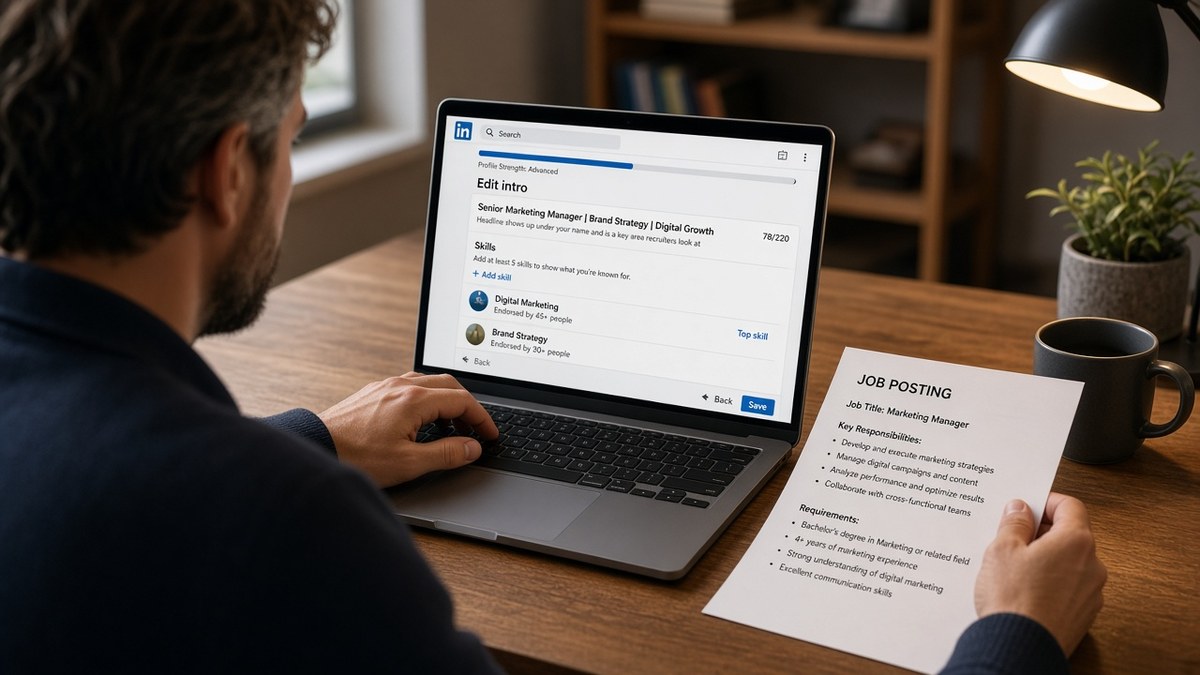
Headline: title plus three tools
Lead with the functional title you're targeting this month, then pipe in must-have tools from the posting. Example shape: Senior Financial Analyst | SQL | Power BI | FP&A. Skip adjectives. Recruiters don't search " passionate " or " driven."
Current role: mirror the employer's language
Keep the official employer title for verification. Add a clarifier in the description line if your internal label was vague: "Customer Success Associate (client-facing retention and renewals)." That second phrase catches searches your payroll title misses.
Skills: ordered, spelled like the req
Pin your top ten to fifteen tools near the top of Skills. Use posting spellings: Amazon Web Services only when the req writes it out; otherwise AWS. Drop skills you haven't touched in three years unless the posting still demands them.
About: two searchable sentences up front
Open with role, stack, and scope in plain language. "Backend engineer building payment APIs in Java and Spring on AWS" beats three paragraphs of career philosophy. Save the story for line three. Search previews truncate early.
Experience bullets still do the heavy proof work. Each must-have tool in Skills should appear at least once in a bullet with an outcome: cut ticket backlog, shipped three services, owned forecast for twelve markets.
How do Boolean filters change which keywords matter?
Recruiters don't type one word. They stack operators: AND, OR, NOT, and quoted phrases. A search might read `"Product Manager" AND (SQL OR Python) NOT "intern"`. Your profile needs every token in that string somewhere searchable.
Quoted phrases need exact matches. If the req says "machine learning engineer" as a phrase, splitting it across your About as "engineer who loves learning" won't hit. Put the full phrase in your headline or current title when it's accurate.
OR groups reward synonyms you actually hold. A search for `(React OR Vue OR Angular)` means pick the framework you used and spell it in headline, Skills, and bullets. Listing all three when you only know React gets you past search and failed at the screen.
NOT filters explain silent drops. `"Software Engineer" NOT "QA"` removes testers even if your bullet mentions automation. If you're pivoting, your headline must signal the target function, not the old one you're leaving.
I've run Boolean title-and-tool searches for the same req in Greenhouse and in profile search, and the headline plus two exact tools beats a keyword-stuffed About section every time.
Build your list from five target postings, not from a generic "top skills" article. Highlight recurring title variants and tools. That's your headline and Skills order for the week.
Why must your resume repeat the same keywords?
Profile search gets you on a list. The resume upload still runs through Workday, Greenhouse, Lever, or iCIMS. When the profile promises Python and SQL but the resume file never mentions them, the ATS score drops and the recruiter loses trust.
One spelling everywhere. If your headline says "Power BI" and your resume says "PowerBI" or hides tools in a sidebar column, parsers import blanks. Single-column layout, plain text Skills, tools repeated in Experience bullets.
Tailor both files per application. Swap the headline title string and three tools to match the posting before you hit submit. Then update the resume header and first bullet under your current job so the story matches.
For how parsers score overlap, read how ATS matches resumes to job descriptions . The same keyword rules apply whether the recruiter found you in search or you applied cold.
Which profile keyword mistakes get you filtered out?
- Creative titles with zero search tokens. "Growth ninja" or "code wizard" never match a req written by HR. Clarify the functional label in your headline.
- Skill soup without proof. Fifty Skills and no bullet mentioning Tableau reads like spam. Trim to what you can explain cold.
- Outdated stacks. Flash, VB6, and legacy acronyms signal you didn't tailor. Drop them unless the posting still asks.
- Synonym swaps that miss filters. "Client success" when every req says "Account Manager" keeps you out of saved searches.
- Profile and resume drift. Different titles on each file break trust at the screen. Align before you apply.
Job searching is draining, and keyword work feels petty until you see one saved search that would've included you if your headline had matched. Fix the headline first. It's the cheapest ten-minute edit with the widest search surface.
Generate a cover letter that repeats the same title and tools when the portal asks for one. Profile, resume, and letter should tell one story.
Match profile keywords to the posting before you apply
Keyword work is tailoring work. Run the posting against both your profile notes and your resume file before you upload.
Score your job match to see which required tools appear in your resume and which ones only exist in the posting. Fix gaps in bullets first, then update your headline and Skills list to match.
Build your resume in a single-column layout that exports cleanly to DOCX. Upload the export through the checker again so title strings and tools parse before you send the application.
Search the way recruiters search
LinkedIn keywords recruiters search for are title strings and exact tools, not inspirational About paragraphs. Mirror posting language in your headline, order Skills by the req, prove each tool in a bullet, and align your resume before you apply.
Open one posting tonight. Highlight the title variant and three must-have tools. Rewrite your headline to match. Update one bullet per tool. You'll show up in the searches that actually run this week.
Read more
Frequently asked questions
Match the functional label when your work supports it, not a seniority level you never held. If the posting says Senior Product Manager and your internal title was Product Owner II, use the posting phrase in your headline and resume header when your bullets prove that scope. Keep the employer's official title in the experience line so background checks stay clean.
Ten to fifteen defensible tools beat fifty buzzwords. Recruiters filter on specific skills after the title pass. List tools you used in the last three years, spelled the way the posting writes them: Salesforce not SFDC unless the req uses the acronym. Drop skills you cannot explain on a phone screen.
Rarely on the first pass. Searches lean on title plus hard tools plus years. Communication and leadership matter after you surface in results, usually inside experience bullets with scope: trained four analysts, presented monthly to directors. Add a soft skill to your Skills list only when the posting names it explicitly.
Copy only terms you can defend. Mirror must-have tools and title language, then prove each one in an experience bullet with scope. Stuffing Kubernetes into a profile when you only touched Docker once gets you filtered at the screen, not hired. Tailor per target role instead of one generic keyword dump.
Yes for the tools and title strings you're targeting this week. Recruiters who find you in search still upload your resume into Workday or Greenhouse. When the profile says Python and SQL but the resume never mentions them, the ATS score drops and the story falls apart. Align both files before you apply.