12 min read
You clicked Easy Apply on a role that fits, uploaded what you thought was a solid resume, and got silence. The job still shows as active. Colleagues with similar titles heard back. You're not imagining it. Easy Apply removes friction on your side. It doesn't remove screening on theirs.
Check your resume for free before you send another one-click application. Most failures trace to four causes you can test in ten minutes: profile apply instead of a tailored upload, a PDF the parser can't read, a file that never matched the posting, or volume that won't surface a good resume in a crowded queue.
This page is diagnostic, not a generic keyword checklist. You'll learn what recruiters actually receive after Easy Apply, how to tell which failure mode is yours, and what to change before the next submit. Job searching on LinkedIn is exhausting enough without guessing why a qualified file vanished.
Easy Apply isn't broken for everyone. It's unforgiving when the packet behind the button is sloppy, generic, or unreadable by the ATS the employer uses. The fixes are boring. They're also the difference between a recruiter opening your file and never knowing you applied.
Quick Wins
- Upload a tailored file when the form allows it. Don't rely on profile-only apply.
- Paste your PDF into Notepad. Garbled paste means the recruiter sees garbled text.
- Rewrite bullet one per posting before you batch apply tonight.
What recruiters receive when you hit Easy Apply
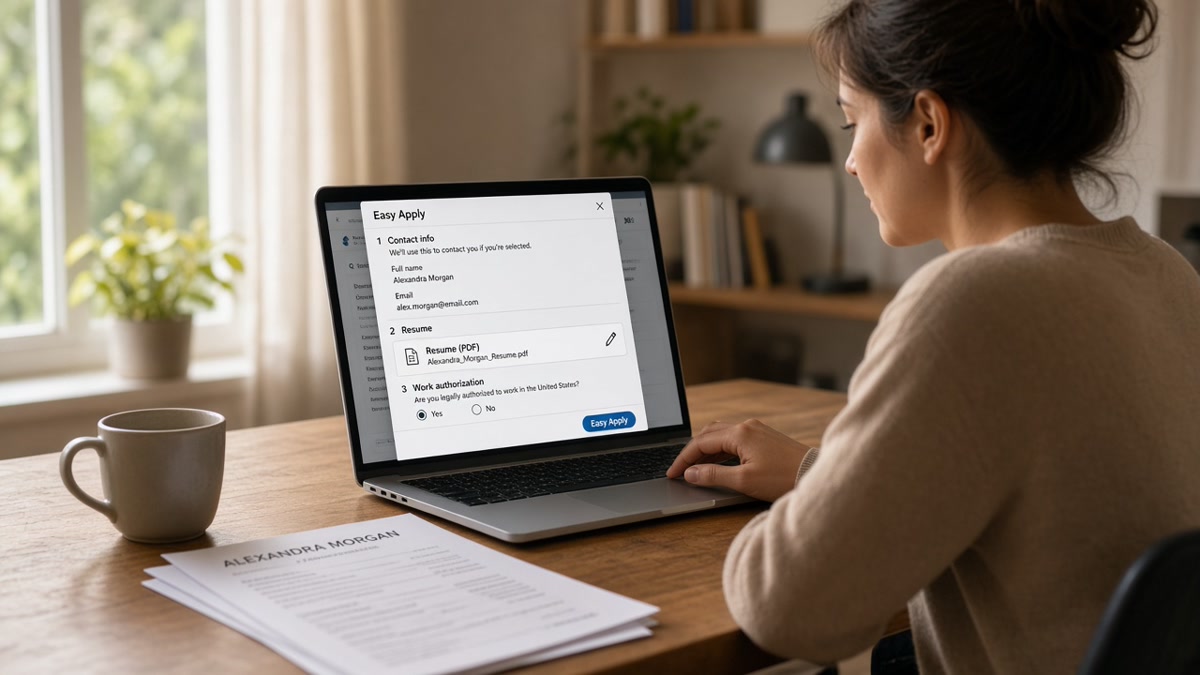
Easy Apply feels like one button. Behind it is usually two data paths. LinkedIn sends your profile snapshot, your uploaded resume, and your answers to screening questions into the employer's ATS or recruiter inbox. Greenhouse, Workday, Lever, and Taleo all show up behind LinkedIn postings. The skin changes. The first step is still text extraction.
The bar: a single-column resume with selectable text, bullet one that names a requirement from the posting, and a profile that doesn't contradict the attachment. Fancy design doesn't help here. Readable plain lines do.
Some postings require resume upload. Others default to profile data and hide the upload behind "attach resume (optional)." Optional is not the same as irrelevant. Recruiters who open the ATS often see the parsed profile first. If your PDF never uploaded, they may never see the version you spent an hour formatting in Word.
Screening questions on Easy Apply write to the same record as your resume. Salary, work authorization, and years of experience filters run before a human scrolls your bullets. A mismatch between your answer and your resume dates triggers skepticism even when the file is strong.
When a posting asks for a cover letter and the flow allows a upload, generate a cover letter from the same employer names and metrics as your resume so nothing contradicts in the ATS record.
Read resume formatting errors that break ATS parsing for layout rules that hit every portal, not just LinkedIn. This page is the Easy Apply packet: what fails, why, and how to test your file before submit.
Edge case: the posting says "Easy Apply" but routes to an external careers site after you click. Treat that as a full ATS apply, not a one-click win. Edge case two: mobile Easy Apply sometimes skips upload confirmation. Apply from desktop when you need to verify the attachment actually attached.
LinkedIn Easy Apply resume tips sorted by failure cause
Run the tests below in order. Stop at the first cause that matches. Fix that cause before you blame the algorithm or send ten more identical applications.
Cause 1: Profile apply with no tailored upload
Symptom: you clicked submit in under thirty seconds and never attached a file. Recruiters see headline, skills tags, and short experience blurbs pulled from your profile. Those blurbs rarely carry the metrics and tools from your real resume.
Test: open your public profile in a private window. Read the Experience section top to bottom. If bullet one under your current role is vague or older than your PDF, profile apply is selling the wrong version of you.
Before: Profile bullet: Supported various marketing initiatives across channels.
After: Uploaded resume bullet: Marketing Coordinator, Bright Labs, Jun 2023 to Present · Ran Meta Ads and Google Ads with $42k quarterly budget; lifted demo requests 18% in Q2.
Fix: upload the tailored PDF or DOCX when the form offers it. Sync profile dates and titles with the file so Greenhouse doesn't show a 2021 end date on profile and 2023 on the resume. If upload is optional, treat it as required for any role you care about.
Cause 2: PDF the parser cannot read
Symptom: the file looks perfect on your screen. Recruiters report missing employers, scrambled dates, or blank experience blocks in the ATS. LinkedIn may still show "resume attached" while the backend stored garbage text.
Test: copy all text from your PDF into Notepad or TextEdit plain mode. Employers and Month Year dates should appear in reading order. Tables, icons, and two-column layouts break this test fast.
Before: Canva export with skill icons and a sidebar. Notepad paste shows random words and blank lines.
After: Word DOCX, 11-point Calibri, single column. Notepad paste shows Acme Corp, Data Analyst, Jan 2022 to Present on consecutive lines.
Fix: flatten columns, remove text boxes, re-export from Word. Use PDF only when the paste test passes. Scanned paper resumes fail the same way. Type the document. Don't photograph it.
Cause 3: Same resume across every posting
Symptom: you're qualified, you're applying daily, and every rejection feels random. The file never changes. Bullet one still describes your last job generically while the posting asks for Salesforce, HubSpot, or Python in the first line.
Test: open the job description beside your resume. Highlight three required tools. If none appear in the first bullet under your current role, tailoring is the gap, not luck.
Fix: rewrite bullet one so a top requirement lands in the first eight words. Save a separate file per company slug in the filename. Easy Apply is fast to submit. Screening still runs keyword and title filters. One precise bullet beats a long skills list the parser never reads from a sidebar.
Read why mass applying reduces interview chances for how volume without tailoring burns the same week you thought you were being productive.
Cause 4: Volume without signal
Symptom: you applied to forty roles in three days. None were wrong fits on paper. Recruiters still never replied. Easy Apply rewards speed on your end. It also dumps hundreds of packets into queues where the first filter is title, location, or years of experience, not charisma.
Test: count how many applications you sent last week without changing bullet one. If the number is high and the tailoring count is zero, volume is masking a fixable file problem or a targeting problem.
Fix: cut batch size. Apply to fewer roles with a tailored upload and a filename that names the company. Track confirmations. Duplicate Easy Apply clicks on the same posting sometimes create duplicate ATS records that annoy coordinators. Submit once per role with the best file, not three times with the same generic PDF.
Copy-paste Easy Apply diagnostic checklist
Run this beside an open posting before you click submit:
[ ] Resume file attached (not profile-only)
[ ] Notepad paste shows employers and dates in order
[ ] Bullet one names a required tool from this posting
[ ] Profile dates and titles match the uploaded file
[ ] Screening answers match resume (authorization, years)
[ ] Filename includes company slug for your records
[ ] Submitted once. No duplicate click on same role
Edge case: Easy Apply pre-fills email and phone from an old application. Verify before submit. Edge case two: "Resume optional" on a senior role. Upload anyway. Coordinators rarely hunt for a missing attachment when two hundred people applied that afternoon.
Where Easy Apply packets break in US screening
The pattern: one-click submit, slow silence, assumption that LinkedIn is the problem. Often the packet was unreadable, untailored, or never uploaded. The button worked. The file didn't.
Trusting skills tags on your profile while your resume bullets stay generic. Tags can rank you in LinkedIn search. They don't replace experience lines in Workday when a recruiter filters on job title text in the Experience section.
Uploading the wrong file because eight tabs were open. Final-v3.pdf goes to the wrong company while you thought you attached the tailored version. Name files with the company slug before you open the first Easy Apply modal.
Contact info trapped in a Word header or footer. Parsers read body text first. Phone and email in the margin often vanish from the ATS view while still visible on your PDF printout.
Answering "years of experience" optimistically on the form while your resume shows shorter tenures. Recruiters notice. Pick honest numbers that match the file.
I've seen Easy Apply packets where the candidate attached a portfolio PDF because the label said "relevant document." Read the field. If it says resume, attach the resume.
Pasting the job description into a summary block to game keywords. Recruiters quote it back in rejection notes. Write one natural sentence that names a real tool you used.
Applying from phone while commuting. Upload confirmations are easy to miss on mobile. You think the resume attached. The record is profile-only.
Special characters and emojis in filenames break uploads on some browsers. Use Firstname-Lastname-Company-Resume.pdf. No hashtags, no FINAL_FINAL strings.
Ignoring "additional questions" because they look optional. Some employers weight knockout answers higher than bullet three on page two. Read every field before submit.
Assuming a viewed profile means progress. Views track recruiter curiosity on LinkedIn. They don't prove anyone parsed your Easy Apply attachment in the employer ATS.
Preview the file before the one-click submit
Run the same export through a checker with the job description pasted in. You're confirming parse warnings are gone, not chasing a perfect score. Fix employer order and missing headers before LinkedIn sends the packet downstream.
Run a free ATS check on the file you'll attach. If warnings mention tables, columns, or missing employers, fix those first. Then score your job match against the posting to confirm bullet one carries a skill the description repeats in the requirements block.
Edge case: you're batching five similar roles tonight. Check each file against its own posting, not one master job description. Edge case two: returning to a role you applied to months ago with a new resume. Withdraw the old application when the platform allows it, or recruiters compare two conflicting versions in the same tenant.
Run the LinkedIn Easy Apply resume tips checklist before the next role
Open the posting you care about. Attach a tailored file when upload is available. Paste the PDF into Notepad. Rewrite bullet one so the top required skill appears early. Answer screening questions to match the resume. Submit once.
Easy Apply didn't remove recruiters. It removed your excuse to skip the upload step. When silence continues after a clean packet, the issue may be fit, timing, or competition. You'll still know the parser saw the file you intended. That beats wondering whether a table layout hid your current title from every filter.
Batch fewer roles with better files this week. Sync your profile so it doesn't fight your PDF. Save confirmation screenshots. Job searching on LinkedIn is hard enough without sending a profile snapshot when the employer needed a tailored resume.
When a friend asks if Easy Apply is worth using at all, the honest answer is yes with conditions. Use it when you'll upload a readable file and tailor bullet one. Skip the thirty-second profile-only blast when the role matters. The button is fast. Screening still reads text.
And if Notepad paste fails twice on the same template, stop applying with that design. Flatten the doc, re-export, test again. Third submit with a broken parser view is not lucky. Fix the file, then click Easy Apply once.
Read more
Frequently asked questions
Upload a tailored PDF or DOCX every time the form allows it. Profile-only applies send a snapshot of headline, skills tags, and experience blurbs. Recruiters in Greenhouse and Workday often see that snapshot first, not your polished file. When upload is optional, attach the version with bullet one rewritten for this posting. Keep profile dates and titles aligned so nothing contradicts the attachment.
The file is probably image-based or built with tables and columns. Easy Apply and the employer ATS behind it extract plain text the same way other portals do. Paste the PDF into Notepad. If employers and dates scramble or vanish, fix the export before you submit. A designed PDF from a graphics tool often fails while a boring Word export passes.
Volume without tailoring is its own failure mode. Easy Apply makes submission fast. It does not make screening fast. Recruiters still filter on title match, location, and keywords in the first experience block. One generic file across twenty postings means twenty queues where bullet one never names the top requirement. Tailor bullet one and the file name per role, even when the button only takes one click.
Use whichever format produces selectable text in a plain-text paste test. Many flows accept PDF and DOCX. PDF from Word or Google Docs export is fine when text copies cleanly. PDF from Canva or a scan is not. Name the file Firstname-Lastname-Company-Resume.pdf so recruiters recognize the right version when they download from the ATS.
You usually cannot edit the packet after submit. Some employers allow a second application weeks later; many flag duplicates. If you caught a parser error immediately, withdraw when the platform allows it and reapply with a fixed file. Better path: run a text paste test and a free ATS check before you click submit the first time.