12 min read
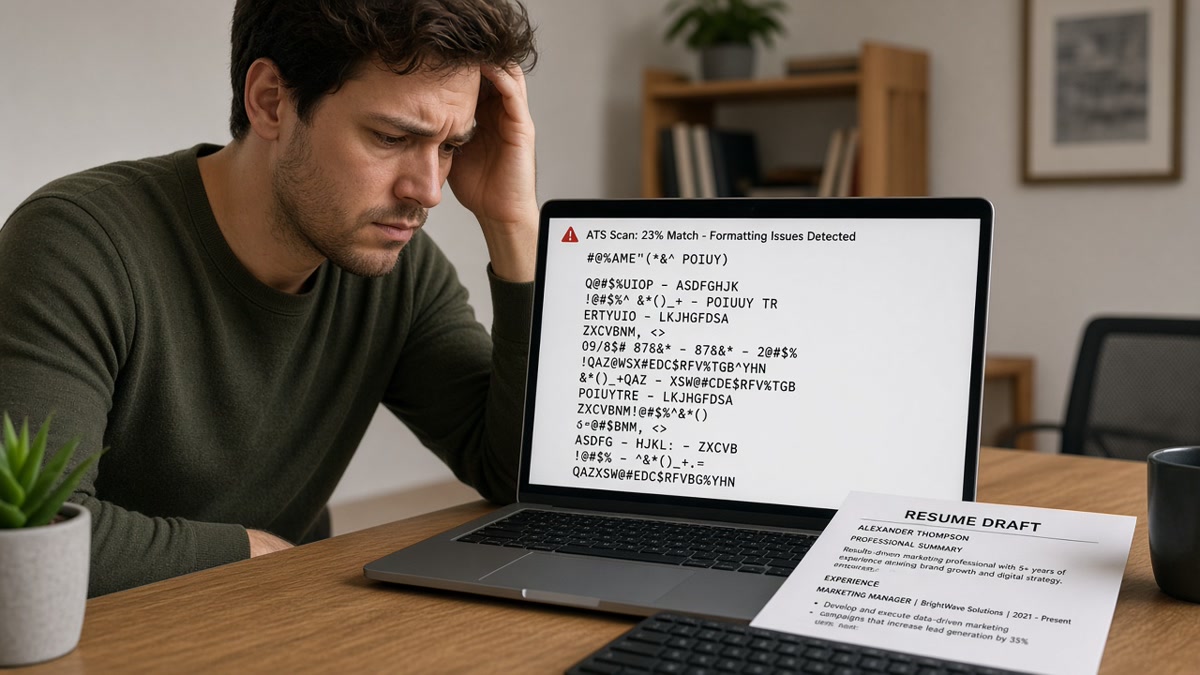
You uploaded a resume you're proud of. Jobvite's preview shows Experience blank, or your 2024 manager role sitting under a college internship. You're not imagining it. The portal didn't read your file in the order you intended before a recruiter opened the attachment. Jobvite resume parsing problems usually trace to layout, not missing keywords.
Check your resume for free against the posting before you rebuild from scratch. A two-column Canva template can look sharp on your phone and still import as an empty work history block. Fix structure tonight. Tailor bullets after the preview shows employer names in the right slots.
Below: the symptom you're seeing, three causes behind Jobvite import failures, how to tell which one is yours, and the fix for each. Job searching is draining enough without fighting a parser that never saw your last title. You don't need a separate Jobvite template shop file. You need one boring master document that imports clean every time.
If the req also wants a letter, draft structure in the cover letter generator after you fix the resume import. A clean cover letter won't rescue a file where Experience imported empty.
Quick Wins
- Export single-column DOCX at 11-point Calibri or Arial before you upload.
- Put phone and email in the body top margin, not in a Word header.
- Stack employer, title, then Month Year dates on separate lines.
- Screenshot the Jobvite preview and fix blank fields before you hit submit.
The symptom: Jobvite imported your file wrong
The application preview is the tell. Experience shows zero roles while Education filled fine. Skills dumped as a comma list with no job context. Your current employer name landed inside a phone field. You applied anyway because the req closed tonight and you were tired. The recruiter's view may never match the PDF you attached.
Screening runs on imported fields first. When Jobvite maps work history blank, keyword filters and experience minimums read as zero years. A composite operations coordinator uploaded a designed PDF. Preview showed one employer from 2016 and nothing from her present role. She reapplied with a plain DOCX, same bullets, and the timeline imported in order. Same qualifications. Different text layer.
Edge case: you already work at the company and you're applying internally. Jobvite may pre-fill profile data from HRIS. Your upload still parses separately. If the import garbles dates, fix the file before you assume the internal profile will override it.
Edge case: you're on mobile and the portal only offers photo upload. Camera shots become image PDFs parsers cannot read. Switch to desktop, rebuild in Word, and upload DOCX or a text PDF. Do not photograph a printed resume.
Edge case: you pasted LinkedIn export text into a template. Invisible characters and odd bullets often ride along. Paste into Notepad first, then into a clean single-column doc with standard round bullets.
Read how to check parsed fields before submitting to US ATS portals when you want a field-by-field preview habit that works beyond Jobvite alone.
Jobvite resume parsing problems: three causes behind the break
Most Jobvite resume parsing problems trace to one of three layout failures. Name yours before you add keywords to a file the parser still cannot read.
Cause 1: Two-column and table layouts read out of order
Jobvite extracts text in the order it appears in the file stream, not the order your eyes follow. Sidebar skills columns, project tables, and Canva text boxes often dump dates before titles or merge unrelated blocks.
Before: Marketing specialist resume with skills in a left column and jobs on the right. Preview imported React and HubSpot into employer fields while company names sat in Skills.
After: Single-column DOCX. Same bullets, tools named inside Experience lines. Preview showed three employers in reverse chronological order.
How to tell this is you: Copy one Experience entry and paste into Notepad. If employer and title arrive on different lines from how they look on screen, columns are splitting the parser.
Fix: Rebuild in Word or Google Docs with one column. Delete text boxes. Put each role in this stack: Company Name, Job Title, City State optional, Jan 2022 to Mar 2024, then bullets. Export DOCX, upload, screenshot preview.
Cause 2: Headers, footers, and contact blocks the parser skips
Word headers and footers look like page furniture to parsers. Phone numbers and emails hidden there often import blank. Repeated header logos can clone your name into every section field.
Before: Data analyst put email and phone in a footer on every page. Jobvite left contact fields empty and duplicated the candidate name beside Education.
After: Contact block directly under the name in the body: phone, email, city and state, LinkedIn URL plain text. Footer removed. All contact fields populated on preview.
How to tell this is you: Double-click the top margin in Word. If your phone number highlights there, move it into the body before export.
Fix: Remove headers and footers entirely. Use one contact block. Label lines simply: Phone, Email. Avoid icons that replace text. Re-export and re-upload.
Cause 3: Scanned PDFs and image-heavy files with no text layer
A PDF that looks crisp on screen may be a picture of text. Jobvite cannot score what it cannot select. Graphics-heavy resumes with skill badges and chart images often import blank Experience even when the attachment opens fine in a browser.
Before: Nurse uploaded a scanned paper resume saved as PDF. Experience block empty. Certifications image unreadable.
After: Retyped into single-column DOCX with standard headings Experience, Licenses, Education. Same credentials, text selectable. Preview filled all work history rows.
How to tell this is you: Try to highlight one word in the PDF Experience section. No text cursor means the parser sees a photo, not a career timeline.
Fix: Retype into DOCX or run OCR then clean the output manually. Do not trust OCR alone for dates and employer order. Export a text-based PDF only after plain text reads correctly when pasted.
How to tell which cause is yours
Run three checks in five minutes. Paste test for columns. Header double-click for contact. PDF highlight test for scans. If two fail, fix both before you tailor bullets. Jobvite will not guess the right employer order from a pretty layout.
When preview is partially right, note which section broke. Blank Experience with full Education points to columns or scans. Wrong date pairing with visible jobs points to spacing between title and date lines. Empty contact with full jobs points to headers.
Save your first clean preview screenshot. Use it as proof when a friend asks why their designed resume keeps failing Jobvite. The fix is almost always layout, not talent or keyword count.
I've screened Jobvite packets where the attachment was strong and the imported profile was empty. Recruiters search on imported fields. Your PDF is backup evidence, not the primary record when import fails.
Copy-paste Jobvite-safe Experience block
Replace company names and dates with yours. Keep one role per stack. Use this copy-paste skeleton:
EXPERIENCE
Northline Health Systems, Boston MA
Revenue Cycle Analyst
March 2021 to Present
• Built weekly denial dashboards in Looker, cutting reactive tickets 11% in Q3
• Owned Epic HB workflow edits for 340-bed hospital; trained six coordinators on new code paths
Summit Billing Partners, Remote
Billing Specialist
June 2018 to February 2021
• Posted $2.1M monthly commercial claims at 99.2% clean rate in X12 837 format
• Cleared 90-day AR backlog for three clinic sites in one quarter
Pair with how to build an ATS resume from an old PDF when your starting file is a designed export you cannot edit cleanly.
What still breaks after a quick formatting pass
Uploading the same PDF with a new file name. Renaming does not add a text layer. Rebuild or retype.
Stuffing keywords into a white font footer. Parsers and recruiters flag hidden text. Put terms in real bullets under the job where you used the tool.
Mixing date formats in one file. Jan 2022 beside 01/22/2022 beside 2022 breaks pairing. Pick Month Year and stay consistent.
Using special bullets, emojis, or icon fonts. They often paste as squares or skip. Standard round bullets or hyphens only.
Trusting the attachment view alone. Open the preview pane. If Experience is blank, do not submit hoping a human will read the PDF first.
Applying keyword lists without fixing import order. A skills cloud that parses above your current title makes you look junior even with ten years of work.
Keeping creative section titles. My Journey or Career Story instead of Experience confuses field mapping. Use Experience, Education, Skills.
Submitting on a deadline without preview time. Five extra minutes on import checks beats three weeks of silence because Experience imported blank on a role you were qualified for.
Read resume formatting errors that break ATS parsing when Jobvite is not the only portal garbling your layout this week.
Verify the import before you submit
Run the file through the free ATS checker with the posting pasted in. You're confirming required terms still appear after you flattened columns, not whether a designed template looks impressive on Instagram.
Use the free resume builder if you're rebuilding from a two-column export and want a single-column base without fighting text boxes. Export DOCX, upload to Jobvite, screenshot the preview, then tailor bullet one for the req.
Tools will not click submit for you. They keep you from wasting applications where imported Experience is empty while your PDF tells a different story.
Your Jobvite upload plan tonight
Jobvite resume parsing problems and how to avoid them come down to text order the parser can follow. Single column. Contact in the body. Month Year dates under titles. Preview screenshot before submit. Tailor bullets only after import looks right.
Open your file. Run the paste test, header test, and highlight test. Rebuild if any fail. Upload DOCX. Fix blank fields in the preview. Save the screenshot so you know this version is the one that imported clean.
This won't fix applying to roles you're not qualified for. It does stop qualified candidates from losing screens because Experience imported empty while the PDF told a different story.
Read more
Frequently asked questions
Usually the parser could not read your file as text. Two-column layouts, tables, headers and footers, and scanned image PDFs are the common triggers. The attachment may look fine on your screen while the imported profile shows empty work history. Rebuild in single-column DOCX, export a text-based PDF, and check the preview before you submit.
DOCX often imports cleaner because the text layer is plain. A simple single-column PDF works when you can highlight individual words in Experience. Avoid scanned PDFs, Canva exports with text boxes, and files where copy-paste dumps columns out of order. Match the format the portal accepts, then verify the preview either way.
Yes, when they sit inside the text flow. Sidebar icons, skill badges, and chart images can push employer names into the wrong field or skip whole sections. Keep branding on your portfolio link. The resume file should be name, contact block, Experience, Education, and Skills in one column with no embedded images.
You can fix layout without a full rewrite. Flatten columns, move contact info out of headers, put dates on the line below job titles, and use Month Year format. Bullet quality still matters after import. A readable duty list passes parse and fails screen. Fix structure first, then promote your strongest metric to bullet one.
Open the application preview or profile import screen and read employer order top to bottom. If a 2018 internship sits above your 2024 role, or dates floated to a skills block, spacing or columns split title from date. Put employer on one line, title on the next, Month Year range on the third. Re-upload and screenshot the fix.