11 min read
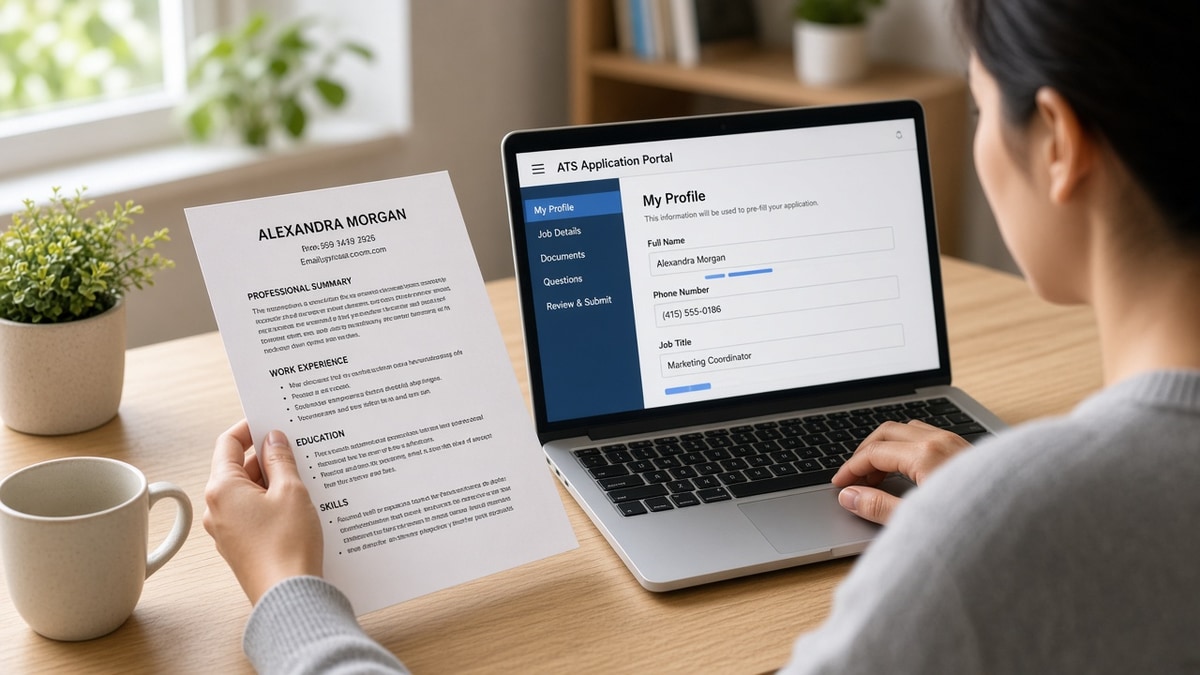
You polished bullet three, exported a PDF, and you're about to hit Submit on a Workday req. The portal already pulled your file into profile rows. If phone is blank, your current title reads Operations Manager RetailCo instead of two fields, or your last start date landed under Education, that broken row is what the recruiter sees. You won't get a second upload pass after Submit locks the application, and you can't undo it from the confirmation screen.
Check your resume for free with the posting pasted in, but don't stop there. US corporate hiring still runs through parsed profile rows in Workday, Greenhouse, Lever, and iCIMS before a human opens the attachment. A 90-second paste test plus the portal preview catches most failures while you can still fix them.
Below you'll see what clean parsed rows look like, six before/after pairs across contact, dates, titles, and skills, what scrambled previews share, and a copy-paste checklist you can run on every upload. If the req asks for a letter, draft structure in the cover letter generator after your rows parse cleanly. Job searching is exhausting. This teardown is about verifying rows on the screen, not motivational filler.
Quick Wins
- Paste your export into Notepad or TextEdit and read top to bottom in 90 seconds.
- Ctrl+F your phone number in the PDF before you upload. No hit means the parser won't see it either.
- Stop at the portal preview step when Apply with Resume shows auto-filled rows.
- Fix layout first, then keywords. A matched skill in a scrambled Skills block still sits under the wrong employer.
What clean parsed rows must show in US ATS portals
Most advice stops at upload a PDF and hope. Corporate US flows usually map your file into structured rows: name, phone, email, each employer block with title, company, start date, end date, education lines, and a Skills list. Recruiters filter and sort on those rows long before they open the attachment. When a row is empty, they assume the data isn't there.
The standard your preview is judged against: phone and email appear as plain text in the first screen of the paste test; your current job title and employer name occupy separate fields; Month Year dates sit on the same employer line as the company name; Skills entries are individual tokens, not one mashed paragraph pulled from a two-column table.
A composite operations analyst whose preview shows blank phone while the PDF header looks fine loses callback chances before keyword matching even runs. The file might list SQL and Looker everywhere. The profile row recruiters sort on still has no number to call.
Workday Apply with Resume, Greenhouse's resume import step, and Lever's autofill panel each surface slightly different previews. The row names change. The failure modes repeat: contact trapped in headers, dates split from employers, titles merged with company names, skills read out of column order. You don't need to memorize vendor logic. You need five rows correct on the screen in front of you.
Read how to test your resume on Workday before applying when your req runs on that stack. This page stays on parsed field rows you can verify in any US portal before Submit.
Six parsed field failures: before and after
Each pair shows what the importer pulled versus what you want in the preview. Minimal prose between pairs on purpose. That's the point of a teardown page.
Pair 1: Contact (phone trapped in a PDF header)
Before: Line one shows your name. Line two jumps straight to Summary. Ctrl+F for your phone in the PDF returns zero hits because the number lives inside a decorative header layer. Portal preview phone field blank while email populated.
After: Name on line one, phone and email as plain text on lines two and three, city and state on line four. Portal preview shows phone and email both populated so a recruiter can click to call without opening the attachment.
Pair 2: Contact (email only as a hyperlink)
Before: Email address missing as raw text. Paste stops at your name and a LinkedIn URL. Portal preview email blank or shows mailto: fragment without the full address.
After: [email protected] appears as readable characters on its own line under phone. Portal preview email field matches what you typed in the source file character for character.
Pair 3: Dates (right-aligned dates in a table column)
Before: Employer names appear in one block. All dates appear later near Skills as Jan 2022 Mar 2024 Present with no employer attached. Latest role shows title and company but start and end dates empty in the preview.
After: Acme Corp on one line, Operations Analyst Jan 2022 to Present on the next line, Month Year format consistent. Start date Jan 2022 and end date Present attach to the correct employer row.
Pair 4: Dates (mixed formats on one file)
Before: First role uses 03/2019-06/2021, second uses Summer 2022, third uses 2024 only. Middle role end date blank in preview. Third role shows 2024 with no month.
After: Every role uses Mar 2019 to Jun 2021 style with three-letter months. Timeline sorts chronologically without gaps recruiters read as unemployment you didn't have.
Pair 5: Titles (two-column title and company row)
Before: Senior Product Manager Horizon Health reads as one string on a single line. Job title field shows Senior Product Manager Horizon Health while company field stays blank.
After: Horizon Health on one line. Senior Product Manager on the next, or Senior Product Manager | Horizon Health on one line with a clear separator. Title and company populate as separate searchable fields.
Pair 6: Skills (two-column Skills table)
Before: Python SQL Tableau AWS Excel Power BI R SaaS churn modeling reads as one run-on line after Education. Skills preview shows Python SQL Tableau only. AWS and Power BI missing. Excel attached to the wrong employer from column bleed.
After: Skills section as comma-separated plain text or one skill per line in a single column. Each skill token appears individually. Recruiter ctrl-f for Power BI returns a hit inside Skills, not inside a job bullet from the wrong column.
Edge case: contract roles with stacked clients
Multiple clients in one undated block often parse as one employer with a mashed title. Split each client with Month Year ranges before you expect clean preview rows.
Before: One Experience row reads Independent Consultant with bullets from four clients and no dates.
After: Separate rows: Client A Jan 2023 to Aug 2024, Client B Sep 2024 to Present, each with its own title line.
Edge case: career change with a renamed title
Internal titles that don't match market language still need a parse-friendly employer line. Put the market title in the title field and the internal label in bullet one, not inside the title cell where Greenhouse expects a single role string.
Before: Title field shows Member Technical Staff III. Company populated. Recruiter search for Software Engineer returns no row match.
After: Title field reads Software Engineer. Bullet one explains internal Member Technical Staff III scope with dates intact.
Copy-paste parsed field checklist
Copy-paste before every Submit:
[ ] Paste export into plain text. Name, phone, email appear in the first five lines.
[ ] Ctrl+F phone and current job title in the PDF. Both return hits.
[ ] Upload to portal preview. Phone, email, title, company, start date on latest role all populated.
[ ] Dates use Month Year format on the same line as each employer.
[ ] Skills list as separate tokens, not one paragraph from a table.
[ ] No merged title+company strings in the title field alone.
[ ] Re-run paste test if you moved sections, columns, or contact info since last apply.
What scrambled parsed previews share
Contact info in headers, footers, or text boxes. The PDF looks polished. Plain text paste skips straight from name to summary. Preview phone stays blank.
Two-column Canva or Word layouts. Greenhouse and Lever sometimes read columns out of order. Your latest employer lands under Skills. Dates detach entirely.
Tables for dates or skills. Side-by-side cells merge into one string or drop the right column. Skills lose half their tokens.
Creative section headers. My Journey instead of Work Experience can leave Experience rows empty while bullets appear as orphan text below Education.
Skipping the preview because the PDF looks fine on screen. Visual layout and parse order diverge constantly. I've seen perfect-looking one-pagers import with blank phone and merged titles on the same req where a boring single-column file parsed clean.
Fixing keywords before fixing rows. Adding Power BI to Skills doesn't help when Skills parsed as one block attached to the wrong employer. Layout first, tailoring second.
Read DOCX export settings that improve US ATS parsing when paste test fails on a file that looked fine in Word. Export settings change parse order more often than candidates expect.
How to check parsed fields before submitting with HireFlow tools
Run your export through the free ATS checker with the posting pasted in. You'll see whether contact lines and employer blocks survived as readable text before you trust a portal preview. Fix blank phone or merged title rows in the source file, then upload again to the employer site.
When you're deciding which posting phrases to keep after parse rows look clean, use Score your job match against the same ad. It surfaces gaps between your dated lines and the req without guessing which fields the importer dropped.
Run the checklist once per file
Parsed rows are the version recruiters sort on. When you check parsed fields before submitting, you're confirming phone, title, dates, and skills landed in the right cells, not trusting that a pretty PDF imported perfectly.
Pick one application you're ready to send tonight. Run the copy-paste checklist. Fix any blank or merged row in the source file. Upload to the portal preview. Submit only when those five core fields match what you wrote.
Layout fixes beat keyword panic every time. A boring single-column file with correct rows outruns a designed template that imports with no phone and a mashed title field.
Read more
Frequently asked questions
Start with phone, email, current job title, employer name, and Month Year dates on your latest role. Those five rows drive recruiter contact and shortlist filters in Workday and Greenhouse. If any preview cell is blank, merged with another field, or shows text from the wrong section, stop and fix the file. Skills and education matter next, but a missing phone number ends more applications than a missing certification line.
Run a 90-second paste test first: copy your export into a plain text editor and read top to bottom. Then upload to the portal preview step many US employers enable after Apply with Resume. Compare each auto-filled row to your source file. You can also run the same PDF through HireFlow's free checker with the posting pasted in to see whether contact and employer blocks survived as text.
Either works when the file is single-column text with Month Year dates sitting on the same line as employer names. Older enterprise Workday flows often read DOCX more reliably. Clean text-based PDFs work on most Greenhouse career sites. Run the paste test on both exports when the posting allows a choice. Pick whichever keeps employer blocks in reading order, not whichever looks prettier on screen.
That usually means the parser read a two-column row or a table cell as one string. Side-by-side title and company layouts, Canva-style grids, and text boxes often produce Senior Analyst Acme Corp instead of two separate fields. Move title and employer onto one line with a pipe or dash separator, or stack them vertically in a single column before you upload again.
Recheck when you change layout, not when you swap three verbs. Moving Skills above Experience, shrinking margins to squeeze page two, adding a sidebar, or dropping contact info into a header layer can scramble parse order overnight. Keyword tweaks inside existing bullets rarely move fields. Run plain text again only when the skeleton moved.