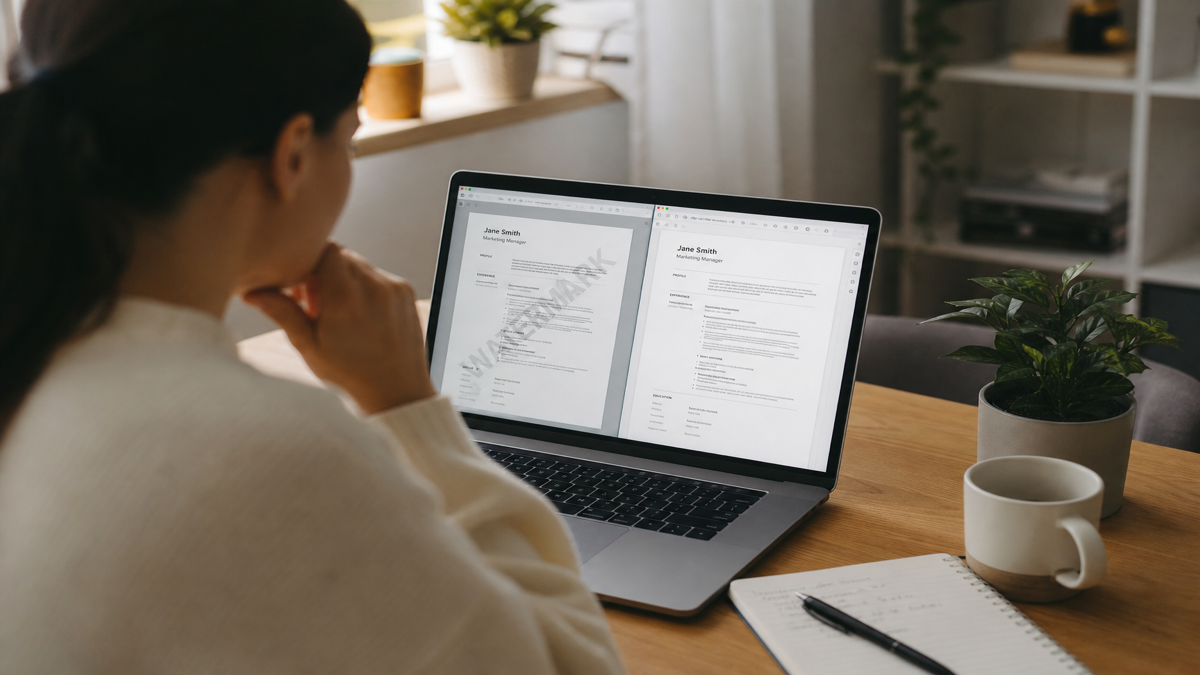
Yes—there are 100% free resume builders if you define free as a file you can actually apply with: no watermark, PDF and DOCX export, and no forced signup before download. Many products labeled "free" fail that test at the last click. They let you draft for an hour, then stamp a brand logo, lock DOCX, or demand an account for the "professional" export.
This guide explains what free should mean for job seekers, how freemium traps work at export time, when paid help is still worth buying, and how to verify ATS safety after any free download. HireFlow's free resume builder on hireflow.net is built for the honest bar—templates, ATS-friendly options, PDF and DOCX, no signup wall.
| Free outcome | Why it matters | Fail signal |
|---|---|---|
| No watermark | Brand stamps look unprofessional to recruiters | Logo, URL, or "Created with…" on PDF |
| PDF and DOCX export | Portals request different formats | DOCX locked; PDF only after upgrade |
| No forced signup | Account walls slow deadline applications | Email verify before download |
| Unlimited re-export | You will fix typos the same night | One free download then Pro paywall |
Key Takeaways
- Judge the download, not the landing page hero
- Watermarks and signup walls are the two most common freemium traps
- A free file can still fail ATS parse—verify single-column layout after export
- Pay for narrative help on pivots and executive scope—not for removing a logo
- Google Docs is free; builders should match or beat that export baseline
What "100% free" should mean for job search
Marketing pages love the word free. Product managers love freemium. Job seekers need a narrower definition: can I finish, export, and attach the file to a Workday or Greenhouse application without paying, without a logo across the footer, and without inventing a new password at 11:50 p.m.?
The FTC's consumer guidance on digital products stresses transparent pricing and honest claims. Resume builders that call themselves free but gate the apply-ready export are using the same playbook as other freemium apps—maximize time in the editor, monetize at commitment.
Optional tips, optional paid writing, and optional cloud history can exist beside a free path. What is not fine is calling the product free when the only usable export sits behind a subscription.
Common Mistake: drafting a full resume inside a tool before testing export. Run the ten-minute smoke test first—dummy content, download, inspect—before you invest an evening.
Watermarks: why "free" exports still look unpaid
Watermarks are the most common freemium trick. Preview looks clean. Download stamps "Made with BrandX" across the margin. The company hopes embarrassment converts you to Pro. Recruiters hope you sent a serious file. Those goals conflict.
| Before (freemium trap) | After (apply-ready free) |
|---|---|
| "Made with BrandX" footer on the PDF sent to Workday | Clean PDF/DOCX with no product logo or URL stamp |
| Editor free; download blocked until Google signup plus drip emails | Export first on hireflow.net; optional account only for history |
| One free download; second typo fix demands Pro | Re-export freely while iterating bullets the same night |
Soft watermarks matter too: tiny URLs, faint diagonal marks, cover pages prepended to the resume. Open every free export on your phone. Zoom the footer. Check page two. If the brand appears anywhere, that tool failed the free test for applications.
Quick Check: never apply with a branded free-tier PDF when a clean alternative exists on hireflow.net or in Google Docs.
Signup walls: free editing, paid attention
Another pattern: unlimited editing in the browser, then "Create a free account to download." You enter email, confirm a code, accept marketing consent, and wait for upgrade emails. You did not pay money—you paid friction and inbox space.
Mid-search, you already manage enough passwords. A builder that demands OAuth or phone verification before PDF export optimizes for their CRM, not your interview rate. Optional accounts for saving progress are reasonable. Required accounts for a one-night export are a trap.
HireFlow keeps the free builder usable without signup so you can create, download, and leave. File first, account optional—that order is what 100% free should feel like under deadline pressure.
Pro Tip: sniff test in under three minutes—dummy resume, click download before writing real bullets. If blocked, leave immediately.
Export limits: PDF caps, DOCX locks, and trial clocks
Export limits are quieter than watermarks and just as costly: one free PDF per month, DOCX only on Pro, "high-quality" PDF locked, or a trial that freezes the file after seven days. You discover the limit after tailoring bullets for a dream role.
| Export trap | How it shows up | What to do |
|---|---|---|
| DOCX paywalled | Only PNG/PDF on free; Word needs upgrade | Leave if posting asks for Word |
| One free download | Second export demands Pro | Fail the tool before real drafting |
| Trial clock | File freezes after 3–7 days | Export immediately; migrate content out |
| Quality tiers | Free PDF low-res or flattened oddly | Test text selection before applying |
Keep both formats when allowed. Text-based PDFs usually parse in modern ATS. DOCX helps when a portal or recruiter asks for Word. See PDF vs DOCX for ATS once you have a clean file.
Common Mistake: paying $20/month forever just to export a one-page PDF. Switch to a truly free builder first.
Freemium traps: a field guide
- Preview-only free: beautiful editor, download disabled until payment
- Template bait: marketing shows twenty themes; free tier keeps two dated layouts
- AI rewrite upsell: bullets stay bland until you buy Pro phrasing
- Score theater: vanity ATS score that only improves after upgrade
- Bundled subscriptions: resume builder glued to cover letters and monthly fees you forget to cancel
Design-first free tools may export without a watermark and still fail portal parse because of columns and icon-only contact rows. Read does a Canva resume pass ATS before polishing a multi-column layout for Easy Apply volume.
Want a free builder that downloads clean?
Skip watermarks and signup walls. Open HireFlow's free resume builder, pick an ATS-friendly template, and export PDF or DOCX the same day.
Try Free Resume BuilderKey Takeaway: freemium is a business model, not a promise. Test export with dummy content before you draft for real.
Honest comparison: free, freemium, and paid paths
| Builder type | Truly free export? | Common catch | Best use |
|---|---|---|---|
| HireFlow free builder | Yes—PDF and DOCX, no watermark | You still write real proof | Portal applications tonight |
| Template SaaS freemium | Often no | Watermark or locked formats | Only if Pro already paid |
| Design-first tools | Sometimes | ATS parse risk from columns | Creative handoffs, not ATS volume |
| Google Docs / Word | Yes | DIY structure and headings | Full control, slower start |
| Paid human writing | N/A—you pay for narrative | Cost if you only needed formatting | Pivots, executive, complex stories |
For a deeper criteria walkthrough, see the best free resume builder for job seekers . This article focuses on the honesty problem: when "free" stops being free at export time.
Pro Tip: re-check signup and export rules before each job search sprint—vendors change free tiers without announcement.
When is paid help worth it—and when is it not?
Free builders are enough for most online applicants who already know their metrics and target titles. Paid help makes sense when the problem is narrative: messy pivot, executive scope that reads as a task list, federal length rules, or consulting engagements that need translation for corporate recruiters.
- Worth paying: career change with thin transferable proof; C-suite search; clearance or federal formats; repeated feedback that bullets are vague
- Not worth paying: watermark removal; basic single-column formatting; one extra template theme; vanity ATS score from keyword stuffing
See how much a professional resume writer costs and AI resume builder vs human writer when DIY stalls after you have a clean master file.
Common Mistake: buying a $400 package only because a freemium tool watermarked your file. Migrate to a free builder first.
Free builders and ATS: clean export is not enough
"100% free" answers the money question. ATS readiness answers the systems question. Contact info in headers, skills in sidebars, and tables used as layout grids are common failure modes in Workday, Greenhouse, Lever, and Taleo.
| Before (free but fragile) | After (free and parse-safe) |
|---|---|
| Free multi-column design PDF—recruiter likes look, ATS mixes fields | Free single-column template; selectable text; standard headings |
| Download and apply without checking parse risk | Export → free ATS checker → fix top flags → apply |
| Creative labels ("Superpowers," "Growth story") | Experience, Education, Skills—labels parsers know |
After any free export, verify. See how to pass an ATS checker and free ATS checker with no signup . Aim for a healthy checker band and clean extract—not a stuffed score of 100.
Quick Check: employers do not see HireFlow or Jobscan numbers on your resume—they see their own parsed fields and your file.
The HireFlow free builder path (same-day workflow)
- Open the HireFlow free resume builder —no account required to start.
- Import an old PDF/DOCX or paste sections. Review extraction for titles and dates.
- Choose a single-column, ATS-friendly template. Skip decorative sidebars for portals.
- Rewrite 4–8 bullets with tools, scope, and numbers. The builder formats; you supply proof.
- Export PDF and DOCX. Open both. Confirm no watermark and selectable text.
- Run through HireFlow's free ATS resume checker. Fix top formatting flags, then tailor for priority jobs.
What HireFlow is not: a guarantee of interviews or a magic keyword injector. It is infrastructure for building and exporting a clean file quickly on hireflow.net. Your metrics and role fit still do the heavy lifting.
Key Takeaway: core export free, extras optional—that separation defines an honest free builder.
Free builders format—you still supply proof
| Before | After |
|---|---|
| Responsible for keeping warehouse processes organized and supporting the team daily. | Built weekly Excel dashboards for on-time delivery; cut stockout escalations from 14/month to 5/month across three warehouses. |
| Managed accounts and helped customers adopt the product. | Retained 96% of a 42-account book; cut time-to-value from 28 to 16 days by rebuilding onboarding playbooks in HubSpot. |
| Free Canva multi-column export for Workday apply | Single-column HireFlow export; then free ATS checker pass |
If you cannot produce bullets like these, the bottleneck is content—not the price of the builder. Peer review or paid writing will help more than another theme swap.
Pro Tip: the cleanest free template underperforms if bullets stay duty-based. Swap tasks for outcomes with numbers.
Google Docs and Word: the baseline every builder must beat
Google Docs and Microsoft Word Online meet a strict free definition: PDF and DOCX export, no watermark, no per-download limit if you already have an account. The tradeoff is speed and structure—you build headings, spacing, and section order yourself.
Use Docs or Word when you want total control, already have a strong content draft, or need to collaborate with a writer in real time. Use a builder like HireFlow when you want application-oriented templates, clearer ATS labels, and faster export without designing from a blank page.
Either path still requires an ATS verification step. Docs exports can still use tables for layout, headers for contact info, or multi-column tricks that break Greenhouse extraction. The free bar is export honesty—not automatic parse safety.
Compare criteria in the best free resume builder for job seekers against HireFlow vs FlowCV when you are deciding between SaaS builders specifically.
Quick Check: if a SaaS builder is worse than File → Download in Docs, leave. Free should mean faster to an apply-ready file, not slower with more upsells.
Myths about 100% free resume builders
Myth: "If it is free, recruiters will know." Recruiters see your PDF or ATS fields—not your subscription status. A clean free export beats a watermarked Pro trial every time.
Myth: "Paid builders always pass ATS." Price does not fix columns, headers, or image-only PDFs. Many paid design suites still encourage layouts that break parse in Workday and iCIMS. Structure matters more than the receipt.
Myth: "I need every premium template." You need one readable single-column layout and strong bullets. Template shopping is procrastination dressed as optimization.
Myth: "Optional tip prompts mean the product is not free." Optional support tips differ from gated downloads. If you can continue without paying and the file is clean, the core product remains free.
| Situation | Start here | Next step |
|---|---|---|
| Need a clean file tonight | HireFlow free builder | Export → free ATS check → apply |
| Stuck in watermarked freemium tool | Migrate content out | Rebuild free; do not pay to remove logo |
| Love total control | Google Docs / Word | Single column; then ATS check |
| Story is the blocker | Free master file first | Then paid writing / human edit |
Key Takeaway: free does not mean low quality by default, and paid does not mean better parse. Judge export honesty and template structure.
Ten-minute smoke test before you trust any "free" builder
- Add dummy contact info and one job entry.
- Attempt download as PDF and DOCX without creating an account.
- Open the file and confirm no watermark or truncated text.
- Check standard section headings—Experience, Education, Skills.
- Confirm you can edit and re-export without a new paywall.
- If any step fails, leave—another free tool will pass.
Common Mistake: finishing a beautiful draft, clicking Download, and meeting a credit-card wall before a midnight deadline.
Budget-conscious job seekers should treat free builder evaluation like any other decision: define success as a clean export tonight, test before you draft, and refuse watermarks on principle. Your resume is a professional document—not a billboard for a template vendor.
After the smoke test passes, invest real content. Then run the ATS checker on hireflow.net before volume applying. Five minutes of export honesty beats an hour inside a demo that charges at download.
Key Takeaway: free time should go to metrics and targeting, not renegotiating with a freemium watermark at 11 p.m.
Frequently asked questions
Yes, if you define free as a clean download you can apply with: no watermark, PDF and preferably DOCX, and no forced account before export. HireFlow's free resume builder on hireflow.net is built for that bar. Many products labeled free are freemium demos that block or brand the file at download.
Watermarks are a monetization lever. They advertise the product on your application and push you toward a paid export. Recruiters notice them. Treat a watermarked PDF as not free for real job search—even if the editor never charged a dollar.
Economically maybe—but practically it is a lead-gen funnel. You trade email, inbox clutter, and often a drip campaign for the download. Prefer tools that let you build and export first, then optionally save an account later.
On honest free builders, yes. Keep both ready and follow the posting when it specifies a format. Text-based PDFs usually parse in Workday and Greenhouse; DOCX helps when Word is requested. If either format sits behind a paywall, that is a freemium trap.
Pay when the problem is story—career pivot, executive scope, federal length, or dense consulting history—not when you only need clean formatting. Formatting should be free. Narrative help can justify paid writing packages when DIY stalls after you have a clean master file.
They can be if you pick single-column, text-based templates and verify with a free ATS checker. Design-first free tools often break parse order in Lever, iCIMS, and Taleo. Avoid Canva-style multi-column layouts for portal applications.
Google Docs exports PDF and DOCX with no watermark, but you manage structure yourself. It counts as free. HireFlow is faster when you want application-oriented templates without starting from a blank document.
No. You can create and download without signup or a card. Optional tips or paid writing sit beside the free path—they do not gate the basic export you need to apply tonight.