9 min read · Fix experience mapping
Most advice tells you to add keywords. It skips the part recruiters actually sort on: whether your last role reads as the same job family as the posting, with dates that survive upload. Don't rewrite every bullet until the header line survives a plain-text paste.
Check your resume for free after you rebuild one job block. If experience vanishes in the checker preview, Greenhouse won't magically see bullets you hid in a sidebar table.
You'll work job by job tonight. No new template marketplace. Just header discipline, bullet order, and a paste test before you tailor the next posting.
Quick Wins
- Put title and Month Year dates on one line above bullets.
- Mirror three verbs from the posting in your current role only.
- Paste the export into Notepad before you upload anywhere.
What ATS expects in your experience section
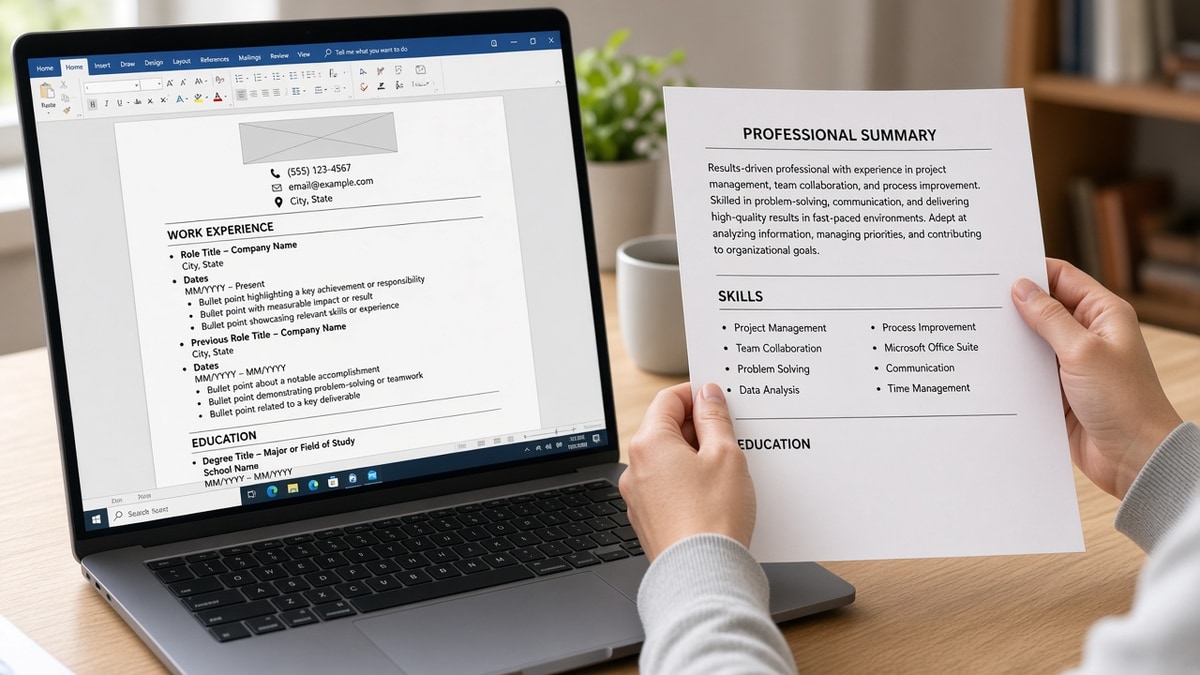
Applicant systems do not read your resume like a designer. They chunk text into employer, title, start date, end date, and description fields when the layout cooperates. Your job is to make that chunking boring.
Think of each role as a small record: who you worked for, what you were called, when you were there, and what changed because you were in the seat. Fancy layout does not add fields the ATS suddenly respects.
Headers are anchors. When each job opens with the same pattern, parsers know where one role ends and the next begins. Random spacing or tables between title and bullets breaks that anchor.
Bullets carry proof. Skills listed ten lines away from the job where you used them look like orphan keywords. Filters may still see the word Python, but not tied to the years the posting requires.
Recency wins the skim. The current or most recent header plus its first bullet does most of the matching work. Older roles matter, but they rarely rescue a vague top block.
For formatting failures that happen before words matter, see resume formatting errors that break ATS parsing and fix layout before you rewrite verbs.
Six-pass rewrite for experience ATS understands
Run these passes on your current role first, then walk backward one job at a time. Stop when older roles are thin; do not invent duties to fill space.
Pass 1: freeze the header line
Before: Company name on one line, title on the next, dates in the margin.
After: One line reads Senior Analyst | Northwind Bank | Chicago | Jan 2022 to Present.
Use pipes or em-style separators sparingly; plain commas work fine. Keep Month Year consistent. Present is acceptable for current roles in US corporate flows.
Pass 2: open bullets with posting verbs
Before: Responsible for reporting and stakeholder updates.
After: Built weekly revenue dashboards in Looker, cutting ad-hoc finance requests 11% in Q3.
Pull verbs from the job ad's first screen: analyze, automate, coordinate, implement. You're not copying sentences. You're aligning the first eight words recruiters scan.
Pass 3: park tools inside the job that used them
Move SQL, Salesforce, or Zendesk from a distant skills cloud into the bullet where that tool changed an outcome. If the posting repeats a tool three times, it belongs in a current-role bullet, not only in a list at the bottom.
Pass 4: trim duplicate duties across jobs
When two roles repeat the same generic line about teamwork, delete one copy. Keep the version with a number or scope detail. Duplicate fluff makes parsers think you never advanced.
Same rule for soft skills repeated five times. One bullet about cross-functional work with a named team beats three bullets that only say collaborated well.
Pass 5: align title level with the req
If the posting says Lead and your header still says Specialist, adjust the header to the market title you can defend in an interview. The employer name stays truthful; the label matches how buyers search.
Pass 6: plain-text paste test
Export exactly as you'll upload. Paste into Notepad. If bullets from Job A appear under Job B's dates, fix structure before you add another keyword.
Read the pasted block out loud once. If you stumble where one job should end, a recruiter will stumble in the six-second skim too. Fix spacing and headers until each role sounds like its own short story.
I've screened Greenhouse profiles where the candidate's strongest bullet sat under an internship because a table split the page. The PDF looked senior; the parsed experience read entry-level. That's fixable with headers, not with more applications.
Older roles: shrink without erasing proof
Jobs more than ten years back can carry one bullet or a single line with employer, title, and dates only. Keep them if they show stable tenure or a license path. Drop long duty lists that compete with your current headline.
Contract-heavy histories need a pattern: client or agency name in the header, scope in bullet one, tools in bullet two. That rhythm parses faster than a paragraph explaining every engagement in prose.
Copy-paste experience block template
Copy-paste header + bullets
Operations Coordinator | Harbor Logistics | Remote | Mar 2021 to Present
• Coordinated inbound schedules for 12 dock doors, reducing detention fees $4.2K per quarter.
• Automated daily status emails in Excel and Power Query, saving 6 hours per week for the dispatch team.
• Partnered with carriers on SLA misses; cut late deliveries 9% over two peak seasons.
Replace tools, verbs, and numbers with your real scope. Keep one header line, then bullets only.
When bullets still feel flat, borrow structure from how to tailor resume bullets without lying before you rewrite entire roles.
Experience section traps that break parsing
These show up on files that look senior in PDF view and junior in recruiter view. Fix the trap before you argue with the posting about years of experience.
Burying titles inside bullets. Job title should live in the header line, not as the last words of a bullet paragraph.
Using text boxes for each role. Boxes look tidy in Word and shatter in extraction. One vertical stack only.
Listing promotions without dates. If you held two titles at one employer, split them with separate date ranges so tenure math stays honest.
Keyword paragraphs under a single bullet symbol. Long unbroken paragraphs paste as one blob with no line breaks for humans or filters.
Moving all skills to a sidebar. Side columns scramble read order. Keep must-have tools inline under the job that proves them.
Skipping contract or consulting clarity. If every gig was contract, say so in the header or first bullet so gaps are not read as unemployment.
Leading with education below experience on mid-career files. Keep education after experience unless the posting is campus-only. Recruiters open experience first; parsers often do the same.
Confirm experience maps on one target role
Run the free ATS resume checker on the file with your rebuilt header and bullets. You're checking that each job block still appears as experience, not as a skills paragraph or education line.
Then open Score your job match on the posting you tailored against. If match rises only when you stuff keywords into a footer, your experience section still is not carrying tools where parsers expect them.
Upload checklist
Learning how to write resume experience ATS understands comes down to predictable headers, bullets that prove tools on dated roles, and a paste test you do not skip because the PDF looks fine.
- One header line per employer block with Month Year dates.
- First bullet on the current job mirrors the posting's top verbs.
- Notepad paste shows each job's bullets under the right dates.
When experience maps cleanly, run a free resume check on the finished export. If the employer wants a letter, lift your strongest bullet into the cover letter generator so the narrative matches what parsers finally attach to your last role.
Read more
Frequently asked questions
Either works if the heading is plain text on its own line. Avoid creative labels like Career Journey that parsers may not bucket as employment history. Keep the same label across versions so field mapping stays stable when you re-upload.
No. Aim for three to five bullets on recent roles and fewer on older jobs. Each bullet should carry a verb, scope, and outcome recruiters can scan in one line. Empty space is better than ten vague lines that dilute your strongest proof.
Repeat must-have tools inside dated bullets for the job where you used them. A short Skills line below the section is fine, but bullets carry context parsers and humans both need.
Only when the employer and title are truly the same brand with parallel contracts. Otherwise split headers so dates and employers do not merge into one muddy block in the ATS profile.