11 min read
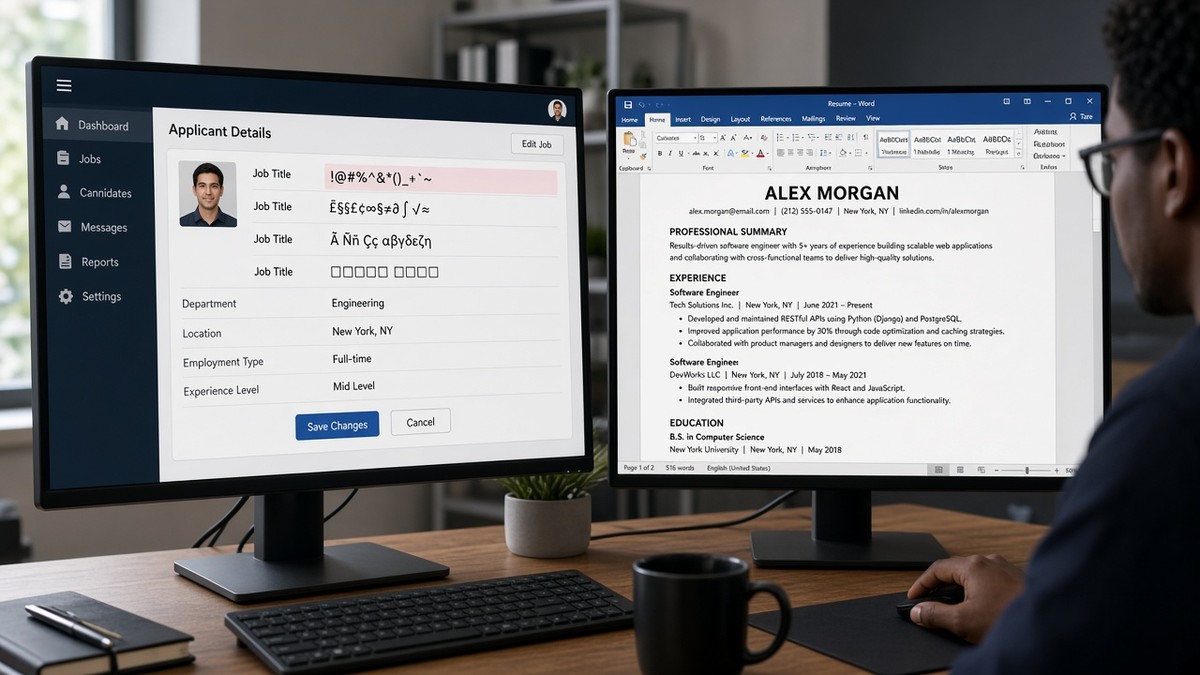
You upload a clean PDF and Workday's preview doesn't match what you wrote. Your current role imports blank, your old internship reads as "Senior," and a parenthetical team name landed as a second employer. That's a job title mapping error. You're not getting rejected on experience. The parser couldn't attach the right words to the right company row.
You've probably been told to mirror posting language. Good advice, but only after the title line survives import. Check your resume for free on the same file you'll submit. If the preview drops half your title, no amount of keyword stuffing in bullet three fixes the profile recruiters search on.
Internal titles, external market titles, parentheses, slashes, and abbreviations all trip different parsers. Greenhouse may keep the left fragment of a slash title. Lever sometimes parks text after a pipe in a custom field. Workday often maps the first comma-separated chunk and loses the rest. Below you'll see the bar a title line must clear, six before/after pairs across roles, what broken titles share, and a copy-paste title block you can use tonight.
Job searching is already draining when you're qualified and still getting silence. This won't fix applying to roles where you lack core requirements. It stops a strong file from looking junior because "Mgr, Ops (Supply Chain)" imported as three separate tokens. And it saves you from rewriting bullets on a title field that's already broken in the portal preview.
Most candidates don't notice until a recruiter asks why their Greenhouse profile shows an old internship as current. By then you've already sent ten applications with the same scrambled import. Fix the title line once on your master file before you spin tailored versions.
If the portal asks for a cover letter after upload, don't repeat the same broken title string in paragraph one. Generate a cover letter from your corrected plain-text export so the note matches the employer order you fixed in Word.
Quick Wins
- Spell out Senior, Manager, and Associate on every title line.
- Move team names and internal codes from parentheses into bullet one.
- Split slash titles into two dated entries when duties changed.
- Upload preview open: confirm current title sits on current employer.
The bar every US ATS title field is judged against
Recruiters screening in Workday, Greenhouse, or Lever expect one recognizable title per employer row, Month Year dates on the same block, and seniority words spelled out. The parser attaches whatever text it extracts from your title line to the nearest company name. Extra punctuation turns one role into two or zero. A single stray comma can park your director title on last year's contract gig while your current employer row imports blank.
Think of the title field as a search label, not a place to explain your whole career arc. Team names, regions, level codes, and credential stacks belong in bullets or a license line under your name. The label should match what a recruiter would type into a filter when they're trying to find someone like you for this specific opening.
The pass test: paste your resume into plain text. Each job should read as Title, then Company, then dates, without orphan words between them. If "Global Operations" or "Level 6" floats alone on its own line, the ATS may have already filed it wrong.
Internal versus external titles cause half the mapping tickets recruiters flag on first screen. HR systems love codes like IC4, L6, or "Band 3 Manager." Market-facing postings say Software Engineer or Engineering Manager. Your resume title line should speak the posting language first. Push the internal string to a short parenthetical or into bullet one where a human expects extra context.
I've screened stacks of these in Workday and Greenhouse, and the file that wins uses a boring title line plus a specific bullet one. Fancy punctuation in the title field is where mapping dies.
Edge case one: contract or consulting roles where the client name differed from the payroll employer. Put the client in bullet one scope, keep the payroll company on the employer field, and use a standard title on the line. Edge case two: military or federal titles translating to civilian roles. Lead with the civilian equivalent, then note the MOS or grade in one parenthetical if needed.
When the whole upload preview looks scrambled, not just titles, read resume formatting errors that break ATS parsing for column and table failures that stack on top of title breaks. Fix layout first if employers themselves are out of order.
Job title mapping errors: before/after fixes across six roles
Each pair is the same candidate facts arranged two ways. The weak version is what Workday, Greenhouse, or Lever often imports. The strong version is what a tired recruiter can search without opening your PDF attachment.
Pair 1: Internal level code versus market title
Before: L6 Software Engineer, Google (External: Senior Software Engineer) on one line with nested parentheses.
After: Senior Software Engineer (L6) · Google · Jan 2021 to Present. Bullet one: Led checkout latency work for 12 engineers across two regions; cut p95 load time 18% in Q2 2025.
Nested parentheses often dump "External: Senior Software Engineer" into a custom field or drop it entirely. The recruiter profile may show only "L6 Software Engineer," which does not match a posting that searches Senior.
Pair 2: Abbreviated manager title
Before: Sr. Mgr, Customer Success | West Region at SaaSCo with a pipe between title and region.
After: Senior Manager, Customer Success · SaaSCo · Mar 2020 to Present. Bullet one: Ran West region book of 42 accounts at $8.4M ARR; lifted gross retention 6 points in FY2024.
Abbreviations plus pipes are a common Greenhouse split point. West Region can import as a location tag while the title field reads "Sr." or goes blank.
Pair 3: Slash-combined dual title
Before: Product Manager / Product Owner · FinTechCo · 2019 to 2023 on one employer row.
After: Two entries: Product Manager · FinTechCo · Jan 2021 to Dec 2023, then Associate Product Manager · FinTechCo · Jun 2019 to Dec 2020. Each with its own bullet proving scope.
Slash titles look efficient on paper. Lever frequently imports only the left side. Recruiters then assume you were a junior PM for four years with no promotion story.
Pair 4: Creative external brand with parenthetical standard
Before: Growth Ninja (Marketing) at StartupCo with the creative label first.
After: Marketing Manager (Growth) · StartupCo · Apr 2022 to Present. Bullet one: Owned paid social and lifecycle email generating 3,200 MQLs in H1 2025 at $42 CPL.
Creative labels ahead of the standard title train parsers to search on the wrong token. Market title first, flair second in one short parenthetical if you must keep the startup branding.
Pair 5: Clinical title with credentials inline
Before: RN, BSN, PCCN - Staff Nurse III (Med-Surg/Tele) at County General with commas and slashes in the title line.
After: Staff Nurse, Med-Surg/Telemetry · County General · Jun 2020 to Present. Licenses on line two under name: RN (CA) · BSN · PCCN. Bullet one: Managed care for 18 patients per shift on a 32-bed unit at 6:1 ratio.
Credential stacks in the title field map to license objects in some healthcare Workday configs. The employment title then imports empty while PCCN shows up under certifications from five years ago.
Pair 6: Operations lead with cost center in parentheses
Before: Director, Supply Chain (CC-4812, Global Ops) at LogisticsInc.
After: Director of Supply Chain · LogisticsInc · Aug 2018 to Present. Bullet one: Led global ops team of 26 across Dallas and Rotterdam hubs; reduced inbound defects 14% in 2024.
Cost-center codes and duplicate function words inside parentheses read like a second employer to some parsers. Global Ops can appear as a company name in the preview while your director title attaches to CC-4812.
Copy-paste title line block
Copy-paste employer row template
[Standard Market Title] · [Company Name] · [Month Year] to [Month Year or Present]
• [Bullet one: scope + tool + outcome in first eight words]

Rules:
- Spell out Senior, Manager, Associate
- One parenthetical max, after the standard title
- No slashes, pipes, or nested parentheses in the title
- Move internal codes to bullet one, not the title line

Example:
Senior Product Manager (Platform) · Northwind Apps · Mar 2022 to Present
• Shipped billing API serving 2.1M daily requests in AWS; cut failed payments 9% in Q1 2025
Edge case: you were promoted mid-year without a title change in HR. Split the date range at the promotion month and adjust bullets, even if payroll still shows one title. Another edge case: acquired company names on old rows. Keep the employer name that appears on your W-2 for that period; note the acquisition in bullet two if it explains a name change.
For how recruiters read titles after parsing, see why your Workday resume looks different after upload . Mapping fixes get you into search filters. Proof in bullet one gets you forwarded.
What weak title lines share on US ATS imports
Punctuation masquerading as scope. Pipes, slashes, and double parentheses try to pack team, region, and level into the title field. Parsers treat each symbol as a field break. Fix: one plain title, scope in bullet one.
Internal HR strings leading the line. IC3, Band 2, and "Job Code 7742" mean something to payroll, not to a recruiter searching Product Manager. Fix: market title first, code in one short parenthetical or nowhere.
Abbreviations assuming the parser will expand them. Sr., Mgr, and Assoc are inconsistent across portals. Fix: spell them out on every row, even when the PDF looks longer.
Two promotions folded into one title string. "Analyst / Senior Analyst / Lead Analyst" reads like three jobs crammed into one. Fix: separate Month Year entries with promotion bullets that show date of scope change.
Tailoring the title without fixing the employer block. Changing words in the title line while dates sit on the wrong row makes mapping worse. Fix: confirm employer order in plain text, then align title vocabulary to the posting.
Trusting the attachment over the preview. Many recruiters never open the PDF if the parsed profile already shows a blank current title. Fix: optimize for the preview panel first, polish PDF second for humans who do click through.
Exception: some boutique employers still read email attachments only. Enterprise US tech, finance, retail, and healthcare chains on Workday, Greenhouse, or Lever still map titles from structured text extraction. When you're unsure which portal you'll hit, default to the plain title line pattern above.
Another miss: copying the exact posting title onto your resume when your scope was narrower. If the req says Director of Engineering but you led a platform squad of eight, Engineering Manager on the line with director-level scope in bullet one is more honest than a title jump that fails reference checks. Mapping fixes get the right words attached to the right employer. They don't replace proof.
Parse-check title rows before you tailor keywords
Fix title punctuation first. Then run the exact DOCX or PDF you'll attach through HireFlow's free ATS resume checker and confirm each current title imported on the correct employer with dates attached.
When titles parse cleanly but match scores still look thin against the posting, score your job match on the same file so you know which requirements need proof in bullet one, not another parenthetical in the title field.
Do this now: Plain-text paste test, rewrite title lines, open upload preview, then tailor bullet one on the file that passed.
Fix titles once, then tailor
Job title mapping errors in US ATS come down to strings parsers cannot attach cleanly to employer rows. Parentheses, abbreviations, internal codes, and slash combos look tidy on your PDF. Workday, Greenhouse, and Lever often import them as blank titles, stray employers, or junior labels that do not match the posting you targeted.
- Paste into Notepad and confirm each title sits beside the right company.
- Spell out seniority words and move codes into bullet one.
- Split slash titles into separate Month Year entries when duties changed.
- Open upload preview before you rewrite bullets for keywords.
Pick one target req. Highlight the exact title string from the posting. Run a free ATS check on the corrected file, then align your top title line to that vocabulary if your scope matches. When the posting asks for a short note, use the cover letter tool with the same employer order you fixed in Word.
This won't fix applying to roles where you lack core qualifications. It stops qualified candidates from looking mis-leveled because "Sr. Mgr (Ops)" imported as two broken tokens while the real director scope never reached the recruiter filter.
Read more
Frequently asked questions
Use the market-standard title the posting uses if your duties match. Put the internal title in parentheses only when recruiters in your industry would not recognize it alone. Example: Senior Product Manager (Group PM, Internal Level 6). If the internal string is longer than the standard title, flip the order so the recognizable title leads. Workday and Greenhouse often drop text after a closing parenthesis or map it to a custom field you cannot see.
Parentheses are the most common title break on US uploads. Parsers treat content inside parentheses as a separate token, a location, or a department code. One pair with a standard title and a short clarifier is usually fine. Nested parentheses, pipes, and slashes inside the title line multiply the risk. Move team names, cost-center codes, and contract labels to bullet one under the employer instead of the title field.
Yes, and you should on US corporate uploads. Sr., Mgr, Assoc, and similar abbreviations map inconsistently across Workday, Greenhouse, and Lever. Some configs expand them. Others treat Sr. as a stray token and leave the title blank. Spell out Senior, Manager, and Associate on the title line. Save acronyms like RN or CPA for license lines under your name when the credential is legally required.
Split them into two entries with Month Year ranges that do not overlap, even when HR listed one combined block on your offer letter. Parser-safe pattern: first entry Promotion to Senior Analyst, second entry Analyst with earlier dates. If the promotion month is fuzzy, use the month you started the new duties and note the internal re-level in bullet two. Never stack two titles on one line separated by a slash unless you accept that Lever may import only the left fragment.
Matching vocabulary is not lying when the work is the same. Changing Director of Customer Success to Head of Customer Success for a posting that uses Head is fine if you ran the function. Inventing a title you never held is not. The safe pattern is standard title on the line, internal branding in one parenthetical clause max, and proof in bullet one. Recruiters verify scope in bullets, not punctuation in the title string.