12 min read
You hit Submit on a job board and nothing happens. No rejection email. No view receipt. Just silence while the posting still says Open. You're not crazy, and it doesn't mean you're unqualified. You're probably sitting behind a filter a recruiter set before lunch, and that filter never sent you a note.
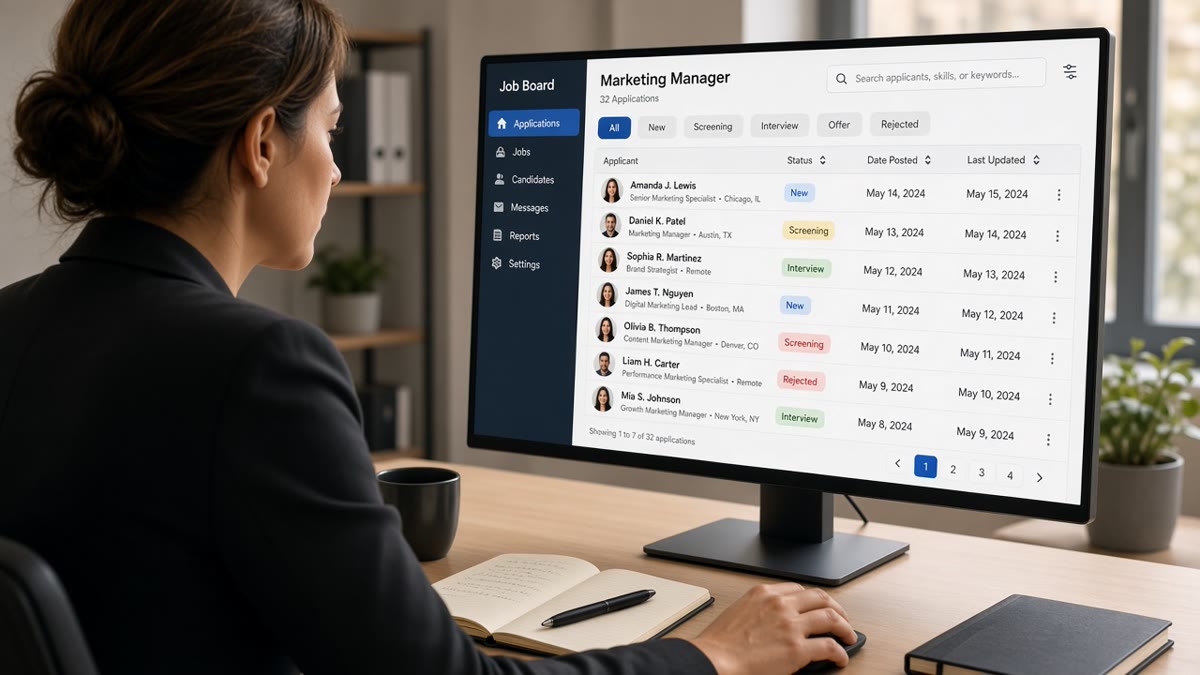
How recruiters filter applicants on job boards is less mysterious than the guides make it sound. They'll run saved searches on title and skill, sort by apply date, drop incomplete profiles, and cut by location or work authorization before they open a single PDF. The board shows you Applied. Their queue might never list your file.
Before you rewrite your whole career story, check your resume for free against the posting. You'll see whether your headline and bullet one carry the strings a keyword gate would need to let you through.
Job searching on boards is draining when the rules stay hidden. This page maps the symptom (silence), four causes recruiters actually use, how to tell which one blocked you, and the fix for each without mass applying into the void. You won't fix silence by sending the same file again.
Quick Wins
- Mirror the posting title in your headline when bullets prove that scope.
- Apply within the first week on high-volume reqs, not after two hundred others.
- Complete every required field and screening answer before you upload.
- Match location and work authorization answers to what the posting states.
The symptom: applied, open posting, zero signal
The job board shows Applied with a green check. Your inbox stays empty. The posting lingers for two more weeks, then disappears. You assume they ghosted everyone. Often they filled the req from a queue you never entered.
Silence is usually a filter, not a judgment on your whole career. Recruiters do not send a personal note when a saved search excludes your file. The ATS marks you received and moves on. You interpret that as rejection by a human who never opened your name.
Volume makes this normal. A corporate req on a major board can pull hundreds of applications in seventy-two hours. No team reads every file. They filter down to a list small enough to skim in an afternoon. If you're outside that list, you're not rejected. You're invisible.
Boards add a second layer. Aggregators re-upload your resume, strip formatting, or attach the wrong version from an old profile. The recruiter sees a broken preview while you think you sent a polished PDF.
I've cleared applicant queues in Greenhouse and Workday where half the files never matched the saved search the hiring manager approved. The candidates weren't unqualified. Their headline string and the req language never touched.
That gap is what the rest of this page fixes. Not pep talk. Filters you can test before you spend another evening tailoring.
How recruiters filter applicants on job boards: four causes
Recruiters filter by cause, not by your feelings about the role. Match the cause to your situation, then run the fix once. Stacking four fixes on the wrong problem wastes time.
Cause 1: Keyword and title gates
Symptom: you're qualified but the posting uses different words than your resume. Recruiters open the req, pull three nouns from the title and skills line, and save a search. Files without those strings never surface.
Before: operations resume headline reads Business Operations Associate. Posting title is Revenue Operations Analyst. Bullets describe Salesforce pipelines and quote-to-cash work but never use RevOps or the posting title.
After: Revenue Operations Analyst (Business Operations Associate) | Apex Systems | March 2022 to Present. Bullet one: "Owned Salesforce quote-to-cash workflows for 140 enterprise accounts; cut order cycle time from nine days to five in FY 2025."
Fix: put the posting's functional title in your headline when bullets prove it. Repeat the top skill in bullet one within the first eight words. Skills clouds at the bottom do not rescue a headline that missed the search string.
Cause 2: Date posted and queue position
Symptom: you applied late to a popular posting. Recruiters sorted by apply date or stopped reviewing after the shortlist filled. Your file is technically in the system and practically archived.
Before: project manager applies on day eighteen to a posting that already shows 400+ applicants on the board counter. Resume is solid. Recruiter closed review on day twelve.
After: same candidate sets a board alert, applies within forty-eight hours on the next identical req at a sister brand, headline already matches, screening answers pre-filled from a master doc.
Fix: check posting age before you tailor. Under one week with rising applicant count, move fast. Over two weeks with no recruiter activity signal, refresh the company careers site for a repost. Late strong beats early weak only when the req is still open and someone is still reading.
Cause 3: Incomplete profiles and missing screening answers
Symptom: you skipped a required field, left a screening question blank, or uploaded a resume while the board profile still shows an old title. Auto-reject rules drop the file before keyword search runs.
Before: nurse applicant uploads a current resume but the board profile still lists CNA from 2019. Screening question "Active RN license?" left blank because it felt redundant.
After: profile headline updated to Registered Nurse. License number and state entered in the form. Resume PDF matches the profile title line for word.
Fix: treat the board profile and the upload as one file. Sync title, dates, and license lines. Answer every screening question even when the answer lives on the resume. Empty boxes fail faster than weak bullets.
Cause 4: Location and work authorization strings
Symptom: remote or hybrid posting still carries a geo filter. Your city, state, or visa answer conflicts with the req. The system removes you without a human glance.
Before: software engineer in Toronto applies to a US remote role tagged No sponsorship. Resume header shows Toronto, ON. Screening answer says Requires visa sponsorship.
After: candidate targets reqs that state open to Canada or already holds US work authorization, lists Dallas, TX on the profile when relocating, and answers authorization questions to match the posting exactly.
Fix: read the fine print on location and sponsorship before you tailor. Align profile city, resume header, and screening answers. Contradicting yourself across fields is an automatic out on most enterprise boards.
How to tell which filter blocked you
Run this order. First, open your board profile as a recruiter would. Missing license, blank screening answers, or an old headline points to Cause 3. Second, Ctrl+F the posting title and top three skills inside your resume text. Zero matches points to Cause 1. Third, check posting age and applicant volume. Late apply on a hot req points to Cause 2. Fourth, compare location and visa lines across profile, resume, and screening form. Mismatch points to Cause 4.
Parser preview matters too. If the board shows a garbled title or empty experience block, fix layout before you blame keywords. Read how recruiters use ATS before reading resumes when the preview looks wrong but your PDF looked fine on your laptop.
Fix pack for Cause 1: pass the keyword gate
Highlight three required skills in the posting. Put the title noun in your headline. Rewrite bullet one under your current job so skill one lands in the first eight words with a metric. Run a text search on your exported PDF before upload. If the string is not selectable, the parser may not see it either.
Fix pack for Cause 2: beat the date queue
Save search alerts on the board for title plus company. Keep a master resume with headline variants per function so you can apply in one sitting when a fresh req posts. Avoid weekend piles where Monday morning sorts bury Sunday night applies under Monday morning volume.
Fix pack for Cause 3: complete the profile shell
Update board profile monthly even when you're not applying. Delete outdated roles. Upload the same PDF you attach to corporate portals. Copy screening answers from a master doc so you never leave a required box empty because you were tired.
Fix pack for Cause 4: align location signals
When you're relocating, say so in the screening question and match the city line on resume and profile. When the req is local only, do not apply remote and hope. Recruiters filter on radius first on many boards.
Copy-paste block: pre-apply filter check
POSTING CHECK (2 min)
□ Posted within 7 days OR repost confirmed on careers site
□ Location / sponsorship line matches my situation
□ Title noun appears in my headline or parentheses line

PROFILE CHECK (3 min)
□ Board profile title matches resume headline
□ Every required field and screening question answered
□ License / clearance / work auth consistent across form and PDF

RESUME CHECK (5 min)
□ Top posting skill in first eight words of bullet one
□ PDF text selectable (Notepad test on exported file)
□ No contradictions: dates, titles, employers spell the same everywhere
Before and after: customer support on a high-volume board
Before: headline Customer Care Rep. Posting asks for Technical Support Specialist with Zendesk and SaaS troubleshooting. Profile incomplete on years of experience.
After: Technical Support Specialist (Customer Care Rep) | BrightDesk | June 2021 to Present. Bullet: "Resolved Tier 2 SaaS tickets in Zendesk for 1,200 B2B users; held CSAT at 94% across Q1 to Q3 2025." Profile years updated to match resume dates.
Before and after: accountant hit by location filter
Before: remote posting tagged US only. Resume shows Manila address. Screening answer says open to remote worldwide.
After: candidate applies only to reqs listing Philippines or APAC remote. Resume header shows Makati City. Screening answer: Located in Philippines, authorized to work locally, no US work authorization required.
For keyword placement after filters are clear, read how ATS matches resumes to job descriptions . Board filters and ATS scoring stack. Passing one does not mean you passed both.
When the board still hides qualified files
Edge cases matter because boards behave differently from company career sites. These patterns look like bad luck until you know the cause.
Aggregator re-upload mangled your format. The board sent a text-only version to the employer ATS. Two-column resume arrives as a jumbled block. Keyword gate fails even though your PDF was clean. Apply on the company site with the same file when you spot this.
Easy Apply without resume update. One-click apply attached your default resume from two years ago. Profile says senior. File says junior. Recruiters trust the parsed file, not your memory of what you clicked.
Duplicate applications from board plus careers site. Some ATS builds flag duplicates and hide the second file. Pick one channel per req unless the first attempt failed parsing.
Salary expectation screen mismatch. Posting budget was never listed. You entered a number that tripped a auto-reject band. When the form is optional, skip it unless required. When required, research the range on the company site or similar reqs before you type.
Overqualified filter on entry reqs. Ten years of experience on a role tagged entry can land in a separate pile recruiters deprioritize. Tailor headline level to the req without deleting history. Lead with the title band the posting uses.
Exception: niche boards for healthcare and cleared roles often require profile completeness scores before your file goes live. Finish every optional certification field when the board shows a completeness meter below eighty percent.
Exception: internal referrals submitted through the board sometimes bypass public filters. If you have a contact, ask them to submit through the employee portal instead of relying on the public queue alone.
This will not fix applying to roles where you lack must-have credentials. It stops a qualified file from dying on a filter you could have cleared in ten minutes.
Test your file before the next board apply
Paste the posting and your resume into HireFlow's free ATS resume checker . You'll see whether title and skill strings from the req appear in readable lines before a board re-upload strips your layout.
When the role is a stretch but you're close on filters, run score your job match after the headline and bullet one pass. Filters gate visibility. Match score tells you whether the stretch is worth the apply slot.
Boards also ask for cover letters on some reqs. Draft one with the cover letter generator using the same posting text. Repeat employer spelling and title strings exactly as they appear on your resume so screening forms do not contradict your upload.
Do this now: Run the copy-paste filter check, fix the cause that failed, apply once on a fresh or still-open req, and stop re-submitting the same file hoping the queue changes.
What to do now
How recruiters filter applicants on job boards comes down to strings, timing, completeness, and location signals you can verify before Submit. Silence rarely means they hated your story. It usually means you never entered the list they opened.
- Match posting title and top skill in headline and bullet one.
- Apply early on high-volume reqs or wait for a fresh repost.
- Sync board profile, screening answers, and resume text.
- Align city and work authorization lines across every field.
- Run a free ATS check after fixes, not before you know the cause.
Pick the posting you want most. Run the filter check, fix the cause that failed, run a free ATS check , and send one clean application.
Read more
Frequently asked questions
No. Most never reach a human skim. Saved searches, keyword gates, location strings, and incomplete required fields drop files before a recruiter opens the queue. Job boards also sort by apply date, so late applications on popular postings often sit behind hundreds of earlier files that already passed the first filter.
Usually yes when volume is high. Recruiters often work newest-first or stop reviewing after the req fills. A strong file on day three still beats a weak file on day one, but a strong file on day twelve may never open if the shortlist is already set. Refresh the posting before you spend an hour tailoring.
A complete profile stops automatic rejection for missing fields. It does not replace title and skill strings recruiters type into search. Fill every required box, then fix headline and bullet one so the posting's top skill appears in readable text the parser can index.
Many remote reqs carry tax, licensing, or travel limits. Recruiters filter on state, country, or work authorization before they read bullets. If the posting says US only or no sponsorship, a foreign address or visa answer that conflicts with the filter removes you silently.
Only when the posting is still open and your first file failed a fixable gate like parsing or a missing screening answer. Re-uploading the same generic resume twice flags duplicate applications in many ATS builds. Change the headline, bullet one, and any wrong screening fields, then apply once through the company careers site if the board mangled your file.