7 min read
You remember uploading one Word file to a job board and waiting. That model still exists on some boards, but it's not where most corporate recruiters start anymore. They'll run a search, open a profile, then ask for the PDF if you look close.
Job searching's hard enough without treating your profile and your resume as the same document. They're not. One's searchable and social. The other's parsed and scored. When they contradict each other, you'll lose trust before anyone reads your best bullet.
Before you sync anything, make sure the PDF side is readable. Check your resume for free so a broken upload is not the reason your profile view never turns into a screen.
When a req asks for a letter, use the cover letter generator so you are not rebuilding tone from scratch at 11 p.m. The profile got you noticed. The letter closes the loop.
Quick Wins
- Match employer, title, and dates on profile and PDF tonight.
- Keep a single-column DOCX master and export PDF per req.
- Add your profile URL to the resume header only if the ATS allows links.
How LinkedIn replaced resume databases for your search
Old default: one static file in a pool. Job boards and vendor databases stored PDFs and Word files recruiters searched by keyword. Your file sat until someone ran a query that matched your title or skill string. Updates meant re-uploading everywhere.
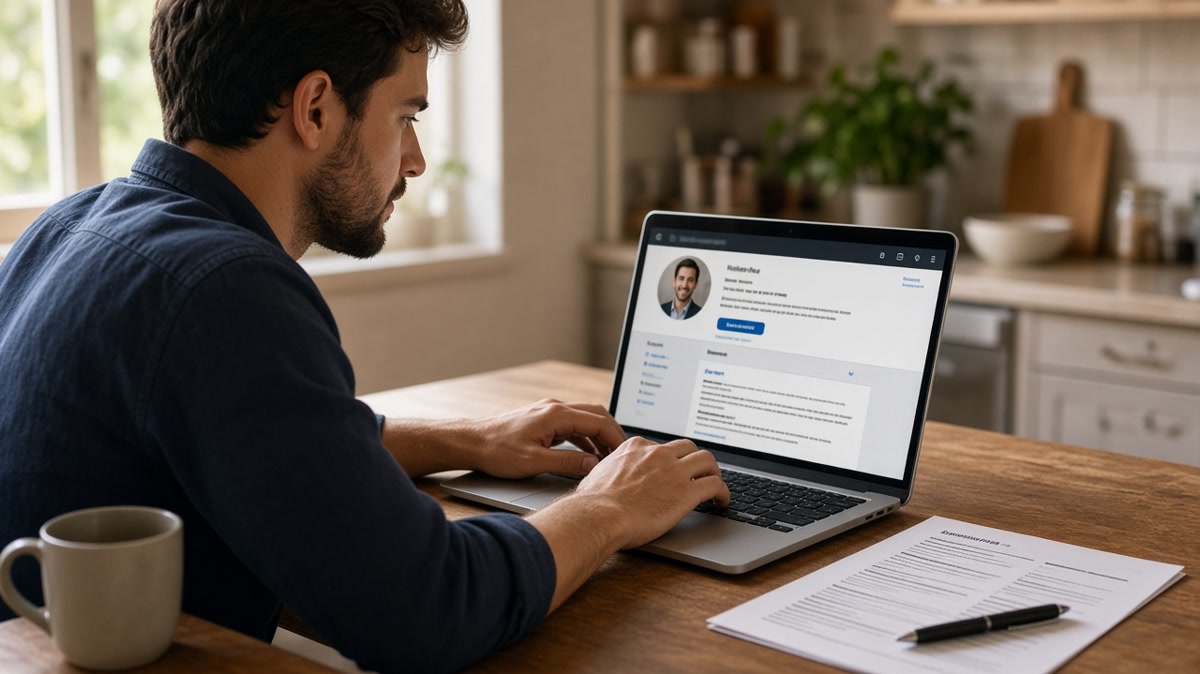
New default: profile first, PDF second. Recruiters still need a resume for the ATS record, but discovery often starts on a profile they can filter by title, company, and geography without opening an attachment. The database row became a URL with a photo, headline, and employment block.
You still own two artifacts. The profile handles search visibility and warm intros. The resume handles portal parsing and hiring-manager skim. Neither cancels the other. They fail together when dates drift or a promotion shows on one surface only.
For which fields must align, read resume vs LinkedIn: what must match (and what does not) . This timeline explains when each file entered the workflow.
Timeline from resume database upload to profile plus PDF
Phase 1: Upload and wait (early job boards)
You posted one generic resume to a board database. Recruiters searched stored files by keyword. Refresh meant logging back in and replacing the attachment. Many candidates never touched the file again after the first upload.
Before: One master resume sent everywhere with no version control.
After: One parse-clean master DOCX plus a tailored export per live req, even when the board still accepts bulk upload.
Phase 2: Recruiter search moves to profiles
Sourcers run title and company filters before they download anything. Your headline and current role line act like the old database keywords. A blank About section or a headline that says only "Open to work" wastes the search hit.
I've screened stacks where the profile looked strong until the PDF showed a different end date for the same employer. That mismatch ends the screen faster than a weak summary ever will.
Phase 3: Easy Apply pulls profile data into ATS
One-click applications copy profile fields into Workday or Greenhouse. That speed helps until the parser maps a profile section into the wrong resume block. You still need a PDF backup when the portal asks for an attachment or when the import garbles dates.
Before: You trust the import and never open the parsed view.
After: You upload a single-column PDF, open the application preview, and fix scrambled employment lines before you submit.
Phase 4: Two-file discipline (today)
Discovery runs on the profile. Submission runs on the resume. Referrals often send both in one email. Hiring managers compare them on split screen. Your job tonight is spine alignment, not copying every bullet word for word.
Portal uploads still punish bad formatting. See Workday resume upload formatting fixes for US applicants before you assume the profile did all the heavy lifting.
Copy-paste block: profile and resume spine check
Employer | Title (both surfaces) | Start | End | Match? Y/N
Acme Corp | Senior Analyst | Mar 2021 | Present | Y
Beta LLC | Analyst | Jun 2018 | Feb 2021 | Y
Contract: Gamma | Data Consultant | Jan 2024 | Aug 2024 | N (add to PDF)
What each file should do now
Profile: Searchable headline with role family and seniority. Employment entries with months visible when the platform allows. About section with three themes you want to be found for, not a pasted resume summary.
Resume: Single-column PDF or DOCX with quantified bullets tied to the posting. Skills woven into experience lines, not a detached keyword wall. File name that includes your name and target role.
Shared spine: Same employers, titles, and date ranges. If the resume omits a short contract, explain the gap or add one line on both surfaces. Recruiters notice holes, not clever formatting.
Putting your profile URL in the header can help humans but break some parsers. Read how to include links in an ATS resume safely before you add clickable text above your name.
Where the LinkedIn plus resume combo breaks
Treating the profile as optional. Many reqs still start with a search. A sparse profile means you never enter the pipeline even with a strong PDF ready to upload.
Letting the profile outpace the resume. A promotion posted on your profile last month but missing from the PDF reads like inflation, not momentum. Update both the same evening you change roles.
Applying only through Easy Apply. Speed without a parse-checked attachment leaves scrambled employment blocks in the ATS. You will not see the garbled version unless you open the preview.
Keyword stuffing the headline. Search needs readable title words, not a comma-separated skill dump. Write for a human sourcer scanning mobile, then mirror the same role family on the resume headline line.
Parse-check both surfaces before you apply
Run HireFlow's free ATS resume checker on every tailored export so the submission file is not the weak link after a profile view.
When a posting asks for a letter, draft with the cover letter generator and keep employer names consistent with the spine you just verified.
Run the two-file workflow on purpose
How LinkedIn replaced resume databases is really a story about order, not replacement. Recruiters discover on profiles and decide on PDFs. You are not behind if you still maintain a strong resume. You are behind if the two files disagree.
- Update employment spine on both surfaces the same night you change jobs.
- Export a parse-clean PDF for every portal, even after Easy Apply.
- Keep the profile searchable and the resume tailored to each live req.
Read more
Frequently asked questions
No. Most corporate reqs still require a PDF or DOCX upload through Workday, Greenhouse, or Lever. Your profile often gets read first in a search or after a referral, but the portal file still drives ATS parsing. Treat LinkedIn as the discovery layer and the resume as the submission layer.
It depends on the path. Referral and recruiter search flows often open your profile before the PDF. Direct portal applications usually land in ATS first, then a recruiter may open your profile to confirm dates and titles. Assume both files can be compared side by side within the same week.
Employer names, job titles at each employer, and start and end dates on the employment spine. Summaries, bullet length, and skills order can differ. A six-month gap on one surface and not the other reads as a credibility problem, not a formatting choice.
Keep uploading parse-clean files to live reqs. Profile-only visibility misses roles that never run a LinkedIn search. The combo that works is a searchable profile plus a tailored single-column resume for every application, with the same employment spine on both.