12 min read
You applied on Tuesday. Workday still says Application Received. Greenhouse on another req says In Review for eleven days. You're refreshing the portal at midnight wondering if anyone opened your file or if you're already out. Most of the time the label isn't a verdict. It's a stage in a queue you can't see.
Job searching is draining when silence reads as rejection. Before you rewrite your summary or send a third follow-up, you need to know whether the status is normal backlog or a file the parser never scored. Check your resume for free against the posting, then open the portal preview. Blank experience fields mean a different fix than a slow hiring manager.
This page is for you sitting in Workday, Greenhouse, Lever, or iCIMS tonight. You'll see what common labels actually mean, five causes behind stuck statuses, how to tell which one is yours, and what to do in the next ten minutes. Not a policy essay. A portal reading guide.
Quick Wins
- Open Application Preview before you assume silence means no fit.
- Paste your uploaded PDF into Notepad. Garbled text beats refreshing the status page.
- Match follow-up timing to req age, not your anxiety clock.
- Log status, preview result, and req open/closed in one tracker row.
The symptom: a label that won't move
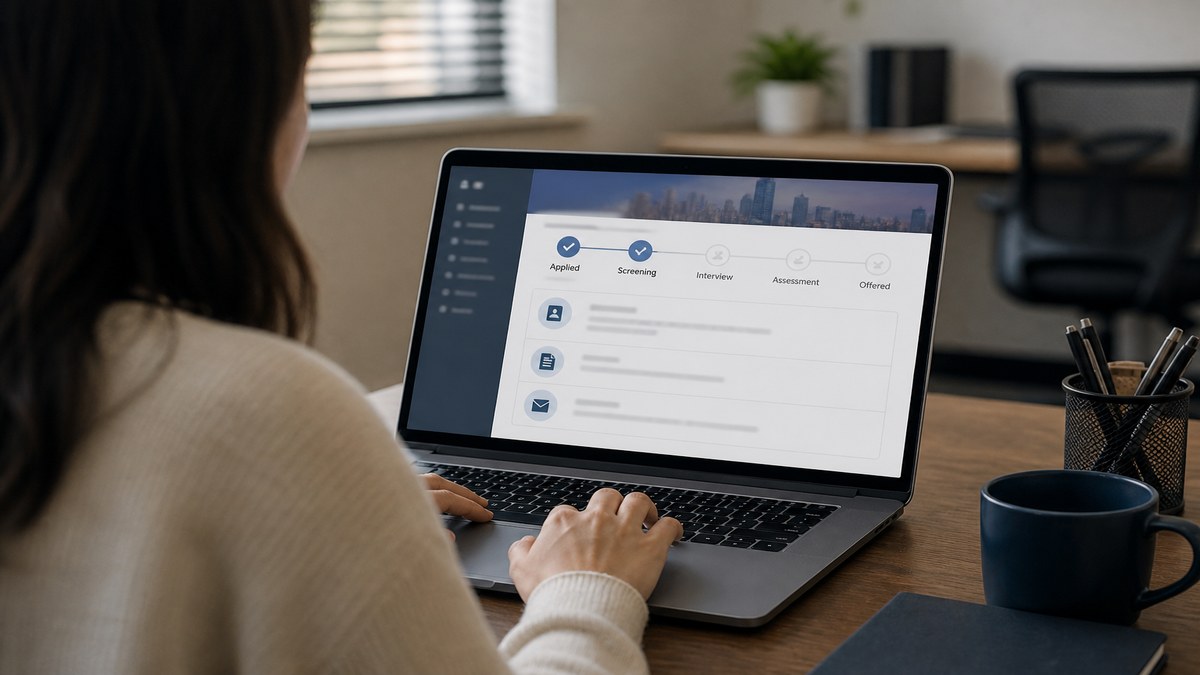
Candidate portals show a status string and sometimes a timeline. Workday might say Application Received, Under Consideration, or Not Selected. Greenhouse often shows Application submitted, Application reviewed, or Interview. Lever and iCIMS use their own verbs. None of them were written for your peace of mind. They were written for recruiter workflow.
The pattern most candidates miss: early labels confirm storage, not human review. A recruiter moves you when they open a ranked list or schedule next steps. Until then, Received and Under Review can mean you are in a pile nobody opened yet. They can also mean your file parsed empty and the system has nothing to rank.
The composite mid-level analyst who refreshes Workday four times a day sees Application Received for two weeks and assumes keywords failed. Sometimes the req is frozen while finance approves headcount. Sometimes the preview tab shows blank employer names because the PDF was a phone photo. Same label. Different action.
Read resume upload mistakes that instantly disqualify you when preview fields are empty. Read why your resume never reaches a human when preview looks fine but you still never hear back. This page sits between those two: interpreting the status line on the portal itself.
How candidate status is decided on US portals (the labels you'll see)
Status changes when a recruiter action, an automated rule, or a scheduling tool updates your row. You don't vote on the label. You diagnose which layer moved or didn't. These five causes cover most stuck screens I see from candidates checking Workday and Greenhouse at night.
Cause 1: Application Received that never advances
Received or Submitted is the default after upload. On high-volume reqs it can sit there while recruiters work older slates. That's normal when the careers site still lists the role and your preview shows employer names and dates in order.
It's abnormal when preview is blank, scrambled, or missing your current title. Parsers sometimes store the file without populating experience fields. Your row exists. Your rank doesn't. The status won't jump to Under Review because there's nothing readable to sort.
Before: Refreshing Received nightly and rewriting bullet three on the same PDF.
After: Open preview once, paste PDF text into Notepad, re-export a single-column file if employers vanish, withdraw and reapply only when preview was empty.
Fix tonight: Preview first. Notepad second. Status third. If text is clean and the req is still open, wait ten business days before one polite note.
Cause 2: Under Review for weeks on an open req
Under Review, In Review, or Under Consideration often means a recruiter pulled the req but hasn't picked interviewees. Hiring managers miss feedback. Req owners juggle six roles. Holiday weeks freeze movement. None of that shows on your portal.
The abnormal version is low rank. You're in review technically because you're in the system, but you're not in the top slice getting calls. Status stays polite while the req stays open. You find out late when Not Selected lands in batch.
Before: Email recruiting every three days asking for an update on Under Review.
After: One follow-up after ten business days on an open posting, referencing req title and confirming preview looked clean; parallel apply to similar reqs with a stronger bullet one.
Fix tonight: Confirm the req is still live on the careers site. If closed externally but open in your portal, log it as filled and stop refreshing. If live and preview was clean, improve the next application file instead of spamming this one.
Cause 3: Not Selected within hours
Same-day rejection usually isn't a recruiter reading your cover letter over coffee. It's knockout logic. Work authorization, clearance, minimum years, location, salary ceiling, or required certification questions fail before anyone opens PDF page two.
Auto rejection also hits empty parses and missing required attachments. A warehouse supervisor req that demands forklift certification uploads gets an instant Not Selected when the checkbox is blank. A financial analyst file that parses as one blank employer line can fail minimum experience rules the same afternoon.
Before: Assuming fast rejection means your entire career story failed.
After: Re-read every application question, open preview, compare rejection timestamp to business hours. Midnight Sunday rejections are almost always rules, not humans.
Fix tonight: Screenshot your answers. Fix the knockout gap on the next apply. If preview was empty, treat it as upload failure per Cause 1, not as content rejection.
Cause 4: Interview or Assessment without a calendar invite
Greenhouse moves status when a coordinator creates an interview stage even before email sends. Workday sometimes shows Interview scheduled while Outlook invites sit in a queue. Two business days of lag happens on busy reqs.
The abnormal version is contact mismatch. You applied with a personal Gmail but listed a dead work address. The invite went to spam. The scheduler typo'd your domain. Status updated. Your inbox didn't.
Before: Panic-posting on LinkedIn that the company ghosted after moving you to Interview.
After: Search spam and all emails on the profile, wait two business days, send one reply to the confirmation address with availability windows and req title in the subject line.
Fix tonight: Update portal contact email if wrong. Add the recruiting domain to safe senders. Reply once, not five times before lunch.
Cause 5: Active portal status while the req disappeared
Careers pages update before candidate portals sync. Referral hires close reqs internally while external rows linger. Contract roles pause when budget shifts. Your screen still says Under Review because nobody closed your row yet.
Chasing these with daily email rarely reopens the req. It burns rapport on roles that already filled. The composite operations lead who got a polite "we've moved forward with other candidates" two weeks after the job vanished from the site wasn't slow. The portal was late.
Fix tonight: Compare careers site to portal weekly. When the public req is gone, mark Not Selected in your tracker even if the portal hasn't caught up. Redirect energy to open reqs.
How to tell which cause is yours
Start with preview every time. Blank or scrambled experience text points to Cause 1 or Cause 3 parse failure. Clean preview plus Received on a live req points to normal queue or Cause 2 low rank. Fast Not Selected with clean preview points to knockout answers. Interview status without email after forty-eight business hours points to Cause 4 contact or scheduler lag. Missing req on the careers site points to Cause 5.
Edge case: referral plus portal apply. Referrals sometimes skip stages you see on external applies. Your friend says you're in process while the portal still says Received. Trust the recruiter thread you were told to use, but still fix a broken preview on the official apply if you submitted both.
Edge case: two reqs at one company. Status is per application, not per company. Analyst req can say Not Selected while coordinator req says Under Review. Track each row separately. Don't assume one rejection poisons both.
Edge case: assessment link expired. Some Greenhouse flows show Assessment pending until you finish a test. Status looks stuck because you never clicked the link in email. Search for vendor names like Codility or HackerRank before you blame recruiters.
Copy-paste: portal status check tonight
Run this list before you follow up or rewrite bullets:
1. Log into Workday, Greenhouse, Lever, or iCIMS with the same email you applied under.
2. Open Application Preview or View Submitted Resume. Employers and dates present?
3. Copy uploaded PDF into Notepad. Text in order, not symbols?
4. Note exact status string and date it last changed.
5. Check careers site: req still posted? Same title and location?
6. If Not Selected fast: re-read knockout answers and rejection timestamp.
7. If Interview stage: search spam and all profile emails for scheduler messages.
8. One follow-up max if preview clean, req open ten-plus business days, no prior note this week.
9. Update tracker: status, preview OK/Y/N, req open/closed, next action date.
Composite: financial analyst on Workday
Before: Application Received fourteen days, no preview check, third rewrite of summary.
After: Preview showed garbled employer column from two-column Canva PDF. Rebuilt single-column export, reapply once, status moved to Under Consideration in five days with clean preview.
Composite: warehouse lead on Greenhouse
Before: Not Selected six hours after apply, assumed experience was too light.
After: Missed required forklift certification checkbox and work-authorization attestation. Fixed answers on next apply with same resume, reached Application reviewed.
Read why your resume looks different after Workday upload when preview is populated but formatting looks wrong. That's often a layout fight, not a frozen status.
What stuck statuses share when candidates misread them
Treating Received as rejection. Early labels mean stored, not scored out. Panic edits before preview waste good files.
Refreshing hourly. Portals don't update on your schedule. Recruiters batch work on theirs. Obsessive refresh adds stress, not signal.
Follow-up on day two. One polite note after ten business days on an open req is enough. Multiple pings before a week mark mark you as high maintenance before screen.
Ignoring preview. Status strings lie by omission. Preview shows parse truth. Skipping it sends you to rewrite keywords when the parser never got your title.
Assuming one status fits all employers. Workday Received is not Greenhouse Application reviewed. Compare label plus preview plus req state, not label alone.
Chasing closed reqs. When the public posting is down, portal lag isn't an invitation to negotiate your way back in. Log it and apply forward.
I've watched candidates burn a week tuning Skills while Workday preview showed empty Experience. The status wasn't hiding bias. The file never parsed.
Verify the file before you chase the label
Status diagnosis only works when the resume layer is readable. A clean parse won't save a weak fit. A broken parse makes every label meaningless. Check both before you email recruiting.
Paste the posting into Run a free ATS check and confirm must-have skills land in dated Experience bullets, not only in Skills. When preview failed on upload, score your job match on the rebuilt PDF before you withdraw and reapply.
If the req asks for a separate letter and your last mistake was swapping files, generate a cover letter as its own PDF so resume and letter slots stop trading places.
Read the label, then read the preview
How candidate status is decided on corporate portals is simpler than the anxiety spiral makes it feel. Recruiters, rules, and schedulers update your row. Early labels confirm storage. Later labels confirm human or automated decisions. Stuck doesn't always mean out. Fast rejection doesn't always mean your story failed.
Tonight: open preview, run the copy-paste checklist, match your next action to the cause. Fix parse failures before follow-ups. Follow up once on clean files when the req is still live. Stop refreshing Received every hour when the careers site still shows an open role and your text pasted clean.
This won't turn a closed req into an offer. It stops you from rewriting a good resume while Workday never got your employers, and it stops you from waiting silently when knockout answers were wrong on page one.
And when you apply to the next similar req, export one single-column PDF, confirm preview populated, then watch the label with a tracker row instead of a midnight refresh habit. Same search, less guesswork.
Read more
Frequently asked questions
Usually no. On Workday and Greenhouse, Application Received or Submitted means the portal stored your file and answers. A human often has not opened your profile yet. If the post-upload preview shows blank experience fields, the status can sit on Received while parsers never scored you. Fix the file before you assume silence means fit.
Two to three weeks on an open req is common when volume is high and the hiring manager has not picked a slate. Follow up once after the req has been open at least ten business days and your preview looked clean. Do not follow up daily. If the req vanished from the careers site while your portal still says active, treat the role as filled and move on.
Fast rejection often traces to knockout questions: work authorization, clearance, years of experience, location, or salary band. Auto rules also fire when required fields are blank or when parsers return empty experience text. Check your application answers first. Then open the preview tab. Blank employers after upload point to a file problem, not a slow human pass.
Wait two business days and search every inbox tied to your profile, including spam and an old work email if you listed it. Coordinators batch scheduling and sometimes pick the wrong slot template. Reply once to the recruiting address from your application confirmation with your availability and the req title. Do not send five emails in one afternoon.
If preview fields are blank or garbled, withdraw when the portal allows it and reapply with a clean PDF, or email recruiting one corrected file named LastName_FirstName_ReqTitle.pdf with your confirmation ID. You cannot talk your way past a parse failure. You can replace the binary recruiters actually rank.