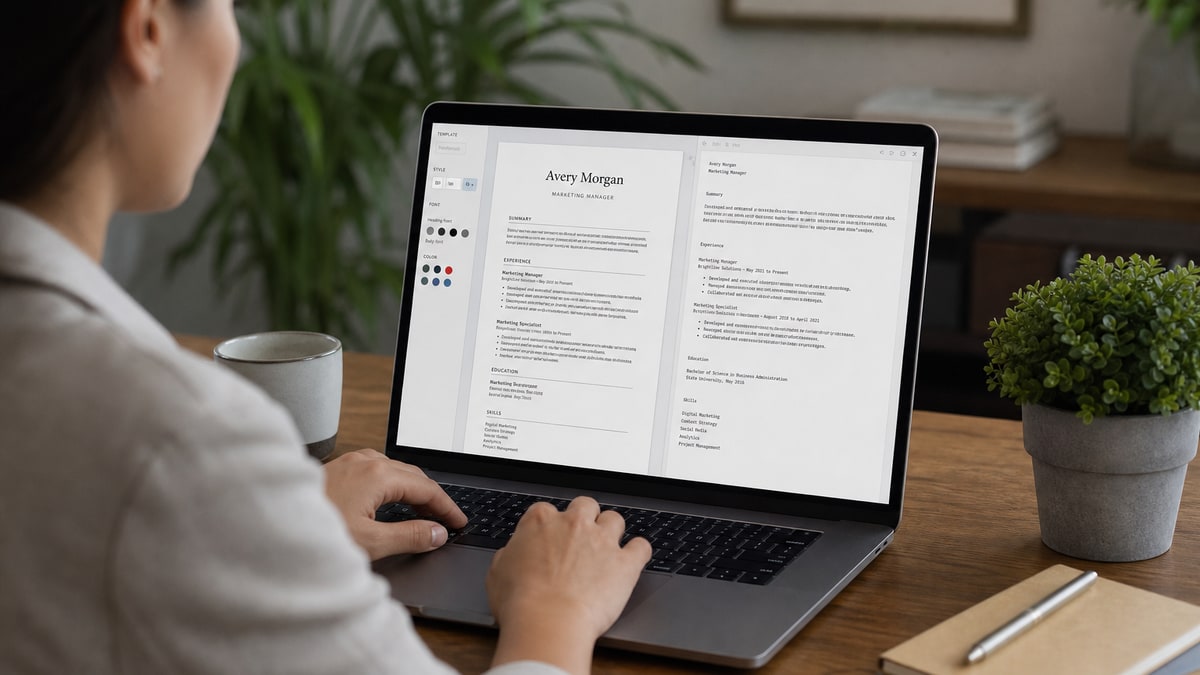
FlowCV is a capable free resume builder, but its most visually appealing templates are often the worst for applicant tracking systems. To build an ATS-compliant resume from scratch in FlowCV, choose a single-column template, strip graphic elements, use standard section headings, export PDF or DOCX, and validate the file with an independent parser before uploading to Workday, Greenhouse, or Taleo.
FlowCV's template gallery makes it easy to produce a polished document in under an hour. That same gallery makes it easy to produce a document that looks perfect on your screen and arrives in a recruiter's Workday dashboard with scrambled job titles, missing phone numbers, and an empty skills section. The gap between how a resume renders and how a parser reads it is where most FlowCV users lose interviews.
This guide covers advanced FlowCV settings and workflow decisions that actually affect parsing—not generic resume advice repackaged with a builder name attached. We include honest limitations, when to export plain text for stubborn portals, and how HireFlow's ATS checker fills the gap FlowCV does not address. For a broader builder comparison, see our HireFlow vs. FlowCV breakdown.
Key Takeaways
- FlowCV's designed templates often fail ATS parsing—choose the plainest option
- Standard headings (Experience, Education, Skills) map to Workday and Greenhouse fields
- Remove skill bars, icons, and sidebar columns before exporting
- Export both PDF and DOCX; test whichever format the posting accepts
- Keep a plain-text backup for Workday and Taleo manual paste workflows
- Validate every export with HireFlow before submitting—not after a rejection
What FlowCV does well—and where it stops
FlowCV excels at structured content entry. Section-by-section forms for work history, education, skills, and projects reduce the blank-page problem that stops many candidates from starting. Auto-save, multiple document versions, and quick duplication for role-specific tailoring are genuine time-savers during an active job search.
The free tier covers enough templates and export formats for most US corporate applications. PDF and DOCX downloads work without a paid subscription for basic use. For candidates building their first resume or returning to the market after a gap, FlowCV's guided input is faster than formatting a Word document from scratch.
Where FlowCV stops is verification. The builder shows you how the resume looks—it does not show you how Workday, Greenhouse, or Taleo extract text from your export. A template can look single-column on screen while still embedding text in tables or text boxes that parsers skip. That verification step requires a separate tool, which is why we recommend pairing FlowCV with an independent parse check at hireflow.net.
FlowCV also does not score keyword alignment against a specific job description. You can write a well-formatted resume that parses cleanly but still undermatches the posting because your skills section uses different terminology than the employer. Formatting and keyword matching are separate problems; FlowCV addresses the first partially and the second not at all.
Key Takeaway: use FlowCV to build and structure content quickly; use a separate ATS checker to confirm the export survives parsing.
Advanced template selection: which FlowCV layouts parse cleanly
FlowCV organizes templates into categories—Professional, Modern, Creative, Simple. For ATS-targeted applications, treat the Simple category as your starting pool and ignore Creative entirely unless you are handing the resume directly to a human at a networking event.
The parsing-safe checklist for any FlowCV template:
- Single column from top to bottom—no sidebar for contact info or skills
- Contact details (name, phone, email, city) in plain text at the top
- Section headings spelled exactly: Experience, Education, Skills
- No graphic skill bars, star ratings, or percentage meters
- No icons replacing text for email, phone, or LinkedIn
- No timeline graphics connecting job entries
- No colored text boxes carrying essential content
- Dates in consistent Month Year format throughout
Templates labeled Modern or Professional in FlowCV frequently use subtle design elements—a thin sidebar, a header color block, a skill section with horizontal bars—that pass a visual inspection but fail a parse test. If you like a template's typography but it has a sidebar, rebuild the same content in the simplest available template rather than hoping the sidebar survives export.
| FlowCV template feature | Visual impact | ATS parsing risk |
|---|---|---|
| Single-column plain layout | Low—looks standard | Low—extracts reliably in Greenhouse and Lever |
| Two-column with sidebar skills | High—looks organized | High—sidebar content often drops in Workday |
| Graphic skill bars | Medium—shows proficiency visually | High—exports as image or blank in Taleo |
| Icon contact row | Medium—clean header look | Medium—phone and email may not extract |
| Colored section headers | Low-Medium—adds visual hierarchy | Low—if text remains plain underneath |
Common Mistake: picking the template you like most visually rather than the one that produces the cleanest text extraction on export.
Building content from scratch: section order and heading rules
FlowCV lets you reorder sections by drag-and-drop. For ATS uploads, use this order: contact information, summary or headline (optional), Experience, Education, Skills, Certifications (if relevant). Deviating from this order does not always break parsing, but it can confuse field mappers in Workday that expect Experience before Education.
Heading text matters more than most candidates realize. Greenhouse auto-populates application fields by matching section headings to field names. "Work History" or "Career Journey" instead of "Experience" can leave the experience fields empty even when the content parsed correctly. Stick to the standard labels unless you plan to paste content manually.
For bullet writing inside FlowCV, treat the character count guidance as a formatting hint, not a content target. Three to four lines per bullet with a specific action, context, and measurable result outperforms six short duty lines. FlowCV does not enforce quality—only you do.
The Bureau of Labor Statistics employment data consistently shows tight competition for posted roles across US industries, which means both parsing survival and content quality matter. A FlowCV resume that parses but reads generically still loses to a plain resume with specific metrics once a human reviewer opens it.
Pro Tip: write your bullets in a separate document first, edit for metrics and specificity, then paste into FlowCV. The builder's inline editor encourages fast, generic phrasing.
Export settings: PDF vs. DOCX and what each ATS prefers
FlowCV offers PDF and DOCX export on its free tier. The right choice depends on the posting instructions and the target platform—not on which format looks sharper on your monitor.
Greenhouse and Lever generally handle FlowCV PDF exports well when the underlying template is single-column and text-based. Workday parsing varies by employer configuration: some instances extract PDF cleanly; others garble the same file and parse the DOCX version correctly. Taleo—still deployed at many Fortune 500 and government employers—has a longer history of DOCX-friendly parsing, though results vary by version and customization.
Our recommended workflow: export both formats from FlowCV for every finalized version. Run both through an independent parse checker. Submit whichever extracts more completely. Keep the other as backup. See our PDF vs. DOCX for ATS guide for platform-specific detail.
File naming matters for your own organization, not for parsers. Use FirstName_LastName_Role.pdf rather than FlowCV_export_final_v2.pdf. Recruiters occasionally download files, and a clear filename helps them find yours in a folder of fifty applications.
Quick Check: if the posting says "upload resume" without specifying format, test PDF first in Greenhouse-target applications and DOCX first in Workday-target applications—then let the parse check decide.
When to export plain text for Workday and Taleo
Some Workday and Taleo configurations extract so little from a FlowCV PDF that the recruiter sees a nearly blank candidate profile. When a parse check shows missing sections despite a clean visual export, plain text becomes your fallback—not your first choice, but a necessary one.
Three scenarios where plain text saves an application:
- Garbled upload: the portal accepts your file but auto-populated fields are empty or scrambled. Copy your FlowCV content into a .txt file, verify the text reads correctly top to bottom, and paste section by section into Workday's manual entry fields.
- Separate text fields: some Taleo configurations ask for work history, education, and skills in individual text boxes rather than a file upload. Export plain text from FlowCV and paste each section into the matching field.
- Cover letter plus resume combo fields: older enterprise portals sometimes provide one large text area for all application content. A plain-text export lets you control order and spacing without PDF extraction artifacts.
To create a plain-text version from FlowCV: export PDF, open in a PDF reader, select all text, paste into a plain-text editor, and clean up line breaks and spacing. Alternatively, copy section content directly from FlowCV's editor panel before export—this preserves your text without PDF extraction quirks.
Plain text removes all formatting, which is the point. You lose bold headings and bullet alignment but keep the content parsers need. For Workday manual entry, use ALL CAPS or a clear label like "EXPERIENCE" before each section so a recruiter scanning pasted text can find sections quickly.
Before relying on plain-text paste, read our Workday resume format guide for field-mapping behavior that applies regardless of whether you upload a file or paste text.
Common Mistake: assuming a failed upload means your content is wrong. Often the template design failed—the content is fine in plain text.
Before and after: FlowCV exports that fail and fix parsing
These transformations reflect patterns we see repeatedly when candidates run FlowCV exports through independent parsers. The visual version and the parsed version can look like different documents.
| Before (FlowCV export issue) | After (ATS-safe fix) |
|---|---|
| Modern template with skills in a left sidebar: Python, SQL, Tableau shown as graphic bars at 90%, 85%, 70%. | Simple template with Skills section in main column: "Python (pandas, scikit-learn), SQL (PostgreSQL, BigQuery), Tableau (dashboard design, calculated fields)." |
| Header with email and phone displayed as icons only—no plain-text contact line visible to parser. | Top of page: "Jane Smith | [email protected] | (555) 123-4567 | Austin, TX" in plain text, no icons. |
| Section titled "Where I've Worked" with timeline dots connecting four roles—Workday maps zero experience entries. | Section titled "Experience" with each role as: Job Title, Company, City | Month Year – Month Year, followed by bullet points. |
Bullet-level fixes inside FlowCV matter as much as template choice:
| Before (FlowCV default bullet) | After (parse-safe + human-readable) |
|---|---|
| "Managed team projects and improved workflow efficiency using various software tools." | "Redesigned Jira sprint workflow for an 8-person engineering team, reducing average ticket cycle time from 11 days to 6 days over two quarters." |
| "Responsible for customer service and client relationship management." | "Handled 40+ daily client inquiries via Zendesk, maintaining a 96% satisfaction score across 1,200 tickets in Q3 2025." |
Key Takeaway: run every FlowCV export through a parse checker before assuming the visual version is what the ATS receives.
FlowCV vs. HireFlow checker: complementary tools, different jobs
FlowCV and HireFlow are not direct substitutes. FlowCV is a builder. HireFlow is a checker and optimizer. The most effective workflow uses both: draft in FlowCV, validate at hireflow.net, revise, and submit.
| Capability | FlowCV | HireFlow |
|---|---|---|
| Resume content entry | Yes—section forms and templates | Yes—free resume builder available |
| Visual template design | Extensive gallery | ATS-safe templates prioritized |
| Parse preview (what ATS extracts) | No | Yes—shows extracted text by section |
| Keyword match vs. job description | No | Yes—JD comparison scoring |
| Missing section detection | No | Yes—flags dropped headings and dates |
| PDF and DOCX export | Yes | Yes |
The honest workflow: build your first draft in FlowCV if you prefer its editor, export the file, upload it to HireFlow's free ATS checker , review the extracted text, switch templates or simplify formatting if sections are missing, and re-check until the parsed output matches your intended content. Then tailor keywords against the specific posting.
If parse checks consistently fail across FlowCV templates, consider drafting directly in HireFlow's free resume builder instead—its templates are selected for parse safety first and appearance second. See our full HireFlow vs. FlowCV comparison for feature and pricing detail.
Pro Tip: treat HireFlow parse results as the source of truth, not the FlowCV preview panel. What you see in FlowCV is not what Workday receives.
Step-by-step: building an ATS-compliant resume from scratch in FlowCV
Follow this sequence for every new resume version you build in FlowCV for online applications.
- Open FlowCV and select the simplest single-column template available.
- Enter contact info as plain text—no icon rows.
- Add a two-line summary with your title, years of experience, and specialty.
- Build Experience with standard formatting: Title, Company, City, dates, bullets.
- Write three to five bullets per role with at least one metric each.
- Add Education with degree, institution, and graduation year.
- Create a Skills section listing tools and methods in plain text—no bars or ratings.
- Remove any remaining graphic elements, sidebars, or color blocks.
- Export PDF and DOCX.
- Upload both to HireFlow and compare extracted text against your intended content.
- Fix missing sections by switching templates or simplifying layout.
- Run a keyword check against your target job description.
- Save a plain-text backup copy for Workday or Taleo manual paste if needed.
- Submit the format that parsed most completely.
For a pre-submission checklist focused on parsing rather than builder mechanics, see how to check if your resume is ATS-friendly .
Quick Check: if step 10 shows more than one missing section, go back to step 1 and pick a plainer template—do not submit and hope for the best.
Honest FlowCV limitations for ATS-focused job searches
FlowCV does not warn you when a template will fail parsing. The preview panel shows the designed version, which creates false confidence. You only discover the problem after a rejection or—if you are proactive—after an independent parse check.
FlowCV's Creative and Modern templates are marketed for visual impact. For roles that require uploading through Workday, Greenhouse, Taleo, or iCIMS, visual impact that breaks parsing is a net negative. You may never reach the human reviewer who would have appreciated the design.
FlowCV does not offer job-description keyword matching. Building a resume that parses cleanly but uses "client management" when the posting says "account management" twelve times will underperform in ranking even with perfect formatting. Keyword alignment requires a separate analysis step.
The Society for Human Resource Management (SHRM) notes that employers increasingly rely on automated screening before human review. That makes parse verification a mandatory step, not an optional one—regardless of which builder you use.
Key Takeaway: FlowCV is a strong drafting tool with a blind spot around parsing verification. Plan for that gap explicitly in your workflow.
Frequently asked questions
Not always. FlowCV offers both minimal single-column templates and visually designed multi-column layouts. The designed templates look polished on screen but frequently break parsing in Workday, Taleo, and Greenhouse because sidebars, icons, and skill bars do not extract as plain text. You must actively choose a simple template and verify the export—not assume ATS safety from the builder label.
Single-column templates with standard section headings—Experience, Education, Skills—and no sidebar columns parse most reliably. Avoid templates with graphic skill meters, icon-based contact rows, timeline graphics, or two-column layouts even if FlowCV marks them as professional. The plainest template that still looks readable to a human is usually the safest ATS choice.
Follow the job posting instructions first. When the posting does not specify, PDF from a simple FlowCV template usually works in Greenhouse and Lever. Workday and Taleo sometimes parse DOCX more reliably, especially at older enterprise deployments. Export both formats and test each with an independent parser before submitting.
Export or copy plain text when applying through Workday or Taleo portals that garble your PDF upload, when the application includes separate text fields for work history that you need to paste into manually, or when a parse check shows missing sections despite a clean visual layout. Plain text strips design but preserves content for manual field entry.
FlowCV is a resume builder focused on design and content entry. HireFlow is an ATS checker and optimizer that shows what text parsers extract from your exported file, flags missing sections, and scores keyword alignment against a job description. They solve different problems: FlowCV helps you build; HireFlow helps you verify the build survives parsing. Many candidates use FlowCV to draft and HireFlow to validate before submitting.
Yes, frequently. Graphic skill bars that show proficiency as filled bars or percentages often export as images or empty fields rather than readable skill names. Icon-based contact sections can drop phone numbers and email addresses during text extraction. Replace skill bars with a plain-text Skills section listing tools and methods explicitly.
FlowCV requires selecting a base template, but you can strip most design elements by choosing the simplest single-column option, removing color blocks, deleting icon rows, and keeping section headings standard. Treat the template as a structural starting point, then simplify aggressively for ATS-targeted applications.
Choosing a visually striking multi-column template because it looks different from other applicants, then uploading it to Workday without testing. The resume renders beautifully on screen but arrives in the recruiter dashboard with scrambled job titles, missing dates, and an empty skills section. Always run an independent parse check on the exported file before submitting.