11 min read
The short answer is block style, not indented paragraphs. If you're applying through US corporate portals, you're not writing a high school essay with five-space indents. You're producing a file that must survive PDF export, plain-text paste, and a recruiter skimming on a phone between meetings.
Before you tweak margins, check your resume for free on the PDF you'll attach. Letter formatting won't save a resume that parses out of order, but uneven letter margins still signal that you didn't preview the upload the way hiring teams do.
Below you'll see why indents survive in Word but break in paste boxes, the exceptions that actually matter, what to do now in Word or Google Docs, mistakes I see on iCIMS previews, and FAQ answers you can skim before tonight's apply block.
Quick Wins
- Turn off first-line indent in Word Normal style before you type.
- Use one Enter between paragraphs, not Tab at paragraph start.
- Paste the letter into Notepad to see leading spaces you can't see in Print Preview.
- Left-align date, address block, and body to the same margin.
Why US recruiters expect block style, not indents
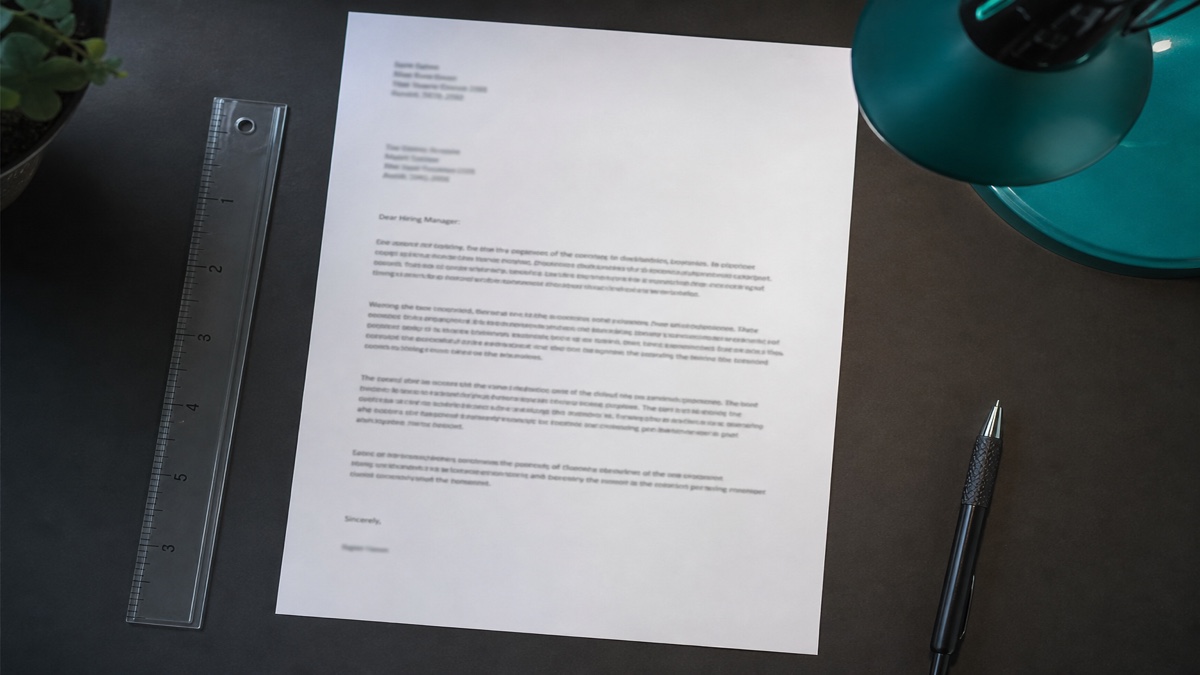
School taught first-line indents for essays. Corporate US cover letters follow business letter block format: every paragraph starts at the left margin, and white space between paragraphs does the visual work indents used to do on typed paper.
The mismatch shows up when candidates import Canva or Google Docs templates with automatic indents. On screen, the letter looks polished. In a Lever paste field, paragraph two begins with invisible spaces. The recruiter's preview shows a staircase left edge. They don't fail you for typography alone, but when fifty letters arrived that hour, staircase margins are an easy skip signal.
PDF uploads hide the problem less than you'd think. Some parsers still extract text with tab characters attached. When the recruiter copies a sentence to email you, the tab comes along and your reply thread looks broken. Block style keeps extraction boring, which is what you want on hiring software built for speed, not design awards.
High school and college habits die hard because indents signal new thought on paper. Screen readers and plain-text inboxes don't reward that signal. The blank line between paragraphs is the only separator you need online. Recruiters trained on block business letters spot indents as outdated or copied from essay templates, even when they can't quote a style guide on the spot.
International candidates from markets that use indented business letters should still switch to US block style for US reqs. You can keep indented format for home-country applications on the same day. Label files by country in your tracker so you don't upload the wrong margin story to the wrong portal.
I've skimmed cover letters where paragraph one was flush left because the template only indented body paragraphs, not the greeting block. Line three suddenly jumped inward for no reason the recruiter could name. They assumed mail merge. The candidate lost a fair read on paragraph two proof that was actually strong.
For spacing across the whole page, read how to format a cover letter . When you're deciding file type, pair this answer with should you attach a cover letter in 2026 .
Do you indent paragraphs in a cover letter on US portals?
Treat the answer as no, then fix your master template once. These moves are what to do now before you tailor paragraph two for the next req, not a twelve-step formatting rabbit hole.
Strip first-line indent from Normal style in Word
Right-click Normal, Modify, Format Paragraph. Set Special to None and left indent to zero. Click New documents based on this template so future letters inherit block style. If you only fix one letter, tomorrow's duplicate from Save As will reintroduce the tab.
Before: Normal style with first line indent 0.5 inch on every new paragraph.
After: Normal with Special None, spacing after 6 pt optional, blank line between paragraphs via Enter only.
Replace Tab at paragraph start with Enter between blocks
Train yourself not to hit Tab after Enter. The blank line is the paragraph break. If you already typed tabs, use Find and Replace to search for paragraph marks with leading tabs and replace with plain paragraph marks.
Before: Tab character visible when Show/Hide formatting marks is on.
After: Only paragraph symbols between blocks, all text aligned to the same left margin as the date line.
Align header blocks to the same margin as the body
Your name, date, employer address, and Dear line should share one left edge. Centered headers with indented body paragraphs look like two templates stitched together. Recruiters notice the seam even if they can't articulate it.
Preview paste, not just Print Preview
Select all, copy, paste into Notepad or the employer's plain-text box draft. If any line begins with a space, back to Word and remove indents until Notepad shows flush left lines. That's the preview that matters for Greenhouse and many Workday optional letter fields.
Copy-paste block: block-style letter skeleton
Copy-paste block-style layout (no indents)
[Your Name]
[City, ST | email | phone]
[Date]

[Hiring Manager or Team Name]
[Company]
[City, ST]

Dear [Name or Hiring Team],

[Paragraph one: role plus hook. Flush left. No tab.]

[Paragraph two: metric proof. Flush left. Blank line above this paragraph only from Enter.]

[Paragraph three: close plus thanks in body, not indent tricks.]

Sincerely,

[Typed name]
Exception: academic letters for faculty posts sometimes expect indented paragraphs on print letterhead. Read the department instructions. If they show a sample PDF with indents, mirror that sample once. Corporate reqs without a sample default to block style.
Exception: employers that supply a Word template with locked styles. Don't fight the template indent if the HR page says use this file exactly. For every other req, revert to block style on your master file so your muscle memory doesn't mix modes.
Google Docs users: check Format, Align and indent, Indent options, and set first line indent to zero on the normal text style. Docs likes to carry over indents from imported PDFs you opened as editable text.
Mobile edits on phone apps often insert double spaces after periods and accidental leading spaces on new paragraphs. Don't finalize a letter thumb-typed on a commute without a desktop paste check.
Career changers copying a college cover letter template: delete the five-space indent habit before you tailor proof. Admissions essays and corporate block letters are different genres. Recruiters won't grade you on MLA; they'll skim for scope match.
One-page limits: don't shrink indent to save lines. Remove a sentence in paragraph three instead. Tiny indents plus 9 point font reads cramped without adding information.
Night-shift applicants often compose in dim light and miss the Show/Hide tab markers glowing in Word. Run the paste test in daylight on the same monitor you use for apply blocks so you catch tabs before submit, not after a rejection email you can't interpret.
Table-based letter templates from resume vendors sometimes put body text inside cells with internal padding that mimics indent. Recruiters see double margins when the cell border collapses in PDF. Convert to plain paragraphs outside tables before export.
Bulleted proof belongs in the resume, not the cover letter body. When candidates indent bullet lists under paragraph two, paste boxes flatten bullets into odd dashes. Keep the letter as three short paragraphs of prose, flush left, with metrics written inline.
Modified block letters that indent only the date and signature block while keeping body flush are still common in legal print mail. US job portals are not print mail. Use full block for body and closing unless an employer attachment template explicitly shows otherwise.
Before: Imported PDF letter opened in Word with automatic first-line indent on every restored line.
After: Retyped letter into a clean Normal-style doc, zero indent, paste test clean, PDF re-exported for upload.
Indent and spacing mistakes on cover letters
Mixing centered header with indented body. Pick one alignment story. Block letters keep the whole page left-aligned except optional centered name at top, and even then body stays flush.
Using line breaks instead of paragraph breaks. Shift+Enter creates a soft break without the blank line spacing block style needs. Use Enter once between paragraphs so paste boxes register separate blocks.
Relying on spacebar indents. Five spaces at paragraph start vanish in some PDF exports and reappear as odd wraps in others. Zero indent plus Enter spacing is stable.
Before: Canva export with automatic first-line indent on body text only.
After: Word master with Normal style indent none, retyped letter, PDF export with Notepad paste test pass.
Justifying text while adding indents. Full justification plus indents creates river gaps in Word that get worse on mobile PDF viewers. Left align body text and stop tweaking.
This won't replace strong proof in paragraph two. It removes a formatting tell that cheapens an otherwise tailored letter on US uploads.
Double-check line spacing after you remove indents. Some templates compensate for indent with extra line spacing that now looks airy. Set line spacing to single or 1.15 with 6 pt after paragraph if you need breathing room without tabs.
Email cover letters pasted into the body of a message should follow the same flush-left rule. HTML email clients sometimes preserve leading spaces from Word paste. Paste as plain text first, then add bold sparingly if you must.
Draft the letter, then verify the resume
Tools won't measure indent depth, but they keep the apply bundle consistent. Draft block-style text first, export, then confirm the resume still parses when recruiters jump from letter to attachment.
Use the cover letter generator to produce paragraph one and two, paste into a Normal-style Word doc with indents turned off, then run the Notepad test before Save As PDF.
Run the free ATS checker on your resume PDF after the letter is clean. Block letters paired with two-column resumes still fail the bundle even when paragraph spacing is perfect.
Do this now: Open your letter template, enable Show/Hide marks, and delete every tab at paragraph start before you write the next tailored proof block.
Set block style once, then stop debating indents
Do you indent paragraphs in a cover letter for US corporate apps? No. Use flush left paragraphs, one blank line between them, and preview with a paste test instead of Print Preview alone. Fix Normal style in Word or the text style in Docs so you're not fighting tabs on every req.
- Modify Normal to Special None before you clone the master letter.
- Replace Tab-after-Enter habit with Enter-only paragraph breaks.
- Paste into Notepad before Greenhouse submit on the next req.
- Keep header, date, and body on one left margin line.
When a friend insists indents look more professional, ask them to paste their letter into a plain-text box. Block style isn't less formal; it's the format US hiring software reads without adding ghost spaces you'll never see until a recruiter does.
Save the master without indents, tailor proof upstairs, and spend your formatting energy on matching paragraph two to the posting instead of tab width debates that don't move callbacks.
If you keep a checklist before each upload, add one line: paste test passed Y or N. That single checkbox catches more indent regressions than rereading the whole letter aloud, because tabs hide until plain text strips your formatting away.
Open your master letter file now, turn on formatting marks, and delete indents once. Tomorrow's apply block should start from block style so you're not answering do you indent paragraphs in a cover letter from scratch at midnight again.
Read more
Frequently asked questions
No for standard US corporate cover letters. Use block style: every paragraph flush left with no first-line tab indent, and separate paragraphs with one blank line. That layout matches what Workday, Greenhouse, and Lever paste boxes expect when they strip rich formatting.
Avoid indents on uploads. Tab characters and first-line indent styles often survive as leading spaces in plain-text previews. Recruiters see jagged left margins and assume the file was pasted from a broken template. Block style keeps paragraph breaks obvious without hidden characters.
One blank line between paragraphs is enough. In Word, press Enter once at the end of a paragraph, then start the next line at the left margin. Do not add spaces before the first word of a new paragraph to fake an indent.
Some academic recommendation letters and very traditional print-only business letters still use indented paragraphs. Corporate US job applications are not that context. If an employer explicitly asks for modified block or indented style in a PDF attachment, follow the instruction once, then return to block style for portal paste fields.