11 min read
Visual Canva-style templates hide your best bullets inside text boxes and sidebars that US parsers skip, so Workday imports a pretty file with half your Experience missing. When you design resume without visual template structure, you'll rebuild the same content as plain stacked sections in Word and nothing'll disappear on upload.
You're not failing because your work history is thin. You're losing when the portal reads a sidebar before your current role, or when a text box exports empty while the PDF preview looked perfect. Don't trust the preview until Notepad paste proves order. Before you rebuild, check your resume for free with the posting pasted in. Confirm whether employer rows, dates, and bullets landed in parsed Experience text, not only in a design layer you can see.
Job searching while you're redoing a file you already spent hours styling is exhausting. This page doesn't ask you to strip your personality from every line. It'll show the layout shape that keeps your content intact when Greenhouse or iCIMS reads the upload.
Below you'll see what plain stacked sections get judged against, six before/after layout pairs across different roles, what broken visual files share, and a copy-paste Word skeleton you can rebuild tonight. When the portal also wants a letter, generate a cover letter that repeats the same employer names and dates from your rebuilt Experience block.
Quick Wins
- Copy all text from your PDF into Notepad before you apply again.
- Move every Experience bullet out of text boxes into normal body paragraphs.
- Use one column, 11-point Calibri or Arial, Month Year dates, standard section headers.
- Keep portfolio links in Contact as plain hyperlinks, not icon rows in a sidebar.
What US parsers score when you design resume without visual template
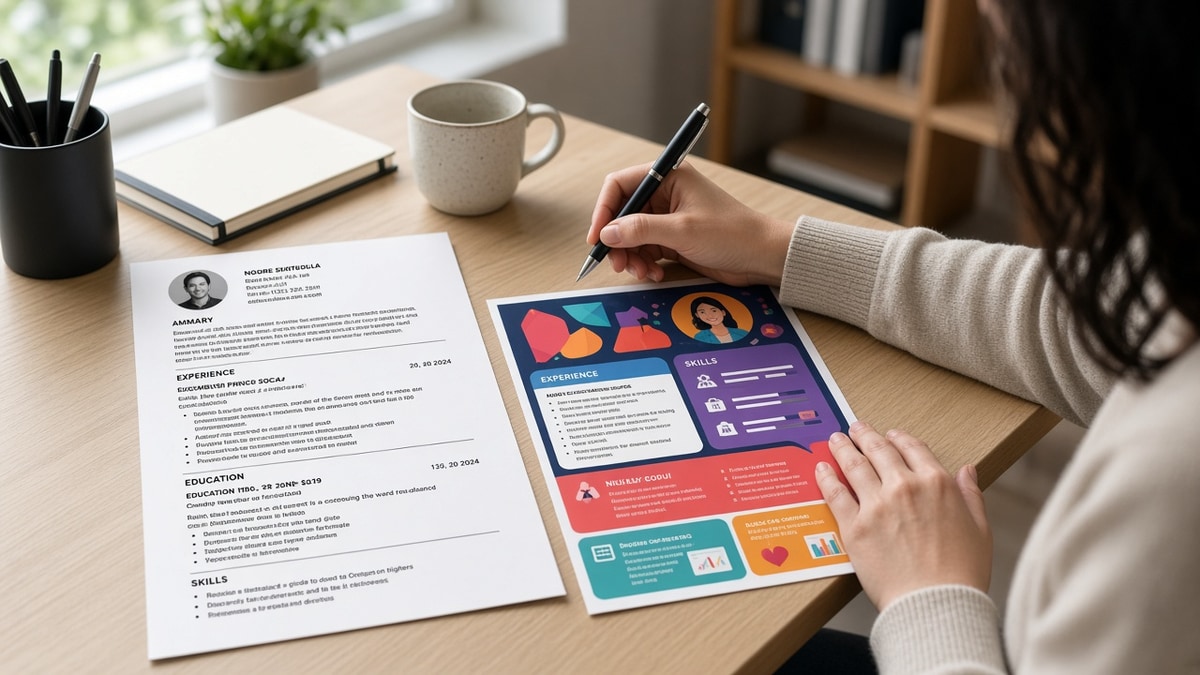
Most design-market templates sell color blocks, icon skill bars, and two-column balance. US corporate parsers in Workday, Greenhouse, Lever, Taleo, and iCIMS read files linearly. They weight dated Experience lines they can sort by employer and date, not the gradient behind your name.
The bar for a plain rebuild: Contact Information at the top in body text, then Summary, Skills, Experience, Education, and Certifications as stacked sections with bold headers. Every bullet lives in the main document flow. No text boxes, no floating shapes, no tables used as layout grids.
A composite marketing coordinator whose Canva export shows four roles on screen but imports with the sidebar Skills block first and Experience third loses to a boring DOCX where Acme Corp, March 2022 to Present, and bullet one about campaign ROI land in row order parsers expect.
Design-heavy roles still need proof of craft in the bullets, not in the file chrome. Write led Figma component library adoption across 12 product squads in Experience. Save the case-study grid for your portfolio site linked once under Contact.
If you're starting from Canva, read how to make a Canva resume ATS-safe for US jobs for export settings. This page is the Word rebuild path when export fixes still leave text boxes parsers skip.
Before and after: design resume without visual template
Each pair shows the visual layout recruiters see fail in imports, then the plain stacked version that keeps the same content readable. Numbers inside sample bullets are illustrations of shape, not claims about your market.
Pair 1: Marketing coordinator, Canva two-column
Before: Left sidebar holds Skills icons and contact icons; right column holds Experience inside colored text boxes. Workday import lists Adobe, HubSpot, and Mailchimp under Education while Acme Corp dates vanish.
After: Single column DOCX: Contact lines, Summary, Skills as a comma list, then Acme Corp with March 2022 to Present and bullets in normal paragraphs. Same campaigns, same metrics, no shapes.
Pair 2: Graphic designer, icon skill bar
Before: Header band with photo circle; skill levels shown as filled bars in a table; Experience bullets typed inside floating text boxes over a colored panel.
After: Plain Word file with portfolio URL under email; Skills line lists Figma, Adobe CC, and After Effects; Studio North, June 2021 to Present, with three bullets about brand systems and launch creative, all in body text.
Pair 3: Project manager, timeline infographic
Before: Horizontal timeline built from SmartArt shows five employers with icons; parser reads icon labels as random words and drops dates.
After: Reverse-chronological Experience with Bold Company, Month Year to Month Year headers and four bullets on budget, stakeholder, and delivery scope per role. Timeline story moves into bullet clauses instead of graphics.
Pair 4: Data analyst, colored section bands
Before: Each section sits inside a full-width colored rectangle with white text; Greenhouse paste shows section titles duplicated and SQL keywords missing from Experience.
After: Black text on white; section headers in bold only; FinServe Analytics, January 2020 to Present, opens with built Looker dashboards cutting ad-hoc report requests 11% in Q3 in bullet one.
Pair 5: HR generalist, Canva template with columns
Before: Two-column Canva resume puts Certifications and Volunteer blocks in the left rail; parser attaches SHRM-CP to the wrong employer row.
After: Certifications section after Education; Volunteer one line if relevant; PeopleOps Co., August 2019 to Present, carries onboarding, ER, and HRIS bullets in order parsers can match to the posting.
Pair 6: Software engineer, skills cloud in sidebar
Before: Skills displayed as word-cloud shapes in a sidebar; Experience typed in a narrow text box with manual line breaks that break employer names across lines.
After: Skills comma list after Summary; CloudScale Inc., September 2021 to Present, bullet one names Python, AWS, and Terraform in the first line with a shipped feature outcome. Stack keywords sit in Experience, not floating art.
Copy-paste block: plain stacked Word skeleton
YOUR NAME
city, state | email | phone | linkedin.com/in/you | portfolio URL (plain hyperlink)

SUMMARY
Two lines max. Role, years, one outcome tied to the posting.

SKILLS
Comma-separated tools and methods from the req. No icons, bars, or tables.

EXPERIENCE
Company Name, City, ST
Job Title | Month Year to Month Year
- Bullet with tool, scope, and outcome in the first eight words.
- Second bullet with metric or delivery proof.
- Third bullet with cross-team or stakeholder scope.

EDUCATION
Degree, School, Year

CERTIFICATIONS
Cert name, issuer, year (only if the posting cares)
Edge case: designer who still needs a visual networking PDF
Keep two files. Upload the plain Word export to Workday, Greenhouse, and Lever. Hand recruiters a designed PDF at events if you want, but never assume the portal reads the same layers your eye sees on screen.
Before: One Canva file used for every upload and every coffee chat.
After: application.docx for portals, portfolio.pdf for humans, same bullet text copied into both so content never diverges.
Edge case: career changer moving content out of a creative template
Paste unstyled text into Word section by section. Re-type employer headers instead of dragging boxes. A pivot file still needs Month Year dates and role titles parsers can sort even when the old template hid gaps behind graphics.
Before: Transferable skills live inside a large icon grid with no dates per role.
After: Each employer gets its own header row; pivot story sits in Summary and bullet one under the most recent relevant role, not in a standalone infographic block.
For spacing and font rules that keep parsers from scrambling lines, see formatting mistakes that kill your resume with AI screening after your stacked rebuild is done.
What broken visual templates share
Text boxes for Experience bullets. Canva and Word both let you type inside boxes that look like body text. Exporters often drop that layer. Move every bullet into normal paragraphs before you save DOCX.
Sidebars that import first. Skills icons in a left rail frequently paste before your current job. I've screened design stacks where Adobe landed under Education while the current employer row imported blank. Stack Skills after Summary in the main column instead.
Tables used as layout, not data. Invisible grid cells split employer names from dates. Parsers read cells out of order. Use bold job titles on their own line with pipes or en dashes for dates, not nested tables.
Headers and footers for contact info. Some systems ignore footer phone numbers entirely. Contact details belong in the first five lines of body text, not in a designed band.
Skill bars and star ratings. Visual proficiency meters rarely export as text. Replace them with a comma list or weave tools into Experience bullets where you used them on paid work.
Exporting PDF before testing plain text. A PDF preview can look perfect while the text layer is scrambled. Copy-paste into Notepad first. If employer order changes, rebuild in Word before upload.
Chasing minimal design without fixing structure. Minimal layouts still fail when bullets sit in boxes. Read why minimal resumes perform better for typography choices after you confirm the parser reads every section.
Decorative section names. My Journey or Creative Story instead of Experience confuses parsers trained on standard headers. Use Experience, Education, and Skills even when the template renamed them for aesthetics.
This won't fix applying to senior roles when your scope was intern-level. It stops qualified candidates from losing to empty Experience blocks while the same metrics looked fine in Canva preview mode.
Test the plain rebuild against the posting
After you restack sections, run the same DOCX against the req on your screen. You're checking whether employer names, Month Year dates, and posting keywords appear inside parsed Experience text, not only in a design layer.
Copy all text from the exported file into Notepad. If Acme Corp moves below Education, a text box or column is still hiding structure. Fix in Word, export again, paste again.
Upload your rebuilt file and the posting to HireFlow's free ATS resume checker . Confirm each employer row imported with bullets attached and that no role arrived with blank titles.
When you're rebuilding from scratch instead of fixing export glitches, build your resume with single-column sections baked in so you don't slide back into text boxes on the next edit.
Do this now: Paste your PDF text into Notepad. Rebuild any section that imported out of order in plain Word. Export DOCX and run a free ATS check before the next upload.
Rebuild in Word tonight
When you design resume without visual template layout, you keep the same bullets and dates while parsers finally read them in order. The win isn't ugly paper. It's a file where Experience imports before icons and every role stays attached to its employer line.
Open your Canva or template export. Paste unstyled text into Word section by section. Move bullets out of text boxes. Export DOCX, paste into Notepad to confirm order, then run a free ATS check before you upload to Workday or Greenhouse again.
- Copy PDF text into Notepad before every new application.
- Stack Contact, Summary, Skills, Experience, Education, Certifications in that order.
- Replace icon skill bars with comma lists or Experience-embedded tools.
- Fork a human-facing PDF only after the portal file parses clean.
- Re-test when you switch from DOCX to PDF upload on the same req.
And if a section still imports blank, assume a hidden text box is the cause before you rewrite bullet wording. Structure first, polish second.
Read more
Frequently asked questions
Keep body text black on white and sections in plain stacked blocks. A thin rule line or navy header band on section titles is usually fine in DOCX. Color blocks behind Experience bullets, icon rows, or skill bars still break parsing in Workday and iCIMS imports. If you want color for a human networking PDF, fork a second file and upload the plain Word export to the portal.
Word DOCX is the safer default for US corporate portals that ask for .docx. Google Docs exports clean single-column files when you avoid text boxes and drawing layers. Paste each section as unstyled text, apply Heading 1 only to section names, and use standard round bullets. Export PDF only after a plain-text paste test shows every employer line in order.
Put one portfolio URL on its own line under Contact Information in plain hyperlinked text, not inside a sidebar shape. Design roles still need a portfolio, but the application file should read like a stacked document parsers can sort. Move case-study thumbnails to your site or Behance link instead of embedding images in the resume body.
Sometimes a left sidebar imports after main Experience, so your strongest role lands under Education. Sometimes text boxes export empty while the preview looked full. Treat any template with columns, icons, or floating shapes as a rebuild job, not a quick PDF export. Single column with Month Year dates is the fix that survives Greenhouse and Lever uploads.
Copy all text from your exported PDF into Notepad. Employer names should appear top to bottom in the same order as your Word file. Run the same file through a free ATS check with the posting pasted beside it. Missing job titles or blank Experience blocks mean a text box or table still hid content from the parser.