8 min read

Common Resume Mistakes That Trigger ATS Rejection: Complete Guide

September 2, 2026

Learn the common resume mistakes that trigger ATS rejection. Discover formatting errors, keyword gaps, and fixes to pass applicant tracking systems.

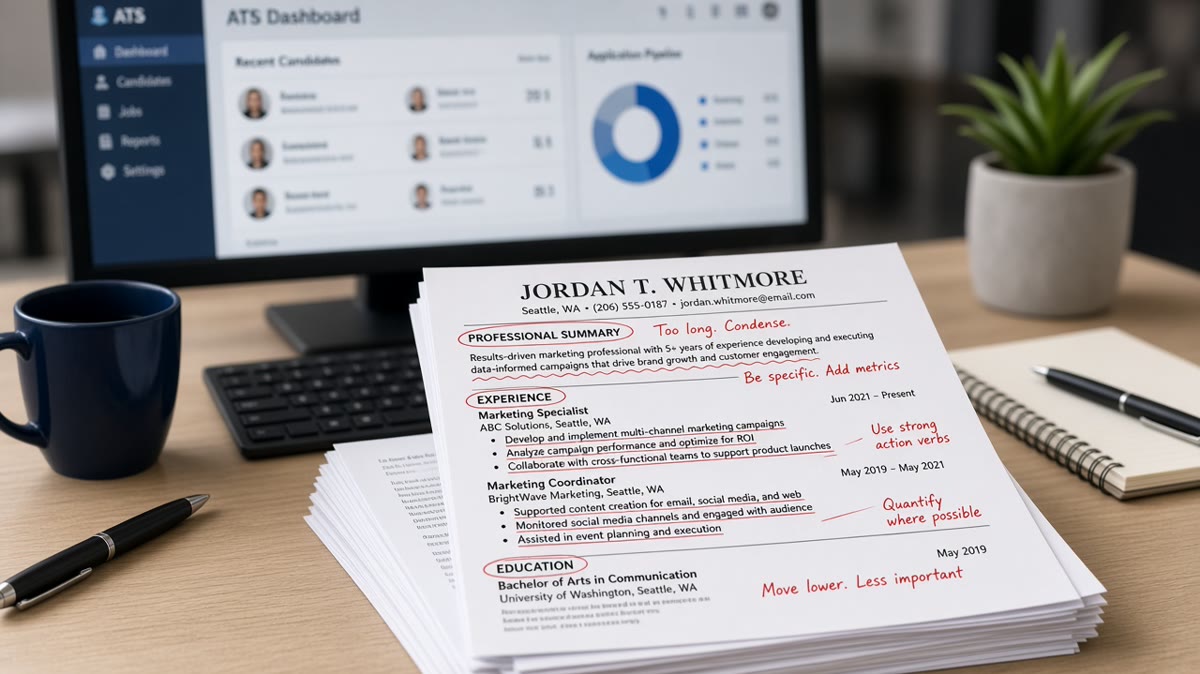
Applicant tracking systems (ATS) reject thousands of qualified resumes every day. Most candidates don't realize their resume never reaches a human recruiter—it fails automated screening first. Understanding common resume mistakes that trigger ATS rejection is the difference between landing interviews and disappearing into a digital void.

ATS software scans resumes for specific formatting, keywords, and structure. A single formatting error or missing keyword can disqualify you instantly. The frustrating part: your resume might look perfect on screen, but the ATS parser sees something completely different.

In this guide, you'll learn:

  • Why ATS systems reject resumes and how they work
  • The top 6 formatting mistakes that break ATS parsing
  • Keyword gaps that cause automatic rejection
  • Best practices to ensure ATS approval
  • Step-by-step fixes for common errors

Why ATS Rejection Happens and What You Need to Know

ATS systems are designed to filter high-volume applications. Recruiters receive 100+ applications per job posting. Without automated screening, they'd spend weeks reviewing unqualified candidates. ATS does the heavy lifting by matching resumes to job requirements, ranking candidates by relevance, and flagging the strongest matches.

The problem: ATS systems are rigid. They don't understand context or nuance like humans do. They parse text literally. If your resume uses unconventional formatting, unusual fonts, or graphics, the ATS may misread your information entirely. A single parsing error can bury your resume in the reject pile before any human sees it.

Key Formatting Errors That Break ATS Parsing

1. Using Tables, Text Boxes, and Graphics

Many resume templates use tables to organize information into columns. This looks professional in Microsoft Word, but ATS systems can't parse table structures. When the ATS reads your resume, it sees jumbled text with no logical order. Information appears out of sequence or gets lost entirely.

Fix: Use simple line breaks and bullet points instead. Stick to plain text formatting. Avoid headers, footers, text boxes, and decorative graphics. Your resume should be readable as a .txt file.

2. Saving as PDF When Word Format Is Required

PDF files preserve formatting beautifully for human readers, but many ATS systems struggle with PDF parsing. Some older ATS versions can't extract text from PDFs correctly, resulting in garbled or missing data. Conversely, some systems require PDF specifically to prevent formatting changes.

Fix: Check the job posting for file format requirements. If unspecified, save as .docx (Word format) first. Test your resume by opening it in Notepad to see how the ATS parser will read it. If it looks scrambled, your formatting is too complex.

3. Using Uncommon Fonts and Special Characters

Fancy fonts, symbols, and special characters look creative but confuse ATS parsers. Symbols like ★, •, or → may be converted to gibberish or deleted entirely. The ATS can't render decorative fonts, so it defaults to basic text—often misaligned or unreadable.

Fix: Use standard fonts only: Arial, Calibri, or Times New Roman. Replace symbols with plain text: use hyphens (-) or asterisks (*) for bullet points. Avoid accent marks and special characters unless absolutely necessary for your name or location.

4. Inconsistent Section Headers and Formatting

ATS systems expect standard resume sections: Contact Information, Professional Summary, Experience, Education, Skills. If you use non-standard headers like "What I Do" instead of "Professional Summary," the ATS may not recognize that section. Inconsistent capitalization and spacing confuse parsing algorithms.

Fix: Use standard section headers consistently. Maintain uniform spacing between sections. Use the same formatting for all job titles, dates, and company names. This helps the ATS identify and extract information correctly.

Keyword Gaps and Relevance Issues

ATS systems use keyword matching to score resumes. If your resume doesn't contain keywords from the job description, the ATS ranks you lower—regardless of actual qualifications. This is the most common reason qualified candidates get rejected.

For example, a job posting lists "project management" and "Agile" as required skills. If your resume says "managed projects using iterative processes" but never mentions "Agile," the ATS may not recognize the match. The system looks for exact or near-exact keyword matches, not conceptual equivalents.

Fix: Extract keywords from the job description and mirror them in your resume. Use the exact terminology the employer uses. If they say "JavaScript," don't just say "web development." Include both specific skills and broader categories. Balance keyword inclusion with natural language—keyword stuffing lowers ATS scores.

6 Common Resume Mistakes That Trigger Instant Rejection

  • Missing contact information or using a non-professional email: ATS systems need a clear phone number and professional email. Avoid nicknames or outdated email addresses. This is the first data the ATS extracts.
  • Vague job titles or descriptions: "Responsible for various duties" tells the ATS nothing. Use specific action verbs and measurable results. The ATS matches your accomplishments to job requirements.
  • Inconsistent date formatting: Use MM/YYYY or Month Year consistently. Mixed formats ("2020-2022" vs "Jan 2020 - Dec 2022") confuse parsers and may cause date gaps to be misread.
  • No clear skills section: ATS systems scan the skills section first. If you don't have a dedicated skills section, the ATS may miss critical keywords. List skills clearly and separately from experience descriptions.
  • Using headers and footers for important information: ATS systems often can't read headers or footers. Never put your name, phone, or key information in the header. Place everything in the main document body.
  • Excessive white space or unusual margins: Large margins, extra line breaks, or sparse formatting confuse ATS parsers. Use standard 0.5-1 inch margins. Fill the page efficiently without cramming.

Best Practices to Pass ATS Screening

  1. Match the job description: Read the posting carefully and incorporate relevant keywords naturally. Use the same terminology for skills, tools, and methodologies. This improves ATS matching and shows you understand the role.
  2. Use a clean, simple format: Stick to one column, standard fonts, and basic formatting. Avoid colored text, shading, or graphics. Your resume should be readable as plain text.
  3. Include a dedicated skills section: List 10-15 relevant skills separated by commas or bullets. Place this section prominently, ideally near the top after your summary. ATS systems prioritize this section.
  4. Use action verbs in bullet points: Start each achievement with a strong verb: "Developed," "Implemented," "Led," "Increased." This helps ATS identify accomplishments and improves keyword matching.
  5. Keep dates consistent and clear: Use MM/YYYY format throughout. Include start and end dates for all positions. Gaps or unclear dates trigger ATS flags.
  6. Optimize for the specific job: Customize your resume for each application. Reorder your skills section to match the job posting. Highlight relevant experience first. Generic resumes score lower with ATS systems.
  7. Test your resume before submitting: Save it as .txt and open it in Notepad. If the formatting looks scrambled, the ATS will see it the same way. Revise until it reads clearly as plain text.
  8. Avoid unusual abbreviations: Use full titles and names first, then abbreviations. For example: "Customer Relationship Management (CRM)" instead of just "CRM." This helps ATS matching and readability.

Step-by-Step Guide to Fix Your Resume for ATS

  1. Step 1: Audit your current resume. Open it in Notepad or a plain text editor. Does it read clearly? If text is jumbled, formatting is too complex. Start with a simpler template.
  2. Step 2: Extract keywords from the job posting. Copy the job description. Highlight all skills, tools, certifications, and experience mentioned. Note repeated keywords—these are priorities.
  3. Step 3: Reorganize your resume sections. Place contact info at the top. Add a professional summary that mirrors job description language. Create a dedicated skills section with 10-15 relevant keywords.
  4. Step 4: Rewrite your experience bullets. Use action verbs. Quantify results where possible. Incorporate job description keywords naturally. Each bullet should be one line, clear and specific.
  5. Step 5: Standardize formatting. Use consistent fonts, spacing, and date formats. Remove all tables, text boxes, graphics, and colored text. Stick to black text on white background.
  6. Step 6: Test the file format. Save as .docx first. Check the job posting for preferred format. If unsure, ask or provide both .docx and PDF versions.
  7. Step 7: Final review. Read your resume aloud. Check for typos and grammatical errors. Verify all dates and job titles are accurate. Save with a professional filename: "FirstName_LastName_Resume.docx."

Conclusion: Take Control of Your Resume's Success

Common resume mistakes that trigger ATS rejection are entirely preventable. Most errors stem from formatting complexity, keyword misalignment, or outdated resume practices. By following simple rules—clean formatting, keyword optimization, standard sections, and consistent structure—you can ensure your resume passes ATS screening and reaches human recruiters.

The key is understanding how ATS systems work. They're not intelligent judges; they're pattern-matching algorithms. Give them clear patterns to match: standard fonts, recognizable section headers, relevant keywords, and simple formatting. Test your resume before submitting. Customize it for each job. Follow the employer's file format instructions.

Your qualifications matter, but only if your resume makes it past the ATS filter. Take action today: audit your current resume, identify formatting issues, extract keywords from your target job postings, and rebuild your resume using ATS-friendly best practices. Your next interview is waiting on the other side of that automated screening system.

Frequently asked questions

Test your resume by saving it as plain text (.txt) and opening it in Notepad. If the formatting is intact and readable, the ATS should parse it correctly. You can also use online ATS checker tools that simulate how ATS systems read your resume. However, the most reliable method is to ensure your resume follows basic formatting rules: simple fonts, standard sections, no tables or graphics, and clear keyword alignment with the job posting.

Check the job posting for specific format requirements. If unspecified, .docx (Word) is generally safer because most ATS systems parse Word files more reliably than PDFs. However, some companies prefer PDF to preserve formatting. When in doubt, save your resume in both formats and submit the format requested. If applying through a company website, the application system usually specifies the acceptable format. Always follow the employer's instructions.

Include 10-15 relevant keywords naturally throughout your resume. Focus on skills, tools, certifications, and methodologies mentioned in the job description. Don't keyword stuff—this lowers your ATS score and makes your resume sound robotic. Instead, weave keywords into your professional summary, skills section, and experience descriptions. Each keyword should appear in context, supporting a genuine accomplishment or qualification. Quality and relevance matter more than quantity.

Creative templates with graphics, unusual fonts, and complex layouts look impressive to humans but fail ATS screening. Even in creative fields, your resume must pass ATS first to reach a recruiter. Save the creative design for your portfolio. Use a clean, ATS-friendly resume template for job applications. After you land an interview, you can showcase your design skills in person or through your portfolio. A rejected resume, no matter how beautiful, won't help your job search.

Career gaps alone don't trigger ATS rejection. ATS systems focus on keyword matching and formatting, not employment continuity. However, unexplained gaps can lower your ranking if the ATS interprets them as missing experience. To address gaps: use a functional or hybrid resume format that emphasizes skills over chronology, include volunteer work or freelance projects during the gap, or briefly explain the gap in your professional summary. Be honest and proactive—recruiters understand that career gaps happen.

Customize your resume for each job application. Reorder your skills section to match the job posting's priorities. Adjust your professional summary to reflect the specific role. Emphasize relevant experience first. This targeted approach improves your ATS score significantly. Generic resumes that are sent to every employer score lower because they don't align with specific job requirements. Spend 10-15 minutes tailoring your resume per application—it's worth the effort.

Tags

ATS rejectionresume mistakesapplicant tracking systemATS resumeresume formattingATS errorsjob applicationresume optimization