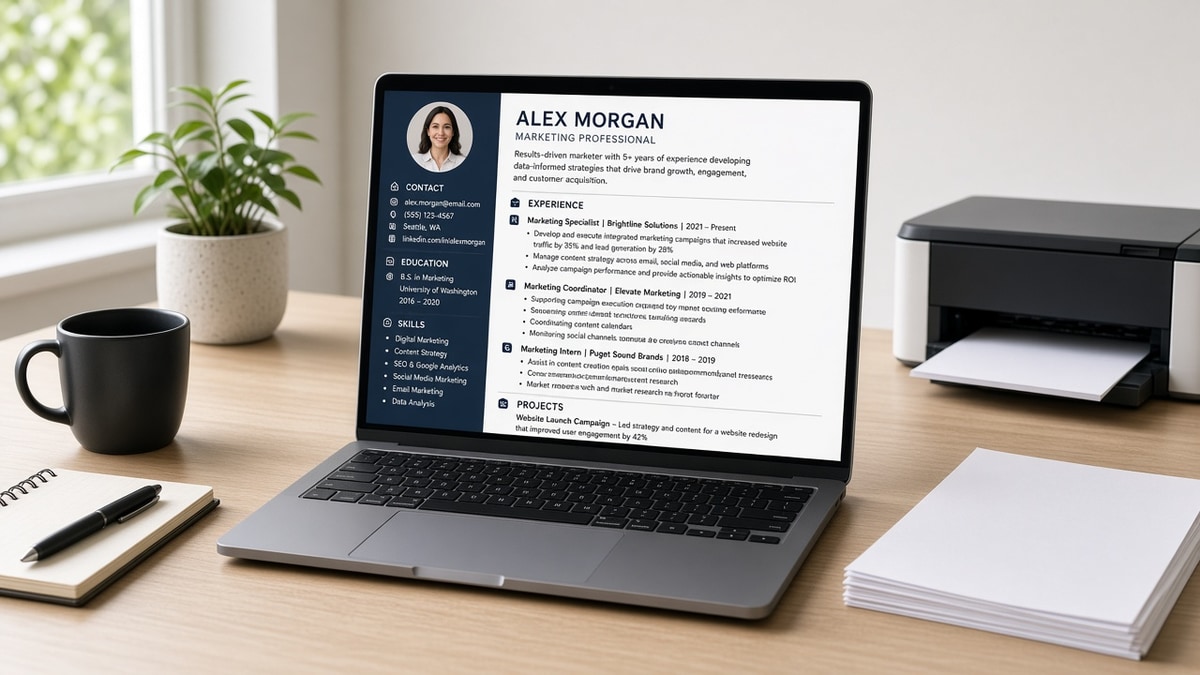
12 min read
You picked a free resume builder, spent an hour on fonts, and the PDF downloaded with a giant watermark across the page. That's infuriating when the req closes tonight and Workday only accepts one upload. You're not alone, and it doesn't mean you picked the wrong career.
Before you pay for a surprise subscription, check your resume for free on the export you already have. A free resume builder without watermark still fails if the template uses two columns or icon rails parsers read out of order.
Below we judge exports against one bar: parse-clean single column, honest dates, no footer branding. You'll see before and after pairs for four role types, what weak builder files share, a copy-paste section order block, and two tools to finish the file.
You don't need to test twenty sites. You need one export that survives Notepad and a checker pass. That's the whole game for 2026 corporate uploads.
If you're employed and searching quietly, builder time often happens after dinner. Protect a single forty-five minute block instead of nibbling templates all week without exporting. You'll move faster when export isn't a surprise paywall at the end.
We're not ranking every app on the internet. We're showing what good exports look like so you can spot a bad one in two minutes.
Need a matching letter after the resume exports clean? Use the cover letter generator with the same plain formatting rules.
Quick Wins
- Pick a single-column template with no footer logo on free export.
- Export DOCX when the portal allows it.
- Paste into Notepad before you upload anywhere.
- Run one ATS check on the final file.
The bar every free export must clear
Judge every free resume builder without watermark export on four checks: no footer logo, single column body, Month Year dates beside employers, and Notepad paste order that matches what you see.
Watermarks are obvious. Hidden failures are worse: skill icons in margins, tables for contact blocks, and PDFs that are really images. Recruiters in Workday still get a garbled row while you stare at a polished preview.
A free resume builder without watermark should still let you edit headings as plain text. Fancy section labels like My Journey become parser noise. Use Experience, Education, and Skills only when you need them.
Color is fine for human eyes if contrast stays readable. Color behind text blocks can disappear on import. Keep body text black on white for the export you upload.
Font choice matters less than column count. Calibri at eleven point in one column beats a designer font in two columns every time for US ATS uploads.
Page length defaults in builders often squeeze margins until text overlaps. Reset margins to one inch before you trust the preview.
Pair this page with why minimal resumes perform better for layout philosophy, and DOCX export settings for US ATS when you move a clean builder file into Word for final export.
Before and after pairs across four roles
Weak versions share flashy layout. Strong versions share parser-readable lines. Illustration bullets show shape only.
Operations coordinator
Before: Two-column builder PDF with skill icons and a free-tier watermark stripe.
After: Single-column DOCX, Month Year dates, bullet one: Cut vendor onboarding steps 18% by standardizing intake in Smartsheet across 3 sites.
Customer support agent
Before: Skills cloud listed Zendesk and phone with no metrics; footer logo from the builder.
After: Plain export, bullet one: Resolved 90+ weekly tickets in Zendesk at 94% CSAT on chat and voice queues.
Software engineer
Before: Sidebar table for Skills, GitHub link as icon only, watermark on PDF download.
After: Experience bullets with Java and AWS in lines, github.com/handle as plain text, no footer brand.
Marketing specialist
Before: Color blocks hiding employer names in Greenhouse import.
After: Employer on its own line, dates inline, bullet: Owned email lifecycle in HubSpot, 12 campaigns, 22% lift in trial signups Q2.
Administrative assistant
Before: Builder added QR code and photo on free tier with watermark band.
After: Text-only DOCX, bullet: Scheduled 15 exec calendars in Outlook, cut double-bookings to zero across Q1.
Warehouse lead
Before: Skills icons for forklift and WMS with no dates.
After: Experience line with Month Year, bullet naming WMS scans and pick accuracy in plain text.
I've screened uploads where the candidate paid for a template site but the free export still stamped a logo under contact info. Workday treated the footer as part of the name field.
Copy-paste block: section order
Copy-paste section order (plain headings)
Name
City, ST | phone | email | linkedin.com/in/handle
Summary (optional, 2 lines max)
Experience
  Job Title, Employer - Month Year to Month Year
  • Bullet with tool + outcome
Education
Skills (optional, only if not repeated in bullets)
Certifications (if required for role)
Edge case: career change. Use the builder for structure, then rewrite summary and bullet one for target titles. Do not leave old industry jargon in the first line recruiters skim.
Edge case: federal or state applications with strict PDF rules. Follow their instructions first, then run the same Notepad test on whatever they allow.
Before: Resume built only on mobile preview looked perfect.
After: Desktop export showed overlapping text boxes the ATS flattened into one paragraph.
Keep one master in the builder and duplicate for tailoring. Rename duplicates with req ID so you do not overwrite the clean base file.
If the builder nags you to upgrade for PDF, export DOCX, open in Word, Save As PDF only when the posting requires PDF and the export is text-selectable.
Night owls: run checker passes when you are alert. Uploading a scrambled file at 1 a.m. creates a silent rejection you will blame on competition instead of layout.
Parents: one clean export on a weekend block beats nightly font tweaks that never reach submit.
Recent grads: link portfolios as plain URLs, not buttons. Buttons are graphics parsers ignore.
Executives: keep the builder file to two pages by trimming old roles, not by shrinking font to eight point. Tiny type breaks imports and human readability.
Gig workers: list platforms in Experience with dates, not only in a sidebar gig economy widget some templates push.
Teachers: certification lines belong in body text with state and expiration month when the district portal asks for licenses.
Nurses: license row under the name block, unit proof in bullet one. Builders love skill badges that recruiters never read.
What weak builder exports share
Footer branding on free tier. Any logo text in the margin can merge into contact fields on import.
Icon rails for email and phone. Parsers skip graphics. Type contact lines in the body.
Before: Chosen template because it looked creative.
After: Boring template that pasted cleanly into Notepad on the first try.
Image PDF exports. If you cannot select text in the PDF, neither can the ATS. Re-export as text-based DOCX.
Chasing ten templates in one weekend. Pick one plain layout, fix content, run one checker pass, upload.
Trusting star ratings on template marketplaces. Stars measure aesthetics, not parse survival. Notepad is the rating that matters.
Before: Uploaded builder PDF with watermark removed by cropping the footer.
After: Rebuilt in DOCX without footer text so contact lines stayed intact.
Skipping spellcheck because the template looked professional. Typos in employer names still kill search in Greenhouse.
Build and verify
Draft in the free resume builder with a single-column layout, then export without footer branding when the free tier allows it.
Run the ATS checker on the file you will upload. Fix parse errors before you submit, not after silence.
Batch checker runs when you finish content, not after ten applications. Patterns like dropped phone lines show up faster that way.
Do this now: Export once, Notepad paste, checker pass, upload to the next req on your list.
Export once tonight
Pick the plainest template in your builder. Fill content, export DOCX if you can, paste into Notepad, then upload. That is enough for tonight.
Run a final free ATS check on the export before Workday or Greenhouse sees it. Watermark-free means nothing if employers import out of order.
Job searching is hard enough without fighting a footer logo on every download. A boring file that parses beats a gorgeous file that dies in the portal.
Save master and tailored versions with req ID in the filename. You will not remember which export was clean after a week of tabs.
When a free tier blocks PDF, finish in Word from DOCX export and remove any stray builder text manually.
Share this page with a friend who keeps buying template packs. Make them run Notepad paste once before they upload again.
Your proof belongs in Experience bullets, not in design flourishes. Builders should carry text, not hide it.
If one builder fails the four checks, switch once and stop shopping. Time on layout is time not spent on bullet one.
Celebrate a clean checker pass. That pass is the upload green light recruiters assume you already had.
Returning workers: lead with recent roles in the builder timeline, not fonts. Parsers read dates before they read aesthetics.
Students: one page, plain headings, no watermark. Fancy columns do not help campus reqs that still run ATS imports.
Keep a short checklist on your monitor: watermark, column count, Notepad, checker, submit. Five boxes, then close the laptop.
You deserve tools that respect your time. A free resume builder without watermark is only free if the export actually uploads.
Tomorrow, tailor bullet one for the next req. Tonight, win on parse-clean export.
When silence hits after upload, open Notepad paste before you blame the market. Half the time it's layout, not fit.
Store checker PDFs in a folder labeled passed. Reuse that confidence when anxiety tells you to redesign from scratch.
Freelancers: keep client names spelled exactly as contracts show. Builders love autocorrect that breaks employer strings.
Remote workers: list city and state even when jobs are distributed. Portals still ask for location fields on import forms.
Veterans translating roles: plain titles in the builder beat clever MOS codes recruiters will not search.
International students: degree formatting in US order matters more than flag icons in the margin.
If a friend asks which builder you use, tell them your export test, not the brand name. Tests travel across tools.
Close the tab circus. One builder, one template family, one checker habit. That's how you stop bleeding hours on design.
You can't control employer timelines. You can control whether your file opens clean on their screen. Start there.
Re-open this checklist before every job fair season. Vendors hand out QR codes to flashy builders that stamp watermarks on free accounts.
Save a passed export as resume-MASTER-clean.docx and protect it from accidental template experiments.
When you land interviews, bring the same file on a USB and in email. Consistency beats a new design per round.
Job searching while burned out is hard. A reliable export routine is one less decision at midnight.
Ask a friend to run Notepad paste on your file before you mass apply. Fresh eyes catch scrambled employers faster than you will after staring at the preview.
Update the master monthly, not hourly. Living in the builder prevents applying with a file that already passed checker last week.
Then apply to one req with confidence. You've earned a calm upload instead of another watermark surprise. Small routines like this compound across a long search without burning you out on design tweaks. Keep the checklist visible until it sticks. That is the whole habit. You're ready to submit when all five boxes check.
Read more
Frequently asked questions
No watermark on export is step one. Step two is single-column body text, Month Year dates on employer lines, and a DOCX or text-based PDF that pastes into Notepad in the same order you see on screen. A pretty template with icons in the margin still fails parsers even when the footer is clean.
Follow the posting. When both are allowed, DOCX from a plain template usually survives Workday and Greenhouse better than a designed PDF. If you must use PDF, export from the builder only after you confirm it is text-based, not a flattened image with hidden watermark layers.
Many gate downloads behind subscriptions or add brand footers on free PDFs. Test export on a dummy file before you invest an hour formatting. If the free tier adds a footer logo, switch tools or export DOCX and finish in Word without the banner.
Paste the file into Notepad, run a free ATS check, and confirm contact lines and employers stayed together. Two minutes of testing beats a week of silence after a broken upload.