6 min read · Score is not a hiring verdict
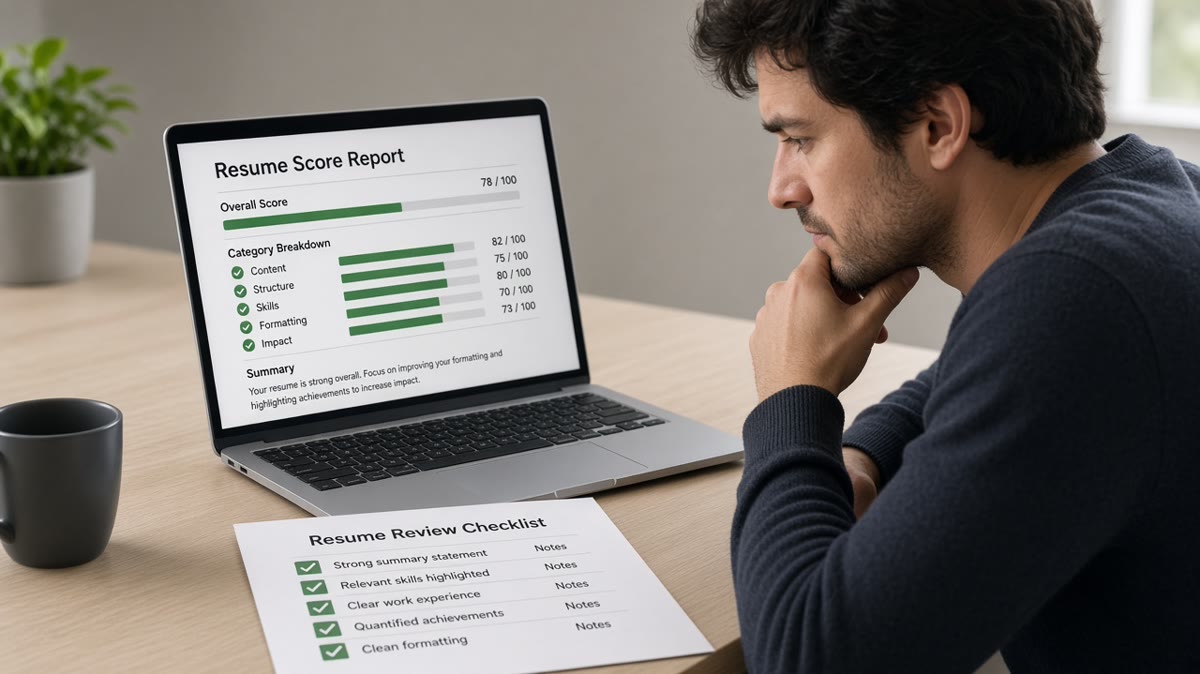
You ran a match tool, got a number, and you're not sure what it actually measured. That's normal. Most tools bundle three separate checks into one score: file readability, section order after import, and keyword overlap against a single job description. If you're staring at a red percentage, don't assume the tool read your scope story. It probably didn't.
Before you rewrite your whole work history, check your resume for free on the DOCX or PDF you'll upload tonight. You'll see whether the problem is parsing, placement, or a real gap in proof on page one.
Checkers won't tell you if a hiring manager would pick you over someone with cleaner scope stories. They'll tell you if Workday imported your title before your employer or if a must-have from paragraph one never landed in bullet one. That's the split this page walks through.
Job searching is already draining. You don't need a second panic loop about a percentage that wasn't built to mimic human judgment. Below you'll see what gets scored, what gets skipped, exceptions that flip the read, fixes you can run in twenty minutes, and what to do before the next batch of uploads.
Quick Wins
- Paste-test import order before you chase a higher match score.
- Highlight three must-haves from paragraph one of the posting.
- Put one must-have in the first eight words of bullet one.
- Treat the score as a parse-and-keyword diagnostic, not a callback promise.
What an ATS resume checker actually scores
Think of the checker as a pre-flight for one upload. It reads the same character stream a parser would, then compares that text to keywords and titles from the posting you pasted in.
Parse health comes first. Can the tool find your name, email, employers, titles, and Month Year dates in sequence? Missing contact lines, merged sections, and blank skill blocks usually mean layout broke before keywords mattered.
Keyword overlap is second. The matcher looks for must-have tools, certifications, and role phrases from the job description inside your imported text. It weights what lands on page one more heavily than skills buried on page two.
Section labels are third. Standard headings like Work Experience, Education, and Skills help the import map fields. Creative section names sometimes parse as body text, which drops proof where recruiters search first.
For layout rules that pair with parse health, see the safest resume layout for US ATS . A checker flag often traces back to a two-column template, not a missing skill.
Edge case: internal referrals and employee transfers sometimes skip the same keyword window external applicants hit. You still want a clean parse. Recruiters search the imported profile even when a referral pushed the file forward.
When a match score misleads you
A green score can hide a scrambled import. A red score can panic you into a full rewrite when bullet one just sits in the wrong place. These forks matter more than the headline number.
High score, broken import
Keyword stuffing and sidebar skill lists inflate overlap while titles import out of order. The checker sees the words. The recruiter search view does not attach them to the right role.
Before: Operations analyst file, 41 skills in a sidebar, checker match in the high eighties, Greenhouse preview showed skills above the current title.
After: Sidebar deleted, three channel tools moved into bullets under the current role, paste test clean, match dropped slightly while recruiter search actually found the proof.
Low score, qualified background
You may already own the experience. The posting uses different labels than your bullets. Or your must-haves sit on page two while the matcher weights page one.
Before: Mid-level finance CV, posting asked for "consolidations" and "SOX testing," checker flagged low match, bullets said "month-end close" and "control testing" on page two.
After: Posting terms copied into bullet one under the current role on page one, match rose without inventing new jobs.
Copy-paste block: ten-minute checker read
Copy-paste checklist (run top to bottom)
[ ] Upload the exact DOCX or PDF you will submit
[ ] Paste imported text into a plain editor; titles above employers
[ ] Highlight three must-haves from posting paragraph one
[ ] Confirm each must-have appears in bullet one on page one
[ ] If order scrambles, flatten layout before adding keywords
[ ] Re-run checker; note parse flags separate from match %
I've screened files in Workday where the checker looked fine and the imported profile still listed the candidate as an intern because dates parsed wrong. Fix dates and titles before you swap synonyms.
When export format affects import, read PDF vs Word resume for ATS before you re-export for the tenth time.
What no checker can judge for you
Seniority and scope fit. Checkers count keyword overlap. They do not decide whether your team size, budget, or decision rights match the level on the req. That call still happens in a human screen.
Career narrative. A pivot story, employment gap context, and promotion path read in prose. Matchers treat each line as flat text. They won't weigh that your last title was a stretch assignment.
Referrals and pipeline rules. Some reqs fill from internal slates first. A checker cannot see headcount timing or who already spoke to the hiring manager.
Before: Product manager candidate, 88% match, rejected in screen for scope ("never owned roadmap end to end").
After: Same file, bullet one rewritten to name roadmap ownership and shipped outcomes; human screen advanced even though match moved one point.
This will not turn a stretch role into a fit. It stops a qualified file from dying because the parser never attached your proof to the right title.
Run the checker on the file you upload
Test the same export you'll attach in Greenhouse or Workday. Parse errors belong in tonight's edit session, not after ten identical uploads.
Use the free ATS checker with the posting pasted in. Separate parse warnings from match percentage before you rewrite history.
If layout keeps breaking, build your resume in a single-column template and paste your wording into plain sections. You keep the proof. You lose the traps.
When the posting asks for a letter, run the cover letter generator after your resume passes a paste test, so you're not repeating skills the parser never read.
Do this now: Paste-test import order. If titles scramble, flatten columns before you chase match percentage.
What to do before the next upload
An ATS resume checker answers two questions: did the parser read your file in order, and does imported text overlap must-haves from one posting? It does not answer whether a recruiter would shortlist you on seniority or scope.
Run a paste test, fix layout, put three req terms in bullet one on page one, then re-check the file you'll submit. That's twenty minutes that beats another week of guessing from a percentage built for keywords, not judgment.
Read more
Frequently asked questions
No. The score reflects keyword overlap and whether the parser read your sections in order. It does not judge whether your years match the req, whether your scope fits the team, or whether a recruiter would shortlist you. Use the score to catch parse failures and missing must-haves. It is not a callback forecast.
Matchers read imported text, not your PDF layout. Two columns, icons, tables, and text boxes reorder where titles and skills land. You did not delete keywords. You moved them out of the window the tool weights. Run a plain-text paste test on the same file before you trust a percentage swing.
Usually not exactly. Third-party checkers approximate overlap against one posting. Workday, Greenhouse, Lever, Taleo, and iCIMS each weight titles, dates, and must-have terms inside their own search views. Treat your checker as a pre-upload diagnostic. Use the employer portal preview when the company offers one.
Fix import order before you chase synonyms. Open the posting, highlight three must-haves from paragraph one, and confirm each sits in bullet one under your current role on page one. If paste test scrambles titles or dates, flatten layout first. Tailor bullet one second. Full rewrites come last.