11 min read
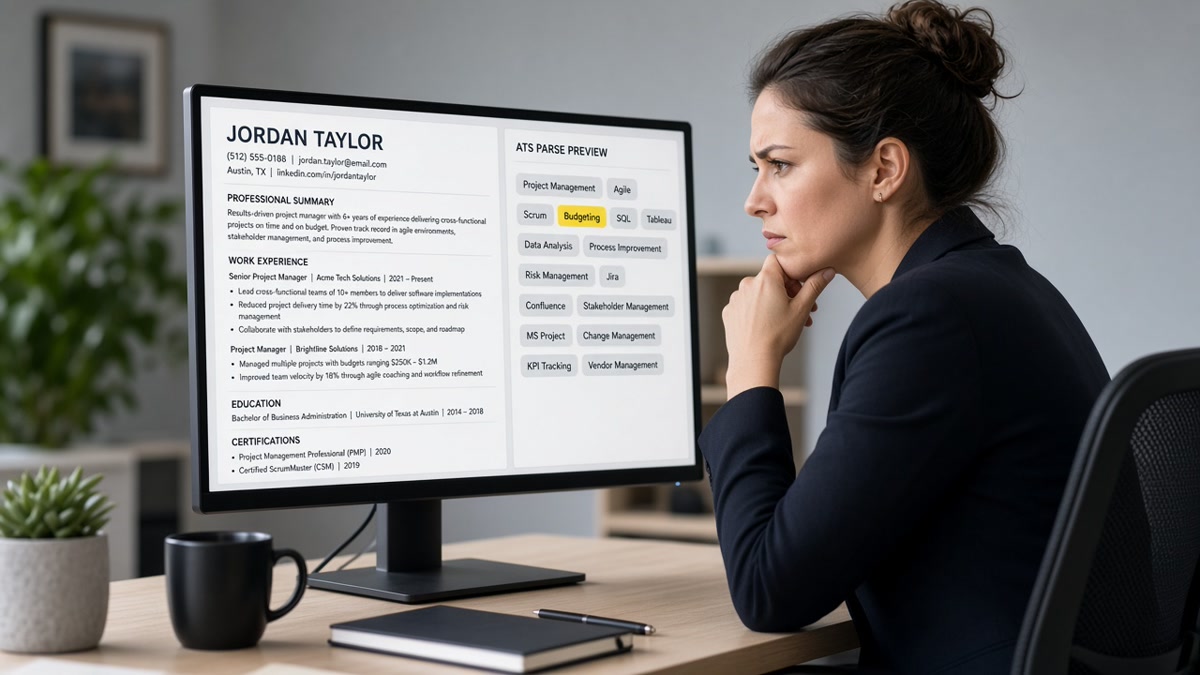
Your PDF shows twelve skills. The Workday preview shows zero. That's not a mystery rejection. The parser read your file and never assigned those tokens to a Skills row. Recruiters search those rows. When skills don't map correctly in ATS storage, you're invisible on keyword filters even if a human would love your Experience section.
Check your resume for free with the posting attached after you read which cause fits. Mapping and match overlap, but you can't fix keyword gaps until you confirm the Skills text actually landed in the profile.
This page is organized by cause, not by a generic polish checklist. Four failure modes cover most US corporate uploads I've seen in Workday, Greenhouse, Lever, and iCIMS. You'll spot the symptom, run a thirty-second paste test, apply one fix, and recheck preview before you rewrite bullets you didn't need to touch.
Job searching's already draining. You don't need silence because Core Competencies sounded nicer than Skills on a template. The sections below tell you which parser mistake hit your file and what to change with your hands tonight.
Most candidates assume the Skills list failed because they picked the wrong keywords. In US screens, the list usually failed because the parser never isolated the section. Fix storage first. Then tailor terms to the posting. You'll save hours of bullet rewrites that never touched the real problem.
Quick Wins
- Paste test: if Skills text lands under a job title, layout broke mapping.
- Rename headers to Skills, Experience, Education. No creative labels.
- Repeat top three skills in bullet one under your current role as backup.
The symptom when skills don't map correctly in ATS previews
Mapping means the upload becomes structured fields: name, phone, employer, title, Skills, Education. US recruiters filter and search those fields. A pretty PDF is not what they query.
The tell is mismatch between your file and the stored profile. Skills empty in preview. Terms from your list showing up as job titles. Duplicate skills scattered across unrelated employers. Recruiter Boolean search for Python returns nothing while your PDF lists Python on page one.
A composite business analyst keeps Technical Proficiencies in a left column. Workday stores Tableau under a 2018 internship because the parser read columns as alternating lines. The human sees skills on the PDF. The system does not.
Before: a composite project manager lists Tools in a text box floating beside Experience. Greenhouse search for Smartsheet returns nothing. After: same tools appear under a Skills header in the body stream with Smartsheet, Jira, and Excel comma-separated on one line.
Before: a composite nurse uses star ratings beside clinical skills. Preview Skills row is empty. After: plain list reads Skills then BLS, ACLS, Epic, patient triage, IV therapy on separate lines with license noted in a bullet.
Edge case: partial mapping. Three of twelve skills appear because only the lines the parser read as body text survived. Edge case: skills map but rank low because they sit in a footer region some stacks skip entirely.
Before you blame keyword choice, confirm storage. Read common resume parsing errors and how to fix them when the whole file scrambles, not just Skills. Whole-file layout fixes come first.
The thirty-second paste test for Skills
Select all. Paste to Notepad. Find your Skills block. It should read as a labeled section with terms listed after the word Skills.
Before: Pasted text shows SQL Python Tableau between Harbor Retail and June 2021 with no Skills label.
After: Pasted text shows Skills on its own line, then SQL, Python, Tableau, Excel on the following lines or comma-separated on one line.
Keep the Notepad output open while you read the cause sections. You're matching symptoms to one fix, not rewriting everything.
Four causes when skills don't map correctly in ATS (and the fix for each)
Most US Skills mapping failures trace to one of four causes. Find yours, apply that fix only, rerun paste test and preview, then touch keywords.
Cause 1: Non-standard section labels
Symptom: PDF shows Core Competencies, Areas of Expertise, or Technical Toolkit. Preview Skills field is blank. Recruiter search misses obvious terms.
Workday and iCIMS map a fixed header vocabulary. Creative labels become uncategorized text. The content exists in the blob but not in the Skills row filters query.
Before: Section header reads Core Competencies with the same bullet list underneath.
After: Header reads Skills. Content unchanged. Single column. Re-export.
Fix: rename only. Search preview for one term you know is in the list. If it still fails, move to Cause 2.
Cause 2: Multi-column layout and tables
Symptom: Skills appear under Education or an old job in preview. Paste test shows terms between unrelated employers.
Parsers read one stream, left to right, top to bottom. Side-by-side Skills and Experience columns interleave. Table cells reorder so your skill list attaches to the wrong row.
Before: Two-column Word template with Skills in a left rail.
After: Single column: Contact, Experience, Education, Skills last. Plain lines, no text boxes.
Fix: rebuild layout in Word or Google Docs. Delete tables used for alignment. Move Skills to the document body below Education.
Cause 3: Graphics, icons, and skill bars
Symptom: Resume shows five-star skill ratings or software icons. Preview Skills empty or partial. Paste test skips those lines entirely.
ATS parsers read text tokens, not images or chart widgets. A Photoshop icon does not store Adobe Photoshop. A progress bar does not store Excel.
Before: Skills section uses icons and Expert 5/5 labels beside tool names.
After: Plain text list: Adobe Photoshop, Figma, HTML, CSS on separate lines or comma-separated.
Fix: replace every graphic skill marker with spelled-out text. Drop proficiency stars. Proof of level belongs in a bullet, not a bar chart.
Decorative bullets and checkmarks in Skills lines can convert to squares or drop entirely in paste test. Hyphen or dot bullets only. Spell software names in full at least once: Adobe Photoshop, not PS icon.
Cause 4: Wrong file type or image PDF
Symptom: Upload succeeds. Preview shows name only or one gibberish block. Skills you see on screen never appear in search.
Scanned PDFs and design exports with outlined text store nothing searchable. Canva and some portfolio exports fail paste test with no selectable Skills text.
Before: PDF exported from a design tool with non-selectable Skills text.
After: DOCX from Word with selectable Skills section, or PDF saved from that DOCX where paste test shows every term.
Fix: rebuild in Word. Confirm paste test. Upload DOCX when allowed, otherwise PDF from Word Save as PDF.
How to tell which cause is yours
Blank Skills with a creative header points to Cause 1. Terms under wrong employers points to Cause 2. Pretty icons with empty preview points to Cause 3. Blank preview with a polished design points to Cause 4. Multiple causes can stack. Fix label and layout before file type, then re-export once.
Copy-paste Skills block after you flatten layout and rename the header:
Jordan Lee
Austin TX · 512-555-0142 · [email protected]
Experience
Data Analyst
Northwind Logistics
June 2021 to Present
- Built SQL and Looker dashboards tracking on-time delivery, cutting reactive tickets 11% in Q3
- Automated weekly KPI pulls with Python scripts, saving six hours per reporting cycle
Education
BBA Finance · Texas State University · 2015 to 2019
Skills
SQL, Python, Looker, Excel, Tableau, stakeholder reporting
Edge case: long skill lists for technical roles. Split into one line of languages and one line of tools rather than a paragraph. Edge case: licensed roles. Put license name in Skills and repeat in a bullet with jurisdiction: RN, Texas, BLS certified.
Backup when mapping stays flaky: repeat your top three posting skills inside bullet one under the current role with scope proof. Greenhouse Boolean search often weights full-text matches in Experience even when the Skills row looks thin. That repetition is insurance, not permission to skip layout fixes.
Workday preview sometimes lags after re-upload on an existing profile. Start a fresh application on a test req or delete the old attachment when Skills still show empty after a repair. Cached parses waste referrals. Confirm storage before you ask a contact to flag your name.
iCIMS and Taleo use the same header vocabulary rule as Workday even when the preview UI looks different. If your label reads Technical Skills instead of Skills, rename and re-export before you assume the stack is broken. The fix is often one word in the header, not a new template.
What still breaks after you rename Skills
Stuffing forty posting keywords with no Experience proof. Mapping might work while credibility still fails. Twelve real terms beat a pasted job ad.
Skills only in a header or footer. Some parsers skip margin regions. Move the list into the document body.
Comma soup without spaces. SQL,Python,Tableau can tokenize as one string on brittle parsers. Use comma space or one term per line.
Relying on synonym magic. If the posting says JavaScript and you only wrote JS, add the full term once. Do not list every acronym variant on one line.
Assuming Greenhouse and Workday store Skills the same way. Both need readable text. Preview behavior differs. Always check the target portal after a fix.
Fixing Skills but ignoring Experience repetition. Repeat the top three posting skills in bullet one as insurance when mapping is flaky. The bullet row survives more often than the Skills field.
Moving Skills above Experience without reason. Some templates put Skills first for design. Parsers usually still read top to bottom, but recruiters expect Experience before Skills on US corporate files. Keep Skills after Education unless you're entry level with sparse jobs.
Using nested bullets under Skills. Sub-bullets under a Skills header can parse as Experience children. Flat list or comma line only.
White font or hidden text keyword blocks. Parsers read them. Recruiters flag them faster. Fix layout instead of hiding terms.
Read resume keyword placement: skills vs experience when you're deciding where a term belongs after mapping is clean. Storage and proof are two layers of the same problem.
This will not fix applying to roles where you lack core requirements. It stops a qualified file from disappearing on keyword filters because the parser never stored the Skills block you designed.
Confirm mapping before you reapply
Run the repaired file through the free ATS resume checker with the job description attached. Search parsed output for three skills from your list. If they do not appear, mapping is still broken.
Optional cover letter uploads should repeat the same contact block and top skills as the resume. Mismatched lists create confusion in some Greenhouse profiles. When a posting asks for a letter, generate a cover letter from the same header and skill terms you just repaired.
Re-upload on a test req before you burn a referral. Referrals do not bypass an empty Skills preview. A clean map still needs title and bullet alignment to the posting level.
Repair order tonight
Run the paste test. Match empty Skills, scrambled order, missing icons, or blank preview to one of the four causes above. Rename headers, flatten columns, replace graphics with text, or re-export from Word.
When skills don't map correctly in ATS storage, the fix is almost always structural, not rhetorical. You rarely need new skills. You need the skills you already have to land in a row recruiters can search.
After preview shows your list, repeat the top three terms in bullet one and tailor to the posting. Mapping first. Match second. Volume last. Keep the paste test output in your tracker so silence tells you whether to fix the file again or shift req level.
Save two exports from the same Word source: Lastname_Role_2026.docx for portals that want Word, Lastname_Role_2026.pdf for PDF-only uploads. One source document stops Skills fixes on the DOCX from drifting away from the PDF you already sent to a referral.
Read more
Frequently asked questions
Open the application preview after upload. If the Skills field is empty while your PDF shows a full list, mapping failed. Run the paste test: select all, paste to Notepad. If Skills text appears mid-paragraph under an old job, the parser never isolated that section. Search the preview for one skill you know is on page one. No hit means the label or layout blocked mapping.
It helps search even when the Skills row stays empty. Put the top three posting terms in bullet one under your current role with proof. Parsers and recruiters both weight Experience rows heavily. Skills mapping and keyword visibility are related but not identical. Fix layout first, then repeat critical terms in bullets so Greenhouse Boolean search still finds them.
No for US corporate ATS flows. Tables and side-by-side columns merge into one text stream. Skills in a left rail often parse under Education or an old employer. Use a single-column Skills header with comma-separated terms or simple hyphen bullets on separate lines.
Often yes when the only problem was a non-standard header. Workday, iCIMS, and Taleo map a fixed vocabulary: Experience, Education, Skills, Summary. Creative labels fall into uncategorized blobs. Rename the header, keep the content, re-export, and recheck preview. If Skills still empty, layout or file type is the culprit.
Yes. Mapping is about whether the parser stores what you wrote, not whether you copied the entire posting. Twelve to fifteen real tools in a plain Skills block, plus three repeated in Experience bullets, beats forty aspirational terms in a cloud the system never read.