10 min read · Import order beats identical bullets
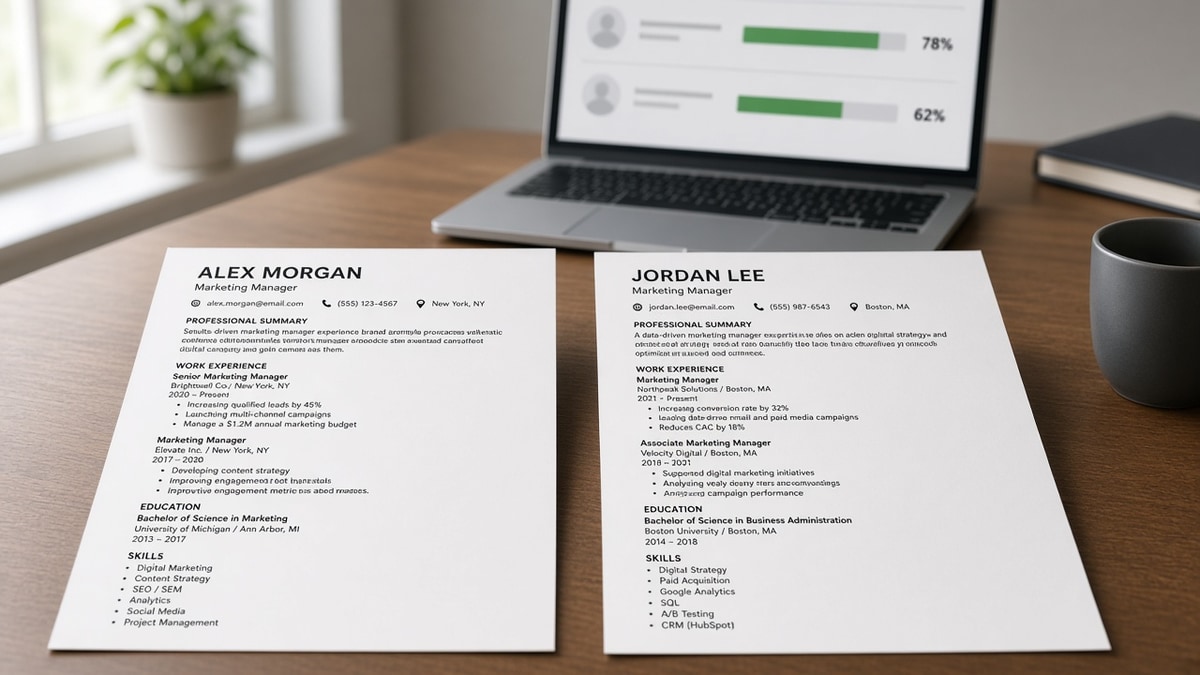
Your friend and you share the same job titles, the same tools, and nearly the same bullets. You both run the checker against one posting. Your file lands higher. That gap feels personal when you've been applying for weeks with little feedback, and it's easy to blame the wrong layer.
It usually isn't personal. Applicant systems in Workday, Greenhouse, Lever, Taleo, and iCIMS don't grade charisma. They grade what imported cleanly and what matched the req early in the stream. Two PDFs that look twin-grade on screen can paste into different order in plain text, and you won't see the split until you paste-test both.
Before you rewrite half your career, check your resume for free on both files separately. Note which version scrambled employers, which kept bullet one on page one, and which export the portal preview accepted. You're debugging imports, not competing with your friend's wording, and that's the right frame tonight.
Below you'll see why twin files split on scoreboards, four import layers that cause the gap, how to tell which layer hit you, fixes per layer with before/after pairs, traps that recycle an old export, and tools to run both versions in one sitting.
Job searching is already draining. A ten-minute paste test beats another night of synonym swaps that never touch the real divider between your file and the higher-scoring twin.
Quick Wins
- Paste imported text from each file into a plain editor before you compare scores.
- Keep must-have skills in bullet one under your current role on page one.
- Export PDF and DOCX from the same source; paste-test both.
- Label saved files with paste-test pass or fail so you don't upload the wrong twin.
Same story, two score columns
The symptom is familiar. Two candidates with parallel paths run the same checker against the same posting. Scores diverge by ten or twenty points. Both assume the lower file needs more keywords.
Matchers read tokens in import order. The first eight words of bullet one carry more weight than the same phrase buried on page two. If your twin's file keeps SQL in bullet one and yours moved SQL to a skills grid, the story matches but the score won't.
Parsers pair lines, not layouts. A two-column template can place your current title next to an old employer after import. Recruiters search title plus company. Scrambled pairs drop you from default lists even when the PDF looked fine on screen.
Posting wording matters. One file might say "customer success" while the req says "client retention." Your friend mirrored paragraph one. You kept internal jargon. Both careers are similar. One import aligned with the req's surface language.
Export path changes the stream. Saving from Google Docs, Canva, or Word can inject hidden tables, repeated headers, or metadata that alters how Greenhouse reads the next upload. Same visible text, different byte stream.
For how matchers weight skills against tenure, see how ATS matches a resume to a job description . That post explains why early proof beats a long skills list at the bottom.
Edge case: internal referrals. A referred file might get human review even with a middling score. Your twin's higher number might not be the only reason they heard back. Still fix import order so qualified files don't die before anyone opens them.
Edge case: career changers with two master versions. You might score higher on the tech-tailored file and lower on the generalist file against the same posting if the req is tech-heavy. That's not a parser bug. That's choosing the wrong twin for the role.
| Signal | Higher-scoring twin often has | Lower-scoring twin often has |
|---|---|---|
| Paste order | Title above employer, dates in sequence | Skills block above current job title |
| Early tokens | Req phrase in first eight words of bullet one | Generic opener, tools named later |
| File shell | Single column, no repeated header on page two | Table layout or icon bars that import blank |
This won't turn a stretch role into a fit. It stops qualified twins from losing match because the parser read a prettier layout instead of the career story underneath.
How to tell which layer broke between two similar resumes different ATS scores
Work through four layers in order: paste order, early keywords, posting language, export shell. Stop when you find the split. Keyword edits come last.
Layer 1: Paste order test
Upload each file to the portal preview when you have it. Copy all imported text into Notepad or TextEdit plain mode. Read top to bottom once per file.
Before: Twin PDF looked identical; pasted text showed your skills block above your current title.
After: Removed duplicate skills header; moved tools into three bullets under current role; paste showed title above employer again.
If order scrambles on one file only, layout caused the gap. Don't compare keyword counts until order matches.
Layer 2: Early token placement
Open the posting. Highlight three must-haves from paragraph one. Check whether each file names one in the first eight words of bullet one under the current role.
Before: Your file listed Looker in a skills grid; twin named Looker in bullet one opening.
After: Rewrote bullet one to open with "Looker churn dashboards for 12-SKU SaaS portfolio"; skills grid trimmed to tools not already in bullets.
I've screened stacks of these in Workday and Greenhouse, and the file that wins is boring and specific in bullet one, not the one with the longer skills footer.
Layer 3: Posting language mirror
Compare surface phrases, not synonyms you prefer. If the req says "stakeholder updates," both files need that phrase in a bullet, not only "exec comms."
Before: Twin copied "cross-functional roadmap" from paragraph one; you kept internal program names.
After: One bullet per must-have mirrors req wording; internal codenames moved to parentheses or cut.
Layer 4: Export shell and format
Export PDF and DOCX from the same source doc. Paste-test both. Submit the format the preview handled cleanly.
Before: PDF from a design tool imported icon bars as blank tokens; DOCX from Word pasted clean.
After: Submitted DOCX for that portal family; stripped icons; scores aligned with twin on paste order.
Copy-paste block: twin-file debug checklist
Copy-paste checklist (run per file)
[ ] Plain-text paste: title above employer, dates follow in order
[ ] Bullet one under current role: req must-have in first eight words
[ ] No duplicate Skills block repeating tools already in Experience
[ ] PDF and DOCX paste-tested; pick the cleaner import
[ ] Filename includes version label (e.g., v3-paste-pass.docx)
[ ] Re-run checker on the exact file you will upload
When tiny edits still swing scores, read why your ATS score drops after small changes for filename and metadata quirks that mimic twin-file gaps.
Parents applying at night: save both exports before you edit tired. Morning-you should paste-test, not guess which twin is current.
For layout rules that keep twins aligned, see the safest resume layout for US ATS . Single column beats two pretty columns that import as one scrambled stream.
Edits that keep scoring the old export
Comparing scores across different postings. Matchers weight different reqs. Your twin's win on one posting says nothing about another. Test both files against the same jd text.
Uploading the wrong saved version. Desktop folders fill with resume_final_v7.pdf. Label paste-test pass or fail in the filename so you don't submit yesterday's scramble.
Chasing synonyms before paste order is clean. Extra keywords on a scrambled import add noise. Fix structure first.
Before: Ten synonym passes on the lower file, same scrambled paste test.
After: One layout fix on bullet placement; score moved without adding new tools.
Copying your twin's skills grid verbatim. If their grid duplicates bullets, you inherit their parser risk. Put tools in outcome bullets instead.
Assuming the checker is wrong because the story is similar. Checkers are blunt. They still catch when imports diverge. Trust the paste test over a hunch.
Night-shift applicants often merge columns from a template and don't notice until the score drops. Re-run paste test in daylight before the next batch of applications.
Score both versions tonight
Run checks on each twin separately against the same posting text. Compare only after paste order looks clean on both.
Use the free ATS checker on the exact PDF or DOCX you will submit for each version. Note which file wins on import quality, not just the headline number.
When the posting asks for a letter, run the cover letter generator after bullet one mirrors paragraph one, so the letter doesn't repeat a skills grid you already fixed in the resume twin.
Do this now: Paste-test both twins. Fix the file with scrambled order before you ask why the scores diverged.
Trust the cleaner import, not the prettier PDF
Why two similar resumes get different ATS scores is usually import order, early proof, and posting language, not a hidden talent gap. Fix the layer that split, then argue about wording.
Run the twin-file checklist, paste-test each export, and keep must-have proof in bullet one on page one. Retest on the file you'll actually upload.
Job searching is hard enough without treating a score gap as a verdict on your career. A clean import gives both twins a fair read.
Save paste-test results beside each filename. Next month you won't remember which version scored higher. Future you shouldn't relearn the same import lesson on a role you actually want.
Read more
Frequently asked questions
Yes. Parsers read structure before they read talent. Two files can list the same employers and still import in different order if one uses tables, columns, or a repeated skills block. Matchers also weight early tokens, so the same bullet moved lower can change the score without changing the story.
Only if the paste test looks clean on that file. A higher score with scrambled employer lines is a trap. Pick the version where title sits above employer and dates follow in order, then tune wording to the posting. Score follows import quality first.
Often, but not always. Some portals prefer DOCX and mangle PDF tables. Others flatten DOCX headers into the body. Export both from the same source document, paste-test each, and submit the format the preview handled best. Do not assume one format wins everywhere.
Small edits can shift page breaks, duplicate a skills header, or change export metadata. The matcher may now read fewer early keywords even though you added proof. Re-run the paste test after every export. If order changed, fix layout before you chase synonyms.