11 min read
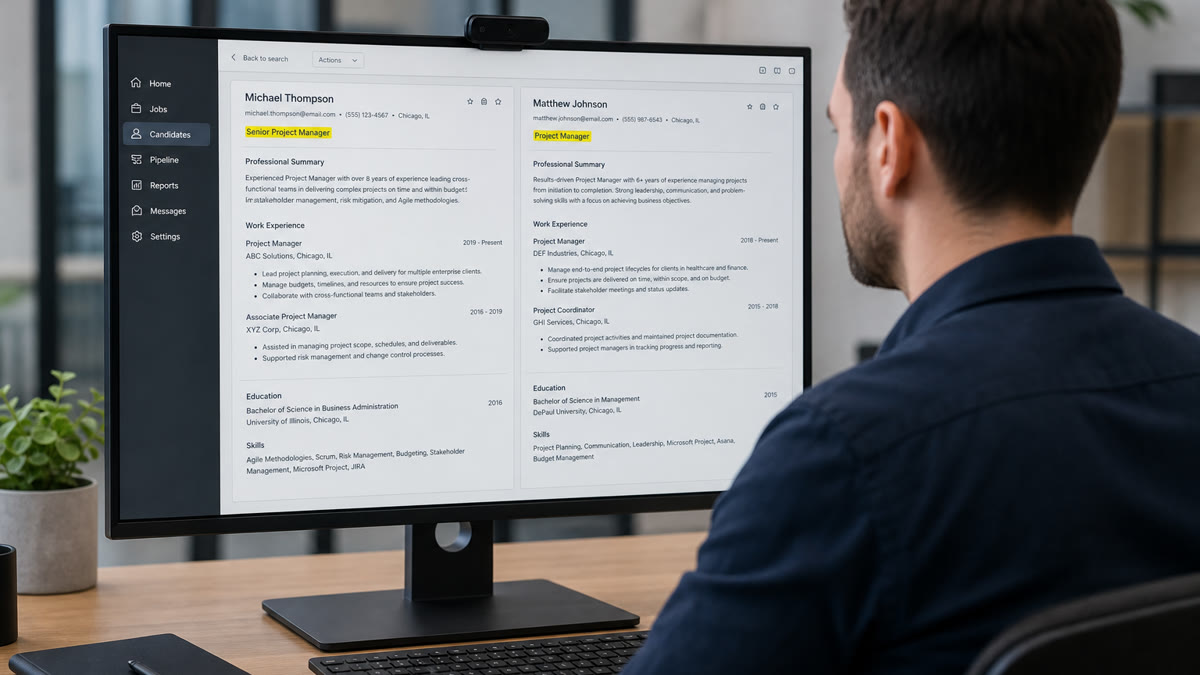
You've tailored every bullet. Keywords look fine. You still vanish after submit. The file often fails on a layer you didn't touch: the headline sitting under your name isn't the same field as the job titles under each employer. Workday and Greenhouse store that headline separately. Recruiters filter on it before they read bullet one.
I've screened queues where the headline said Revenue Catalyst while every experience line said Account Executive. The parser liked the keywords. The title filter didn't. Before you rewrite bullets again, check your resume for free and confirm which title string the system will actually search.
This page walks three causes when resume titles affect screening logic: headline stored apart from job lines, creative lines that pass keyword scans but fail filters, and headline-job line mismatch. You'll learn which pattern is yours and what to change in ten minutes.
Quick Wins
- Put one plain headline under your name. Match the posting's core title phrase.
- Mirror that headline on your current job title line when the work matches.
- Paste-test the PDF so the headline copies before employer names.
- Drop creative slogans for corporate portal applies.
The symptom: keywords pass but you never reach the pile
The posting asked for Senior Financial Analyst. Your bullets mention variance analysis, NetSuite, and Excel modeling. You even ran a keyword check and felt good. A week later, silence. You open the file and realize the headline still reads Finance Professional while the req filter was title contains Senior Financial Analyst.
Job searching when the file looks tailored but nobody calls is exhausting. The mismatch isn't always missing skills. Sometimes Workday filed your headline under a custom field recruiters don't sort on. Sometimes Greenhouse parsed your headline but your experience titles stayed generic. You passed one screen and lost on another.
The pattern: resume titles affect screening logic because systems treat the headline as a separate searchable string from each job line. Fix the headline first, align the current job title second, then tune bullets. Not the reverse.
Read why your resume never reaches a human for what happens after parsing when knockout questions or rank order block you. This page stops earlier, on the title layer recruiters filter before they open the PDF.
Why resume titles affect screening logic: three causes
Cause 1: Headline field is not your job title lines
Upload a resume into Workday or Greenhouse and open the parsed preview. You'll often see a headline or summary line at the top, then a list of employers each with their own title field. Recruiters can filter on headline contains or current title contains as separate rules. Keyword tools that only scan the full text miss which field a filter actually uses.
Before: Headline: Operations Leader. Current job line: Warehouse Supervisor at Apex Logistics. Posting title: Distribution Center Manager.
After: Headline: Distribution Center Manager. Current job line: Warehouse Supervisor (Distribution Center Manager scope) at Apex Logistics.
Fix: Open the posting. Copy the core title phrase into one headline under your name. On your current role, use the same market title when your duties match, even if HR called it something else internally. Keep dates and company on their own lines in single-column layout so parsers attach the title to the right employer.
Composite: mid-level HR generalist targeting Employee Relations Manager roles. Headline still read HR Generalist from an old template. Recruiter filter on Employee Relations never pulled the file despite ER bullets on page one.
Cause 2: Creative headlines pass scans, fail filters
Brand-forward headlines feel memorable. Growth Architect. Code Whisperer. Customer Success Ninja. Full-text keyword scans sometimes still see product and success scattered in bullets. Human recruiters sorting by standard title strings do not map ninja to Customer Success Manager. You look unqualified in the filter column while feeling optimized in a word cloud.
Before: Headline: Digital Storyteller | Brand Evangelist. Posting: Content Marketing Manager.
After: Headline: Content Marketing Manager. Bullet one names CMS, SEO, and editorial calendar with one outcome metric.
Fix: For corporate portals, trade creativity for the posting's title phrase. Save personality for your portfolio site or a direct email when someone asked for it. If you must keep a creative line for personal branding, add a plain subtitle on the next line: Content Marketing Manager. Many parsers read both lines; recruiters see the standard title first.
Composite: software developer using Full Stack Wizard in the headline while experience lines say Software Engineer II. Greenhouse keyword match looked fine. Hiring manager filter on Software Engineer excluded the row in three clicks.
Cause 3: Headline and current job title tell different stories
A headline that says Program Manager while your current job line says Project Coordinator signals a level jump you have not documented. Recruiters assume title inflation. ATS may rank you for program keywords while experience years on coordinator titles trigger a junior band. Both systems disagree about who you are.
Before: Headline: Senior UX Designer. Current job: UX Designer (no Senior) ending six months ago; newest job: UI Designer contract.
After: Headline: UX Designer. Current job line matches headline with Senior only if your latest role carried that scope for twelve plus months.
Fix: Pick one target title. Headline and current employer title should match seniority unless you explain a deliberate step in the cover letter. Align the application form job title field to the same string when the portal asks. Three mismatched strings in one apply kill trust fast.
Composite: nurse practitioner applicant with headline Acute Care NP while current line read Registered Nurse because the hospital never updated badges. Credential filters passed. Title filter on NP did not.
How to tell which cause is yours
Parsed preview shows a headline field empty or filed under notes while your name line looked styled: Cause 1. Rebuild plain text headline under name, paste-test again.
Headline uses slogans or metaphors not found in the posting title: Cause 2. Swap to the posting phrase for portal applies.
Headline seniority or function differs from your current job line: Cause 3. Pick one market title and mirror it on both lines.
Upload preview shows titles under wrong employers: that's parse order, not headline logic alone. Read resume upload mistakes that instantly disqualify you before you only tweak the headline.
Copy-paste: headline alignment checklist
Run this before your next apply:
1. Copy posting title phrase into a plain headline under your name.
2. Set current job title line to the same phrase when duties match.
3. Match the application portal job title field when asked.
4. Export single-column PDF. Paste into Notepad. Headline appears before employers.
5. Open Workday or Greenhouse preview. Headline field populated separately from job lines.
6. Remove creative slogans unless the req explicitly invites them.
7. If formal HR title differed, add market title on the job line, formal title in parentheses if needed.
8. Rewrite bullet one with three posting tools, not a new headline pun.
9. Filename: LastName_FirstName_ShortTitle.pdf.
10. Screenshot parsed preview with headline visible.
Composite: accountant targeting Senior Staff Accountant
Before: Headline: Finance Expert. Job line: Staff Accountant. Posting: Senior Staff Accountant.
After: Headline: Senior Staff Accountant. Job line: Staff Accountant leading month-end close for three entities (Senior Staff Accountant scope).
Composite: product owner with hybrid title
Before: Headline: Product Owner / Scrum Master hybrid. Posting: Product Owner only.
After: Headline: Product Owner. Bullet one names backlog ownership; bullet two mentions Scrum facilitation without splitting the headline.
Edge case: career change headline
Target the new role in the headline when your bullets prove transferable work. Do not keep your old industry title because it feels safer. A teacher moving to instructional design should headline Instructional Designer, with bullets showing curriculum builds, not Teacher hoping ATS guesses.
Edge case: two valid titles for one role
Software Engineer and Developer often interchange. Pick whichever the posting uses. If the ad says Developer five times and Engineer once, headline Developer. Splitting both with a slash clutters filters. One clear string wins.
Edge case: cover letter title mismatch
Fix the resume headline before you generate a letter that repeats the wrong title. Generate a cover letter after headline and current job line match the posting so the letter does not reintroduce a creative alias.
What title tweaks usually get wrong
Optimizing bullets but not the headline. Recruiters filter on title strings before they read bullet one. A perfect bullet block behind a vague headline still dies in sort view.
Stuffing the headline with skills. Senior Product Manager | SQL | Agile | Jira reads like a tag cloud. Use the role title in the headline. Put tools in bullet one.
Trusting keyword tools on full text only. They won't show which field Workday searched. Check parsed preview fields, not just match percentage.
Leaving the application form title blank. Many portals store a third title string from the form. Blank defaults hurt when it could match your headline.
Using internal employer nicknames. People Partner when the market title is HR Business Partner confuses filters and background checks.
Read how to prepare for a recruiter screening call once headline and job lines align. The first question is often walk me through your current title, and you want one answer, not three versions.
Build a clean headline, then check the file
Title fixes only stick when the file parses cleanly. A headline inside a text box may never populate the headline field. A strong title inside a locked scan still fails upload.
Run a free ATS resume check after you set the headline and current job line. Confirm employers and title fields populate separately in preview. Build your resume in a single-column layout so the headline sits under your name in plain text before you export.
Why resume titles affect screening logic in one pass
Resume titles affect screening logic because headline, job lines, and application form titles are separate signals. Set one plain headline under your name that matches the posting. Mirror it on your current job line when the work fits. Paste-test, open preview, then tune bullets.
Drop creative slogans for portal applies. Align seniority across headline and current role. Match the form field when asked. Screenshot the parsed headline field so you know recruiters see the same string you intended.
This won't get you interviews for roles you cannot do. It stops qualified files from losing on a filter nobody warned you about. That's worth ten minutes before the next submit.
Read more
Frequently asked questions
No. Workday and Greenhouse store a headline field at the top of the file separately from each employer line. Your headline is one searchable string. Job titles sit under company names with dates. A headline that says Growth Architect while every job line says Marketing Manager creates two different signals. Align the headline with the role you want screened in, then mirror that language in your current job title line when the work matches.
Close beats cute. If the posting says Senior Product Manager, use that phrase or an industry-standard equivalent like Product Manager with Senior in the headline. Do not swap in brand slogans or internal nicknames. Recruiters filter on title strings they recognize. ATS may score a keyword-rich headline while a human filter on Senior Product Manager never sees you because your headline reads differently.
Place one line directly under your name in plain text, same column as experience. Not inside a header graphic, not in a sidebar, not only in the PDF footer. Paste-test the export: the headline should copy as its own line before employers appear. If it lands inside a skills box or below dates, parsers may skip it or file it under the wrong field.
Only when the posting and the hiring manager explicitly reward it, which is rare in corporate Workday queues. Creative lines help in portfolios sent direct to a founder inbox. They hurt when a req has two hundred applicants and a recruiter sorts by title contains Product Manager. Default to boring and specific for portal applies.
Use the market title that matches the work on your current job line, not the HR system label if they diverged. Add the employer's formal title in parentheses only when a background check will compare them. Example headline: Senior Data Analyst. Current job line: Data Analyst II (ABC Corp). Never let the headline say one role while every bullet describes another.