By Peter Miller · Published August 11, 2026 · Last updated: October 4, 2026
7 min read
You've got the tools. They're just buried under a alphabetized pile that makes SQL look like an afterthought on a data analyst req. That's not a keyword count problem. It's a priority signal problem, and it's cheap to fix tonight.
Why resume skill order matters in US hiring is simple: the first tokens someone reads become the mental model for your profile. Parsers import lists; humans ctrl-f and scroll the top half of page one before they open bullet three.
Pull up your master file and check your resume for free against a posting you care about. If must-have tools sit below generic office software, reorder before you apply again.
Quick Wins
- Highlight five repeated tools in the posting and move them to row one.
- Drop soft-skill lists that duplicate your summary.
- Match spelling: if the req says JavaScript, don't bury JS on line six.
Why resume skill order matters in ATS and recruiter skim
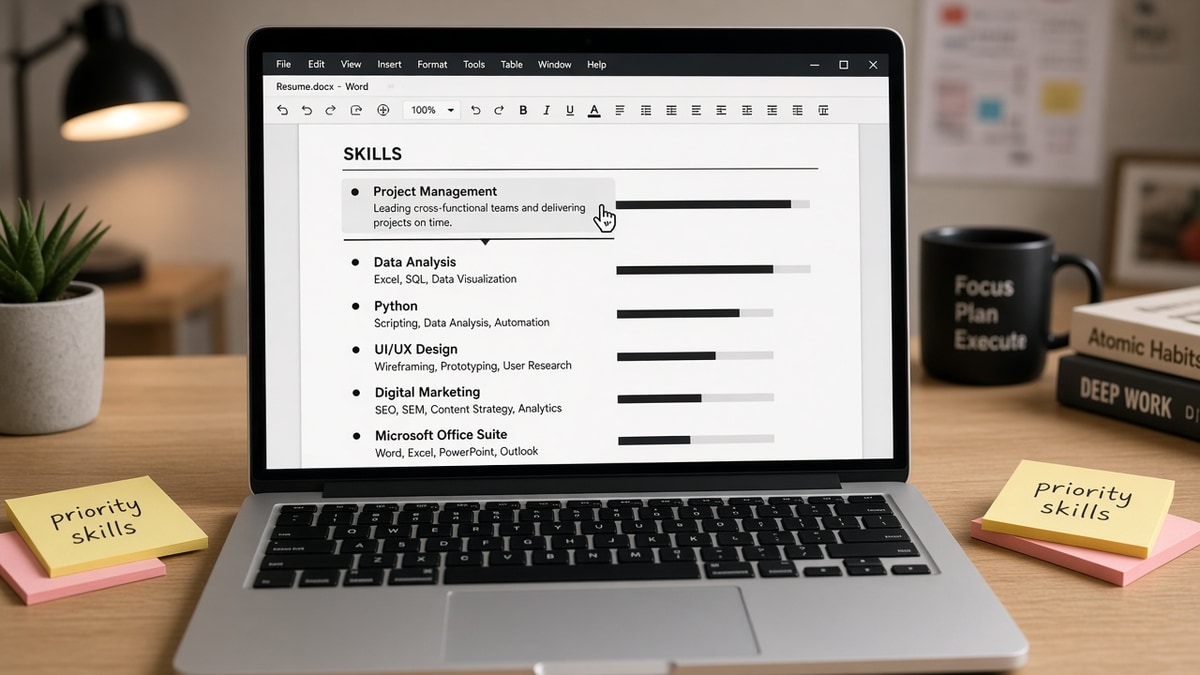
Skills order is a priority label, not a second resume. Workday and Greenhouse store your Skills block as searchable text. Recruiters run boolean strings and scroll the parsed view. When Tableau sits after Teams, Outlook, and Communication, you look like an admin hire on a analytics req.
Alphabetical sorting feels tidy. It also hides intent. The posting told you what to lead with; alphabetical order ignores that signal entirely.
Two-column skill chips look modern in Canva. Parsers often read left column fully before right column, or drop the sidebar. When chips scramble, order inside the main column is the only signal left.
Career changers feel this hardest. Your old stack is long; your new target stack is short but must sit first. Trim legacy tools from row one even if you're proud of them, or the skim labels you by the job you're leaving.
Pair reordering with why skills don't map correctly in ATS when tools import into the wrong section after upload.
Diagnose and fix skill order in three passes
Pass 1: Read the posting like a search string
Before: Skills sorted A-Z with Adobe, Agile, Excel, Python, SQL, Tableau.
After: SQL, Python, Tableau, Agile, Excel for a posting that repeats SQL and Tableau in the first paragraph.
Pass 2: Split core vs supporting
Before: One long comma line with every tool you've touched since 2018.
After: Row one: six must-haves from the req. Row two: supporting tools you can defend in an interview.
Copy-paste block: skills rows for a tailored export
Skills
Core: Salesforce, HubSpot, SQL, Looker, B2B SaaS, pipeline forecasting
Supporting: Excel, Google Slides, Jira, cross-functional workshops

[Reorder Core to mirror the posting each time you tailor]
Pass 3: Align bullets with row one
If SQL leads the list, bullet one under your current role should show SQL in the first line with scope. Order and bullets should tell the same story or recruiters trust neither.
Pass 4: Test on mobile preview
Open the PDF on your phone without zooming. Whatever fits in the first screen of page one is your real above-the-fold Skills block. If only Office tools show, move the posting stack up until those names appear before the fold.
And if you're switching industries, reorder twice: once for the title you're targeting, once for the tools that transfer. Lead with transferable systems the new req names, not the legacy stack they'll never ask about on day one.
Skill order mistakes that mislabel you
Picture a marketing operations req that mentions Marketo, Salesforce, and SQL in the first screen of the posting. A candidate lists Google Docs, Canva, Social Media, Marketo, Salesforce, SQL because that's chronological comfort. The recruiter's ten-second skim sees office tools, not ops tooling. Same person, wrong order, different bucket.
Picture an IT support role asking for Active Directory, Azure, and ticketing systems. Putting Communication and Problem Solving first reads like a service desk script, not someone who reset permissions yesterday. Move the systems row up; let bullets carry the customer-facing proof.
I've screened Workday queues where candidates matched the req on tools but listed Office skills first and never got a second look because the skim told the wrong story.
Duplicating soft skills in Skills and Summary. Communication and Leadership eat space without search value. Show them in a bullet with a deliverable instead.
Listing outdated stacks on top. If you haven't used SAP in five years, don't keep it above tools from your last role just because it sounds impressive.
Ignoring posting spelling. Kubernetes vs K8s matters when a recruiter copies the req into search. Mirror the posting for row one, explain variants in bullets if needed.
Treating every skill as equal weight. Methodology words like Agile belong after the systems you practiced them in. Otherwise you read like a coach, not a builder.
Leaving row one unchanged between applications. Order is a tailoring lever. Swap row one when the next posting leads with a different cloud or CRM, even if the master file stays the same on disk.
For keyword placement beyond the list, read resume keywords for ATS where to put them so tools show up in Experience too.
Check order against the posting
Tools won't fix a missing skill, but they surface when your ordered list still doesn't match the req language. Run the check after every reorder pass, not only after a full rewrite weekend.
After you reorder, run the tailored PDF through the free ATS resume checker with the job description pasted in. Missing must-haves at the top often show up as gaps even when the words appear lower on the page.
Use the job match score tool to see whether your top skills line up with the req before you spend an hour rewriting bullets.
Lead with what the req leads with
Why resume skill order matters is the gap between qualified and obvious. Reorder for each posting, keep proof in bullets, and stop letting alphabetical sort tell your career story for you.
When the packet needs a letter that mirrors the same tool priority, draft it in the cover letter generator so Skills, bullets, and letter all name the same stack first.
Frequently asked questions
Order affects what humans see first and how some parsers store comma lists. Put posting must-haves in the first row or first line of your Skills section, spelled exactly like the req. Soft tools and generic traits go lower.
Hard skills tied to the job title come first: languages, platforms, certifications, methods. Soft skills belong in bullets where you proved them, not as a long list at the top.
Aim for six to ten that mirror the posting. If everything you ever touched is listed alphabetically, the six tools the hiring manager searched for may sit on line four where nobody scrolls during a first pass.
Bullets carry the proof. The Skills block still feeds boolean search and quick skim. When order puts Excel before Python on a data role, recruiters assume Excel is your primary stack even if bullets say otherwise.