10 min read
Short answer: Why job postings close early is usually intake control, not a finished hire. Recruiters pause new applications once they've got enough files to screen, when an internal candidate surfaces, or when headcount freezes mid-search. The posting can show closed while interviews still run on the first wave. Your move isn't refreshing the page every hour. It's keeping a base resume ready and applying the same day a matching req opens.
You're not imagining it. A role you saved yesterday can read closed today even though the listed deadline is next week. That sting is real when bills don't pause with the posting status. Before you spiral, check your resume for free against the saved posting text so you're not losing days on layout while the intake window shrinks.
Below: why the status flips, exceptions that don't mean rejection, what to do in the next hour, and how to stop being last in line on the next req. If you've been refreshing the same dead link, we'll fix that habit first.
Quick Wins
- Keep one base resume in single-column PDF you can tailor in ten minutes.
- Apply same day when title, level, and location match your scope.
- Save posting text before apply in case the link goes closed overnight.
Why job postings close early before the deadline
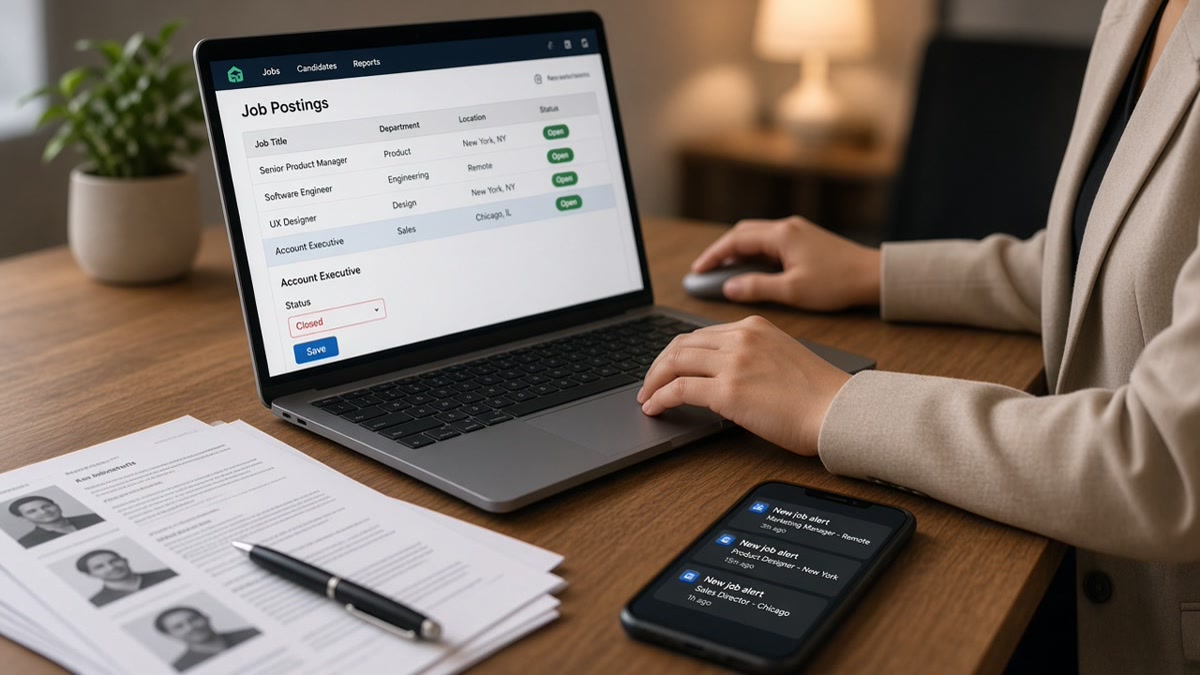
Employers post reqs in Workday, Greenhouse, Lever, and iCIMS with a visible apply button and a listed close date. Recruiters still flip status to closed early when the pipeline is full enough to manage. That is different from the req being filled. It means new uploads would slow the screen queue.
Intake caps are the most common reason. A corporate recruiter may need twelve strong screens to schedule six first rounds. Once enough files pass the title and years filter, they stop accepting new ones so the team can work the stack already inside the ATS. The career site still shows a future deadline because HR copied a template date nobody updated.
Internal mobility triggers early closure too. A manager posts externally while a current employee interviews internally. If that internal candidate advances, the external posting often closes before offer stage because policy requires pausing outside applicants. You were not slow. The req narrowed without a public announcement.
Headcount freezes and budget holds look like ghosting from the outside. Finance pauses a req mid-search. Recruiters mark the posting closed or on hold so they're not collecting files they can't move. Candidates who applied earlier may still hear back. Candidates who waited for a perfect cover letter never enter the queue.
Role scope changes create a quieter closure. A hiring manager starts with Analyst, then decides they need Senior Analyst plus light people management. Instead of editing the live posting, the recruiter closes it and reopens under a new req ID with a different title band. External applicants see a dead link while the team reframes the job internally.
Syndication timing makes the problem worse. A req can show open on a board you bookmarked while the employer career site already reads closed. The reverse happens when aggregators cache an old open state. Screenshots lie. The employer portal is the only status that counts when you decide whether to upload tonight.
I've closed intake in Greenhouse while the req still showed open on a secondary board because syndication lagged. The official company page was accurate. Aggregator listings lied for two days. Always treat the employer career site as source of truth, not a screenshot from a third-party board.
Early closure is a workflow signal, not a personal verdict. Recruiters are managing queue size, compliance windows, and hiring manager bandwidth. When you see closed, assume intake paused on that URL and shift energy to the next open match on your watchlist instead of rereading the same job description for clues you did something wrong.
Read does applying early help on US job boards when you need the timing map for the first wave versus late files.
What to do when a posting closes before you apply
Closed on the portal means stop clicking apply on that URL. It does not always mean stop every move on that team. Run this sequence before you write the req off.
Step 1: Confirm closed on the official career site
Open the employer Workday or Greenhouse link from their site, not a saved aggregator page. If apply is gone there, the req is closed to new files. If it is still open on the employer site but closed elsewhere, apply on the official path immediately and ignore stale listings.
Step 2: Apply same-day on the next matching req
Before: a mid-level analyst waits three days to rewrite every bullet while saving six similar reqs.
After: one base PDF with a swap-ready top bullet; apply the day a peer company posts the same title band with location you accept.
Speed beats perfection when intake caps are real. Tailor bullet one to mirror the posting noun. Leave the rest stable until you get a screen call.
Step 3: Send one recruiter note only with proof
Before: generic message: "I saw the role closed but I am very interested. Please consider me."
After: "Posting ID 4821 for Senior Analyst closed today. I applied at PeerCo req 1192 this morning. Attached base resume shows SQL pipeline work matching your must-have line. Happy to forward to your req if intake reopens."
Copy-paste outreach skeleton: "Saw [Req Title] closed on [Employer] site [date]. Applied to [similar open req] same day. Top bullet mirrors [must-have skill from saved posting text]. Base resume attached. Open if intake reopens."
Use the cover letter generator only when the posting asked for a short note and you have the saved job description text. One paragraph beats a five-paragraph template nobody reads after close.
Step 4: Mirror must-haves in bullet one before submit
Recruiters skim the first wave fast. A composite marketing coordinator whose top bullet still reads "Responsible for campaigns" lands below a file whose first eight words name the posting tool stack. Swap one bullet, not the whole resume, when the req opens in the morning.
Before: operations lead resume opens with "Managed daily logistics and team tasks."
After: "Led WMS cutover for three distribution centers; cut pick errors with weekly Kaizen reviews under Plant Manager scope."
Step 5: Build a watchlist of title clones
When one employer closes, three peers often carry the same title string the same week. Save a list of companies, title phrases, and locations you accept. When your alert fires, you apply to the open clone instead of refreshing a dead link.
Step 6: Keep a same-day apply kit on your desktop
Name one folder with your base PDF, a plain-text export, and a doc of saved posting snippets. When an alert fires at nine in the morning, you're not hunting for the right file version while intake fills. Drag the base PDF, swap bullet one against the saved snippet, upload before noon.
Before: nurse applicant rebuilds formatting from a Canva template for each hospital req.
After: single-column PDF with headline "Registered Nurse, Med-Surg" ready; each apply swaps first bullet to mirror the unit's must-have charting tool named in the saved posting text.
Edge case: two reqs at the same employer with overlapping titles. Apply to the req whose level band matches your years. Do not double-submit identical files to both IDs unless the portal treats them as separate pipelines. Recruiters merge duplicates and remember noise.
Edge case: posting closes between your upload and confirmation email. If you received an application ID or confirmation screen, you're in the queue for that req ID even when the public page now reads closed. Save the confirmation screenshot with the date stamp.
See how recruiters use ATS before reading resumes when you need to know what happens to your file once it is inside the first wave.
Exceptions that look like rejection but are not
Closed while interviews continue. Early closure often means stop collecting, not stop hiring. Files already uploaded still move. Late applicants never enter that pile.
Deadline date is a placeholder. Corporate templates carry default close dates weeks out. Recruiters live by intake reality, not the footer date on the syndicated listing.
Aggregator lag. Third-party boards can show open after the employer site closed. The opposite happens too. Trust the employer portal when they disagree.
Paused req, not canceled req. On hold sometimes returns when budget unlocks. Your note plus a saved posting description helps a recruiter reopen intake without reposting from scratch.
Assuming closed means unqualified. You may have been hours late on a cap, not wrong for the role. The next open req at a peer company is the actionable target, not replaying the closed one in your head.
Mass applying after close spam. Flooding recruiters on closed reqs burns the contact you might need when intake reopens. One targeted note with proof beats five generic pings.
Waiting for a referral before the public req closes. If you have a real referral path, use it early while public intake is still open. Referral portals sometimes stay live after public apply closes, but you shouldn't bet your only shot on a contact who hasn't submitted yet.
Treating every closed req as filled. That mindset pushes you toward roles with slower processes while fast-cap reqs at peer companies still accept files the same week.
Tools that shorten the gap between alert and apply
When a posting goes live in the morning, you don't have time for a full rewrite. Run a fast match pass on the saved description against your base file, fix bullet one, submit before lunch. Parser errors eat the minutes you saved, so confirm the employer name and title still read in order after export.
Run a free ATS check on the PDF you will upload so parser layout does not eat the hour you saved on tailoring.
Use job match score to decide whether a newly opened req deserves the ten-minute bullet swap or a skip to a better-fit title clone on your watchlist.
Beat the next early close
Why job postings close early is rarely a mystery once you see intake caps, internal moves, and freezes from the recruiter side. Closed usually means stop new uploads, not proof you were unqualified. Your defense is a base resume that parses clean, a same-day apply habit, and a watchlist of title clones when one employer pauses.
Tonight: export one single-column PDF, save text from two target postings, rewrite bullet one on each, set alerts for title strings you accept, and apply the next open match the day it appears. Job searching's already draining. You don't need to lose another req while polishing a third page nobody reads after intake closes.
Keep a simple log: employer, req ID, date you saw open, date closed, whether you applied, and which peer clone you hit next. Patterns show up fast. You'll notice which companies cap intake in days versus weeks, and which title strings reopen under new IDs with the same hiring manager.
When a closed req matches your scope perfectly, mourn it for ten minutes, then open your watchlist. The market runs parallel reqs constantly. Your file doesn't get stronger while you stare at a gray apply button.
This won't fix applying to roles outside your scope. It does stop qualified candidates from missing the first wave because they waited for a perfect draft on a req that closed at lunch.
Read more
Frequently asked questions
No. Closed often means intake paused, the req went on hold, or an internal candidate surfaced. Some employers keep the posting live until offer acceptance even after they stop reading new files. Treat closed as stop applying on that link, not proof you missed the only hire.
If the portal blocks upload, you cannot apply through the official path. Send a short note to the recruiter or hiring manager with your base resume attached only when you have a real contact. Do not spam every closed req. Pivot to the same title at a peer company where the status still reads open.
Same day when the role fits your scope. Recruiters often batch-screen the first wave before they pause intake. A clean base resume you can lightly tailor beats a perfect draft you finish three days later. Save a master file and swap the top bullet per posting.
Alerts help you spot the req, not beat the queue alone. Pair alerts with a ready single-column PDF and a ten-minute tailor pass on bullet one. Without a base file, an alert only tells you the window is already shrinking.
Some Workday and Greenhouse setups let recruiters cap visible slots or mark a req filled while interviews continue. The system may hide apply buttons even though humans still read files already in the queue. Early apply matters because late files may never enter the screen pile.