8 min read
One-click apply saves minutes. It can also detach you from the file that actually crosses into Greenhouse or Workday, and you'll only notice after the employer view shows the wrong version.
Before you blame keywords, check your resume for free on the document stored as your board default, not only the polished version in your Downloads folder.
This comparison won't fix applying to roles you're underqualified for. It clarifies why two uploads that look identical on your screen produce different parser results on the employer side.
Comparison criteria that matter tonight
You are not choosing the prettier button. You are choosing which binary object the employer ATS ingests and whether you controlled it five minutes before submit.
Track these four factors: which file version ships, how many conversion steps sit between you and the ATS, whether auto-fill overwrote your titles, and if you can paste-test the final upload.
Quick apply optimizes for speed on the board. Employer portals optimize for field mapping in Workday, Greenhouse, Lever, or iCIMS. Those goals conflict when your profile resume still has two columns from last year.
Why Easy Apply resumes fail ATS on the profile path
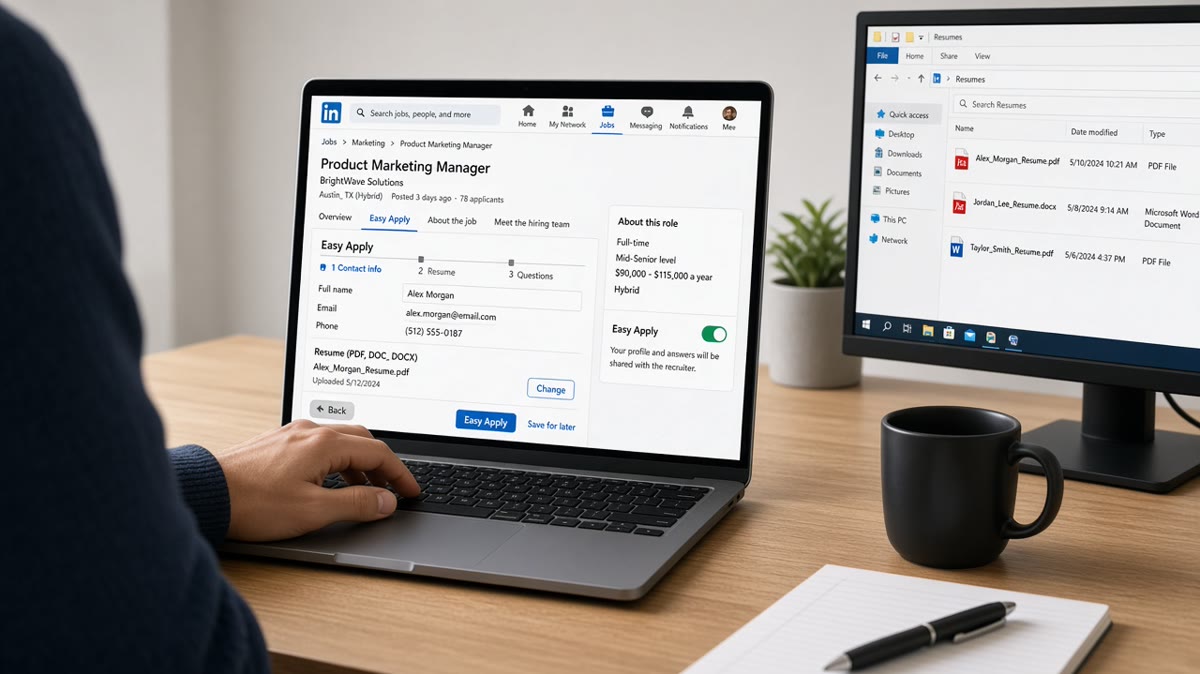
Most quick-apply flows start from a saved profile. The board may send that export even when you thought you attached a new file, unless the UI clearly shows a fresh upload selected for this job.
Profile snapshots often flatten work history into short lines. Bullets you rewrote locally may never appear. Dates can collapse to year-only while your tailored DOCX shows Month Year ranges recruiters expect.
Auto-fill can rewrite job titles to match old profile entries. A tailored title aligned to the posting may revert to a generic label before the packet reaches the ATS.
Extra handoffs mean extra parsing. A PDF that survived your paste test can get re-wrapped when the board converts it for the employer feed, which is when tables and columns scramble again.
Before: you edit a role-specific DOCX on your laptop with fresh bullets for this posting.
After: the employer view shows last year's profile PDF with a skills sidebar the parser reads out of order.
Before: you assume the quick-apply modal attached the file you picked in Downloads.
After: the stored packet still points at the board default until you replace the profile resume and confirm the new filename on screen.
Copy-paste check before quick apply: open your board profile resume, select all, paste into Notes, and search for the posting's must-have tool in the first bullet under your current role.
Screening questions on quick apply can also fork your packet. A wrong work authorization click or salary expectation can mark you inactive before anyone opens the attachment, even when the resume text is fine.
Cover letters attached inside quick apply sometimes stay on the board side while the employer ATS only stores the profile PDF. Recruiters then see a strong letter in email forward threads but a thin resume on the official record.
Direct upload on the employer career site
When you apply on the company's own Greenhouse or Workday page, you usually pick one file for that requisition. What you select is what gets stored on the candidate record.
I've opened candidate records where the quick-apply packet showed a profile PDF while the applicant swore they uploaded a new DOCX, and the version on file was always the older object.
You still must confirm import on the review screen. Workday especially loves to shuffle dates into wrong fields. But you are debugging one object, not guessing which profile version the board cached.
Cover letters and custom questions are visible on the same flow, so you can align employer names and titles across attachments instead of splitting them across a board profile and a later portal invite.
After upload, walk through resume upload errors that kill applications if fields look empty even though Preview looked fine on your machine.
Easy Apply vs direct upload
| Factor | Easy Apply / quick apply | Direct career-site upload |
|---|---|---|
| File you control at submit | Often a stored profile default | The PDF or DOCX you picked for this role |
| Conversion steps | Board export plus employer import | Usually one portal import |
| Tailored bullets | May truncate or omit new bullets | Full text if layout parses |
| Paste test target | Profile file plus optional attachment | Same file shown in portal preview |
| Best use | Low-stakes volume when profile is current | Priority roles and fixed single-column masters |
Decision rule: if you rewrote bullets for this posting in the last 48 hours, favor direct upload with that file. If your profile resume matches your master and paste order is clean, quick apply is less risky.
Why Easy Apply resumes fail ATS is often a version mismatch, not a mystery algorithm. Treat the board default as the live document until you replace it and see the new filename in the confirmation screen.
Layout failures overlap both paths. See common resume mistakes that trigger ATS rejection when the problem is columns, not the apply button.
Test the file that actually ships
Download or preview the profile resume your board will reuse. Paste-test that object before you trust a green confirmation toast.
Run the free ATS check against the job description on the profile default and again on any attachment you select inside the quick-apply modal.
Build your resume once as a plain single-column master, set it as the board default, and stop maintaining two divergent versions.
Pick the path on purpose
Treat quick apply as a broadcast of your profile default, not as a guaranteed send of tonight's tailored DOCX. Sync the default, simplify layout, and escalate priority roles to the employer portal with a paste-tested upload.
Screenshot the apply confirmation when it shows a filename. That image saves you a guessing game if a recruiter says the packet looks older than you remember.
When a posting requires a letter, generate a cover letter from the same job title strings you fixed in the upload file so titles stay aligned across attachments.
Read more
Frequently asked questions
Not always. Many quick-apply flows attach a stored profile export or an older default file unless you explicitly pick a new upload for that role. The tailored DOCX on your desktop may never be the object the employer's ATS receives.
Usually you control the exact PDF or Word object, and you can paste-test that file before submit. You still need a single-column layout, but you avoid an extra profile-to-ATS handoff that can strip formatting or swap documents.
Skip it when the role is a top choice, the posting asks for a cover letter, or your profile resume is outdated while your local master is fixed. Use the employer portal or an email path that accepts your tested upload file.
Refresh the default resume stored on the board, simplify it for parsing, and upload a new file inside the quick-apply flow when the UI allows. Still run a paste test on whatever the board says it will send.