6 min read
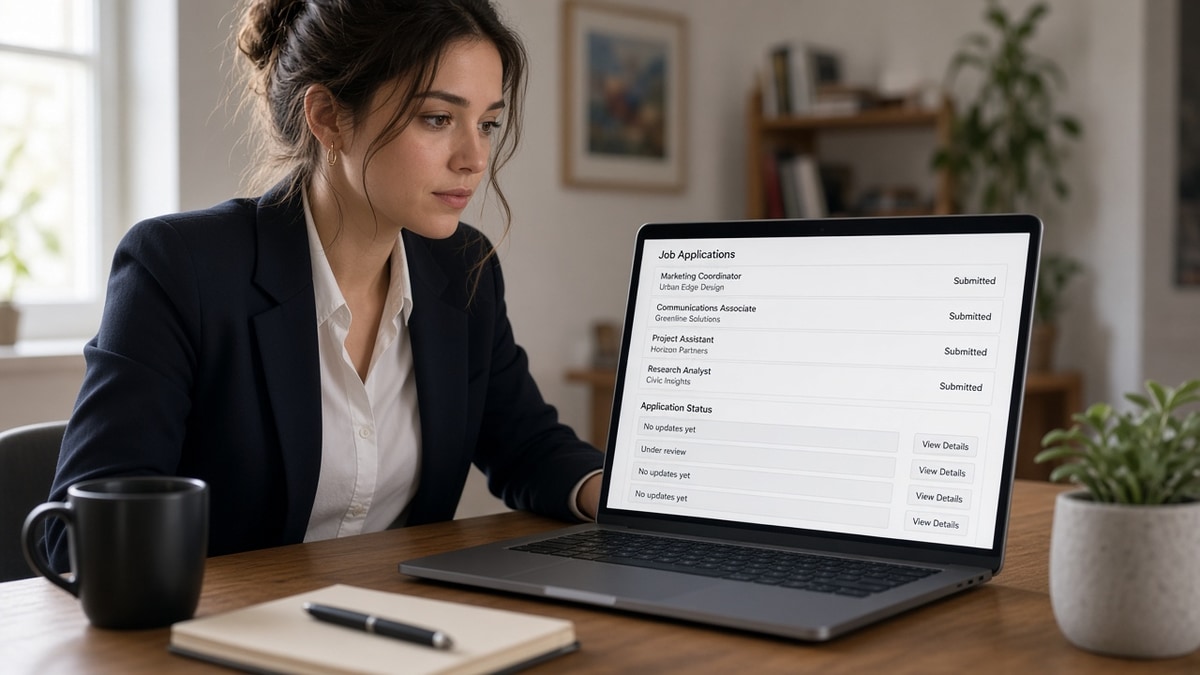
You hit submit, got the auto receipt, and now the status bar hasn't budged. You're refreshing like it's package tracking. It isn't. Hiring software was built for recruiters, not for live applicant feeds.
Check your resume for free if you're worried the file never parsed. A frozen portal and a broken upload can look the same from your side until you read the plain-text export.
Below you'll get why the screen stays quiet, the exceptions where updates do appear, what to do tonight, and how to tell slow process from a dead row in the queue.
Job searching while bills stack up is exhausting, and silence feels personal. Most of the time it's a settings choice on the employer side, not a verdict on your worth.
Quick Wins
- Log into the employer career site with the same email you used on the form.
- Add the role to a tracker with apply date, portal, and resume version.
- Read the plain-text resume export once before you assume the ATS ignored you.
Why applications show no updates on the portal
Candidate portals show what HR turns on. Workday, Greenhouse, Lever, and iCIMS all track your row internally. The public status field is optional. Many teams leave it on Applied until they schedule a screen or blast rejections at the end of a req.
Recruiters live in a queue sorted by fit, referral, and timing. They're not watching your refresh button. Email triggers cost setup and create support tickets when someone gets a false rejection vibe. So companies default to quiet.
I've screened stacks of these in Workday and Greenhouse, and the candidate view rarely matches what I see on the recruiter tab. Your file can sit in reviewed while you still read Applied on your phone.
Exception one: some enterprise portals flip to Under Review or Interview when a coordinator moves a stage. Treat that as a nice bonus, not the baseline. Exception two: government or union postings sometimes publish explicit steps because policy requires it. Exception three: if a recruiter leaves a note or task in your candidate account, that counts as movement even when the headline status stays flat.
For what happens after upload on the employer side, read what happens to your resume after submission . This page is about the quiet candidate screen, not the internal ranking math.
What to do now when status stays frozen
Run these checks in order. You'll know whether you're waiting on humans, fighting a parser, or chasing the wrong inbox.
Step 1: Confirm the right account
Before: You applied with a work alias but you're logged into a personal portal account that never received the file.
After: Same email on the application PDF, the form, and the login. Password reset on the employer site if needed.
Step 2: Read the receipt and the req
Save the confirmation number, closing date, and whether the posting said applications are reviewed on a rolling basis or after a deadline. A frozen status before the close date often means nobody opened the req yet.
Step 3: Rule out a silent parser drop
Before: Status Applied, but your resume was a two-column Canva export and required fields in the form look empty on preview.
After: Plain single-column DOCX or PDF from Word, re-upload only if the site allows without creating a duplicate profile. Pair with
resume rejected by ATS common reasons and fixes
when the export still scrambles sections.
Copy-paste application log row
Application log (one row per upload):
Company | Role | Date applied | Portal (Workday/Greenhouse/etc.)
Resume file name | Confirmation # | Status last seen | Follow-up date
Notes: posting closed? referral? parser fix attempted?

Rule: one follow-up email max unless recruiter replies.
Your tracker beats any portal refresh loop. When three rows sit on Applied with no recruiter mail, you're usually waiting on batch review, not a lost packet.
Mistakes that make silence feel worse
Applying twice to force movement. Duplicate rows annoy coordinators and can auto-close both. One clean file per req unless the site invites a revised upload.
Trusting aggregator dashboards only. Some boards show Submitted while the employer ATS never linked your account. Always anchor on the company career login when they gave you one.
Reading silence as instant rejection. Early weeks are often quiet while the req stays open. Panic rewrites of a good resume won't flip a portal that was never wired to update.
Ignoring generic rejection timing. When mail does arrive, it may be a template batch. Why rejection emails are generic explains why that still beats endless Applied with no closure.
Tools that help while you wait
Run the job match score on the posting before you burn a follow-up on a thin fit. You'll see whether silence is worth chasing or whether your energy belongs on the next req.
Use the free resume builder to rebuild a parser-safe base file if the export test failed. Fix layout once, then tailor bullets instead of refreshing a portal that won't move until a human acts.
If you do follow up, keep the note short and point to one metric from the resume you already uploaded. Tools won't change ATS status flags; they keep your next upload sharp while you wait.
When a portal asks for a short note, use the cover letter generator for plain paragraphs that match the resume version you logged, not a second copy of your work history.
Quiet portals are common, not personal
Why applications show no updates is usually a product setting, not a hidden rejection stamp. Recruiters work inside the ATS; you see the receipt and maybe a late email. Plan around that gap with a log, one follow-up, and parallel applications.
When mail finally lands, read it once, update your tracker, and move on without rewriting history. You did the part you could control: a readable file, the right login, and a single professional nudge.
Read more
Frequently asked questions
Not in the first couple of weeks. Many employers never change the candidate-facing status from Applied until they schedule a screen or send a rejection batch. Frozen status often means the portal is quiet, not that a recruiter deleted your file. After several weeks with the role still open and zero recruiter contact, assume you are not in the active pile and keep applying elsewhere.
Open the same portal you used to apply, not only your inbox. Workday and Greenhouse candidate accounts sometimes show notes or tasks recruiters added even when email is off. Check spam once, then rely on the dashboard and your own tracker. If you applied through an aggregator that handed off to a company site, log into the employer career page with the email you used on the form.
Yes, but the symptom is still silence. If the parser could not read your file, you might sit in a low bucket with no outward change. That is different from a slow human queue. Run a plain-text export, fix layout issues, and reapply only when the posting allows a second upload without duplicating the same PDF.
One polite note after about ten to fourteen days is fine unless the posting says no contact. Reference the role title and one proof line from your resume. Log the date in your tracker and do not ping again if nobody answers. Follow-up does not force a status change in the ATS; it only surfaces your name to a recruiter who may already have a full slate.