6 min read
You've got the words down, but the page still looks off. Usually it's spacing, not font choice. Recruiters skim letters on a phone between meetings, and cramped margins or double-spaced bodies make a short note feel longer than it is.
If you're exporting from Google Docs, don't trust the browser print preview alone. Export PDF from the file menu so margin and line settings survive the upload.
This isn't about making a cover letter pretty. It's about margins, line spacing, paragraph gaps, and what changes when you paste into a Workday box instead of attaching a PDF. For font size rules, see cover letter font size guidance .
Check your resume for free first if you're uploading both files tonight. Spacing on the letter won't fix a resume that failed parse in Greenhouse.
Quick Wins
- 1-inch margins; 0.75-inch max if you're tight on one page.
- Single or 1.15 line spacing in the body.
- One blank line between paragraphs, not after every sentence.
- Paste box: one Enter between paragraphs only.
What sort of spacing should a cover letter use?
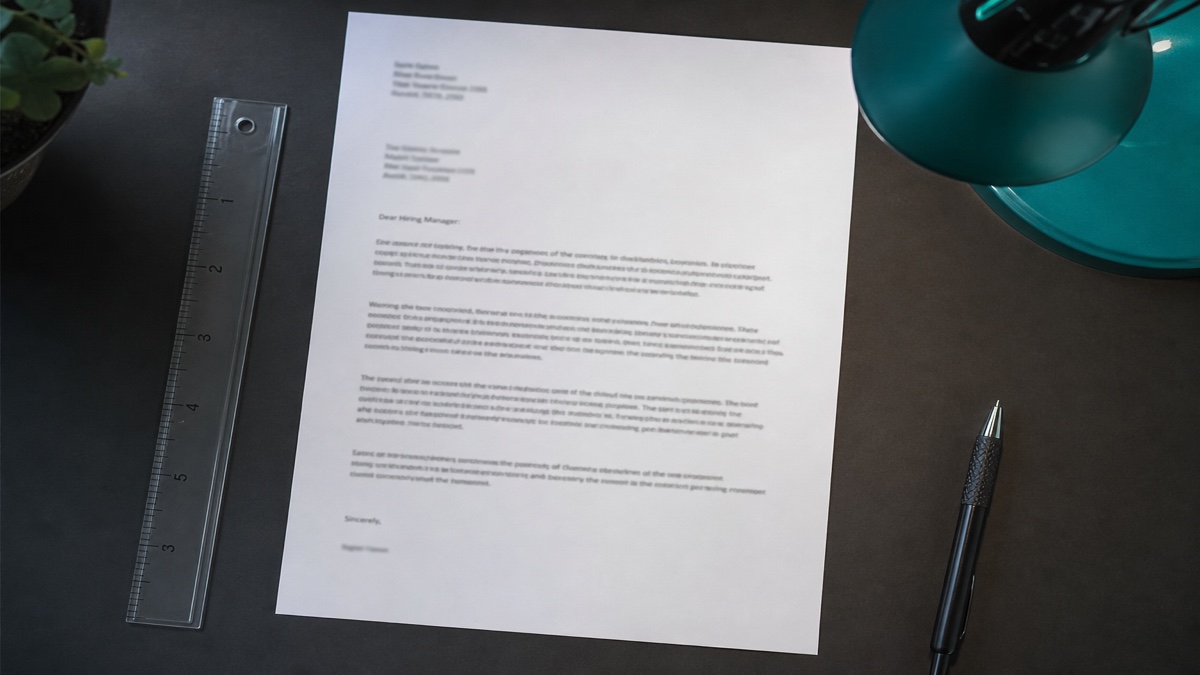
Default US business letter: one-inch margins on all sides, 11- or 12-point body text, single or 1.15 line spacing inside paragraphs, one blank line between paragraphs, left-aligned text.
Header block: your contact lines single-spaced, one blank line, date on its own line, one blank line, employer address single-spaced, one blank line, salutation, one blank line, body paragraph one.
Close: one blank line after the last body paragraph, Sincerely or Best regards, two to three blank lines for signature space on PDF uploads, typed full name on the next line.
Before: Double-spaced four paragraphs with a two-inch top margin to center the block on the page.
After: Single-spaced body, one-inch margins, one blank line between paragraphs, signature space without pushing content to page two.
Exceptions: federal or academic postings that ship a template. When the announcement specifies spacing, follow the template over this default.
How do you set margins, lines, and paragraph gaps?
Margins
Set margins in Page Setup, not with tabs or repeated spaces. One inch keeps body text off the printer edge when a recruiter prints your PDF. If four paragraphs spill slightly past one page, try 0.75-inch margins before you drop font size or delete proof.
Line spacing inside paragraphs
Single spacing is the norm. Microsoft Word's 1.15 default is acceptable when single feels dense on screen. Do not double-space the body; that pattern reads academic, not corporate.
Space between paragraphs
Use Format, Paragraph, Spacing After for a clean six-point or twelve-point gap, or one manual Enter between paragraphs. Extra returns after every sentence break paste boxes and waste character caps.
Copy-paste block: cover letter spacing spec
{`COVER LETTER SPACING SPEC

Margins: 1" all sides (0.75" if tight)
Body font: 11-12 pt, same in header
Line spacing: Single or 1.15 (not double)
Between paragraphs: 1 blank line
Header blocks: single-spaced inside, 1 blank between blocks
After "Sincerely,": 2-3 blank lines, then typed name
Alignment: Left (not full justify)
Paste box: 1 Enter between ¶ only`}
I've opened cover letters in Workday side panels where double spacing and tiny margins made the note harder to scan than the resume beside it. Plain spacing wins.
Before: 0.5-inch margins and 10-point type to force one page.
After: 0.75-inch margins, 11-point type, one paragraph cut so the letter stays readable and parse-safe.
Which spacing choices break skim and paste?
Double-spaced body text. Pushes a standard four-paragraph letter to page two with empty air. Cut words instead.
Margins below 0.5 inches. PDF parsers can merge lines when text sits too close to the edge. Recruiters printing on office printers lose the last letters.
Full justification. Uneven word gaps look fine in Word and parse unevenly in some PDF engines. Left-align the body.
Paste boxes with blank lines after every sentence. Portals keep line breaks only. You burn character limits and create stair-step text. One break between paragraphs. If the field shows a character count, paste your shortest version first and expand only when room remains.
Resume templates with columns. Multi-column layouts break spacing logic on export. Keep the letter in a single-column business format. See cover letter formatting for ATS for upload-specific rules.
Export, paste test, then attach
Export PDF from Word or Google Docs directly. Copy the body into Notepad and confirm lines do not merge. Paste into the portal field and check paragraph breaks survived.
When you need a draft fast, generate a cover letter with standard spacing baked in, then adjust margins once for length.
Pair with HireFlow's free ATS resume checker on the resume file. Letter spacing cannot compensate for a primary upload that failed field mapping.
Set spacing once, then edit words
What sort of spacing should a cover letter use? One-inch margins, single or 1.15 line spacing, one blank line between paragraphs, left alignment, and single breaks in paste boxes. Fix length by cutting praise and repeated resume bullets, not by crushing margins.
Open your draft tonight. Apply the copy-paste spec, run print preview and a paste test, then attach. Spacing is a one-time setup; tailoring the proof line is what you'll repeat per application.
Read more
Frequently asked questions
Single spacing is standard for US business letters. Word processors that default to 1.15 line spacing are fine. Double spacing belongs in academic manuscripts, not corporate cover letters. It wastes page space and pushes a four-paragraph letter to page two with no content gain.
One inch on all sides is the default business-letter norm. You may reduce to 0.75 inches if three tight paragraphs would otherwise spill to page two. Do not go below 0.5 inches. Cut words before you compress margins further.
One blank line between body paragraphs, not an extra return after every sentence. Inside the header block, keep contact lines single-spaced and put one blank line between the contact block, date, employer address, and salutation.
Portals strip margin settings. Use one Enter between paragraphs when you paste into Workday or Greenhouse text fields. Avoid bullet lists in paste boxes; they often break into jagged lines. Test in Notepad first.