11 min read
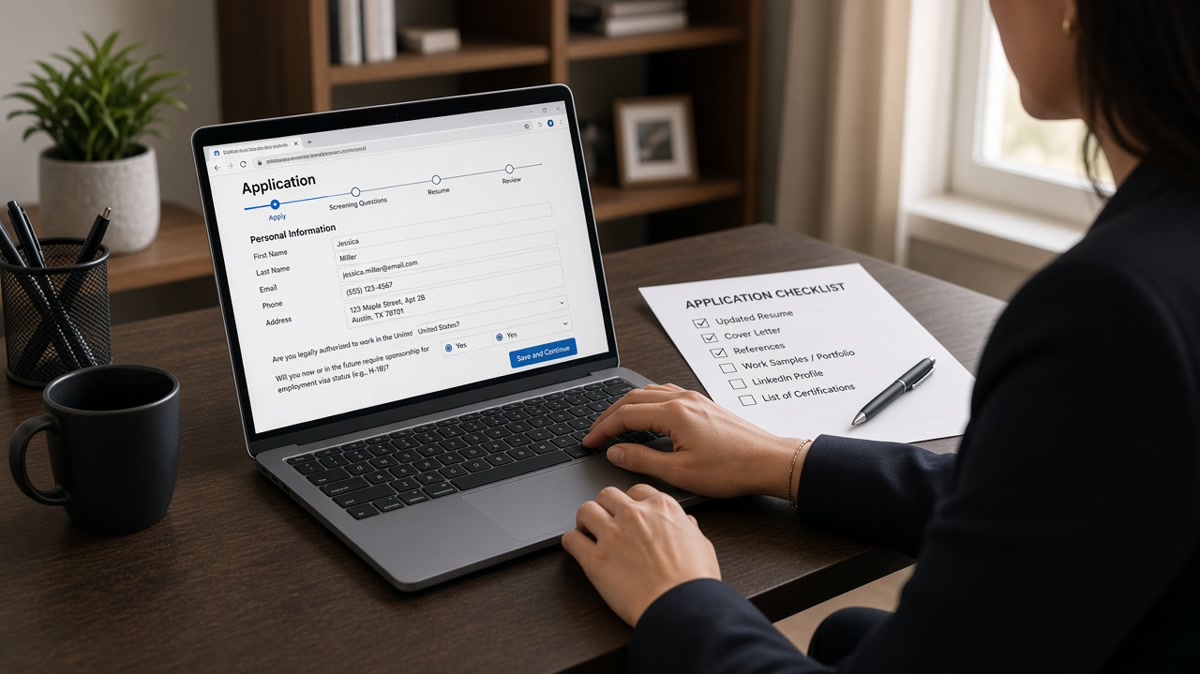
A US ATS application checklist for Jobvite starts with field parity, not keyword density. Match your email and phone on the form and the resume, upload a single-column file that survives parse, put three posting must-haves in bullet one, then answer every required screening question before you hit submit. Most Jobvite rejections I've seen aren't missing keywords. They're garbled imports and incomplete forms.
Before you upload again, check your resume for free with the posting attached. If your file parses clean but the form still shows the wrong job title, fix the layout before you tune keywords. Job searching through long application flows is tedious. You're not failing because recruiters hate your background. You're often failing because the import never showed them the right line.
Don't treat Jobvite like a resume drop box. The form, the screening questions, and the parsed upload all feed one candidate record. When any layer breaks, the recruiter sees a partial profile. That's why this checklist runs form first, file second, keywords third.
US employers use Jobvite across tech, healthcare, and corporate hiring. Recruiters open the candidate record, scan the parsed Experience block, and ctrl-f the posting. When bullet one under your latest role stays generic, a long Skills list at the bottom won't rescue the application. This checklist walks the upload in order so the human sees what you meant to send.
When bullet one finally matches the posting, generate a cover letter that repeats the same must-haves in plain sentences for optional Jobvite upload fields.
Quick Wins
- Match email and phone on the Jobvite form and your resume file.
- Export single-column DOCX and paste into Notepad to test parse order.
- Put the posting's top skill in the first eight words of bullet one.
- Answer every required screening question before upload.
What breaks first in a Jobvite US application
Jobvite stores two layers: the application form you type into and the resume file it parses into fields. When those layers disagree, recruiters see conflicting job titles, missing dates, or contact info that does not match the upload. They move on because fixing your file is not their job.
The parser reads layout before it scores keywords. A two-column PDF can dump Skills above Experience on import. Your best bullet lands on line forty. The recruiter never scrolls that far in the preview pane.
A composite marketing analyst uploaded a designed resume with icons and a sidebar. Jobvite pulled the email from the form but attached a garbled Experience block from the file. The recruiter saw a blank latest role. The candidate had ten years of proof. The import hid it.
Required screening questions cause silent failures too. Work authorization, location, and custom knockout questions block submit when left empty. Candidates assume the resume carried everything. It didn't.
Cover letter uploads sit in a separate field. When the posting says optional, skip it unless bullet one still cannot carry a must-have that only appears in a project block. When the posting requires a letter, upload a short file that repeats bullet one's proof. Don't paste a generic paragraph that repeats the job description.
I've screened Jobvite queues where the winning file was boring: single column, standard headers, bullet one naming the posting skill in the first eight words. The losing files looked prettier on screen and broke on import.
US ATS application checklist for Jobvite: six steps in order
Run these steps in sequence every time you apply through Jobvite. Skipping step one and jumping to keywords is the most common fix attempt that fails.
Step 1: Match form fields to your resume before upload
Open a blank note with your name, email, phone, city, state, and LinkedIn URL exactly as they appear on your resume. Paste those values into Jobvite first. Do not rely on the parser to fix a typo you typed into the form.
Before: Form email reads [email protected] while the resume header shows [email protected].
After: Both show [email protected] with the same phone format, including area code and extension if you list one on the file.
Step 2: Export a parser-safe file
Save as DOCX from Word or Google Docs unless the posting requires PDF. Use 11-point Calibri or Arial, standard margins, and headers named Experience, Education, and Skills. Remove tables, text boxes, headers, footers, and skill bars.
Paste the full resume into Notepad on Windows or TextEdit in plain text mode on Mac. If job titles and dates scramble, fix the source before upload.
Before: Two-column Canva export with logos in the margin.
After: Single-column DOCX with employer name, title, Month Year to Month Year, and bullets in plain text.
Step 3: Highlight three must-haves from the posting
Mark one hard skill, one scope signal, and one outcome word the posting repeats. You will place the top skill in bullet one and echo the other two naturally in the same bullet or one Skills line.
Step 4: Rewrite bullet one under your current role
Put the posting's top must-have in the first eight words. Add scope and one metric you can explain in a screen. Numbers inside sample bullets below illustrate shape, not market claims.
Before: Assisted with customer reporting and data pulls for the sales team.
After: Built Salesforce dashboards for 12 regional reps, cutting weekly pipeline review prep from 4 hours to 45 minutes.
Before: Handled IT tickets and maintained user accounts.
After: Resolved Tier-1 ServiceNow tickets for 800 users, closing 94% within SLA while documenting runbooks for three repeat issues.
Step 5: Complete required Jobvite fields and screening questions
Work authorization, sponsorship needs, desired salary if required, and custom knockout questions must be answered directly. Don't paste your resume into a one-line text box. Short answers beat paragraphs that break mobile layouts.
Upload a cover letter only when the posting asks for one or when bullet one still cannot fit a must-have that lives in a project block. Optional fields aren't optional when they gate submission. Scroll the full form on mobile before you assume you're done.
Referral source fields matter when an employee referred you. Use their name exactly as HR expects. A typo there won't break parse, but it can slow routing to the right recruiter.
Step 6: Preview parse and confirm Experience matches
Use Jobvite application preview when the employer enables it. Check that your latest employer, title, and dates imported correctly. If not, fix the file and re-upload before you submit.
After preview looks right, run the same file through a parse checker with the posting attached. You're confirming two views: what Jobvite stored and what keyword matching sees in Experience text. Both should show your top must-have under the current employer block.
Copy-paste block: Jobvite submit checklist
□ Form email/phone matches resume header exactly
□ Single-column DOCX or text-based PDF, no tables/icons
□ Notepad paste shows titles and dates in order
□ Bullet one: posting skill in first eight words + one metric
□ One Skills line echoes bullet one
□ All required screening questions answered
□ Preview shows latest role with correct dates
□ Parse check run with posting attached
Edge case: Jobvite asks you to paste resume text into a box
Some forms strip formatting when you paste. Use plain text with ALL CAPS or bold removed. Keep employer lines as Employer | Title | Month Year to Month Year on separate lines. Upload the formatted file too when the form allows both. The upload is what recruiters open. The paste box is often backup.
Edge case: re-applying to the same company through Jobvite
Use the same email you used before so the system links your profile. Update bullet one for the new posting. Do not submit a conflicting phone number on the form. Recruiters see prior applications in the same record.
If you were rejected six months ago, a cleaner parse and a rewritten bullet one are worth resubmitting when the new role fits. Don't resubmit the identical file. Change bullet one to match the new posting and confirm the import shows it.
For file-type rules that affect parse quality, read how resume file type impacts screening before you re-upload to Jobvite.
Where Jobvite applications stall after upload
Keyword stuffing without dated proof. Twelve repeats of Salesforce in Skills and zero Salesforce in Experience makes the import read artificial. Move the term into bullet one first.
Uploading only a PDF when the parse fails twice. Switch to DOCX, fix columns, and test again. Fighting the same broken layout wastes an application slot.
Pasting the job description into your summary. Summaries parse inconsistently. Must-haves belong in bullet one under a dated employer.
Ignoring custom questions. One blank knockout field blocks the entire submit. Scroll the form before you assume you are done.
Using an unprofessional email on the form only. coolguy123 on the form and firstname.lastname on the resume signals carelessness even when the file is strong.
Hiding contract work in a paragraph. Format each client as Employer, Month Year to Month Year, two bullets. Parsers drop undated contract lists.
Submitting before the posting closes without a final scan. Some Jobvite instances lock the form after midnight local time. Export your file once, run the checklist, then submit. A rushed upload at 11:58 p.m. is how scrambled titles slip through.
This will not fix applying to roles you are not qualified for. It stops qualified candidates from losing when Jobvite never showed the recruiter bullet one.
Confirm Jobvite will show the line recruiters read
After your six steps, run the same file through a parse check with the posting attached. You want must-haves in parsed Experience, not only in a sidebar that import dropped.
Upload your export to HireFlow's free resume checker before you return to Jobvite. If the top skill shows zero Experience matches, rewrite bullet one and export again.
When you want a gap readout across the whole posting, score your job match and fix missing must-haves in bullets before you touch the form.
Do this now: Paste your resume into Notepad. If titles scramble, fix layout. Then match form contact fields and rewrite bullet one before you submit on Jobvite.
Form parity, then keywords
The US ATS application checklist for Jobvite is ordered on purpose. Match contact fields, fix layout, rewrite bullet one, answer screening questions, preview parse, then submit. Keywords matter after the import shows your latest role correctly.
Open one Jobvite posting tonight. Run the six steps. Then run a free parse check and confirm must-haves land under your current employer before you click submit.
- Form and resume contact details must match exactly.
- Single-column files parse more predictably than designed PDFs.
- Bullet one carries the posting's top skill in the first eight words.
- Required screening questions block submit when blank.
And if Jobvite scrambles your titles again, fix the file instead of adding more keywords. The recruiter only reads what the import gets right.
Read more
Frequently asked questions
Use a single-column DOCX or a text-based PDF exported from Word or Google Docs when the posting does not specify a format. Paste the resume text into Notepad before you upload. If job titles and dates scramble, switch format. A clean DOCX often parses more predictably than a designed PDF with columns or icons. Follow the posting when it names a required file type.
Recruiters see two contact records. Some teams flag the application for review. Others assume a typo and move on. Use the same professional email and phone on the form and the resume file. Check extensions and country codes on phone fields. Jobvite stores form data separately from the parsed resume upload.
Fill required fields completely first. Optional fields that ask for work authorization, salary expectations, or referral source should get honest answers when you have them. Skipping required screening questions blocks submission. Optional cover letter uploads help when the posting asks for one and your resume alone does not show the top must-have in Experience.
Tables, text boxes, headers, and two-column layouts often reorder content on parse. Switch to a single-column file with standard headings: Experience, Education, Skills. Remove graphics and skill bars. Re-upload and open the application preview if Jobvite shows one. Fix the source file instead of retyping titles into the form alone.
Place three must-haves from the posting in bullet one under your current role and echo them once in Skills. Repeating the same term twelve times across the file does not help and can make the import read unnaturally. Jobvite matching works best when keywords sit in dated Experience lines recruiters actually open.