By Peter Miller · Published August 10, 2026 · Last updated: September 15, 2026
11 min read
You're five to eight years in, your resume clears the portal, and your connection notes still die in pending. That's usually not because mid-level tech roles are closed. It's because message one reads like a cover letter pasted into chat while bullet one on the upload still says supported various initiatives.
Recruiters and engineering managers don't need your life story. They need a req match, a stack label they recognize, and one line they can forward without rewriting you. Before you send another batch tonight, check your resume for free against the posting so the note and the Workday file tell the same story.
Job searching while you're still shipping on sprint goals is brutal. You don't need fifty templates. You need to know which failure mode you're in, swap the script that fixes it, and stop burning social capital on the wrong cause. This page maps three reply killers, how to tell which is yours, and connection plus follow-up copy you can edit in five minutes.
It's tempting to blame the market when notes go quiet. Sometimes the market is tight. Often the note never gave a recruiter a forwardable line. You'll fix more replies by aligning stack terms on the resume than by polishing adjectives in chat.
If the req asks for a short letter, don't duplicate your stack list in chat. Generate a cover letter that names one system you owned, then point your follow-up at the same noun.
Quick Wins
- Name the req title or ID in note one after you apply.
- Mirror one stack term from the posting and one metric from bullet one.
- Ask one question, not for thirty minutes on the first touch.
- One follow-up seven to ten business days later, then move on.
The symptom: applied, noted, silence
You did the work recruiters say to do. You applied in Greenhouse. You sent a polite connection request. Maybe you even followed up once. The profile view counter ticks up and nothing else happens. That pattern usually means the note failed a fast skim test, not that you're unqualified for mid-level bands.
Mid-level screens move on scope proof: languages, ownership, and whether you shipped in production. When your message opens with eager to connect and your resume opens with responsible for, both channels tell the recruiter you're broadcasting. They file you with the other two hundred notes that week.
Connection requests aren't interviews. They're permission to send a short second message. Treat note one as a subject line plus one proof line. Save the career narrative for the phone screen after they open the PDF.
For how parsers read the file before a human sees it, see why ATS filters out most applicants . A strong script cannot fix a resume the importer scrambled on upload.
Mid-level bands sit in an awkward middle. You're past intern language but not yet a staff narrative. Recruiters slot you on years of experience, production ownership, and whether your stack matches the req's must-haves. Notes that sound senior without proof read as title inflation. Notes that sound junior get ignored for lead roles.
Profile views without messages often mean Cause 3. They opened the PDF, could not find the terms you cited, and moved on. Fix the resume before you send another connection wave.
Timing matters less than content for first touch. Tuesday morning sends do not rescue a generic body. A specific req line sent Friday afternoon beats a polished template on Monday when the hiring manager already has a short list from the portal.
LinkedIn networking scripts for US mid-level tech professionals: three causes
Tag your last five notes with Cause 1, 2, or 3 below. Fix the dominant cause on the template or the resume before you rewrite all three scripts.
Cause 1: Generic opener with no req or stack
Before: Hi, I'm passionate about technology and would love to connect about opportunities at your company.
After: Hi Maya, I applied to the Senior Backend Engineer req (REQ-4421) yesterday. I run Go services on Kubernetes in production and led an API migration that cut p99 latency from 420ms to 180ms. Open to a quick question on team stack if you're the right contact.
How to tell: you cannot name the req, the posting's top three skills, or one metric from your resume without scrolling. Recruiters reply when they can paste your line into a hiring manager chat.
Connection script (recruiter, post-apply):
{`Hi [Name],

I applied to [Job Title] ([Req ID if known]) via [Workday/Greenhouse] today.
I ship [stack from posting] in production at [current employer type].
Bullet one on my resume: [one metric or scope line].
If you're supporting this req, may I ask one question about interview loop focus?

Thanks,
[First name]`}
Cause 2: Meeting ask before proof
Before: Would you have 30 minutes this week to discuss how I can add value to your team?
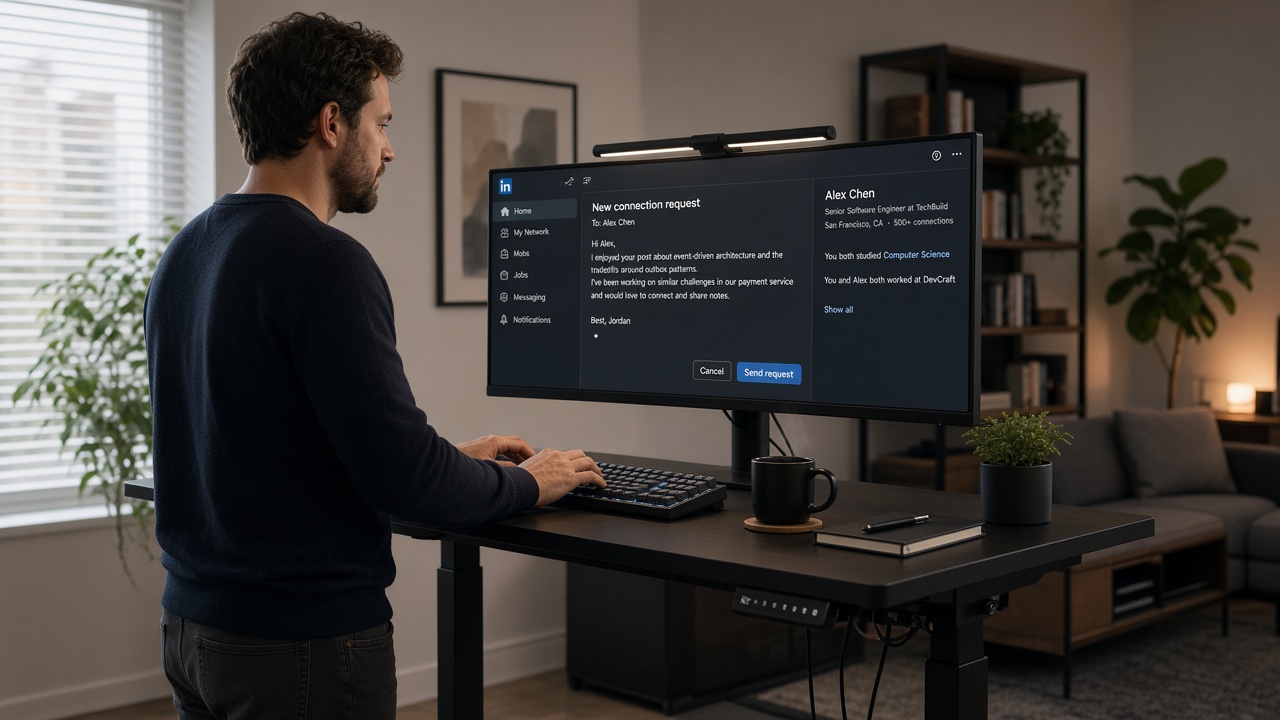
After: I saw your post on migrating checkout to event-driven architecture. I led a similar Kafka rollout for payments. Could I ask whether your team still runs dual-write during cutover?
How to tell: message one contains calendar language before you've earned a reply. Mid-level hiring managers protect time aggressively. One specific question beats a vague coffee chat invite.
Follow-up script (seven to ten business days, no reply):
Hi [Name],

Following up once on my note about [req title].
Alternate angle: I also own [adjacent skill from posting] if that lane is hiring.
Happy to share a one-page PDF if useful.

[First name]
Cause 3: Stack on the note, fluff on the resume
Before: Note cites Terraform and AWS; resume bullet one says worked on cloud projects with various tools.
After: Note cites EKS and Terraform; bullet one says Built Terraform modules for 14 EKS clusters, cutting deploy time from 45 to 12 minutes in CI.
How to tell: recruiters open the profile or PDF and cannot find the terms you promised in chat. Trust drops faster than tone can recover.
Engineering manager connection (no apply yet, targeted team):
Hi [Name],

Your team’s work on [specific product or post topic] matches my last two years in [domain].
I run [stack] in prod and recently [one outcome line].
Not asking for a job in this note. One question on how you structure on-call for [system type]?

[First name]
I've screened mid-level engineering stacks in Greenhouse beside Workday queues, and the reply usually goes to the candidate whose note quotes the same verb that's in bullet one on the upload, not the one with the longest polite paragraph.
Copy-paste block: five-minute send checklist
1. Apply in portal first when a live req exists.
2. Highlight three stack terms from the posting.
3. Ctrl-f those terms in your PDF export.
4. Pick Cause 1, 2, or 3 from your last silent note.
5. Paste the matching script; swap brackets only.
6. Send connection note or InMail.
7. Calendar one follow-up 7–10 business days out.
8. Log outcome; do not triple-tap the same person.
Peer outreach (same band, not hiring manager):
{`Hi [Name],

I'm a [title band] engineer moving toward more [posting skill].
Your path from [their prior role if visible] to [current role] is close to mine.
Would you share how interview loops weighted [system design / coding / bar raiser] on your hire?

[First name]`}
For tailoring the upload before you cite metrics in chat, see step-by-step job match tailoring for US mid-level tech resumes . Message two should not promise scope bullet one does not prove.
Recruiter vs hiring manager: two openings, one resume
Recruiters want req fit and interview capacity. Hiring managers want proof you will not drown their on-call rotation. Do not send the same paragraph to both. Recruiter note leads with apply status and stack. Manager note leads with product or architecture hook and one thoughtful question.
Before: Identical four-paragraph essay to recruiter, manager, and random VP.
After: Two variants from the copy blocks above, each under 120 words, same dates and titles as the Greenhouse upload.
After they accept: first InMail rules
Wait until the connection shows accepted before you send the longer follow-up. Thank them briefly, restate req or stack, ask one question. Do not attach a resume unless they ask. Offer a one-page PDF in sentence form only after they reply.
Thanks for connecting, [Name].

Quick context: I applied to [req] and run [stack] in prod at [employer type].
Curious whether the team still weights [system design / take-home / pair programming] heavily in loop.

[First name]
Platform limits and mobile edits
Draft on desktop where you can see your resume PDF beside the chat box. Mobile typos in stack names (Kubernates, PostgresQL) signal carelessness in a band where detail matters. Paste into a notes app first, spell-check stack tokens, then paste into the send field.
If you're between roles, keep dates honest on the profile and resume before you cite years of experience in a note. A six-month gap with no contract line listed triggers a different silence than a weak opener. Fix the timeline, then rerun outreach.
Misreads that waste your week
Blaming the template when Cause 3 is active. Softer closings do not help if Terraform is in the note and missing on the resume. Fix bullet one, then resend.
Mass connecting without applying. Recruiters prioritize candidates in the req queue. Note without apply reads like spray. Apply first when the req is live, then note.
Third follow-up on the same thread. Two unanswered touches is enough. Expand to adjacent recruiters or engineers instead of pressuring one inbox.
Before: Five script variants with different greetings, same generic body.
After: One Cause 1 rewrite with req ID and metric, two replies from ten sends instead of zero from forty.
Edge case: internal referral already submitted. Tell your referrer before you message the hiring manager. Parallel cold notes can embarrass your ally.
Edge case: contract or C2C roles. State W2 preference and work authorization only when the posting asks. Do not lead message one with rate or visa details unless the req is explicit.
This will not bypass a level mismatch on a staff req. It stops qualified mid-level files from dying because the note and resume described different stacks.
Volume without diagnosis feels productive. Ten generic notes per day still yield zero if every note is Cause 1. Track outcomes in a simple table: date, recipient type, cause tag, reply yes or no. After two weeks you'll see which cause dominates your pipeline.
Alumni and bootcamp network blasts share the same failure modes as recruiter outreach. A cohort-wide hey hiring? message is Cause 1 at scale. Pick three people with real stack overlap and use the peer script instead.
Conference follow-ups deserve a hook from the talk, not a resume attachment. Hi, we met at [session name], I work on [stack], one question on [topic speaker raised] beats here's my PDF days later.
Align the file before message two
Paste the req and your export into score your job match before you promise Kubernetes or React Native in a follow-up. If must-have terms sit only in Skills, Cause 3 is still active.
Run the same PDF through a free ATS check so dates and employer lines import cleanly when the recruiter opens what you offered.
Fix bullet one before you blame the script. Mid-level LinkedIn networking scripts for US mid-level tech professionals only work when the portal file proves the same scope you typed in chat.
Keep a folder per target company: posting PDF, resume version uploaded, note sent, follow-up date. When a recruiter replies six weeks later, you'll know which file you referenced. Nothing kills momentum faster than sending the wrong resume version because you forgot which stack you claimed.
If you're switching domains (backend to platform, IC to tech lead), say so plainly in note one and point at the employer block where hybrid work lives. Recruiters forgive career pivots when the dates and titles align. They don't forgive buzzwords with no dated line behind them.
Send two notes with intent
Open your last ten outreach attempts. Tag Cause 1, 2, or 3. Fix the dominant failure on the resume or template. Send two new notes this week with req names and one proof line each.
Set one follow-up per contact and stop there. Job searching at the mid-level band is already a second job. You don't need more volume. You need notes that match the file recruiters open after the portal beep.
Block thirty minutes on your calendar twice a week for outreach instead of sprinkling sends when you're tired. Quality beats midnight copy-paste. Close the laptop after two intentional notes rather than ten sloppy ones.
When the wording still feels off, run a free ATS check on the same posting before you rewrite the script a fourth time.
Frequently asked questions
Keep connection notes under 300 characters when the platform limits you, or 75 to 110 words in a first InMail after they accept. One stack or domain hook, one proof line from your resume, one low-friction ask. Bullet dumps and cover letter paragraphs belong on the profile or in the portal upload, not in message one.
Yes when you applied through Workday or Greenhouse for a live req. Name the req title or ID if you have it, then add one scope line the parser flattened. Do not ask whether they saw your application. The portal logged the event. Your note gives them a reason to open the file.
Not in message one. Mid-level engineers get ignored when the first touch reads like a referral grab. Earn a reply with a specific question about team stack or interview loop, then ask if internal referral makes sense after they engage. One polite follow-up seven to ten business days later is enough before you move on.
Yes. Job titles, employer names, and core stack terms should match what you uploaded. Recruiters cross-check when you cite Kubernetes on a call but the resume only says cloud technologies. Run your file against the posting before you reference that role in chat.
Focus on recruiters and engineers on the team who accept more often. Hiring managers with 500+ pending requests may never see note one. Post-application email to the recruiting alias, when listed, plus one targeted engineer note often beats ten manager pings. Do not send three connection requests with different accounts.