12 min read
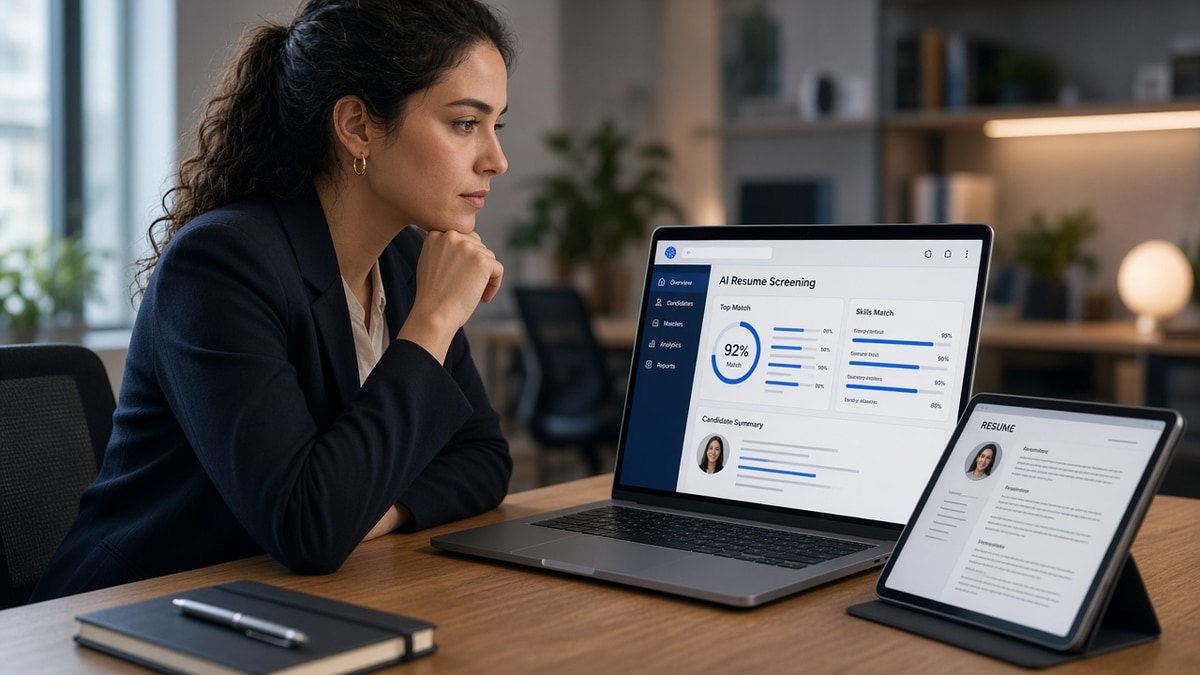
You hit apply. The confirmation email arrives. Weeks pass and no recruiter ever opens your file in Lever. You're not imagining it. Something read your resume before a human did, and that read didn't surface your row. The AI recruiter talent pipeline isn't a future HR trend for you. It's the import step, keyword pass, and queue sort that runs while you're still closing the browser tab.
Before you blame the market, check your resume for free and paste plain text into Notepad. You'll see whether your current title, dates, and must-have terms survived the same kind of read Greenhouse runs before I ever get a notification.
This page isn't for talent acquisition leaders building sourcing strategy. It's for applicants who need to know what automated screening actually extracts from their PDF, why qualified files vanish, and which fixes put you back in the queue a human recruiter can open.
We'll walk the symptom you feel, three causes that drop files in automated screening, how to tell which one is yours, and the fix for each without guessing what Workday does behind the curtain.
Quick Wins
- Paste your resume into Notepad and confirm title plus dates read in order.
- Move must-have terms from Skills-only rows into Month Year bullets.
- Score your file against the posting before you upload the portal copy.
- Submit the same export you tested, not a swapped designed PDF.
The symptom: qualified on paper, missing from the queue
You match the posting. Your years fit. You still never get a screen. The symptom feels personal. Often it's mechanical. Automated screening imported a broken version of your file, scored keywords in the wrong fields, and never placed your row where a recruiter's default sort looks.
Humans enter after the file is text. I've opened thousands of rows in Lever and Greenhouse after import runs, and I see what the system extracted: title, employer, dates, skills strings, knockout answers. If your current role imported as blank because it sat in a sidebar, you may never appear in the list I search. The AI recruiter talent pipeline, from your side, is that extraction plus keyword overlap, not a robot conducting your interview.
Job seekers hear AI recruiter and picture a chatbot rejecting them for vibes. Most corporate reqs still run simpler: parse, match, rank, queue. Your move is making the parse honest and putting proof where match algorithms and recruiters both look.
Edge case one: you applied mobile and the portal autofill mangled your title field. Preview showed empty. Fix in desktop upload with a flat DOCX before you assume the req is dead.
Edge case two: internal referral with the same broken PDF. Referrals can bump visibility after the file parses. They rarely fix a title field the import left blank. Send your referrer a parse-clean version.
When you need the full map of which fields recruiters search after screening, read how recruiters interpret job titles next. Title strings are often the first filter after import.
AI recruiter talent pipeline: three drops and how to fix yours
Automated screening usually fails files for one of three reasons: layout the parser couldn't read, keywords without dated proof, or knockout gates you tripped before resume text mattered. Here's how to tell which is yours and what to change.
Cause 1: Parser never got a clean read of your layout
Symptom: portal preview shows wrong employer order, missing dates, or contact info trapped below Skills. Automated screening scored a scrambled file, not the resume you designed.
Before: marketing coordinator resume with title in a text box beside a logo; Greenhouse preview lists Skills first and leaves Title blank.
After: single-column DOCX with Marketing Coordinator on its own line above employer name, Month Year dates inline, plain email and phone at top. Notepad paste matches visual order.
Fix: flatten columns, kill text boxes, export DOCX, run Notepad test. Re-upload once with the corrected file. This is the best first pass for instant silence after apply.
Cause 2: Keywords scored in Skills but Experience stayed generic
Symptom: you pass a keyword checker while bullet one still reads responsible for daily tasks. Match tools green-light Skills. Recruiter search inside Experience finds nothing dated. Automated rank stays low even when you're qualified.
Before: data analyst resume with SQL and Python only in a skills cloud; Experience bullets say supported reporting activities.
After: Built 12 Tableau dashboards in SQL and Python for finance ops; cut manual reporting 9 hours per week across 4 teams in Q1 2025. Skills echoes SQL and Python after the bullet exists.
Fix: move three posting must-haves into bullet one or two under the employer where you used them. Re-score against the job description. Skills supports bullets. It does not replace them for screening or for my ctrl-f.
Cause 3: Knockout gates before your resume text ran
Symptom: rejection email in minutes. No portal preview ever looked wrong. Work authorization, salary expectation, location radius, or required certification questions can end the run before keyword match matters.
Before: nurse applicant selects no to a license question that used the employer's state abbreviation differently from their compact license.
After: re-read knockout text, answer with the license you hold, attach clarification in the optional field when the form allows, upload parse-clean resume in the same session.
Fix: slow down on page one of the application. Knockout honesty matters. Do not claim credentials you lack to beat a filter. Do read each question literally before you blame the resume.
How to tell which cause is yours
Instant auto-reply with no preview access points to knockouts. Preview blank or scrambled points to layout. Preview clean but weeks of silence with a strong posting match points to Skills-only keywords or title mismatch. Run Notepad paste first, then match score, then re-read knockout answers.
Fix for cause 1: make the import boring
Order: name, contact lines, Summary optional, Experience with Title above Employer on each block, Skills, Education. No tables between title and employer. No icons. 11pt Calibri or Arial. PDF only if Word export pastes cleanly.
Copy-paste parse check block: paste full resume into Notepad. If current job title appears above current employer and dates read Month Year in order, layout is probably safe for the AI recruiter talent pipeline import. If not, fix before you apply again.
Fix for cause 2: proof in dated lines
Highlight three must-haves from the posting. Rewrite bullet one under your current role with verb, tool, and one metric. Run Score your job match with the full description pasted. Gap list should shrink in Experience, not only in Skills.
Edge case: career changer with old-industry title. Translate headline to target function with official title in parentheses. Prove pivot in bullet one with tools from the new field.
Fix for cause 3: knockout audit
Screenshot knockout pages when allowed. Note questions that ended past attempts. Salary band too low auto-filters. Location no when the req said hybrid within radius auto-filters. Fix answers when truthful, not resume keywords.
Edge case: req closed but portal still accepts. You get silence because the req ID is frozen. Check posting date and apply to the live listing tied to the same team.
What automated screening does not do
It does not browse your portfolio site unless the form has a URL field and the matcher indexes it. It does not infer soft skills from design fonts. It does not replace a human for final hires on most corporate reqs. Your file still needs to survive import so a human can argue for you in the next round.
Read why your resume scores high but you still get rejected when parsing is clean but screening rank still lags. High keyword scores with weak bullets is the same failure mode from the applicant side.
Where applicant files still fail automated screening
Uploading a different file than you tested. You parsed DOCX and submitted last week's Canva PDF. Fix: one export, one file name, one final parse check on the upload copy.
Chasing keyword percentage before bullet one changes. Synonyms in Skills raise scores while Experience stays generic. Fix: rewrite bullet one, then re-score.
Hidden text or white-font tricks. Integrity flags hurt more than they help. Fix: one honest mirror of posting language in a dated bullet.
Ignoring portal preview. Many systems show imported fields before submit. Fix: scroll preview, confirm title and dates, correct upload if scrambled.
Applying cold to knockouts you cannot clear. Req demands on-site relocation you won't take. Fix: pass and spend the slot on reqs you can answer truthfully.
Assuming referral bypasses parse. Referrals help visibility after import. They do not fix blank title fields. Fix layout, then ask your contact to flag the clean row.
Exception: small employers using email-only applications without an ATS still read attachments directly. Corporate Greenhouse and Workday reqs almost always run import first. Tailor your strategy to the channel listed on the posting.
Preview what the portal will read
Paste the posting and your resume into Score your job match before you upload. Treat the gap list as a preview of what automated matching may weight low. Experience gaps matter more than Skills-only greens.
When layout is your suspected drop, run HireFlow's free ATS resume checker on the same DOCX or PDF you'll attach. Confirm title, employer, and dates import in reading order. That pass approximates what the AI recruiter talent pipeline sees before I open your row in Lever.
Do this now: Notepad paste, knockout audit, bullet one rewrite, match score, upload the scored file once without swapping exports.
What to check tonight
The AI recruiter talent pipeline, from your side, is import, match, and queue. You won't control every algorithm. You can control whether title, dates, and must-have proof survive the read that happens before a human opens Greenhouse or Lever.
- Paste into Notepad and fix layout if order scrambles.
- Rewrite bullet one with posting terms and one metric.
- Audit knockout answers before you blame the resume.
- Upload the same file you scored, once, with a locked file name.
Open the req you care about. Run a free ATS check , confirm your row would parse clean, and apply with a file a recruiter can actually search.
When the form asks for a cover note, use the free cover letter generator with the same posting. Name the proof from bullet one so the letter matches what automated screening and the recruiter both read next.
This won't fix applying to roles where you lack a hard knockout requirement. It stops qualified applicants from vanishing because the parser never read the version of you that bullet one was supposed to show.
Read more
Frequently asked questions
On most corporate reqs, yes. The portal imports your file, extracts text fields, and runs keyword and field matching before your row lands in a recruiter's queue. If the import drops your current title or buries must-have terms in a sidebar, you may never surface in the list a human opens in Lever or Greenhouse. Fix layout and proof placement first. No amount of networking bypasses a file the parser could not read.
It scores what it can extract: job titles, employer names, Month Year dates, skills strings, and keyword overlap with the posting. It does not watch your portfolio video or infer skills from a pretty icon row. Terms stuck in headers, tables, or image-only PDFs often score zero even when a human would say you're qualified. Your job is to put must-have proof in plain body text under dated employer lines.
No. Hidden text and synonym dumps flag integrity checks and waste your edit time. Mirror posting language once in a dated bullet where you did the work, then echo in Skills. Recruiters ctrl-f the same strings after the filter passes. Stuffing raises risk without raising proof.
Instant silence often means knockout questions, location mismatch, or a file that failed import, not a personal rejection. Check the portal preview if it shows one. Paste your resume into Notepad and confirm title and dates imported in order. If the preview is blank or scrambled, automated screening never got a fair read of your experience.
Many systems dedupe on email and keep the first file. Fix the resume, then apply through the official channel once with the corrected export. If the portal blocks a second submit, use the employer's stated reapply window or a different req ID for the same team when listed. Do not spam ten uploads of the same broken PDF.