11 min read
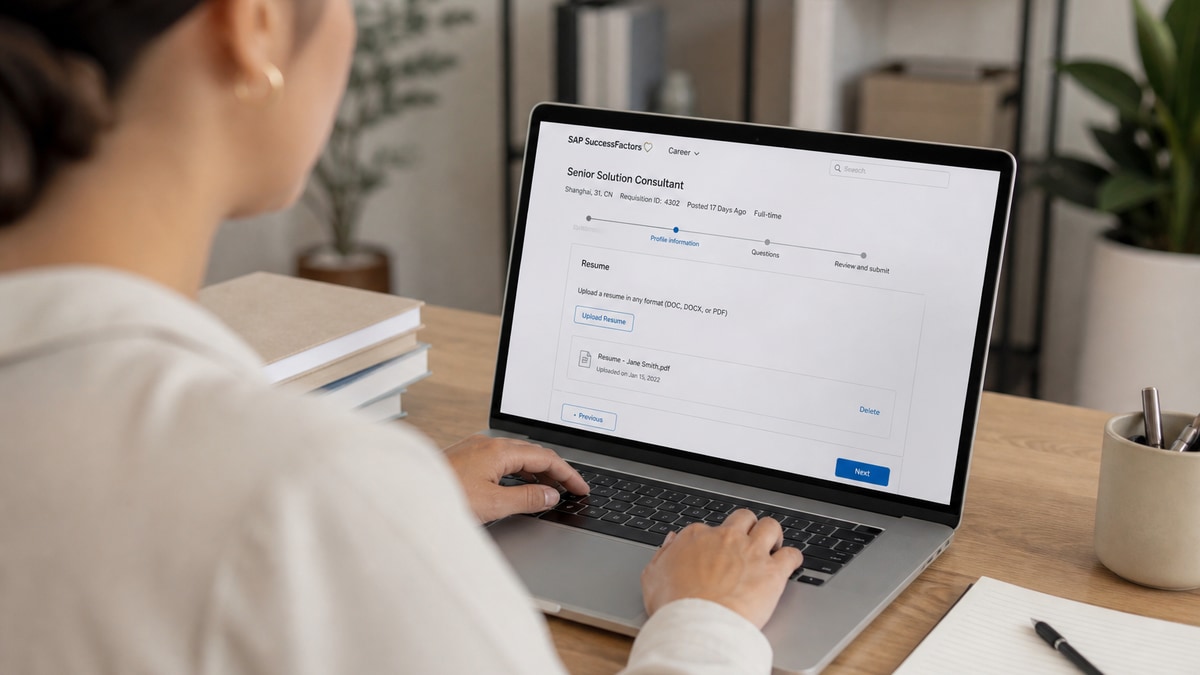
You clicked Submit on a Fortune 500 req and SuccessFactors threw an error, or it accepted the file and your profile preview looks empty. You're not imagining it. SAP SuccessFactors handles a huge share of US enterprise hiring, and upload failures usually fall into three buckets you can test in ten minutes.
Check your resume for free against the posting before you fight the portal again. Most SuccessFactors resume upload issues aren't about your experience. They're about file type, parser order, or a preview screen nobody told you to read.
Below you'll match your symptom to a cause, run the fix for that cause only, and re-upload once. Job searching through enterprise portals is slow enough without sending the same scrambled PDF five times. If you've already tried three browsers and two file names, stop and read the preview section before you touch keywords.
Quick Wins
- Rename the file First_Last_Resume.docx with no spaces or symbols.
- Paste your PDF into Notepad and confirm employers read in order.
- Open the parsed profile preview before you hit final Submit.
The symptom: upload fails or your profile looks wrong
SuccessFactors resume upload issues show up in two loud ways. Either the attachment never sticks and you get a red error, or the upload succeeds and the preview strips your phone number, shuffles employers, or drops half your bullets.
What that feels like: you qualify for the role, spend forty minutes on answers, and still walk away unsure whether a recruiter will ever see your work history. That's exhausting, and it's usually mechanical.
A composite supply-chain analyst still uploads a two-column Canva PDF. SuccessFactors accepts it. The preview shows skills where experience should be and leaves dates blank. The candidate assumes the ATS hated their keywords. The parser never read the keywords in the right order.
Another pattern: instant rejection on file type or size before any preview appears. That is almost never about your job titles. It's the container, not the content.
The sections below split those patterns into three causes. Fix the one that matches your screen. Don't rebuild your whole resume because a sidebar broke the import.
Three causes behind SuccessFactors resume upload issues
Cause 1: The portal rejects the file before parsing
Some employers cap file size, block certain extensions, or fail on special characters in the filename. Password-protected PDFs and scanned image files often die here even when they look fine on your screen.
How to tell it's you: the error appears immediately on Choose File or Submit, with no profile preview. You never see parsed employers or a skills list pulled from the document.
Before: Resume_Final (2).pdf saved from a design app, 6.2 MB with embedded logos.
After: Jordan_Lee_Resume.docx exported from Word, under 2 MB, text-selectable, no password.
Fix: export DOCX from Word when the posting allows it. Strip images and compress if you're over the limit. Rename without parentheses, spaces, or ampersands. Try desktop Chrome with extensions off before you blame the resume content.
Cause 2: Upload works but the parser scrambles layout
SuccessFactors, like Workday and iCIMS imports, reads top to bottom in one column. Tables, text boxes, sidebars, and icon bullets reorder your history. Job titles land under the wrong employer. Dates vanish. Recruiters see gaps you never had.
How to tell it's you: the preview shows jumbled employers, blank contact fields, or skills duplicated above experience. Pasting the same PDF into Notepad produces a word salad.
Before: two-column template with dates in a left sidebar and titles in the body.
After: single-column DOCX, 11-point Calibri, Month Year dates on the same line as each title, contact block in the body not a header/footer.
Fix: rebuild in a plain template, re-upload once, and read the parsed preview line by line. Read how resume file type impacts screening when you're choosing between PDF and DOCX for the same employer stack.
Cause 3: Profile auto-fill overwrites or drops sections
SuccessFactors often merges resume parse data with fields you already filled on a master profile. A stale profile phone number can replace the one on your new file. Old job entries can duplicate. Required custom questions sometimes clear when you re-attach a resume mid-application.
How to tell it's you: the preview looked fine yesterday on a different req, but today's application shows blank work history or the wrong email after you uploaded a fresh file.
Before: upload new resume and click through without scrolling the full profile.
After: scroll every parsed section, delete duplicate employers, re-enter contact info in body fields, then save before final Submit.
Fix: treat the profile preview as part of the application, not a courtesy screen. Update your SuccessFactors profile once with a parser-safe master file, then spot-check each new req. See why your resume looks different after upload for the same preview behavior on sibling enterprise portals.
Copy-paste filename and contact block
Filename: First_Last_Resume.docx
Contact block (body, top of page):
Full Name · City, ST · phone · email · LinkedIn URL (plain text, one line or stacked lines, no text boxes)
Example: Morgan Reyes · Dallas, TX · 214-555-0142 · [email protected] · linkedin.com/in/morganreyes
Edge case: posting requires PDF only
Export a text-based PDF from Word, not from a design tool. Open it, select all text, copy to Notepad. If Notepad shows readable employers in order, the PDF is safe. If not, rebuild single-column in Word and export again.
Edge case: military or federal-style multi-page resume
Long files sometimes hit size limits or truncate in preview. Split optional detail into a second document only if the posting allows attachments. Keep page one as a one-column summary with contact, title, and recent role bullets parsers must read first.
Edge case: returning applicant with an old SuccessFactors profile
Candidates who applied years ago often still have a master profile with outdated titles. A new upload merges into that record and can duplicate employers. Open Career Opportunities settings when the site allows, delete stale entries, then upload the parser-safe file fresh. If you can't edit old roles, overwrite fields manually in the application before Submit.
How to tell which cause is yours in five minutes
Run this triage before you rebuild anything. If Choose File fails instantly, you're in Cause 1: rename, shrink, switch to DOCX. If upload succeeds but Notepad paste is scrambled, you're in Cause 2: single-column rebuild. If Notepad looks fine but the profile preview drops phone or duplicates jobs, you're in Cause 3: manual profile cleanup.
Before: tweak keywords on a two-column PDF that never parsed correctly.
After: fix layout first, confirm preview, then adjust bullet one for the posting's top skill phrase.
Title line before/after for operations roles
Before: Operations Coordinator with strong organizational skills (inside a text box header).
After: Operations Coordinator · Dallas, TX · 2021 to Present · Cut inbound dock delays 14% by rebuilding ASN checks in WMS and Excel trackers.
Start with the cause that matches your screen. File rejection fixes are rename and re-export. Scrambled preview fixes are layout. Profile overwrite fixes are manual review before Submit. Don't stack all three tonight if one symptom is obvious.
Where SuccessFactors files still break
Uploading the same broken file repeatedly. Three identical uploads train you to think the portal is random. Change format or layout once, then try again.
Trusting the green checkmark without reading preview. SuccessFactors can mark the step complete while parsed experience is empty. Scroll the profile every time.
Contact info in headers, footers, or columns. Parsers often skip those regions. Put phone and email in the main body under your name.
Icon and emoji bullets. They look modern in PDF and garble in parse view. Use standard round bullets or hyphens only.
Applying on mobile with a large attachment. Mobile uploads fail more often on slow connections. Finish enterprise applications on desktop when possible.
Ignoring employer-specific instructions. Some reqs ask for PDF only, salary history in a separate field, or no cover letter upload. Missing those fields can block submit even when the resume parsed fine.
Assuming SAP means different rules every time. SuccessFactors configs vary by employer, but parser behavior rhymes: one column, plain bullets, body contact. Fancy layouts fail across tenants the same way.
Waiting for a confirmation email to prove the resume attached. Some tenants send application receipts without listing attachment status. The parsed preview inside the portal is the proof recruiters see downstream.
Run the check before your next SuccessFactors upload
Paste the posting and your file into a checker before you open the career site. You're confirming must-have skills appear inside Experience, contact lines sit in the body, and the export survives a Notepad paste test.
When match scores stay low after layout fixes, score your job match on the same single-column file and rewrite bullet one to mirror the top three req phrases.
Optional cover letter fields on SuccessFactors reqs are easy to skip when you're tired. A short tailored paragraph still helps humans after auto-screening. Use the cover letter generator with the posting pasted in, then edit in one metric from bullet one.
Pick one fix tonight
SuccessFactors resume upload issues come down to rejection before parse, scrambled layout after parse, or a profile preview you didn't audit. Your experience can be strong and still disappear when the file container breaks the import.
Open the req you care about most. If upload fails instantly, rename and re-export DOCX. If preview scrambles employers, rebuild single-column and paste into Notepad first. If profile fields look wrong, scroll and fix them before final Submit.
This won't land roles you're not qualified for. It stops qualified files from dying on a portal step recruiters assume you passed.
I've screened enterprise batches where the parsed preview showed blank email lines while the PDF looked perfect on attachment view. One layout fix beat a week of keyword tweaks. Run a free check after each rewrite so you're not guessing which cause you cleared.
Read more
Frequently asked questions
The portal often blocks files over the size limit, unsupported extensions, or names with special characters. Scanned image PDFs and password-protected documents fail before parsing starts. Rename to First_Last_Resume.docx, keep the file under the posted limit, and export a text-selectable DOCX from Word instead of a design-tool PDF.
DOCX usually parses more reliably when the employer allows both. Text-based PDFs work when the posting requires PDF only. Image-only PDFs from Canva or scanned copies fail even when the upload button accepts them. Paste your export into Notepad before you submit. If job titles disappear, switch format and rebuild single-column.
After upload, open the application profile or parsed preview when the portal shows it. Contact info, employers, and dates should appear in order. If phone or email is blank, or skills landed above experience, the parser misread your layout. Fix the file and re-upload once instead of submitting the same broken version three times.
Yes. Cached sessions, aggressive ad blockers, and outdated browsers sometimes stall uploads or drop attachments on the last click. Try a fresh Chrome or Firefox window, disable extensions for that tab, or switch from mobile to desktop. If the error repeats on two browsers, the file format is the more likely culprit.
Email the recruiter with a plain DOCX attached and note the portal error in one sentence. Many US teams can attach your file manually when the candidate already meets the req. Do not send ten follow-ups. One polite note with a parser-safe attachment beats repeated failed uploads that never reach a human.