11 min read
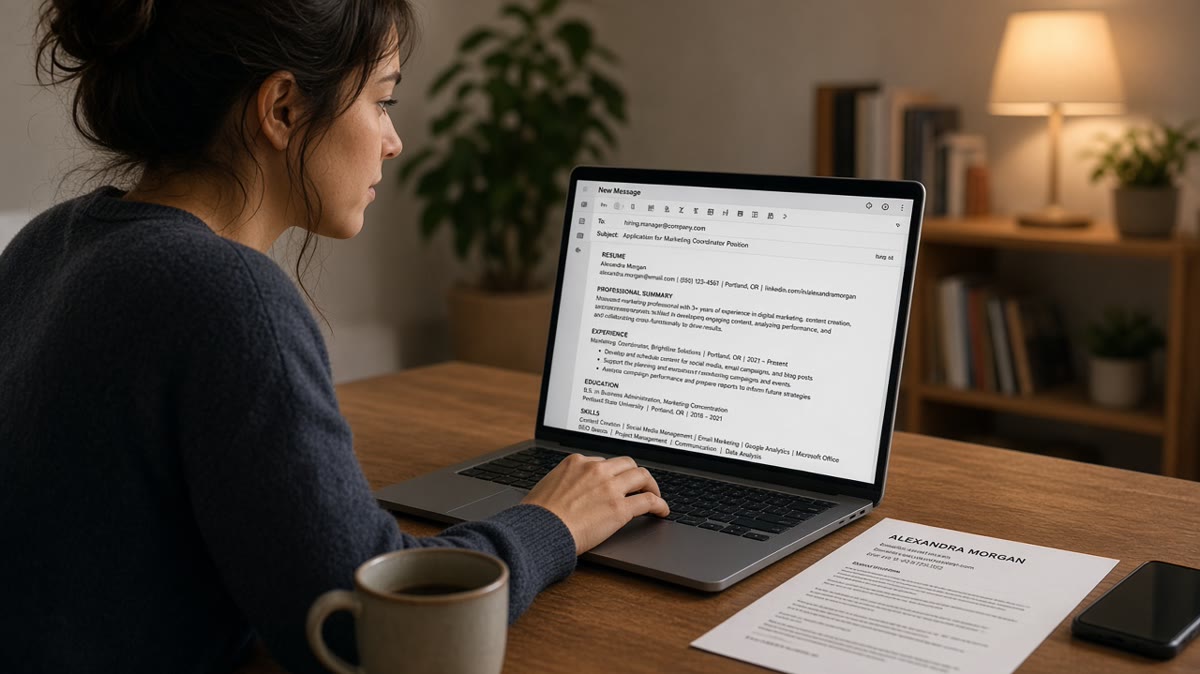
Attach a PDF when the posting allows it. Paste plain text only when the employer asked for email-only applications, a portal box says paste resume here, or you're sending a short note to a named contact with the file attached. That's the answer. Pasting the full resume into the email body is rarely the move for corporate roles that import into Workday or Greenhouse.
You're not being picky about etiquette. You're trying to keep your file readable after it leaves your outbox. Before you reformat anything, check your resume for free against the posting you're targeting. You're confirming the PDF still parses, not guessing whether email paste is prettier.
Job searching while you're employed is draining enough. Email format shouldn't be why a strong background gets skimmed past. Most teams route applications through an ATS upload, and a wall of pasted bullets in the message doesn't replace that file.
Below you'll see when to paste resume in email body text, when attachment wins, how to format plain text that survives forwarding, and the mistakes that make recruiters delete before they open the PDF. When you're drafting the note around the file, generate a cover letter that matches the same employer names and dates as your resume so nothing contradicts on upload.
Quick Wins
- Default: PDF attached, three-sentence body, professional file name.
- Paste plain text only when the posting or portal field requires it.
- Strip tables and columns before any paste into email or ATS boxes.
- Match employer names and dates between the note and the attachment.
When email body beats attachment (and when it doesn't)
Corporate recruiters live inside ATS imports. The email is the envelope. The PDF is the document that gets parsed, searched, and shared with the hiring manager.
Paste resume in email body when the instructions leave you no upload path. Some small employers, university offices, and founder-led teams still ask you to reply to an inbox with no portal link. Some government forms include a plain-text field with no file slot. Some referral threads start with "send me your background in email."
In those cases, a clean plain-text block helps the reader scan on mobile without downloading. You're not trying to impress with design. You're trying to make name, title, and last employer visible in the first screen.
Attachment wins when any of these are true: the posting links to Greenhouse, Lever, Workday, iCIMS, or Taleo; the employer says attach PDF or Word; you're applying to a company with more than about fifty employees; or the role lists compliance steps that mention document upload.
Hybrid is the silent default when instructions are vague. Write a short tailored note in the body. Attach one PDF. Do not paste ten inches of bullets underneath unless they asked for it. Recruiters forward the attachment to the ATS. They rarely retype pasted bullets into employer fields.
For file-type choices that affect parsing after upload, read PDF resume vs DOCX resume for ATS . Pick the format first. Then decide how much text belongs in the email itself.
Cold email to a hiring manager is not the same as an official application. A three-line note plus PDF often beats a pasted resume because the manager can forward the file to HR. Pasting the whole resume into the body makes forwarding messy and looks like you skipped the attachment on purpose.
Referral intros sit in the middle. When a employee says "email me your resume and I'll pass it along," attach the PDF and paste four to six lines of plain text so the referrer can paste into their internal form without opening your file on a phone.
Format and send without breaking the file
Treat email submission like a mini upload test. You're producing two artifacts: a readable note and a parser-safe file. Only merge them into one wall of text when you must.
Step 1: Read the instruction line twice
Look for verbs: attach, upload, apply via link, email only, paste into field. If two channels exist, follow the portal first. Email is backup, not a second application unless they asked for both.
Before: Posting says "Apply through our careers page" but you email a pasted resume because it feels faster.
After: You complete the portal upload, then send a one-line email to the referrer: "Submitted through Greenhouse today, attached PDF for your notes."
Step 2: Build a plain-text version before you paste
Copy your resume into Notepad or TextEdit. If employer names detach from dates, your Word layout is still too fancy for paste scenarios.
Before: Pasted from Word with double spacing, random bullets, and a skills table that becomes gibberish.
After: Northline Health, Boston MA. Registered Nurse | January 2022 to Present. Three bullets with hyphens. Education on its own lines with graduation year only.
Spell months out. Keep one employer block together. Use ALL CAPS or bold only if plain text still shows structure without formatting codes.
Step 3: Write the body like a cover note, not a second resume
Open with the role title and where you saw it. Add one proof line that mirrors a must-have from the posting. Close with availability or a simple ask. Signature holds phone and LinkedIn URL typed plainly.
Before: Subject: Resume. Body: entire two-page work history pasted below "see below."
After: Subject: Operations Analyst application, Jordan Lee. Body: three sentences on ERP rollout experience, PDF attached, happy to clarify timeline on a call.
Step 4: Name the attachment like a professional
FirstnameLastname_Resume.pdf beats Resume_final_v7.pdf. Recruiters search inboxes by surname. Version numbers signal chaos before they open the file.
Send one attachment unless they asked for separate documents. Portfolio links belong in the signature as full URLs, not buried inside pasted text that breaks across lines.
Copy-paste block: hybrid email when instructions are silent
{`Subject: [Exact Job Title] application, [Your Name]

Hi [Name],

I'm applying for the [Job Title] role posted on [where you found it]. At [Current Employer], I [one result tied to a posting requirement].

My resume is attached as [FirstnameLastname_Resume.pdf]. I'm available [days or time window] if a short call helps.

Thank you,
[Name] | [phone] | [email] | [LinkedIn URL]`}
Edge case: mobile Gmail sometimes strips indentation on pasted resumes. Send yourself a test message and open it on your phone before you email a director at 11 p.m.
Edge case: internal transfers often need both HR portal upload and a manager email. Paste a short summary for the manager, attach the same PDF you uploaded, and mention the requisition number in the first sentence.
For layout issues that survive email and break ATS, see how resume file type impacts screening . Fix the PDF first, then decide how much to paste.
When a posting says cover letter optional, a short email body can carry that weight. Read when not to submit a cover letter so you don't attach a redundant letter and a pasted resume that repeat the same bullets.
Where pasted resumes fall apart in screening
Most failures aren't about politeness. They're about structure that disappears when the message gets forwarded, printed, or copied into an ATS text box.
Pasting instead of uploading when a portal exists. The recruiter marks the email as received while your official application row stays empty. You look less interested than candidates who followed the link.
Using the email body as the only copy. No attachment means no searchable PDF in the req folder later. When the hiring manager asks "send me everyone again," your pasted text may not travel with the batch export.
Tables, columns, and icons in pasted text. They render as scrambled characters in many clients. Skills end up on the same line as dates. Phone numbers split across rows.
Before: Two-column resume pasted from PDF; left column jobs, right column dates, unreadable on forward.
After: Single-column plain text with employer, title, and Month Year on consecutive lines; PDF attached for the official record.
Keyword stuffing in the email body. Repeating every tool from the posting in the message without proof lines reads like spam filters, not like tailoring. Put keywords in bullets inside the PDF where they sit next to outcomes.
Wrong file type as attachment. A Pages export or a scanned image pasted as text won't parse. Export DOCX or PDF from a single-column source before you write the email.
Edge case: reply-all accidents expose salary notes or internal comments when your pasted resume sits above a long thread. Start a fresh message for applications when you can.
Edge case: international applicants emailing US recruiters should keep US date format in both paste and PDF. January 2024 reads cleaner than 04/01/2024 when the reader assumes month-first.
Edge case: staffing agency inboxes sometimes auto-parse email bodies into their CRM. If bullets arrive as one paragraph, add blank lines between roles and spell section headers on their own lines.
This won't fix applying to roles where your background is a stretch. It stops a qualified PDF from getting ignored because the inbox version looked broken.
I've screened email applications where the candidate pasted a full resume but attached a cover letter only. The ATS row had no work history until someone manually opened the wrong file.
Long email signatures with legal disclaimers push your contact lines below the fold on mobile. Keep the signature tight on application messages so your name and phone still show without scrolling past compliance text.
Tracking pixels and fancy HTML templates can trip corporate filters. Plain text or simple HTML with one attachment usually delivers more reliably than marketing-style layouts when you're applying to enterprise inboxes.
When you're reapplying to the same company six months later, reference the prior req number in the body instead of pasting the old email thread. Fresh subject line, fresh PDF, one sentence on what changed since last time.
Verify the file before the email leaves your inbox
Upload the same PDF you're about to attach to HireFlow's free ATS resume checker . Confirm employer rows, dates, and skills still parse after export. Email paste can't rescue a PDF that already fails import.
Draft the short body note with the cover letter generator when you want matching language between the message and the attachment without writing two versions from scratch.
Do this now: Export one PDF, run the checker, send yourself a test email with the attachment, open it on your phone, then send to the employer.
What to do now
Default to attach plus a short note. Paste resume in email body only when the employer removed every upload path or labeled a field for plain text. Corporate reqs still want the PDF in the system of record.
- Read the posting for attach, upload, or email-only language.
- Export a single-column PDF with a clean file name.
- Build a plain-text backup copy in Notepad before you paste anywhere.
- Send yourself a test message and open it on mobile.
- Submit through the portal when a link exists, then email referrers with the same PDF.
Open the role you're targeting. Run a free ATS check , fix parsing on the attachment, and keep the email body short enough that a recruiter sees your proof line without scrolling.
Read more
Frequently asked questions
Attach a single-column PDF when the posting allows uploads. Paste plain text only when the employer asks for email-only applications, when a portal field says paste resume here, or when you're sending a three-line intro to a named contact and attaching the file. Do both when instructions are silent: short note in the body, PDF attached.
A full resume pasted into an email body often loses section order and bullet structure. Most corporate ATS imports from uploaded files, not from email text. If you must paste, use plain text with spelled-out section headers and one role per block. Run a plain-text copy test in Notepad before you send.
Write two or three sentences in the body, attach a PDF named FirstnameLastname_Resume.pdf, and keep the pasted text to contact lines plus a role summary. Do not paste two pages of bullets unless they explicitly asked for the resume in the message. Recruiters forward attachments to Workday more reliably than they copy from email text.
Some application forms include a paste your resume here box. That field is not the same as an email body. Paste a plain-text version with employer names on their own lines and Month Year dates. Upload the PDF in the file slot when both exist. The preview timeline is what matters, not how clean the email looked.
Three to six sentences: role you're targeting, one proof line tied to the posting, and a clear ask. Put contact info in the signature, not repeated inside a pasted resume block. If you're replying to a recruiter thread, match their tone and keep the body shorter than your first outreach.