11 min read
You've run the checker. The score looks fine. You upload to Workday anyway and the preview shows your certification where your job title should be. That's not bad luck. It's a resume tester that measured keywords on a file the parser didn't read in the right order.
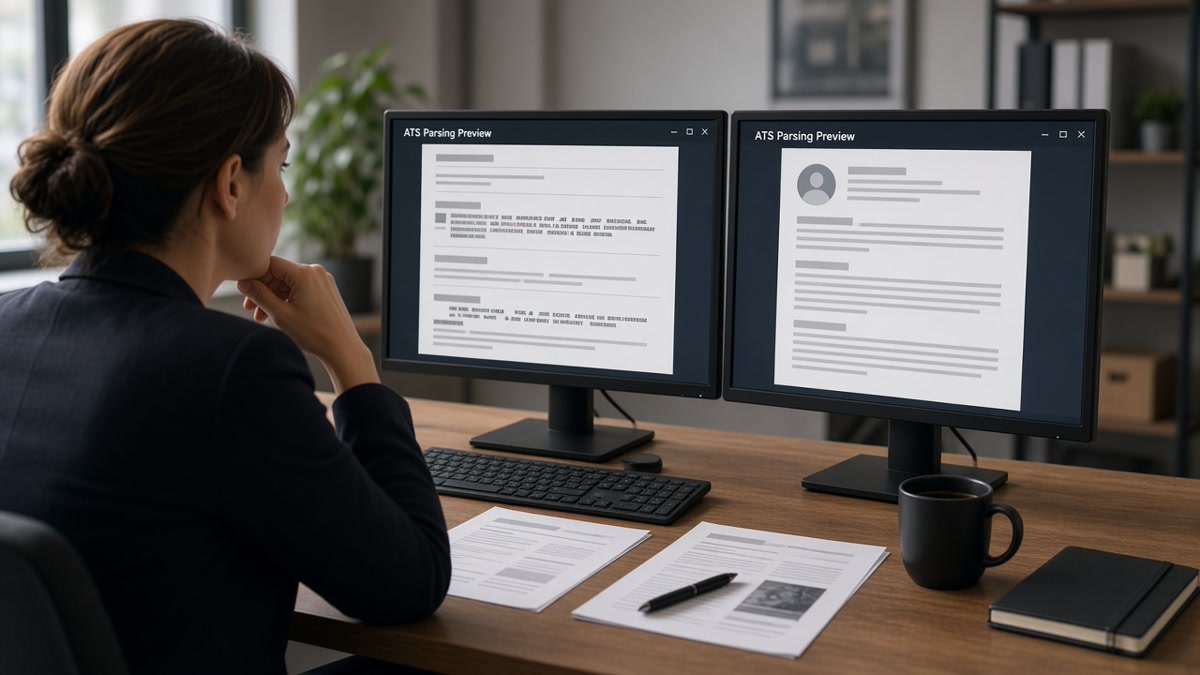
Simulating real-world ATS environments means testing what corporate portals actually do: strip formatting, reorder columns, and map text into fixed fields before anyone searches your name. Most candidates stop at keyword density. Recruiters don't see that number. They see whether your current title landed in the Title row.
Before you tailor another bullet, check your resume for free against the posting you're targeting and confirm parse order, not just word overlap. Ten minutes there tells you if the file you're about to upload can survive Greenhouse or Workday on Monday morning.
This page walks the symptom you feel, three causes that break ATS simulation, how to tell which one's yours, and the fix for each without chasing a fake perfect score.
Quick Wins
- Paste your PDF into Notepad before any keyword pass.
- Match portal preview field order to your plain export.
- Put the posting's top skill in bullet one after layout passes.
The symptom: green score, broken preview
You optimized for keywords. The resume tester reported a strong match. Then the employer portal imported your sidebar skills as your latest employer and left the Title field blank. You feel gaslit. The symptom is not that ATS is random. It's that your simulation tested vocabulary on a layout the parser scrambled.
Real-world ATS environments read text order, not design intent. Workday, Greenhouse, Lever, Taleo, and iCIMS each map plain text into fixed rows: Title, Company, Dates, Location. Two-column Canva templates, icon headers, and text boxes often survive on screen and die on import. I've opened thousands of parsed profiles in Greenhouse; when Title is empty, I don't run a keyword search on that file. I move to the next row.
Job searching is exhausting enough without a false pass signal. A useful resume tester should warn you when your file looks readable to you but unreadable to the import engine. If your only test is a percentage beside a job description, you're simulating a quiz, not an upload.
The gap shows up most on mobile uploads and on portals that re-parse when you change file type mid-application. You attach a PDF, see a warning, switch to DOCX, and never re-check the preview. The second file parses differently. Silence after submit often starts there.
Career changers feel this twice. Keywords from the new field sit in a summary paragraph while the parser still labels the profile with an old-industry title from a sidebar. Recruiters filter on title strings first. Your simulation never tested that filter.
Resume tester checks: three causes when simulation still fails
Cause 1: Column layout scrambles parse order
Symptom: paste test shows contact block, then skills, then experience from 2019, then your current role at the bottom. The ATS thinks your latest job is three years old.
Before: marketing resume with a left sidebar for skills and a right column for roles; Notepad output lists HubSpot and Google Analytics before the line that says Senior Marketing Manager at Acme Corp.
After: single-column PDF with line order Title, Employer, Month Year to Month Year, then bullets; paste test shows current manager role first.
Fix: rebuild in Word or Google Docs with one column. Run paste test until current title appears before older roles. Only then run keyword comparison against the posting.
Cause 2: Field labels never reach the parser
Symptom: portal preview shows employer name in the Title slot or dates attached to a certificate line. Recruiters search blank or wrong strings.
Before: nurse resume with Registered Nurse inside a colored text box; Workday imports the box under Certifications and leaves Title empty.
After: plain line "Registered Nurse, Med-Surg | Regional Medical Center | March 2022 to Present" with bullet "Documented care in Epic on 32-bed unit; precepted four orientees on fall-prevention workflows."
Fix: put each role on predictable lines the parser expects. No icons, no tables, no graphics where text should be. Confirm Title and Company appear as separate values in the portal preview.
Cause 3: Keyword pass on the wrong text layer
Symptom: checker says you match the posting, but the words live in a header, footer, or image the ATS never indexes.
Before: project manager resume lists "Stakeholder management" inside a banner graphic; keyword scan counts it; parsed Experience rows never contain the phrase.
After: bullet under current role reads "Ran weekly stakeholder reviews for $2.1M SaaS rollout; cut scope creep tickets 18% in Q2."
Fix: move must-have terms into dated Experience bullets and a short Skills line. Search the pasted plain text for each posting keyword. If Ctrl+F fails on paste, the ATS won't score it where recruiters look.
How to tell which cause is yours
Step one is always paste test. Scrambled order means Cause 1. Correct order but wrong portal fields means Cause 2. Clean fields but missing terms in Experience means Cause 3. You can hit two causes at once. Fix layout before keywords every time.
Screenshot the employer preview beside your Notepad export. Circle the first line that differs. That diff is your simulation target for the next revision, not another generic score.
Fix for Cause 1: single-column rebuild
Copy all role text into a blank Doc. Delete sidebars and tables. Set 11-point Calibri or Arial. Re-export PDF. Paste again. Current job must appear first among experience blocks.
Edge case: academic CVs with publications before experience. For US corporate ATS uploads, move the last three years of paid work above publication lists. Keep publications in a later section with a clear heading.
Fix for Cause 2: predictable role header block
Copy-paste role header block for each job:
Job Title (Official Title if different) | Employer Name | City, ST | Month Year to Month Year
Bullet one: [posting top skill] + metric + scope in the first eight words.
Repeat for every role in reverse chronological order. No extra punctuation between title and employer beyond the pipe separators if your template already parses cleanly with them.
Edge case: concurrent contract roles. List the primary income role first with full dates. Note contract work in the title line: "Data Analyst (Contract, 20 hrs/wk) | Client Name | Jan 2024 to Jun 2024."
Fix for Cause 3: keywords in parsed rows only
Highlight five must-haves from the posting. For each, ask: does paste test show it inside a dated bullet? If not, rewrite bullet one under your current job to carry the top term with proof.
Edge case: acronym-heavy reqs like SOX, HIPAA, or CISSP. Spell out once in a bullet, keep acronym in parentheses, and mirror the posting's version in Skills if space allows. When the portal asks for a short note about a title change, draft it with the cover letter generator and name the official title plus the market label on your resume.
Simulating Workday vs Greenhouse at home
You cannot run the employer's private instance. You can mimic what both systems care about: plain text order, standard section headings, month-year dates, and separate title lines. Workday uploads often show a field preview immediately. Greenhouse may show parsed rows after submit. Save preview screenshots per portal type in a folder named by company and date.
When a portal offers only PDF, test PDF. When it accepts DOCX, test both and keep the cleaner parse. Filename matters less than structure. "FirstName_LastName_Resume.pdf" is enough. Novelty filenames do not improve parsing.
Read resume parsing explained: what the ATS reads when you need the full map of which sections import before recruiters run their first search.
Before and after: operations analyst upload
Before: operations resume built in a two-column template; resume tester flags strong keyword overlap; Workday preview lists "SQL, Tableau, Python" as employer name and leaves Title blank.
After: single-column file with header "Operations Analyst | LogiTrans Inc | Austin, TX | June 2021 to Present" and bullet "Built Tableau dashboards for warehouse throughput; cut pick errors 14% across three sites in two quarters."
The after file may score slightly lower on raw keyword count and still win because recruiters can search Operations Analyst plus Tableau in the right fields.
Before and after: software engineer portal swap
Before: engineer uploads designed PDF to Lever; preview truncates dates; candidate switches to DOCX without re-checking; application stores 2018 bootcamp dates as current role.
After: plain DOCX with "Senior Software Engineer | FinApp Co | Jan 2022 to Present" on one line; paste test and preview both show the same order before final submit.
Always re-run preview after any file type change. Treat the second upload as a new simulation, not a formality.
What an honest simulation checklist looks like
Paste test passes with current role first. Portal preview shows Title and Company separately. Top posting skill appears in bullet one of the latest job. Dates use Month Year format on the same line as the role. File type matches what you tested. Screenshot saved. Only then does a keyword comparison against the posting earn your trust.
That sequence is simulating real-world ATS environments. Anything less is editing a PDF for your own eyes.
Read how hiring software supports recruiters when you want to see which parsed fields recruiters search before they open your PDF attachment.
Where resume tester runs mislead candidates
Chasing a perfect score before layout proof. Keywords on a scrambled file never reach the recruiter queue.
Testing a master resume without the target posting. Simulation needs a specific req to mirror title strings and must-have tools.
Trusting the designed PDF view. Print preview lies. Paste test and portal preview tell the truth.
Skipping mobile upload checks. Some portals re-parse on phone uploads with different compression. Test on the device you'll use if you apply from mobile.
Stuffing Skills to fix missing bullets. Long skill grids without dated proof still lose to candidates with one strong Experience row.
Ignoring the second file after a format warning. Swapping PDF for DOCX without a new preview is a common silent failure.
Assuming one pass means done. Tailor per posting, re-simulate per portal. Cached scores from last week's req do not transfer.
Read why your resume scores high but you still get rejected when parse order is clean but the human skim still fails.
Run a real simulation before the next apply
Upload your resume and posting to HireFlow's free ATS resume checker and compare keyword gaps only after your paste test shows current title first.
Use job match score to decide whether this req deserves a full layout rebuild or a lighter bullet-one tailor pass.
Simulate the upload, not just the score
A resume tester earns its keep when it catches parser order and field mapping risk before you click Submit. Keyword overlap on a two-column file is a vanity metric. Recruiters live in Title, Company, and Dates rows in Workday and Greenhouse.
Pick one live posting. Paste test your export. Fix column layout until your current role reads first. Re-upload to the portal preview and screenshot the fields. Mirror the posting's top skill in bullet one. Run the checker once layout passes.
Save both the plain paste and the preview image in a folder named with company and date. Next time you reuse the template, compare against that proof instead of trusting memory.
When silence continues after a clean parse, the gap is usually title alignment or seniority fit, not another round of keyword stuffing. Fix the map recruiters search, then decide if the req is worth more tailoring.
Track which portals break which templates. Workday-heavy employers may need plainer exports than Greenhouse-heavy shops. Build a short note per ATS family so you're not rebuilding from scratch every Sunday night.
- Paste test before keyword pass.
- Portal preview screenshot saved per apply.
- Bullet one carries the posting's top skill with proof.
Run the simulation checklist tonight, fix the cause that failed, and run the free resume check against your target req before the next upload. Simulating real-world ATS environments is boring work. It's also the work that stops qualified files from vanishing in the import step.
Read more
Frequently asked questions
No checker runs the employer's private parser. A useful resume tester compares your file to a job posting and flags parse-order risk, missing field labels, and keyword gaps. Treat it as a pre-flight, then confirm with a paste test and the portal preview after upload.
Export your resume as PDF or DOCX, paste the full text into Notepad or TextEdit, and read top to bottom. If your current job title is not the first role line, the ATS likely imported in the wrong order. That beats any keyword percentage score.
Test whichever format the portal accepts. Some Workday instances parse DOCX more cleanly; others want PDF. Run the paste test on both exports when the form allows either. Pick the file where title, employer, and dates stay on separate readable lines.
Keyword match without parse proof only means the words exist somewhere in the file. Recruiters search title plus skill plus years. If the parser buried your latest role under Skills, the match score never reaches the human queue. Fix field order before you add more keywords.