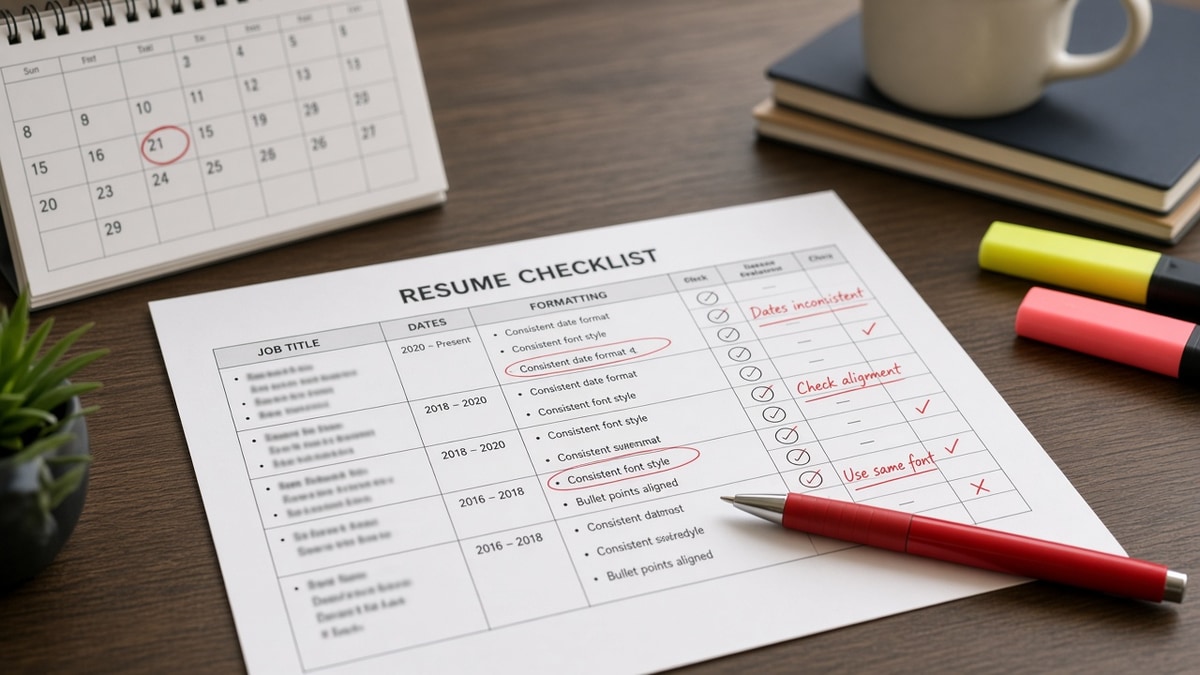
8 min read
Mismatch closes files before ATS finishes. You can pass keyword filters and still hear nothing because your resume says Product Manager while LinkedIn says Growth Lead at the same employer with different dates. A resume consistency checklist for dates, titles, and formatting catches that drift before you upload.
Check your resume for free after you align titles and dates across documents. Parse warnings and consistency failures feel the same when you're getting silence. Below you'll get three causes, how to tell which one is yours, fixes for each, before/after pairs, and a copy-paste audit block.
US corporate reviewers often open LinkedIn in the second tab while your PDF loads. They don't always announce they're comparing. They close the file when titles or date ranges don't line up.
And formatting drift from merged old templates isn't vanity. Mixed section labels and date styles sometimes break parser field mapping on Workday uploads. One template, one date format, standard headings.
You don't need identical wording on resume and LinkedIn summary. You do need the same employer names, official titles, and month-year ranges on roles from the last decade.
Application portals that pull LinkedIn sometimes overwrite your upload with older profile data. After you sync, reopen the PDF you attached and confirm titles didn't revert.
Consistency also means the same city and state format in contact blocks when you list location. Mixed St. Louis and Saint Louis MO on the same page looks sloppy on a ten-second skim.
Quick Wins
- Same official title on resume, LinkedIn, and application form.
- Month Year format on every employer line from the last ten years.
- One font size for body text. Bold employer lines only.
- Standard section labels: Experience, Skills, Education.
The symptom: strong fit, closed after one tab switch
You match the req on paper. Recruiter opens the resume, opens LinkedIn, and stops. No reply. No rejection email. Consistency failure, not always keyword gap.
What a consistent file shows on cross-check: same employer spelling, same title string for overlapping roles, month-year dates that align within one month, and formatting that doesn't change mid-page after a paste from an old version.
Resume consistency checklist dates titles formatting work starts with three causes. Most files fail cause one before they hit cause three.
I've screened stacks where the resume headline said Senior Analyst and LinkedIn said Data Strategist for the same 2023 employer with end dates off by four months. Qualified scope. Manual pass stopped there.
Read how recruiters interpret job titles when you're choosing between official and functional title strings.
Cause 2 and cause 3 overlap when an old template uses year-only dates on page two while page one uses Month Year. Standardize the whole file, not just recent roles.
Headline consistency matters too. If the req asks for Program Manager and your resume headline says Project Coordinator while LinkedIn says Program Lead, fix all three to Program Manager within one seniority level of the posting.
Resume consistency checklist dates titles formatting: three causes
Work through causes in order. Fix title drift before you tweak bullet verbs.
Cause 1: Title drift between resume, LinkedIn, and the form
LinkedIn headlines often use aspirational titles. Application forms sometimes auto-fill old titles. The resume uses a third variant. Reviewers treat that as carelessness even when the work is real.
How to tell: Open all three side by side for your current employer. Different title strings? You failed cause 1.
Before: Resume: Marketing Coordinator. LinkedIn: Brand Growth Specialist. Form: Marketing Associate.
After: All three: Marketing Coordinator. Scope proof stays in bullet one.
Fix: Pick the official HR title. Update LinkedIn experience line and form fields to match before you apply.
Cause 2: Mixed date formats and hidden gaps
Adjacent employers using 2021 to 2023 on one line and Jan 2021 to Mar 2023 on the next confuse parsers and humans. Overlapping dates on concurrent roles need a clear label.
How to tell: Scan every date string. More than one format style on the page?
Before: Role A: 2019 to 2021. Role B: Jun 2021 to Present. Unexplained overlap.
After: Role A: Jan 2019 to May 2021. Role B: Jun 2021 to Present. Month Year everywhere.
Fix: Standardize on Month Year. Explain overlaps with contract or part-time labels when real.
Cause 3: Formatting patchwork from old templates
Candidates paste 2018 bullets into a 2026 template. Font sizes shift. Section headers rename mid-file. Parsers read blocks out of order.
How to tell: Paste the PDF into Notepad. Do section labels and employer lines appear in scrambled order?
Before: Page one uses Experience. Page two uses Professional History. Dates right-aligned on old roles, left-aligned on new.
After: One template. Experience label throughout. Dates in the same column style on every line.
Fix: Rebuild recent decade in one file. Retire old template fragments.
Before/after: operations role consistency pass
Before: Resume lists Operations Manager 2022 to Present. LinkedIn lists Operations Lead ending Dec 2024 with a new consulting line not on the resume.
After: Both show Operations Manager, Jan 2022 to Present. Consulting added to resume with matching dates or removed from LinkedIn until the resume catches up.
Before/after: analyst date format pass
Before: Three employers use 2020, 2020 to 2022, and Mar 2020 to Aug 2022 in mixed styles.
After: Mar 2020 to Aug 2022, Sep 2022 to Jun 2024, Jul 2024 to Present on every line. Parser and recruiter see a clean timeline.
Before/after: formatting patchwork pass
Before: 2016 role pasted from an old Word file in 10pt font. 2024 role in 11pt with icons beside employer names.
After: Rebuilt file in one template. 11pt body throughout. Plain employer lines. Notepad paste shows Experience blocks in order.
How to tell which cause is yours
Open resume and LinkedIn side by side. Title mismatch without date issues points to cause 1. Clean titles but mixed Mar 2022 and 2022 on adjacent lines points to cause 2. Scrambled Notepad paste points to cause 3. Fix the cause you failed before you tune keywords.
Copy-paste consistency audit
Copy-paste before every apply:
1. Current employer title identical on resume, LinkedIn, form?
2. Month Year on every role in the last ten years?
3. No unexplained gaps over three months?
4. Overlaps labeled contract, part-time, or concurrent?
5. One section label style. Experience everywhere?
6. One body font size. Bold employer lines only?
7. Paste PDF into Notepad. Blocks in order?
8. Headline matches req title within one seniority level?
Pair with month year vs year only on resume dates when you're choosing date granularity for older roles.
What inconsistent resumes share on US screens
Updating LinkedIn but not the resume. New promotion on LinkedIn, old title on PDF.
Using functional titles the employer never issued. Reads as inflation on cross-check.
Right-aligning dates on some lines only. Breaks paste tests and skim rhythm.
Renaming sections for style. Career Timeline instead of Experience slows search.
Updating LinkedIn but not the resume. Edit both in the same session when title or dates change.
Using functional titles the employer never issued. Put scope in bullets. Keep the official title on the employer line.
Right-aligning dates on some lines only. Pick one column style for the whole file.
Renaming sections for style. Use Experience, Skills, Education. Recruiters jump to known labels.
Leaving a contract off the resume but on LinkedIn. Align both or remove from LinkedIn until the resume is updated.
Edge case: acquisition rename. Note Acme Corp (now Beta LLC) with consistent spelling on resume and LinkedIn. Same dates on both.
Edge case: concurrent full-time and part-time roles. Label part-time clearly with non-overlapping hours in bullets if needed. Dates must not imply two full-time jobs unless that was true.
Edge case: employment gap for caregiving or health. Same gap dates on resume and LinkedIn with one honest line beats mismatched end dates that look like hiding.
Edge case: international candidates with dd/mm dates in an old CV fragment. Convert every line to US Month Year before applying to US corporate reqs. Mixed regional formats fail cause 2 fast.
Resume consistency checklist dates titles formatting also covers degree lines. Graduation month and year should match LinkedIn Education when you list dates. Mismatch there rarely kills alone but adds doubt on a tight screen.
This won't fix stretch roles you haven't held. It stops qualified files from dying on a title or date mismatch before ATS scoring finishes.
Audit parse and consistency on the same export
Paste the posting, then run a free ATS check on the PDF you'll upload. Fix scrambled blocks from template patchwork before you align LinkedIn.
When the posting asks for a letter, generate a cover letter that uses the same title string as the resume header and employer line. Don't introduce a fourth title variant in paragraph one.
Print the copy-paste audit on a sticky note beside your monitor until the next job change. Consistency drift returns the moment you edit one file without the other.
Building from a old export? Build your resume in one plain template, then paste bullets in without carrying forward old section names or date columns from prior versions.
Run the checklist tonight
Resume consistency checklist dates titles formatting isn't polish. It's whether a recruiter's second tab confirms or kills your file. Align official titles, month-year dates, and one template across resume, LinkedIn, and the form.
Fix cause one before you rewrite bullets. Run the copy-paste audit before every upload. Retire template fragments that rename sections mid-file.
When everything lines up and you're still getting silence, move to keyword and skim fixes. Consistency is the gate before those checks matter.
Save one master PDF after each audit pass with a filename that includes the month. When you open an old apply from six months ago, you'll see immediately if titles drifted since then.
Resume consistency checklist dates titles formatting is boring work. Boring is what keeps a qualified file alive when the recruiter opens that second tab.
Block thirty minutes after your next title change. Update resume PDF, LinkedIn experience line, and any saved application profile before you apply anywhere else. Future you won't repeat the same mismatch on the next req.
Run the copy-paste audit one last time before you hit submit. That single pass catches drift that crept in during tonight's bullet edits.
Read more
Frequently asked questions
Many do on the first open, especially when the headline doesn't match the req. LinkedIn often shows a broader or aspirational title while the resume uses a different string for the same employer. That drift triggers manual rejection before ATS scoring finishes on some stacks because the reviewer assumes exaggeration or sloppy editing.
Month and year for every role in the last ten years on US corporate resumes. Year-only ranges hide gaps recruiters will ask about anyway. Use the same format on every line: Mar 2022 to Present, not mixed with 2022 to Present on the next employer.
Lead with the official title from HR or the offer letter in the employer line. Add scope in bullet one without renaming the title to something the company never used. Parenthetical clarifiers like Analyst (Operations focus) are fine when short and honest.
Yes when fonts, margins, or section labels change mid-file after a paste from an old template. Parsers read employer blocks in order. Mixed date formats on adjacent lines sometimes split dates into wrong fields. One template, one date style, standard section names.
Before every apply when you've edited LinkedIn in the last month, changed jobs, or merged bullets from an old template. Five minutes on the copy-paste checklist below beats a rejection note you never receive because the file got closed silently.