11 min read
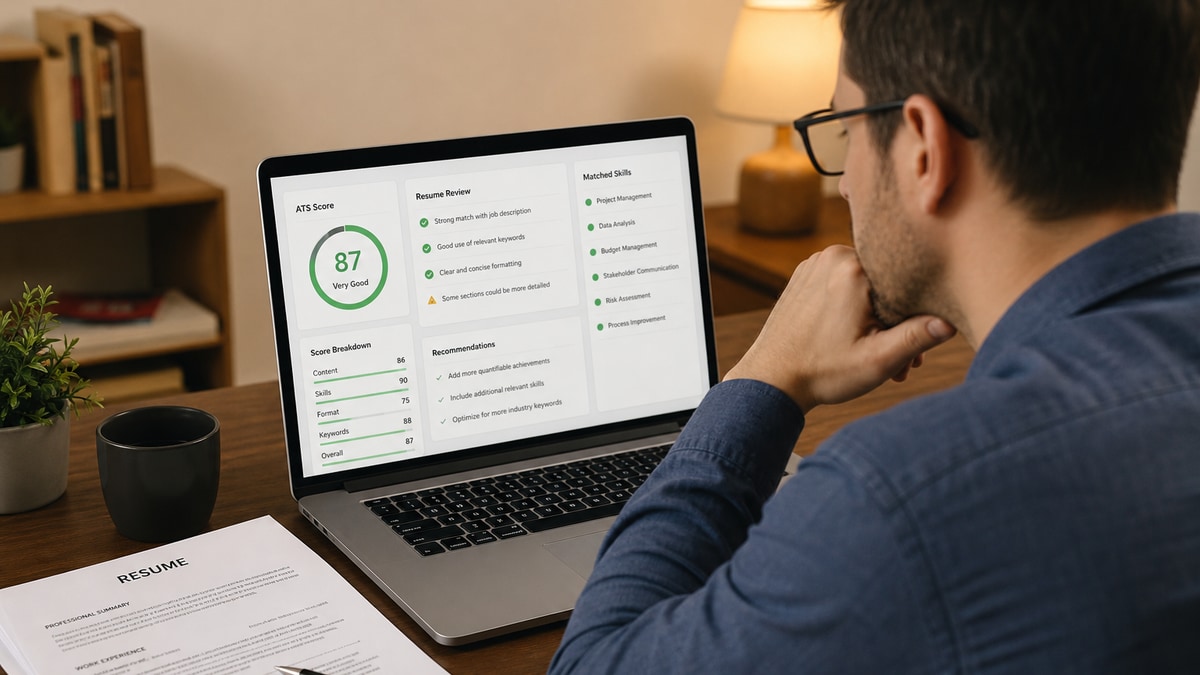
You ran the scan, got a number, and now you're staring at bars labeled Parse, Keywords, and Formatting like they're a medical chart. You're not alone. Most applicants don't know what to fix first, so they tweak random bullets and hope the score jumps.
Resume checker results explained the right way saves you an hour of guesswork. Before you edit tonight's file, check your resume for free with the job description pasted in so every section below maps to your actual report. HireFlow runs 27 checks across parsing, structure, keywords, and recruiter readability. This guide tells you what each block means and what to change in your DOCX or PDF before you hit submit in Workday, Greenhouse, or Lever.
A high match rate doesn't guarantee an interview. It means the system can read your file and your language is pointed at the role. That's the bar you need to clear before a recruiter ever opens your name in a filtered list.
Think of the report as a pre-flight checklist, not a grade on your career. Fix parsing before keywords. Fix structure before fancy design. The sections below follow the order I use when coaching candidates through a scan.
Quick Wins
- Open your latest scan and read "What to fix first" before touching any other section.
- Clear every red flag under Searchability, then re-export as a text-based PDF or DOCX.
- Paste the posting into job match score if Keywords still show large gaps after formatting is clean.
What resume checker results explained actually covers
A resume checker simulates what happens when an applicant tracking system pulls plain text from your upload. HireFlow scores four pillars on the sidebar: Parse, Impact, Keywords, and Formatting. The overall match rate rolls those signals together with section completeness and posting alignment.
Parse answers: can Workday read your dates and titles in order? Keywords answers: does your language overlap with the job you care about? Formatting answers: will tables, columns, or icons scramble the file? Impact answers: do your bullets show outcomes recruiters care about, or just job duties?
This is not the same as a recruiter's final opinion. I've screened thousands of parsed profiles in Greenhouse, and the candidates who move fastest are the ones who treat the report as a repair list, not a trophy score.
HR tech filter: If Searchability fails, nothing else in the report matters until the parser can extract your experience block cleanly.
You will also see blocks for Strengths, critical gaps, rewrite examples, and recruiter read time. Those are human-scan signals. ATS may never score tone, but hiring managers bail when bullets read like a task list with no numbers.
For a primer on how scanning works before you interpret scores, read free ATS resume checker beginner guide and what is a good ATS score.
Resume checker results explained: each section and what to fix
Overall match rate and grade
The big number at the top is your weighted match rate, usually shown with a letter grade. Treat 70 as the pass line for parsing safety. Scores in the high 70s to mid 80s mean you are generally safe to apply after you knock out the ranked fixes. Scores above 90 are only good if the writing still sounds human when you read it aloud.
The grade label ("Needs improvement," "Good," etc.) is a plain-language summary. Do not chase 100 if the only way to get there is repeating the same keyword in every bullet. Recruiters notice that in Lever keyword search views.
Parse and Searchability
Parse is the ATS compatibility score. Searchability lists specific parse failures: contact info trapped in a header, experience dates the parser skipped, or sections it could not find. When this block is red, stop editing keywords. Your file is not fully readable yet.
Before: Two-column design with icons, skills tucked in a sidebar text box, phone number only in a PDF footer.
After: Single column, standard headings ("Work Experience," "Education," "Skills"), contact line in the body under your name, exported as DOCX or a text-based PDF.
Edge case: The report says text could not be extracted. That often means you uploaded a scanned image or a Canva graphic PDF. Rebuild in Word or Google Docs, paste plain text, and scan again. No amount of keyword edits fixes a file the parser cannot read.
Formatting score
Formatting checks fonts, margins, column layout, tables, and special characters that break parsers. A 91% Formatting score with a 55% Parse score usually means one killer issue, like a hidden table, is dragging Parse down harder than the average formatting check suggests.
Fix list: use Arial, Calibri, or Times New Roman at 10 to 12 pt. Kill text boxes. Remove skill bars and rating graphics. Keep one column unless a designer template explicitly passed a scan test. Save under 5 MB.
Operations coordinator example:
Before: "Skills listed as colored pills in a three-column Canva layout."
After: "Skills: Excel, SAP, vendor management, budget tracking" as a simple comma list under a Skills heading.
Section structure checklist
Section structure verifies expected blocks exist: contact, summary or headline, experience, education, skills. Missing labels confuse parsers and recruiters alike. If Education is present but unlabeled, some systems attach degrees to the wrong employer.
Rename creative headings. "Where I've Made Impact" should become "Work Experience." "Toolkit" should become "Skills." Boring wins here.
Edge case: Career changers with a projects section. Keep it, but label it clearly ("Relevant Projects") and date each entry. Parsers map dated blocks to experience more reliably than undated project lists floating mid-page.
Keywords and skills coverage
The Keywords table shows terms from the posting that matched your file and terms still missing. Skills coverage measures how many required tools and competencies appear with context, not just in a dump list. A missing "Salesforce" flag means the posting asked for CRM admin and your resume only says "managed client database."
Before: "Used various CRM tools to support sales team."
After: "Administered Salesforce dashboards for 12 reps, cutting manual reporting time by 4 hours per week."
Add acronyms and spelled-out forms once each if the posting uses both ("SQL (Structured Query Language)"). Mirror the posting phrase where honest. Do not paste the entire job description into white text. That trick backfires in human review.
Impact and content quality
Impact scores whether bullets prove outcomes. Weak lines start with "Responsible for" and end without a number. Strong lines name scope, action, and result. The rewrite examples block in your report shows side-by-side fixes pulled from your own text when available.
Registered nurse example:
Before: "Provided patient care and collaborated with interdisciplinary team."
After: "Managed care for 6 med-surg patients per shift in Epic, maintaining medication accuracy through 52 straight shifts without error."
Recruiter read time estimates how long a human might spend on the first pass. Under 30 seconds usually means tight bullets and clear headings. Over a minute with a short resume often means dense paragraphs or repetitive lines.
What to fix first (action plan)
This ranked list is the fastest path through the report. HireFlow sorts fixes by impact: parsing errors beat keyword tweaks, and missing contact info beats adding one more soft skill. Work top to bottom. Re-scan after every batch of three changes so you can see which bar moved.
If the action plan is empty, you cleared urgent issues. That is your green light to apply, not permission to stop tailoring. Each posting shifts the Keywords table.
Strengths and critical gaps
Strengths call out what already works: clean chronology, strong metrics, aligned job title, solid skills block. Critical gaps flag high-impact problems: no measurable results, title mismatch with the posting, or experience buried below page two. Use strengths as anchors. Do not rewrite lines that already score well just to chase a higher number.
Gaps often pair with a suggested fix sentence. Treat those as edit prompts, not automatic rewrites. You still need to verify dates and numbers are accurate.
Copy-paste fix blocks (edit every bracket)
Summary line after keyword gaps: "[Job title] with [X] years in [industry]. Strengths in [posting skill 1] and [posting skill 2], including [metric] at [company]."
Impact bullet template: "[Action verb] [scope] using [tool from posting], resulting in [number, %, $, or time saved] for [stakeholder]."
Skills line when table flags missing tools: "Technical: [tool 1], [tool 2], [tool 3] · Methods: [method 1], [method 2]"
Paste your weakest bullet into the Impact template, swap bracket fields with real data, and run another scan. Read how to pass an ATS checker for a full submission workflow after your scores stabilize.
Edge case: re-applying with the same base resume
You do not need a full redesign for each role. Keep one parser-safe master file. For each posting, adjust summary keywords, reorder three bullets, and add one skills line match. Re-scan with the new description pasted in. Your Parse and Formatting scores should stay flat while Keywords and Impact move.
Track versions by filename: LastName_Role_Company.pdf. Wrong-file uploads are how strong candidates accidentally submit a resume tuned for a different keyword set.
Edge case: senior titles with long history
Ten-plus years can tank recruiter read time scores. Trim roles older than 12 to 15 years to title and company only unless they carry a landmark metric. Move early career details to a line like "Additional experience available on request" only if you need the space. Parsers still need dates on recent roles.
Executive summaries belong at the top, three lines max, packed with posting keywords and one flagship metric. Do not bury the headline achievement under a paragraph of philosophy.
Common mistakes when reading checker results
Chasing Keywords before Parse is clean. You can stuff terms into a broken layout and still fail upload parsing in Workday. Fix Searchability first every time.
Treating the match rate as a job offer percentage. A 78 does not mean you have a 78% chance of getting hired. It means your file is mostly readable and reasonably aligned. Competition and fit still decide callbacks.
Ignoring Formatting because the score looks high. Formatting can look fine while one table silently scrambles job order. Read the detail lines, not only the percentage bar.
Adding skills you cannot defend. Missing keyword flags exist to prompt honest edits. If you have not used Kubernetes, do not add it because the table said so. Address gaps in a cover letter or training plan instead.
Scanning once without the job description. Keywords and match rate need posting context. A generic scan tells you about file health, not role fit. Always paste the req text.
Skipping re-scan after edits. One pass is a draft. Confirm Parse warnings cleared and missing keywords shrank before you upload to Greenhouse or Lever.
Use HireFlow to turn report sections into fixes
Upload your resume and posting to HireFlow's free ATS resume checker. Work through What to fix first, then Searchability, Keywords, and Impact in that order. Export a clean DOCX or PDF before you apply.
Pair the scan with job match score when you are deciding which posting to prioritize this week. Low match on required skills is a signal to spend tailoring time there, not on a long-shot application.
After the resume is solid, draft a short tailored letter with the cover letter generator so human reviewers see the same keywords your checker report flagged as missing.
Resume checker results explained: your next move
Resume checker results explained comes down to reading sections in repair order, not vanity scores. Parse and Searchability first. Formatting and section labels second. Keywords and Impact last, with honest proof in every line.
- Start with What to fix first and clear every Searchability warning.
- Re-export as a text-based PDF or DOCX before you tune Keywords.
- Re-scan with the posting pasted in until match rate sits in the high 70s or above.
Open your last report, fix the top flagged section, and check your resume for free one more time before you upload to Workday or Greenhouse. Small section fixes compound into callbacks when recruiters can actually read your file.
That is how resume checker results stop feeling like noise and start acting like a short, ranked edit list you can finish in one sitting.
Frequently asked questions
The match rate summarizes parsing health and posting alignment. Scores in the 75 to 89 range usually mean you are ready to apply after minor fixes. Below 60 often signals layout or keyword problems that block ATS search.
Parse measures extraction order and completeness. Keywords measure term overlap. A pretty two-column file can score well on words while failing on structure. Fix layout first.
Use text-based PDF or DOCX. Scanned images and graphic exports often trigger extraction warnings. If the report flags unreadable text, switch formats and re-scan.
Place missing terms inside bullets where you used the skill, with a metric attached. Mirror the posting phrase once, prove it with dated work, and skip terms you cannot honestly claim.
No. Aim for high 70s or low 80s with natural language. Clear Searchability warnings and shrink missing keywords to skills you truly lack, then submit.