11 min read
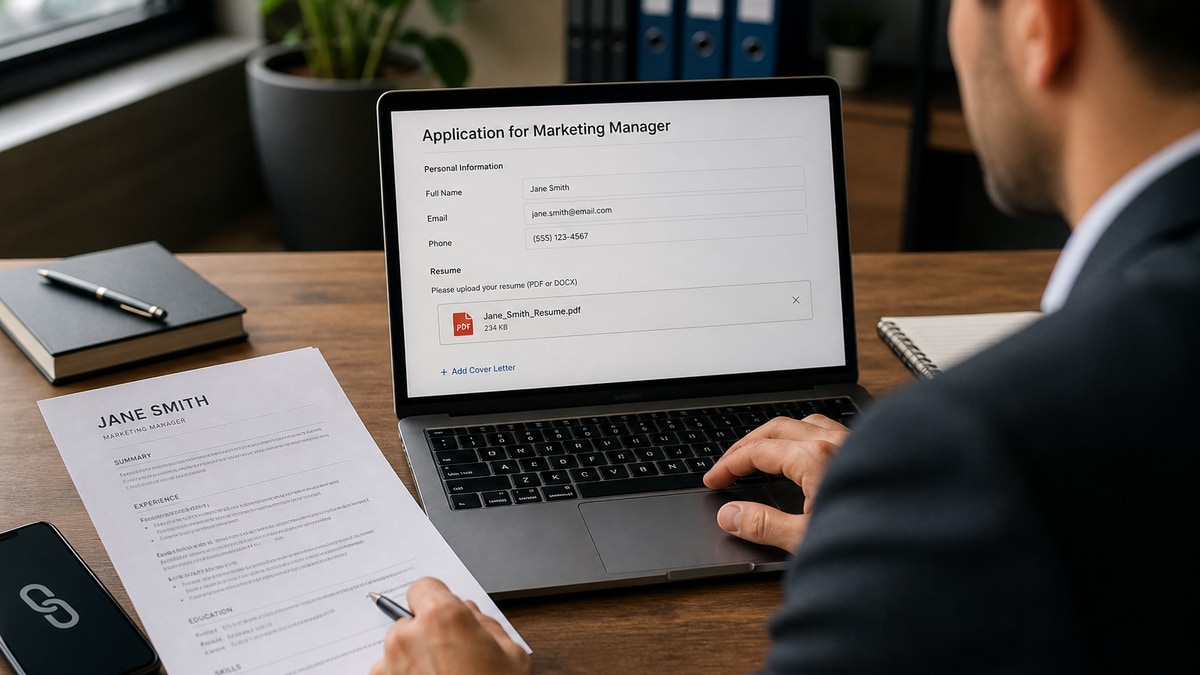
Attach a single-column PDF in the portal unless the posting or recruiter asked for a link. That's the default in Workday, Greenhouse, and Lever. The ATS expects a file on upload. Recruiters don't want an extra click through a permission screen before they've decided you're worth a first read.
Check your resume for free before you choose a format. If the parser already scrambled your sections, swapping a link for an attachment won't fix silence. Clean file first, then pick how you send it.
You've probably heard that links feel "modern." In corporate hiring, modern means the file opens inside the req, parses in order, and lands on a hiring manager's short list without a chase email. Below you'll see why attachments win by default, the narrow cases where a URL is correct, and a copy-paste checklist for tonight's applications. Job searching is exhausting enough without guessing which button recruiters actually use.
Quick Wins
- Upload PDF in the resume field when the portal allows it.
- Name the file Firstname_Lastname_Resume.pdf with no spaces.
- Test any required link in a private browser before you submit.
Why recruiters want the file in the portal, not a URL
When you apply through a corporate career site, your upload triggers a pipeline: virus scan, text extraction, keyword match against the req, then a recruiter view inside the ATS. That pipeline starts with bytes on disk, not a hyperlink in a comment box.
The file lands in one place. Attachments sit on your candidate record next to answers, assessments, and notes. A link pasted into "additional information" is easy to miss when a recruiter sorts by match score and never opens free-text fields on the first pass.
Links add steps. Permission prompts, expired shares, mobile browsers that open the wrong app, corporate firewalls that block personal cloud domains. Each step is a place you lose the reader before they reach your first bullet.
Attachments also travel. When a hiring manager asks for your file, the recruiter forwards the PDF from the system or downloads once and attaches to email. A link forces them to re-fetch, re-check access, and hope you didn't change permissions overnight.
A composite marketing coordinator still submits: "See my full resume at this drive link." The req shows incomplete. The parser never ran. The recruiter moves to the next name in the queue.
Compare: same candidate uploads Maya_Chen_Resume.pdf, single column, 11-point Calibri, two pages. Greenhouse extracts employer and dates. The recruiter opens the profile tab and scans bullet one in under ten seconds. That's the workflow attachments were built for.
This isn't about being old-fashioned. It's about matching how high-volume reqs are processed. Portals ingest files. Inboxes archive files. Short lists are built from parsed text. URLs are a side door, not the front entrance.
Mobile recruiting apps preview attachments inline. Links often bounce to a browser login. That one extra friction point matters when a hiring manager reviews fifteen profiles between meetings and keeps only the files that opened instantly.
If you're applying through employee referral or an agency, the intermediary still forwards a file. They rarely re-host your cloud document on their own drive. Give them a PDF they can attach without asking you to fix permissions at 9 p.m.
Resume attachment vs link: when the default flips
The rule has three clean exceptions. If any of these is true, follow the posting or the person, not the default.
Exception 1: the posting says link only. Some creative studios, fellowship forms, or university hiring pages ask for a portfolio URL and give no upload field. Send the link they requested. Keep a PDF ready for the follow-up email when a human joins the thread.
Exception 2: a recruiter explicitly asked for a link. If they write "send me a link to your resume" or "use this form that only accepts URLs," do exactly that. They're telling you how their inbox or compliance workflow works for that req.
Exception 3: the portal literally cannot take a file. A few referral forms or event landing pages only have a single URL box. Public view, no login, tested in incognito. Paste the link and move on. Do not skip applying elsewhere just because one form is link-only if a proper upload exists on the company site.
Hybrid is fine when fields are separate. Resume field gets the PDF. Website or portfolio field gets your case-study site. Cover letter field gets text. Never put a cloud link in the resume slot when an upload button is staring at you.
Edge case: email applications to a hiring manager you met at a conference. They often prefer a PDF attached to the message so they can forward internally. A bare link in a cold email is easier to ignore on mobile.
Edge case: government or clearance roles that forbid certain file hosts. When instructions say attach PDF to the secure portal, do not substitute a personal site even if it looks cleaner.
Edge case: video or motion portfolios for editors and animators. The reel link belongs in the portfolio field. The PDF still lists credits, tools, and employment dates the parser can score against the req.
When a friend says "just send me your resume," that usually means attach a PDF to email, not share view access. Treat informal asks the same way you'd treat a portal unless they specify a URL workflow.
Submit the right file tonight
Step 1: Read the req for format language
Search the posting for upload, attach, PDF, DOCX, portfolio, or link. If two instructions conflict, follow the application portal over the general careers page blurb. The portal is what feeds the ATS.
Step 2: Export one clean PDF
Single column. Standard headings: Experience, Education, Skills. No text boxes, no icons, no header/footer graphics. Save as PDF from Word or Google Docs export, not a screenshot. File size under 2 MB unless the portal states a higher cap.
Step 3: Name the file like a professional
Firstname_Lastname_Resume.pdf. No "final_final_v3" and no spaces. Recruiters download dozens of files named resume.pdf into one folder. Yours should sort to the top alphabetically and read clearly in a forward chain.
Step 4: Upload in the resume field first
Complete required questions before you attach if the portal warns that uploads clear on navigation. Some Workday flows reset the file if you jump tabs. Attach last when the form is unstable.
Step 5: Add a link only where it belongs
Portfolio, GitHub, or writing samples go in dedicated URL fields or the cover letter, not as a substitute for the PDF. One line is enough: "Portfolio: https://…" after your sign-off.
Copy-paste submit checklist
PDF uploaded in resume field? | Single-column layout? | File named Firstname_Lastname_Resume.pdf? | Link tested in private window if required? | Same version as the tailored bullets you proofread? | Portal confirmation email saved?
Before/after: operations applicant
Before: Applied with a Google Drive link in the comments because "it's always updated."
After: Uploaded Jordan_Patel_Resume.pdf in Greenhouse, added portfolio URL in the website field, pasted two-line cover note referencing req number 4421.
Before/after: software engineer
Before: Sent only a personal site link; resume text lived on /about in HTML the ATS never saw.
After: Attached Priya_Nair_Resume.pdf with GitHub in the additional link box; site linked in cover letter for code samples after screen.
Before/after: designer with portfolio
Before: Replaced PDF upload with Behance URL because visuals "need to breathe."
After: PDF lists role spine and tools; Behance URL in portfolio field so recruiters get parseable text plus visual proof without skipping ingestion.
Pair this with resume upload mistakes that instantly disqualify you when the portal rejects your file before a human sees it.
What breaks when you pick the wrong delivery method
Link-only when upload exists. The candidate record shows incomplete. Some systems won't advance you to recruiter review until a resume file is present, even if you pasted paragraphs into a text box.
Permission-locked cloud links. "Request access" is an instant stop. Recruiters won't chase access for an early-stage applicant when fifty complete PDFs are waiting.
Wrong file in the slot. Cover letter uploaded as resume, or a two-column Canva export that parses employers into the skills section. The attachment method was right; the file wasn't.
Editable Word when PDF was safer. Unless they asked for DOCX, Word can shift bullets when opened on a different OS. PDF locks the line breaks recruiters expect on a six-second skim.
Duplicate versions. Link points to January resume while the PDF you uploaded in another portal is March. When a recruiter cross-checks, dates that don't match kill trust faster than a weak bullet.
Treating the cover letter as the resume. Short text fields are not a substitute for a structured PDF. Parsers need headings and date ranges, not a paragraph about your passion for the mission.
Short links that hide the filename. A bit.ly URL gives no signal about file type or version. Recruiters hesitate to click opaque links from unknown senders. Use a clean URL or attach the PDF directly.
Auto-synced cloud docs that change after submit. If you link a live document, you might edit bullets after applying while the recruiter compares against an older export elsewhere. Freeze a PDF per application so every surface matches.
And if you're wondering why a perfect upload still vanishes, read what hiring managers see in ATS dashboards. Sometimes the file arrived; it just isn't on the short list yet.
Tools after you pick attachment
Run the PDF through the ATS resume checker once per template version. Confirm employer names and Month Year dates still parse in order before you upload to Workday or iCIMS.
When the posting asks for a short note alongside the file, generate a cover letter that references the req title and points to your PDF by filename, not by cloud link.
Your default rule
Open the next req you're targeting. If there's an upload button, attach the PDF. If the posting says link only, send the link and keep the PDF in your drafts folder. If a recruiter tells you otherwise, they're the exception that overrides both.
Resume attachment vs link isn't a style debate. It's which path puts your text inside the system that builds the short list. Default to the file unless someone gave you a written reason not to.
I've screened queues where the only missing piece was an empty resume field while a perfectly good drive link sat in comments nobody opened on pass one. Upload the PDF first. Add the link second when the form has a place for it.
Read more
Frequently asked questions
Attach a single-column PDF in the application portal unless the job posting or recruiter explicitly asks for a URL. Portals in Workday, Greenhouse, and Lever are built to ingest a file first. A link pasted into a notes field often sits unread until someone manually opens it.
PDF unless the posting says Word or DOCX. PDF keeps your layout stable when the file moves between ATS, email, and a hiring manager's tablet. Word is fine when the employer requests editable text, but formatting can shift between versions.
Yes when the form has separate fields. Upload the resume PDF in the resume field. Put a portfolio or work-sample URL in the website or additional links box. Do not replace the PDF with a link to the same document in cloud storage.
Use a public view link with no login wall, test it in a private browser window, and name the file clearly in the link text. Still keep a PDF ready to email the moment a recruiter replies. Many reqs that start as link-only flip to send your resume once a human enters the thread.
Not in high-volume corporate hiring. Modern to a recruiter means the file opens in one click inside the ATS, parses in order, and matches the job title on the req. A link that hits a permission screen reads as friction, not polish.