8 min read
You've built a resume that reads well in two languages. Then the checker returns a skills match that doesn't look like you. That isn't a language problem, and it isn't a quality problem. It's a reading-order problem.
Check your resume for free and open the extracted text view before you look at the score. If the lines come out interleaved, you've found the cause before a recruiter in Workday or Greenhouse searches for a skill and gets nothing.
These ATS checker tips for multilingual resumes follow one path: spot the symptom, match it to a cause, then apply the fix that belongs to that cause. You won't need to rebuild the whole file.
If you're applying across borders or you grew up speaking another language at home, you're not doing anything wrong by showing it. You just need it on the page in a way the parser can sort.
Quick Wins
- Paste your resume text into a plain notepad and read it top to bottom. Any line that switches language mid-sentence needs a rewrite.
- Move language ability to one short Languages block near the bottom, one language per line.
- Keep every skill keyword in the same language as the job posting.
What a scrambled bilingual file looks like
A parser doesn't see your layout. It extracts text in a stream, left to right and top to bottom, then tries to sort that stream into sections. Anything that breaks the stream breaks the sort.
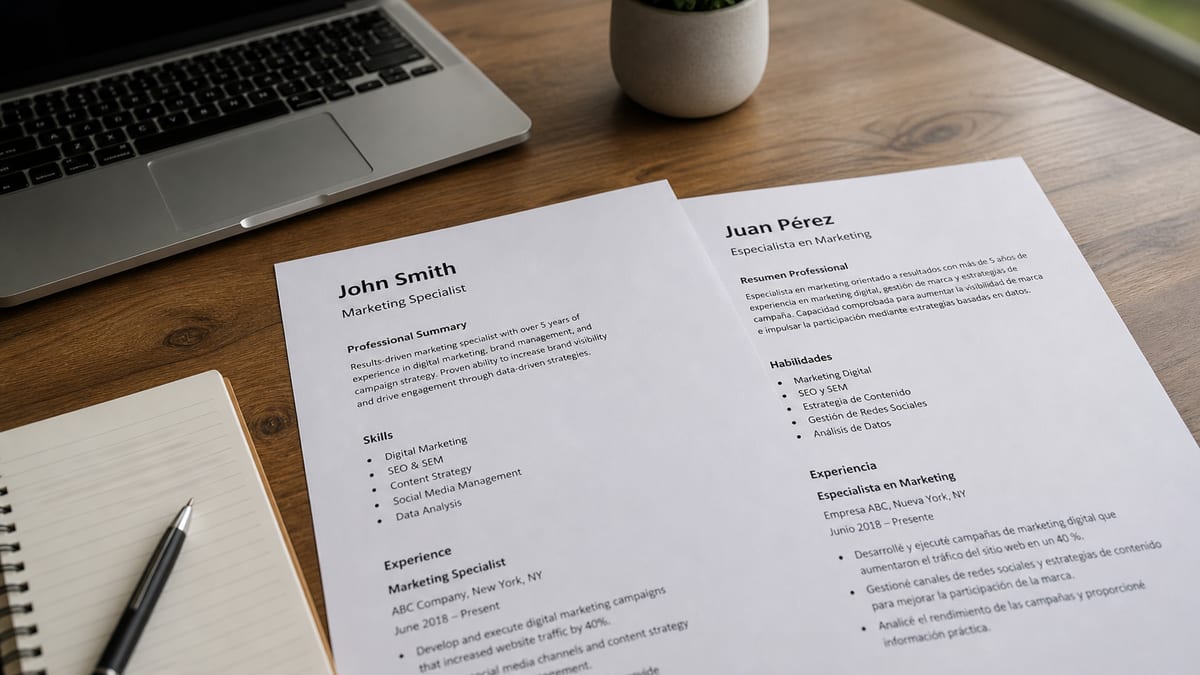
Picture a two-column page with English on the left and Spanish on the right. A human reads one column, then the other. The extractor often reads one line from each side, so a sentence about a Salesforce rollout gets a Spanish fragment glued to its end.
Before: Managed Salesforce pipeline / Gestioné el pipeline de Salesforce, 40 cuentas | 40 accounts
After: Managed a 40-account Salesforce pipeline for retail clients and tracked renewals weekly.
The first version asks the parser to find one skill in a line that carries two grammars, two number formats, and a pipe character. The second gives it a verb, a tool, and an outcome in one language.
A bilingual bullet isn't a stronger bullet to the parser. It's a longer one that matches fewer search terms.
Four causes, and how to tell which one hit you
Look at the extracted text from your checker, then match what you see to the table. Most files have one cause, and a few have two.
| What you see in extracted text | Likely cause | Where to fix it |
|---|---|---|
| English and local-language words alternate on one line | Two-column or sidebar layout read across | Switch to one column |
| Skills run together with language names and levels | Languages mixed into the skills list | Separate Languages block |
| A skill appears twice, once in each language | Translated duplicate in every bullet | Keep the posting language only |
| Letters missing or swapped inside accented words | Font or export problem with special characters | Re-export from a standard font |
I've screened bilingual files in Workday where the skills list parsed as one long run of English tool names and German proficiency levels, and a search for the exact tool name came up empty.
That's the pattern behind the second row. The tool was on the page. It just sat inside a string the matcher couldn't separate from the language tags.
Cause one: a sidebar that mixes languages
Sidebars are the most common source. A narrow column holding contact details, skills, and language levels gets pulled out in whatever order the file stores it. If your skills sit there in two languages, the file may list the translated term first and the posting's term last.
Cause two: language names inside the skills list
A line like Python, SQL, English C2, Deutsch B2 reads as one entry. Keep proficiency labels out of anything the posting asks you to match.
Build the split: one English core, locale labels in one place
Tonight's job is to turn one mixed file into a core file the parser reads cleanly. Five steps cover it.
- Pick the posting language. For most US corporate roles that's English. Every bullet, title, and skill keyword goes in that language.
- Move language ability to its own block. One language per line, with a plain-word level, near the bottom.
- Rewrite each bilingual bullet in one language. Keep the verb, tool, and outcome. Drop the second translation.
- Add a local term once, in parentheses, only when it carries meaning. A foreign degree title is the usual case.
- Re-run the checker and compare the extracted text. Read it top to bottom and fix any line that still jumps.
Here's the Languages block as a copy-paste starting point. Plain labels beat letter grades for human readers, and the one-per-line layout stays intact in a single column.
Languages
English: Native
Spanish: Professional working proficiency
German: Conversational
Here's the degree line with a local title. Only the local name lives in parentheses, so the English words still match a posting that asks for a bachelor's degree.
Before: Licenciatura en Economía, Universidad de Chile | BA Economics
After: BA Economics (Licenciatura en Economía), Universidad de Chile, 2019
When the work itself used both languages, say so in English, inside the bullet, with the language names as plain words.
Before: Atendí 30 llamadas semanales / Handled 30 weekly calls
After: Handled 30 weekly support calls in Spanish and English, escalating billing disputes to the finance team.
Edge cases for multilingual resumes: scripts, titles, two postings
Two postings in two languages means two files. Don't merge them. A file in the local language for a local employer is a different document, and the checker should see each one on its own.
Non-Latin scripts raise a separate question. Keep your name in Latin letters in the header so the importer builds a clean contact record. Add the native-script version in a parenthetical only if the employer asked for it.
Job titles are the other trap. If your last title was a local one, write the standard English equivalent first and the local title once in parentheses, then keep the bullets in English. That puts the searchable term where a recruiter's filter looks.
This won't fix a posting that wants fluency you don't have. It stops a qualified file from losing keywords to its own layout.
If you also see broken line breaks and stray symbols, the cause may be the bullet characters, not the language. The bullet parsing breakdown covers that fix separately.
Re-check the file, then say the language story in a letter
After the split, run HireFlow's free ATS resume checker on the English core file and compare the extracted text to the previous run. Every line should now read in one language from start to finish.
The language story still deserves a home. Generate a cover letter with two sentences on where you used each language at work, so the recruiter sees the strength without it living inside your bullets.
Do this now: Export your resume to PDF, scan it, read the extracted text top to bottom, then move language levels into their own block.
Keep one clean core and label the rest
Showing two languages is a strength. Showing them in the same line is what hurts the file. Give the parser one language per line and give your recruiter the whole story in the Languages block and the cover letter.
- Use one column so the extraction order matches the reading order.
- Keep skills and bullets in the language of the posting.
- List languages on separate lines with plain-word levels.
- Use a local term once, in parentheses, when it carries meaning.
Run a quick free ATS check on the version you plan to upload this week, and read the extracted text before the score.
Read more
Frequently asked questions
Usually no. Submit one file in the language of the posting and show your second language in a short Languages block. A line that switches language mid-bullet loses keyword matches. Keep a separate local-language file for postings written in that language.
They can when the font or export is nonstandard. Read the extracted text in your checker and look for missing or swapped letters inside accented words. If you find them, switch to a standard font and export again. Keep your name in plain Latin letters in the header.
Use a separate Languages block, one language per line, with a plain-word level such as Native or Professional working proficiency. Keep it out of the skills list. That way a recruiter's search for a tool name doesn't run into a proficiency label.
Write the standard English equivalent first, then the local title once in parentheses if it adds meaning. Recruiters filter on the common title. Don't translate a title so loosely that it claims a level you didn't hold.