11 min read
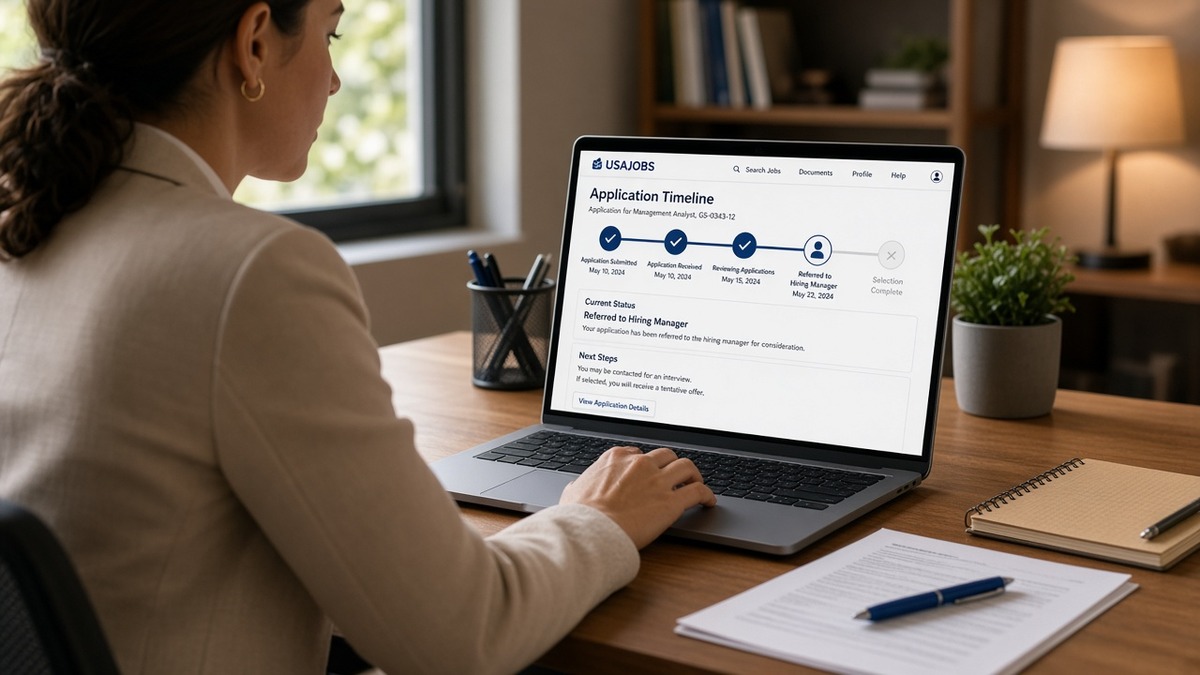
You hit submit on USAJOBS and the status flipped to Received. Then nothing. No rejection, no interview, just a quiet portal while rent and bills don't pause. That's normal for public sector hiring timelines in the US, and it doesn't mean your file is broken. Most delays sit between mandatory review steps, not because someone forgot you exist.
Check your resume for free with the announcement text pasted in before you spend another week refreshing the same status row. The candidates who survive the wait treat the timeline as a job search project: a USAJOBS-ready resume submitted early, parallel applications running, and quick responses when assessments finally open. You can't speed HR's calendar. You can stop losing ground while it runs.
Below: six steps, two edge cases, resume before-and-after pairs, and what to do with your hands while status stays Received. This isn't a civics lecture on why government moves slowly. It's an application strategy for federal, state, and local reqs so your file stays qualified when referral lists finally build. Job searching is already draining. You don't need guilt for checking USAJOBS twice a day. You need a plan that still moves if the first req stalls.
Quick Wins
- Copy every required attachment from the announcement into a checklist before you rewrite bullets.
- Submit at least two business days before the USAJOBS or state portal close time.
- Mirror questionnaire duty claims in your resume specialty blocks word for word on tools you actually used.
- Track close date and status in a spreadsheet; apply to one overlapping req per week while you wait.
What happens after your public sector application lands
Federal reqs on USAJOBS usually move through open period, application review, referral certificate, assessments, selection, and onboarding checks. State and city portals follow a similar rhythm with different labels. Your resume and attachments sit in a queue until HR confirms minimum qualifications. Screeners search structured fields and scan specialty text. A pretty PDF nobody mapped reads like an incomplete packet even when you attached it.
Received is not rejection and not an interview. It means the system logged your upload. Referral and selecting official review come later, often after the announcement closes and HR finishes first-pass screen. Candidates who assume silence equals failure sometimes withdraw from reqs they're still technically in. Candidates who assume silence equals success stop applying elsewhere and lose months.
USAJOBS resume builder fields, specialty paragraphs, and online questionnaires create one searchable profile. State portals may import a shorter PDF through Taleo, NeoGov, or similar systems. The parser reads plain text order. Sidebar skills rails and tables still scramble employer lines the way they do on Greenhouse. Public sector just adds mandatory forms on top.
Edge case: you're applying under veteran preference or a special hiring authority. Mark it in your profile and upload proof before close. Preference changes rank on referral lists when HR builds certificates. It does not skip assessments or suitability review. A missing DD-214 or SF-15 gets rejected at screen while non-preference files with complete attachments move forward.
Edge case: the same role posts on USAJOBS and a state portal with different page limits. Federal builder wants hours and supervisor contact fields when the announcement requires them. State version may cap you at two pages. Keep one master experience document, then export two layouts. Do not submit identical files and hope HR infers federal detail from a corporate summary.
A composite budget analyst kept getting stuck at Received on federal reqs until she matched questionnaire phrases to specialty blocks and uploaded a plain PDF attachment alongside the builder profile. Same career story. Different field alignment. Referral email arrived after the req closed, not because she refreshed hourly.
Read state government resume tips for US ATS and HR review when your target is a state portal rather than USAJOBS. Same plain-text discipline, different page caps and upload screens.
Public Sector Hiring Timelines in the US: six steps while you wait
Work these in order during the open period and the quiet stretch after Received. Each step protects your file or keeps your search moving. Skip straight to follow-up emails and you'll burn contacts without fixing the resume HR still has on disk.
Step 1: Build a document checklist from the announcement
Open the posting and copy every required upload, assessment link, transcript rule, and questionnaire topic into a checklist. Note close date and time zone. Federal reqs often list separate document types in the How to Apply section. State portals bury required certs in fine print. One missing SF form or unofficial transcript label disqualifies qualified people at automatic screen.
Before: Applicant uploads resume only, discovers DD-214 requirement after the req closed.
After: Checklist shows resume, DD-214, transcript PDF, and three questionnaire drafts due two days before close; all uploaded with plain filenames.
Step 2: Align USAJOBS specialty blocks with questionnaire answers
HR compares what you claim online with what appears in specialty paragraphs and experience blocks. If the questionnaire asks about budget execution and your resume only says managed finances, screeners flag mismatch. Pull exact duty phrases from the announcement into specialty text and first bullets under each role. Name tools you can defend in an interview.
Before: Questionnaire claims SQL reporting and Tableau dashboards; resume specialty block reads general analyst support.
After: Specialty block lists SQL query development and Tableau dashboard maintenance tied to fiscal year close; first bullet repeats both tools with a delivered outcome.
Step 3: Submit early with plain filenames and a parse check
Upload every attachment at least two business days before close. Name files LastName-Resume.pdf, LastName-Transcript.pdf, and so on. Export single-column PDF when the portal allows attachments outside the builder. Paste text into Notepad and confirm employers read top to bottom. Last-minute uploads fail on typos, size limits, and portal timeouts more often than people admit.
Before: Two-column Canva PDF; Notepad paste shows Skills before current agency name.
After: Word export at 11-point Calibri, one column; Notepad reads agency, title, Month Year dates, then bullets in order.
Read how to write a federal resume summary that fits the grade when the announcement ties duties to a GS level and your summary still reads like a private-sector tagline.
Step 4: Track status stages without spamming HR
Log req title, announcement number, close date, submit date, and current status in a spreadsheet. Received, Referred, Not Referred, and Interview Scheduled mean different things on USAJOBS. State portals use their own labels. One polite email after close is reasonable when the posting lists a human contact. Daily calls rarely move federal referral queues and can mark you as a nuisance.
Before: Applicant emails HR three times while status still shows Received during open period.
After: Single follow-up one week after close via official inbox; spreadsheet notes next action is wait for referral email, not another ping tomorrow.
Step 5: Run parallel applications and skill proof while status stays quiet
Apply to overlapping federal, state, or local reqs that share core skills. Renew licenses and certs named in the posting before HR asks. Draft short narratives for common assessment prompts so you're not writing from scratch at midnight when the test link arrives. Build one small proof piece if the role expects writing or analysis: a redacted memo sample, a dashboard screenshot with fake data, a policy summary with sources.
Parallel search protects you when one req freezes in budget hold or reposts under a new announcement number. Sitting idle on a single Received row is how qualified candidates lose a year without interviews anywhere.
Step 6: Respond within one business day when assessments or referrals open
Assessment emails and USAJOBS inbox messages often carry short deadlines. Slow response after referral drops candidates who cleared screen. Block calendar time during business hours for the two weeks after close on high-priority reqs. Complete online tests in one sitting when allowed. Upload follow-up documents the same day HR requests them.
Before: Administrative officer candidate opens assessment link five days after email; scheduling window already passed.
After: Calendar alert on send; test completed same afternoon; confirmation PDF saved to the req folder in the spreadsheet.
Copy-paste USAJOBS specialty skeleton
Specialty: [Job title from announcement]
Skill 1: [Exact phrase from duties section] | [Agency or employer] | [Mon YYYY] to [Mon YYYY or Present] | [One outcome with tool named in first eight words]
Skill 2: [Second duty phrase] | [Employer] | [dates] | [Outcome bullet]
Skill 3: [Third duty phrase] | [Employer] | [dates] | [Outcome bullet]
Copy-paste note: mirror questionnaire answers; do not claim tools you cannot explain in a structured interview.
Application habits that waste public sector hiring waits
Refreshing USAJOBS hourly without changing your file. Status often stays Received until HR finishes review. Editing the same resume daily does not reorder the queue. Apply that energy to the next req with a cleaner export.
Uploading a corporate PDF into a federal builder and leaving specialty blocks blank. Screeners search structured text. An empty specialty section with a polished attachment still reads incomplete when the announcement required builder fields.
Questionnaire answers that overshoot the resume. Claiming expert-level tools online while your experience block stays vague triggers mismatch flags at referral. Align both or dial the questionnaire to what your bullets prove.
Waiting until the last hour to submit. Portals slow down near close. Missing one checkbox because you rushed counts the same as a weak resume.
Stopping all other applications because one req feels promising. Public sector selections restart when budgets shift or hiring managers change. Parallel pipelines keep income pressure from forcing bad late edits on the first file.
Ignoring inbox messages inside USAJOBS. Assessment links land there, not always in personal email. Check the portal twice a week during quiet periods, not only on the status page.
Read how to follow up after sending your resume for wording that stays professional when a public sector req goes quiet after close.
Test your file before the req closes
Run the free ATS checker with duty language from the announcement pasted in. It will not replicate USAJOBS builder fields, but it flags missing terms and layout edges before HR runs first-pass screen on your attachment.
If the posting allows an optional narrative, draft structure in the cover letter generator, then trim to the agency word cap. USAJOBS optional letters should add context your resume cap cannot fit, not repeat specialty blocks verbatim.
Your waiting-week checklist
Public Sector Hiring Timelines in the US (What to Expect) reward patience tied to action, not portal staring. Submit a complete packet early, align questionnaire claims with specialty text, track status without spamming contacts, and keep parallel reqs moving while Received stays quiet. You cannot control HR's calendar. You can control whether your file stays qualified when referral lists finally build.
Open your highest-priority announcement tonight. Finish the checklist, run a parse check, upload with plain filenames, and schedule one overlapping application for this week. I've seen more movement from a second clean submission than from a fifth anxious refresh on the same status row.
When the next assessment email lands, respond the same day. That single habit separates candidates who cleared screen from candidates who timed out on scheduling.
Read more
Frequently asked questions
Received usually means HR confirmed your packet uploaded. Review, referral, and selection happen later on a separate clock. A long Received stretch often reflects queue volume and mandatory steps, not a broken file. Keep parallel applications moving instead of editing the same resume daily while nothing changed on the req.
One polite check after the announcement closes is fine if the posting lists a contact. Repeated calls rarely speed federal referral lists. State portals sometimes show clearer status rows. Use official inbox or portal messages, not social media tags. Your energy is better spent on the next tailored application with a cleaner resume export.
Yes. USAJOBS wants a structured federal-style resume with hours, supervisor names when asked, and specialty blocks tied to questionnaire answers. State portals often want a shorter corporate-style PDF within page limits. Keep one master experience list, then export two layouts. Do not paste a two-page private-sector PDF into a federal builder and hope HR fills the gaps.
Apply to roles that share skill overlap, finish cert renewals named in the posting, prep assessment examples, and line up references before anyone asks. Track each req in a spreadsheet with close date and documents uploaded. Refreshing USAJOBS hourly does not move referral. A second qualified application might.
Preference affects ranking on referral certificates when HR builds the list. It does not skip background or assessment steps. You still need a readable resume and complete attachments. Mark preference honestly in the profile and ensure your DD-214 or SF-15 uploaded before the req closes so screeners do not reject for missing proof.