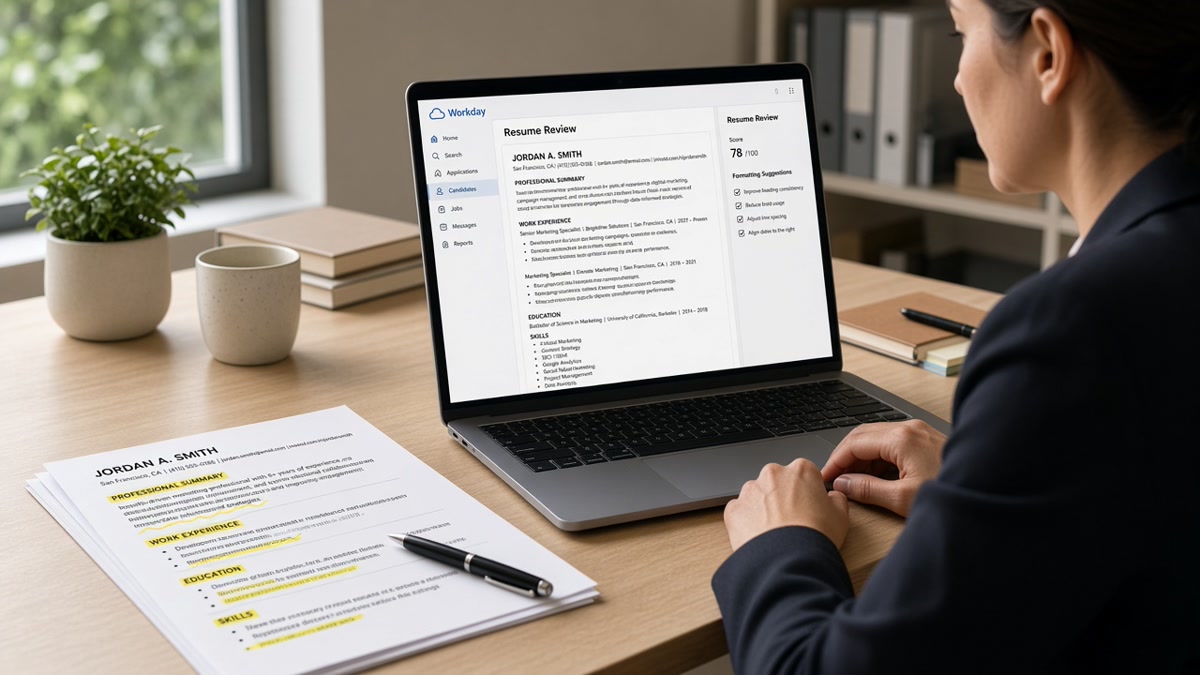
12 min read
You ran paid social, owned email, and shipped landing pages. Your resume still dies in Workday before a marketing recruiter opens it. That's usually not a keyword problem. It's a layout problem. You're not underqualified. You're unreadable to the importer. Workday imports your file into separate fields for Experience, Education, and Skills. When your Canva template parks HubSpot in a right column, that field stays empty in the system even though it looks fine on your screen.
Workday ATS resume formatting for US marketing roles comes down to reading order, not design flair. The parser wants a single column, standard headers, and dates inline with titles. Campaign metrics trapped in tables read as noise. I've screened hundreds of marketing files in Workday, and the ones that pass look boring on purpose. You don't need a new template. You need a flatter file.
If you're applying tonight, don't start by rewriting bullets. Start by pasting your resume into Notepad. When your Salesforce line shows up after Education instead of Skills, you've found the bug. Fix that before you touch another word. Most fixes take one export, not a full rewrite.
Before you tweak another bullet, check your resume for free and confirm your channel skills imported into the Skills field, not a blank sidebar. Ten minutes now beats another week of silence.
This walkthrough gives you six fixes, two edge cases for agency versus in-house marketers, and a copy-paste audit block you can run tonight on any posting. None of this replaces tailoring bullets to the req. It makes sure recruiters can read the bullets you already wrote.
Consumer, B2B, and ecommerce marketing teams all use the same importer rules. The channel changes. The layout rules do not. Fix the shell first every time you tailor keywords.
Quick Wins
- Export single-column DOCX or text-selectable PDF only.
- Put Month Year dates on the same line as each marketing title.
- Move channel tools from sidebars into a plain Skills block.
Why marketing resumes break in Workday first
Marketing candidates love visual resumes. Icons for Google Ads, color blocks for brand campaigns, two-column skill rails. Workday does not love any of that. It maps your upload into structured applicant fields recruiters search later. When parsing fails, your Growth Marketing Manager title might import without dates, or your Salesforce experience lands under Education because a table pushed it out of order.
The parser reads linearly. Sidebars read last or never. Recruiters then keyword-search Skills for Marketo or GA4 and your name never surfaces. You feel qualified. The system shows an empty skill list.
US consumer brands, SaaS companies, and enterprise marketing teams often run Workday. The career site looks polished. Behind it, the same import rules apply. Pretty PDF does not mean parsed PDF.
Fixing format is faster than rewriting your whole career story. Start with layout, then tailor keywords. A scrambled import makes every downstream step pointless.
Brand marketing, performance marketing, and product marketing all hit the same walls. Performance folks stack ROAS tables. Brand folks add logo grids. Product marketers nest launch timelines in sub-tables. Workday treats each wall the same: read top to bottom, map to fields, skip what does not fit.
Recruiters are not ignoring your file because you lack creativity. They never see the creative proof if Skills import blank. Your first filter is mechanical. Your second filter is keyword fit. Formatting is the gate for both.
Mid-level and senior marketing roles on Workday often include knock-out questions after upload. Those questions assume your imported profile is accurate. Wrong dates or missing titles can auto-disqualify you before a human reads a single bullet about pipeline contribution.
Six Workday ATS formatting fixes for marketing resumes
Run these in order. Each step takes a few minutes. Stop when paste-order and portal preview look clean.
Step 1: Flatten to one column
Open your file in Word and turn on gridlines. If you see invisible tables around your header or skills, rebuild that section as stacked lines. Marketing templates from Canva and Adobe often hide a two-column grid. Delete the grid. Re-type the content as plain paragraphs.
Save a backup before you flatten. Compare the PDF export before and after. The after version should look almost identical to your eye but paste cleanly into Notepad. If the visual design requires columns, keep a portfolio PDF for humans and a plain Workday version for applications.
Before: Contact block left, skills icons right, experience center column in a three-zone layout.
After: Name and email on line one, phone on line two, Professional Experience header, then jobs stacked full width.
Step 2: Standard section headers only
Use Experience, Education, Skills. Avoid Creative Wins or Campaign Highlights as headers. Workday maps known labels into the right buckets. Cute section names become unlabeled text blobs recruiters cannot search.
Keep certifications inside Skills or a short Certifications block with plain text lines, not badge graphics. Google Analytics, Meta Blueprint, and HubSpot credentials belong as text rows. A badge image imports as an empty box.
If you led a major rebrand, put that proof under the employer in Experience. Do not create a separate Awards gallery section with floating images. One bullet with launch date, channel mix, and outcome beats a photo grid every time for Workday.
Step 3: Inline dates with titles
Write Growth Marketing Manager, Brightline Home, March 2022 to Present on one line or two stacked lines. Do not put dates in a right-aligned table cell. Workday often attaches dates to the wrong employer when cells split. Month Year format is safer than seasons or quarters alone.
Contract and freelance marketing roles need the same discipline. List the client in the company field and note contract in the title if accurate. Date gaps raise fewer questions when each stint has clear Month Year boundaries.
Before: Job title left cell, dates right cell, company on a third row inside a table.
After: Growth Marketing Manager · Brightline Home · March 2022 to Present, then bullets below.
Step 4: One-line campaign bullets with metrics
Each bullet should carry channel, action, and result on one line. Tables that separate metric columns lose numbers on import.
Before: Managed paid social | Meta and LinkedIn | ROAS 4.2x across three cells.
After: Ran Meta and LinkedIn paid social for spring launch, hitting 4.2x ROAS on a $120K quarterly budget.
Step 5: Stack channel skills in a plain list
List Google Ads, HubSpot, Salesforce, SQL, Tableau as comma-separated or line-separated text. Match posting language when honest. Do not rely on icon fonts. They paste as blank squares in Notepad.
Split skills into two short groups if the list runs long: Channels and Analytics. Keep each group under eight items. Recruiters scan Skills in two seconds. A wall of fifty tools reads as noise even when parsed correctly.
Repeat your top three posting skills once in Skills and once in a bullet. Repetition in different sections helps both parser mapping and human skim. Stuffing the same word ten times in white font still fails.
Step 6: Paste test and portal preview
Copy the full resume into Notepad or TextEdit. If reading order feels wrong, Workday will agree. Upload to the application, open the imported profile preview, and confirm titles, dates, and skills populated.
Screenshot the preview when it looks right. If a recruiter later sees a mismatch, you have proof the import worked at submit time. Some portals let you edit fields after upload. Fill gaps manually rather than resubmitting a broken PDF that auto-overwrites your fixes.
Re-run the paste test after every template change. One new icon row can push Skills to the bottom again. Treat formatting as part of tailoring, not a one-time chore you finished last year.
Copy-paste audit block
WORKDAY MARKETING RESUME AUDIT (10 min)
[ ] Single column with gridlines off in Word
[ ] Headers: Experience, Education, Skills only
[ ] Each role: Title · Company · Month Year to Month Year
[ ] Bullets: channel + action + metric on one line
[ ] Skills: plain text, no icons or sidebars
[ ] Paste test: read top to bottom in Notepad
[ ] Portal preview: Skills field populated
[ ] File: DOCX or text-selectable PDF
Where these marketing layouts go wrong
Portfolio links in headers. Workday may skip header regions. Put your portfolio URL on line three of the body, not in a page header.
Logo strips for past clients. Client logos read as images without alt text. Spell out client names in bullets when NDAs allow. Recruiters search text, not JPEGs.
Agency roster tables. Account lists in grid form scramble on import. Use one bullet per major client campaign instead.
Keyword stuffing in white font. Some templates hide skill lists in tiny type. Parsers and recruiters flag it. Keep one honest Skills section.
Edge case: agency marketer with many short clients
Group campaigns under the agency employer. One bullet per client with channel and metric. Do not create fake full-time roles for each brand unless you held them.
Edge case: in-house marketer with one long tenure
Split bullets by channel or product line, not by decorative subhead tables. Workday treats table rows as separate mysterious entries when borders are invisible.
Font and size drift. Mixing 9-point sidebar skills with 11-point body text sometimes drops the smaller block on import. Use one font size for the entire file. Calibri 11 or Arial 11 is fine.
Hyperlinks as proof. Blue underlined campaign links are good for humans. Confirm the anchor text includes the tool name, not click here. Parsers keep the words, not the URL styling.
Multiple marketing titles at one company. List promotions as separate stacked entries with their own date ranges. A single block with three titles and one date range confuses both Workday and recruiters counting years in channel.
Tools before you hit submit
Run the layout pass first, then score fit. A clean file that misses required channel tools still loses. Order matters.
Run the free ATS resume check to catch column and header issues before Workday does. Fix anything flagged about tables or reading order, then re-export.
Score your job match against the posting once formatting is stable. Tailor the top three bullets to required channels without breaking single-column layout.
Generate a cover letter after the resume imports cleanly. A letter that names one campaign metric plus one posting requirement helps recruiters who read after the parser.
Tonight's Workday formatting pass
Open your marketing resume, flatten the layout, inline the dates, and paste into Notepad. If your paid social proof still reads in order, upload and check the Workday preview. Only then tailor keywords for the posting. Skipping preview is how strong marketers lose to weaker files that imported cleanly.
Keep two versions if you need to. A designed PDF for networking coffee chats. A flat DOCX for every Workday application. Same content, different shell. Recruiters at enterprise brands rarely complain that your file looks plain. They complain when they cannot find your HubSpot line in search.
When a posting asks for work samples, attach them separately if the portal allows. Do not embed large image blocks inside the resume file itself. Let the resume carry text proof. Let the portfolio carry visuals. Workday is built for text first.
Track which fixes changed your import preview. Note when DOCX parsed better than PDF for a given employer. Build a short checklist per company if you apply to multiple brands on the same platform. Patterns repeat within industries even when logos change.
Workday ATS resume formatting for US marketing roles is not about making the file prettier. It's about making your campaigns visible in the fields recruiters search. Boring wins here.
- Single column with standard headers.
- Skills in plain text, not a sidebar.
- Portal preview confirms import before final submit.
Scan your resume free once more after fixes, then apply. You already did the hard marketing work. Don't lose it to a two-column template.
Read more
Frequently asked questions
Both can work when the file is text-selectable and single-column. Consumer brands on newer Workday career sites often accept clean PDFs. Legacy portals at banks and manufacturers still favor DOCX. Upload the format the posting allows, then open the application preview and confirm your campaign titles and channel skills imported into the right fields.
List channel tools in a plain Skills section below Experience, not in a sidebar column. Workday maps Skills into its own field. Tools trapped in a right rail often never populate that field, so keyword search for HubSpot or Google Ads returns nothing even when you ran those campaigns for years.
Tables and text boxes split bullets across cells. Workday reads left to right and may drop numbers that sit in a separate column from the verb. Keep each bullet on one line: action, channel, metric. Paste your file into Notepad to see if ROAS and conversion rate still sit beside the campaign name.
Only if you export a single-column version and verify text order in a plain editor. Many Canva marketing templates hide a two-column grid behind icons. Toggle gridlines in Word after export. If dates and skills jump ahead of employer names, rebuild as stacked text before you apply.