12 min read
You upload a polished FP&A resume. Workday's import step fills your candidate profile with blank end dates, a CPA line under Skills, and a bullet about variance analysis attached to the wrong bank. You're qualified. The parser just read your layout out of order.
Before you reapply to another treasury or corporate accounting req, check your resume for free and paste the posting beside your PDF. Optimizing resumes for ATS in Workday isn't about stuffing GAAP twelve times. It's about a single-column file where dates, employer names, and credential lines land where the importer expects them.
US finance employers run some of the oldest Workday configs on the market. Banking, insurance, and Fortune 500 controllers often still favor DOCX and punish hidden tables you've stopped noticing. Job searching is draining when the PDF looks fine on your screen and broken in the portal. I've screened imports like this in Workday for controller and FP&A reqs where the attachment was strong and the parsed profile was nonsense.
Below: the symptom when parsing fails, three causes on finance files, how to tell which one scrambled yours, and fixes you can run tonight. You'll get before-and-after pairs, a copy-paste job block, and a short checklist before the next Workday upload. If you're batch applying this week, fix layout once and reuse the same export.
Quick Wins
- Paste the resume into Notepad. If dates jump above job titles, fix layout first.
- Move CPA, CFA, and CMA lines into a body Certifications section with issue year.
- Put every date inline: Job Title, Company, January 2022 to Present.
- Export single-column DOCX for older bank portals; verify text is selectable in PDF.
The symptom: your finance profile imports scrambled
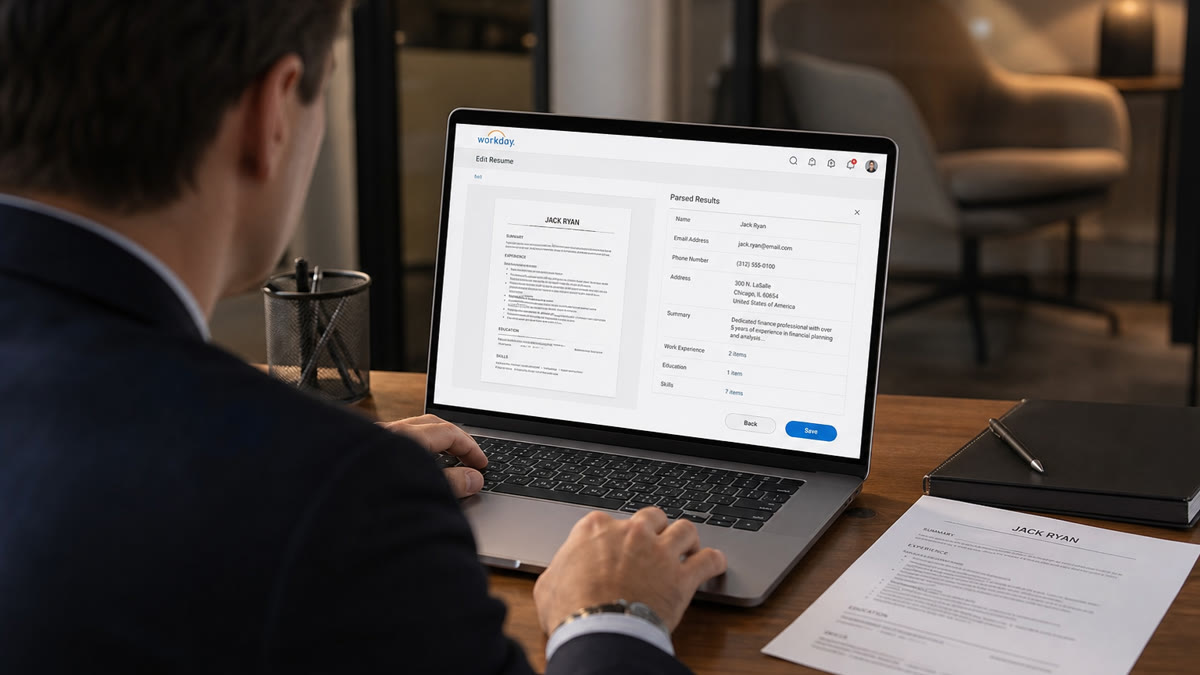
A composite senior accountant applies to a controller role at a regional bank. The PDF shows ten years of SEC reporting and a CPA earned in 2019. After upload, Workday's auto-fill leaves the current job with no end date, parks CPA under Skills, and drops the Big Four employer name entirely.
That's the pattern when optimizing resumes for ATS in Workday fails at the layout layer. Recruiters often see the imported profile before they open your attachment. If dates are blank or credentials sit in the wrong field, you look like you skipped a certification or left a job open you already closed.
The tell: the PDF reads fine to you, but the portal preview or the retype-your-work-history step shows jumbled employers, missing Month Year ranges, or bullets split across two jobs.
Finance resumes trigger this more than general corporate files because templates love right-aligned date columns, competency grids, and logo headers. None of those survive Workday's field mapper cleanly.
Read Workday resume format 2026 for platform-wide layout rules. This page goes deeper on US finance parsing failures: tables, dates, CPA lines, and the single-column rebuild order.
Three causes when Workday mangles finance resumes
Cause 1: Hidden tables holding your dates
Most finance Word templates align dates in a right column using an invisible-border table. You can't see the grid on the PDF. Workday reads the row left to right and may attach January 2022 to the company cell, skip the date cell, or merge two roles into one block.
Before: Two-column table row: left cell "Senior Financial Analyst | Apex
Capital" and right cell "Jan 2022 to Present" in a separate cell.
After: Senior Financial Analyst, Apex Capital, January 2022 to Present
on one plain line, bullets stacked below with no grid.
Fix: Open the file in Word. Turn on gridlines. If you see boxes around dates, rebuild that section as stacked text. One employer block: title, company, inline Month Year range, then bullets.
Cause 2: Two-column or sidebar layouts
Canva and premium templates put technical skills in a left rail and experience on the right. Workday's importer does not read columns top-to-bottom the way you do. It can interleave lines, so "SQL, Hyperion, GAAP" lands between two employer names while a consolidation bullet attaches to an internship from 2016.
Before: Sidebar lists CPA, CFA Level II, SQL, Tableau; main column holds
jobs with dates in a second hidden column.
After: Single column top to bottom: contact, summary, experience with
inline dates, education, certifications, skills as a comma line after tools appear in
bullets.
Fix: Collapse to one column at 11-point Calibri or Arial. Move contact info into the body. Skills echo tools you already proved under a dated employer line.
Cause 3: CPA and cert lines in headers or table cells
Finance candidates tuck Certified Public Accountant (CPA) next to their name in a header or squeeze credentials into a two-cell table with icons. Some Workday configs never scan headers. Table cells can import as free text with no field type, so CPA becomes a random skill tag instead of a license with a year.
Before: Header row: Name | CPA | CMA | phone in footer only.
After: Name and phone in body text. Certifications section: Certified
Public Accountant (CPA), Texas, 2019; Certified Management Accountant (CMA), 2021.
Fix: Spell out each credential once, state, and issue year on its own line in Certifications. Keep the abbreviation in bullets only after the full name appears in that section.
How to tell which cause is yours
Run three checks in order. Notepad paste: if dates float above titles, you're in Cause 1 or 2. Ctrl+F on the PDF: if your phone number is not findable, contact info is trapped in a header (often paired with Cause 3). Certifications location: if CPA shows under Skills in the portal preview, Cause 3 is active even when dates look fine.
You can hit two causes at once. Fix column layout first, then inline dates, then move credentials into a body section. Adding keywords before layout is fixed just scrambles the same broken import faster.
Edge case: you left a Big Four role off the one-page version to save space. Workday still expects chronological blocks. Shorten bullets, don't delete an employer the posting asks about. A gap in imported history hurts more than a dense page.
Edge case: contract FP&A gigs through an agency. List the client in the company line and the agency in smaller text on the same line if needed, with Month Year dates inline. Don't park six-month contract wins only in a project table that won't parse.
Edge case: you're a CPA candidate with exam sections passed but license pending. Put passed sections in Education or Certifications with pass dates. Don't list CPA in the header next to your name until the state board issue date is real. Recruiters notice the mismatch when the portal imports it as an active license.
Date format rule for US finance: pick one style and never mix it. January 2022 to Present on every role beats alternating 01/2022 and Jan '22, which some Workday instances read as two different field types. Spell Present for current jobs instead of leaving the end date blank.
Copy-paste finance job block for Workday
Copy-paste this skeleton under Experience and replace each bracket honestly:
                [Job Title], [Company Name], [City, State]
[Month Year] to [Month Year or Present]
- Built [system or report] in [tool from posting]; [outcome with number you can defend]
- Supported [close, audit, or forecast cycle] under US GAAP; [scope: entities, accounts, or regions]
- Partnered with [team] on [process]; cut [manual step] from [X hours] to [Y hours] per [period]
Example filled in: Financial Analyst, Meridian Insurance Group, Hartford, CT. March 2021 to Present. Built Hyperion consolidation reports for 4 legal entities; shortened monthly close prep from 9 hours to 3 hours per cycle in FY2024.
Pair for a staff accountant role: Before: Staff Accountant with dates in a right table column and "CPA" icon in the header. After: Staff Accountant, Coastal Community Bank, March 2020 to February 2023, then Senior Staff Accountant, same bank, March 2023 to Present, with CPA listed under Certifications on its own line.
Pair for an FP&A candidate: Before: Three-column skills grid with "variance analysis" never appearing next to a company name. After: Single column bullet opening with "Led quarterly variance analysis for $240M revenue line in Anaplan" under the dated employer block.
After layout is clean, align posting terms using finance resume keywords for analyst and FP&A roles . Keywords belong in dated bullets, not only in a skills grid the importer already misread.
Finance layout traps that still break Workday
Quarter and season date labels. "Q3 2023" and "Summer 2022" look tidy on a slide deck. Workday's date fields expect Month Year or a full numeric month. Write September 2023, not Q3 2023, on employer lines.
Merged Skills and Certifications headers. "Skills and Certifications" is one heading that maps to one field type. Split them so CPA lands in Certifications and Excel stays in Skills.
Logo headers and chart snippets. Firm logos and tiny sparkline images are invisible to the parser and can push real text out of reading order on older instances.
Hyperlinked email only. A blue mailto link without plain text beside it sometimes imports blank. Write the address as text, then link if you want.
Assuming the first upload re-parses when you swap files. Some flows cache the first import. After you upload a fixed DOCX, open every auto-filled field before you click next.
Stuffing acronyms without spelling them once. US GAAP, SOX, and ASC 606 should appear with a spelled-out first use in a bullet or cert line, not only as tags in a sidebar cloud.
Using a functional or hybrid layout for career pivots. Finance pivots still need chronological employer blocks with dates. A skills-first hybrid page confuses Workday's importer the same way a design template does. Lead with a two-line summary, then dated experience, even when you're repositioning from audit to FP&A.
Ignoring the manual work-history screen. Even after a clean import, Workday often asks you to confirm each role. If you click through without matching the PDF, recruiters see one timeline in the profile and another in the attachment.
Test parsing before the Workday upload
Export your rebuilt single-column file, then run a free ATS check on the DOCX or PDF you plan to submit. You're confirming employer blocks, dates, and contact lines extract in order, not chasing a perfect score while tables remain hidden.
When the posting asks for a letter, generate a cover letter that names the same close cycle, system, or certification you fixed in bullet one. A clean resume paired with a letter that cites different tools signals copy-paste, not fit.
Keep a one-line note in your tracker: portal, file type uploaded, and whether auto-fill matched the PDF. Two applications in the same week teach you more than a third template download.
If Notepad paste still jumbles after a rebuild, save a plain-text version for that employer and follow up politely when the posting allows email to recruiting. Most fixes happen before upload, not after a rejection, but a readable plain export beats a silent fail when the portal chokes on your DOCX.
Rebuild order before the next finance apply
Optimizing resumes for ATS in Workday for US finance roles comes down to boring structure. Single column first. Inline Month Year dates second. CPA and CFA lines in a body Certifications section third. Then tune bullets and keywords against the posting.
This won't fix applying to controller roles when you're two years short on close experience. It stops a qualified file from dying because a hidden date table made your current job look open since 2018.
Open Word tonight. Turn on gridlines. Paste into Notepad. Export DOCX for the bank portal on your list. When the import preview finally matches your PDF, submit once and verify every field before you leave the tab.
Read more
Frequently asked questions
Dates in a right-aligned table cell are the usual trigger. Workday's importer reads table rows left to right and often attaches the date to the wrong field or skips the cell. Put Month Year dates on the same line as the job title and company in plain text, not in a separate column.
Lean DOCX when the career site looks like an older enterprise portal, which is common at banks and insurers. A text-selectable PDF exported from Word is fine on newer Workday sites. Never upload a scanned image or a design-tool export where your phone number is not searchable with Ctrl+F.
Place Certified Public Accountant (CPA) and Chartered Financial Analyst (CFA) lines in a plain Certifications section in the body. Do not put them only in a header, footer, or table cell. Spell out the credential once, then use the abbreviation, with the issue year on the same line.
Rarely cleanly. Sidebars that hold skills or contact info force the importer to guess reading order. Skills lines can land under Education and bullets can attach to the wrong employer. Rebuild as a single column before you add another keyword.
Copy the full resume into Notepad and confirm employer names and dates stay in order. Search the PDF for your phone number and each job title. Toggle gridlines in Word to expose hidden tables. Then run a free ATS check on the exported file before you upload to the portal.