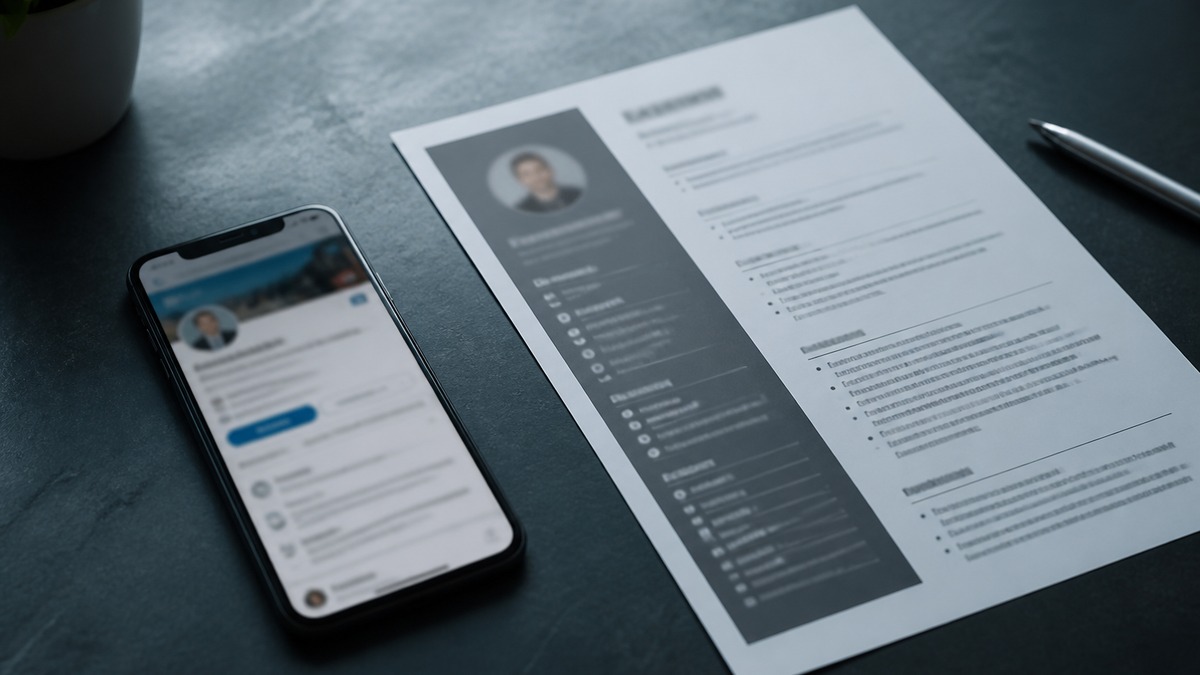
Match LinkedIn and resume keywords by aligning the same truthful role nouns—titles, specialties, tools, methods, credentials, and industries—across your headline, About, Skills, and Experience. Keep dates and claims consistent, but do not duplicate every sentence. LinkedIn supports recruiter discovery; Workday and Greenhouse manage employer applications.
The distinction matters. LinkedIn is not an applicant tracking system. Recruiters can use LinkedIn Recruiter to search profiles and apply filters; employers use ATS products such as Workday and Greenhouse to collect, organize, search, and review application records. A sourcer may discover you on LinkedIn, contact you, and later ask you to submit through an ATS. Good alignment helps at both stages without pretending they are one algorithm.
This guide focuses on profile-to-resume noun alignment. For examples of terms recruiters may search, read LinkedIn keywords US recruiters search. To evaluate your profile directly, open the HireFlow LinkedIn profile optimizer.
Key Takeaways
- Align facts exactly and wording strategically.
- Put role nouns in sections recruiters can understand.
- Use LinkedIn broadly and tailor each resume narrowly.
- Support Skills with Experience evidence.
- Keep Workday and Greenhouse submissions consistent with the profile.
- Never inflate titles, credentials, tools, or results.
LinkedIn Recruiter search is not ATS screening
LinkedIn profiles exist in a network with connections, activity, public sections, and recruiting products. Recruiters may search or filter using job titles, locations, skills, companies, schools, industries, years of experience, and other fields available to their account and workflow. Search behavior and product features can change; nobody outside the platform should promise a fixed ranking formula.
Workday and Greenhouse are separate employer systems. A Workday application can capture structured fields and an uploaded resume. A Greenhouse workflow can store candidate records, attachments, interview stages, and integrations. Recruiters may search extracted resume text or structured data, but implementation differs by employer. A keyword added to LinkedIn does not automatically appear in either ATS, and a resume upload does not automatically update LinkedIn.
Think in two journeys. Discovery asks whether a recruiter can recognize your role family and relevant specialty on LinkedIn. Application asks whether your targeted resume and form answers show the qualifications for one requisition. The shared foundation is factual identity: same employers, titles, dates, credentials, and defensible skills.
The EEOC states that anti-discrimination rules apply to recruitment and hiring practices. Profile optimization cannot assess whether a recruiter's search or employer selection procedure complies with law. Consult the EEOC employment practices guidance for official information. SHRM's talent acquisition resources provide broader context on sourcing and recruiting operations.
Do not put sensitive personal information into a profile merely to influence search. Review visibility settings, public contact details, and what non-connections can see. A professional profile can be discoverable without publishing a home address, private phone, personal documents, or confidential client data.
Key Takeaway: Optimize LinkedIn for accurate discovery and the resume for a specific application, using one consistent factual foundation.
Build a shared keyword map from suitable roles
Collect several current postings for the role family you genuinely target. LinkedIn must represent more than one application, so one posting is too narrow. Look for recurring nouns across suitable roles: title variants, specialties, tools, methods, credentials, industries, customer types, regulated knowledge, and deliverables. Keep only terms that describe work you have done or qualifications you hold.
Create a small map with four columns: term, evidence, LinkedIn placement, resume placement. “Salesforce” might map to Skills, About, and a dated LinkedIn role, then to Skills and one tailored resume bullet. “PMP” belongs in Licenses & Certifications and the profile headline only if current and strategically useful. “Healthcare” should appear when your employers, clients, products, or domain work substantiate it.
| Keyword type | LinkedIn location | Resume location |
|---|---|---|
| Role title | Headline, current role, About | Headline, summary, accurate title context |
| Tools and methods | Skills plus Experience evidence | Skills plus targeted bullets |
| Credentials | Certifications, headline if important | Certifications and summary if required |
| Industry or domain | Headline, About, Experience | Summary and relevant roles |
| Outcomes | About and Experience context | Selected achievement bullets |
Avoid keyword aggregation that produces an identity you cannot explain. A product marketer who collaborated with analytics should not claim “data scientist.” A recruiter who scheduled interviews in Greenhouse can name Greenhouse and scheduling; that does not automatically support talent acquisition leadership. Evidence determines the level of wording.
Review ATS keyword categories for title, tool, method, credential, and domain distinctions. The same taxonomy helps profile editing even though LinkedIn search and ATS screening are not identical.
Key Takeaway: Map every priority noun to real evidence and a deliberate location before adding it to either asset.
Align your LinkedIn headline with resume role nouns
The headline should quickly answer what work you do and what differentiates you. Start with a truthful current role or credible role family, then add two or three specialties, tools, domains, or outcomes. Use separators for scanning, but write for a person rather than stacking every possible synonym.
Before: “Helping companies unlock value and build a better future.” After: “Revenue Operations Analyst | Salesforce CRM | Pipeline Reporting & Process Design.” The second version gives recruiters searchable role, platform, and specialty nouns while remaining understandable.
Career changers need honest bridge language. “Teacher transitioning to Instructional Design | Adult Learning | Articulate 360” can be accurate if the person has relevant projects or training. Simply changing the headline to “Senior Instructional Designer” without experience creates a title conflict that a recruiter will notice.
Your targeted resume headline can be narrower because it serves one job. LinkedIn might say “Data Analyst | Marketplace & Operations Analytics | SQL, Tableau,” while a resume for a marketplace role says “Marketplace Data Analyst.” Both can be true. The employer history and actual title should still remain accurate; use a headline to position, not rewrite records.
Avoid “seeking opportunities” as the entire headline. Availability does not explain fit. Features that signal openness can handle that purpose depending on your settings. Spend visible headline space on role and specialty language that helps the right recruiter understand your profile.
Key Takeaway: Lead with a defensible role family, then add the few specialty nouns that distinguish your fit.
Use the About section to connect keywords with evidence
About can be more conversational than a resume summary. Open with role, domain, and the problems you handle. Follow with two or three compact examples that show tools, stakeholders, scope, and outcomes. Close with the kinds of challenges or role family relevant to your direction, without sounding like a mass outreach message.
Place important nouns in complete sentences. “I support B2B SaaS revenue operations through Salesforce data governance, pipeline reporting, territory analysis, and cross-functional process design” reads naturally and establishes context. A pasted line containing “Salesforce | HubSpot | SQL | Tableau | RevOps | strategy | leadership” supplies little evidence.
Before: “Dynamic, results-driven professional with a proven track record of excellence and a passion for innovation.” After: “I manage customer onboarding operations for B2B software teams, translating implementation requirements into Asana plans, risk logs, and executive status updates. My recent work has focused on reducing handoff ambiguity across sales, solutions, and support.”
Do not copy the resume summary verbatim. The resume can name the target and condensed qualifications in three lines; About can connect career progression and explain adjacent experience. Still, check every claim against the resume. If LinkedIn says you led a global team and the resume says you coordinated a regional workstream, clarify the distinction.
Use first person if it sounds natural. Keep paragraphs short for mobile reading. The first visible lines should carry the role and strongest specialty because readers may not expand the section. Remove old goals, abandoned career directions, and tools that no longer represent the work you want.
Key Takeaway: About should turn a keyword set into a coherent professional story, not repeat a list.
Match Skills and Experience without copying the resume
Add a focused Skills set that supports the target role family, then reinforce priority skills inside Experience. A skill with no visible context may still be searchable, but evidence helps a recruiter judge depth. Put the most relevant skills first where the interface permits, and remove obsolete, trivial, or unsupported terms that blur your direction.
LinkedIn Experience can use fewer, slightly broader bullets than a targeted resume. Preserve employer names, official titles, and dates. Explain scope and selected achievements that support several suitable roles. The resume can then choose the most relevant bullets, adjust ordering, and mirror one posting's accurate terminology.
Before: LinkedIn says “Managed projects,” while the resume says “Led Jira dependency planning for ERP releases.” After: LinkedIn says “Led cross-functional ERP release planning, including Jira dependencies, risk reviews, and stakeholder updates,” while the resume retains a more targeted bullet with the same truthful nouns and application-specific scope.
Recommendations and endorsements can support credibility, but you do not fully control other people's wording. Do not treat them as substitutes for clear Experience. Licenses and Certifications should include accurate issuer, credential name, and dates where applicable. Never list an expired credential as current or use an incomplete course to imply certification.
Projects, Publications, Featured, and Education can surface relevant work when used honestly. A career changer may feature a portfolio project demonstrating SQL or instructional design. Describe what you built, data source or audience, method, and constraints. Label simulated, academic, volunteer, or personal work accurately.
Midpoint action: run the profile through the LinkedIn profile optimizer. Review missing section and language suggestions against your keyword map. Add only terms backed by the Experience, Skills, Certifications, Education, or Projects you can substantiate.
Key Takeaway: LinkedIn supplies broad evidence for a role family; each resume selects the evidence most relevant to one requisition.
Audit LinkedIn, the resume, Workday, and Greenhouse together
Compare shared facts line by line. Employer names can use a recognizable short form, but the entities should be clear. Titles should match official records or include transparent context, such as “Client Success Associate (Customer Onboarding).” Dates should not create unexplained contradictions. Degrees, licenses, and certifications must agree.
Some differences are legitimate. LinkedIn may show month and year for a full career, while a resume may omit early unrelated roles. A targeted resume can emphasize selected projects that LinkedIn summarizes. Public profile descriptions may avoid confidential metrics that a privately submitted resume can mention only when disclosure is permitted. Difference is acceptable; contradiction is not.
After uploading to Workday, review imported titles, employers, dates, education, and contact details. After applying through Greenhouse, confirm the correct attachment and form answers. Product behavior varies by employer and integrations, so no profile optimizer can guarantee the exact candidate record. For file structure, use the Workday resume format guide.
- List the role family and five to ten priority nouns you can defend.
- Verify employer, title, date, education, and credential facts across both assets.
- Rewrite the LinkedIn headline around role, specialty, tool, or domain nouns.
- Use About to connect those nouns with two or three evidence examples.
- Prioritize relevant Skills and reinforce them in dated Experience.
- Tailor a resume copy to one posting without changing the shared facts.
- Check for title inflation, tool inflation, copied descriptions, and conflicting metrics.
- Review privacy and visibility settings plus public contact information.
- Upload the final resume and correct every Workday or Greenhouse field.
- Repeat the audit after promotions, major projects, certifications, or target changes.
Keep a dated master facts document so updates do not drift. When a project finishes, record tools, collaborators, scope, constraints, and approved outcomes. Later, you can write LinkedIn and resume versions from the same evidence rather than trying to reconcile memory.
Key Takeaway: Strategic wording may differ, but employers, dates, credentials, tools, scope, and outcomes must remain reconcilable.
Avoid profile keyword mistakes that damage credibility
The first mistake is title inflation. A headline may describe a target role family, but Experience should not silently replace an official coordinator title with director. Add functional clarification in parentheses when needed. The second is tool inflation: naming a platform after one demo, adjacent collaboration, or a course without describing the level of exposure.
The third is keyword duplication. Repeating the same twenty-term block in headline, About, every role, and Skills makes the profile difficult to read and supplies no proof. The fourth is identity sprawl: combining product, finance, recruiting, marketing, operations, and engineering terms so broadly that nobody knows which opportunities fit.
The fifth is chronology drift. Profiles often stay outdated after a resume changes, leaving current roles marked active or certifications shown as valid after expiration. The sixth is metric conflict: two versions describe different team sizes or outcomes without context. Use ranges only when accurate, and preserve source notes for claims.
Before: “AI | Strategy | Leadership | Data | Product | Growth | Transformation” with no role. After: “Product Operations Manager | SaaS Launch Readiness | Jira, Process Design, Cross-Functional Delivery.” Focus helps suitable recruiters self-select and gives every noun a credible home.
Finally, avoid claiming that profile optimization “beats the ATS.” LinkedIn sourcing and ATS application review are connected by recruiting workflows, not by one public score. Optimize each artifact for its job and keep the facts aligned.
Key Takeaway: Focused, evidenced keywords improve discoverability; inflated or scattered keywords create doubt.
Make both assets tell one credible story
Your profile should make the right role family recognizable before a recruiter opens every section. Your resume should make your fit for one opening easy to verify. Align the nouns, preserve the facts, and let each format perform its distinct job.
Audit your headline, About, Skills, and Experience with HireFlow's LinkedIn profile optimizer. Then compare the targeted resume with the role using the job match score tool before reviewing the actual application fields.
Key Takeaway: Recruiter discovery and ATS applications are different stages, joined by one requirement: a consistent, truthful professional record.
Frequently asked questions
Core facts and important role nouns should align, including employers, titles, dates, credentials, tools, and specialties. The wording does not need to be identical. A resume is targeted to one application, while LinkedIn serves a broader professional audience. Use consistent facts and overlapping search terms without copying every bullet.
No. LinkedIn is a professional network and recruiting platform. LinkedIn Recruiter supports searches and filters, while an ATS such as Workday or Greenhouse stores and manages employer applications. A recruiter may source you on LinkedIn and later move or ask you to apply through an ATS, but the systems serve different functions.
Place the clearest role and specialty nouns in the headline, explain them naturally in About, add recognized skills in the Skills section, and prove them in Experience. Certifications, projects, education, and services can support relevant terms. Avoid repeating the same list in every section; context and factual consistency matter.
Use a truthful current or target role family plus two or three differentiating specialties, tools, or domains. For example: Product Operations Manager | SaaS Launches | Jira, SQL, Process Design. Do not claim a title you have never held without clear transition wording, and avoid spending the full headline on slogans.
Yes. About can use first person, explain professional direction, and connect several roles in more detail. It should still agree with the resume on facts, seniority, tools, credentials, and outcomes. Keep important nouns visible in natural sentences and avoid unverifiable claims or a pasted block of keywords.
They are separate systems. Keywords on LinkedIn can help a sourcer find your public profile; keywords in a submitted resume can support search or review inside Workday or Greenhouse. Recruiters may transfer or compare information, so factual consistency matters. Optimizing one location does not automatically optimize or update the other.
Add a focused set that accurately represents your work and supports the roles you want. Put the most relevant skills first where LinkedIn permits. More is not automatically better; a large unfocused list can blur positioning. Remove obsolete or unsupported skills and reinforce priority skills with evidence in Experience.
Review both after a promotion, role change, major project, certification, new target, or meaningful tool experience. Also compare them before an active search. Update shared facts first, then tailor the resume for each job while keeping LinkedIn broad enough for the role family you want recruiters to associate with you.