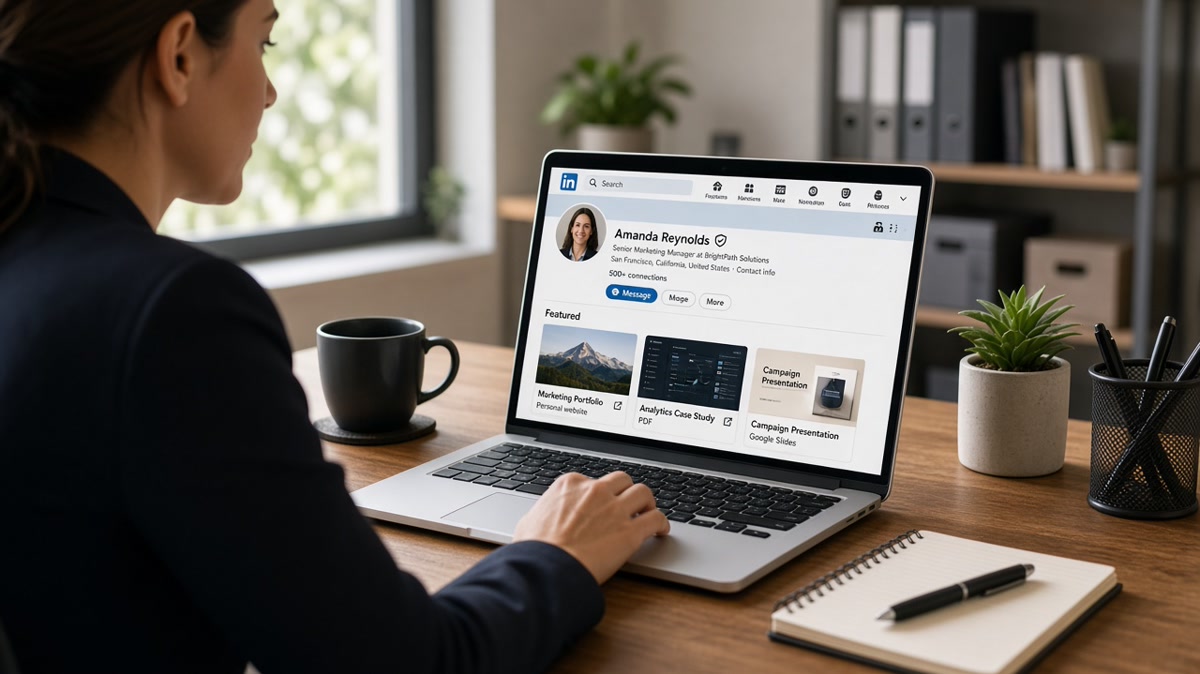
12 min read
Your resume cleared the parser. Your headline matches the req. You still get a polite pass after a recruiter opens your profile. You're not missing keywords. You're missing the proof file they hunt for in Featured after the PDF skim, and you're probably showing them the wrong tile first.
Most guides treat Featured like a trophy wall. US recruiters don't browse it for inspiration. They click in a fixed order when bullets look plausible but need evidence the resume can't carry: a deck, a repo, a writing sample. Vanity items get skipped. If you've ever wondered why a peer with thinner bullets got forwarded, check their slot one before you rewrite your summary again.
Before you reorder tiles, check your resume for free against the posting and confirm your top bullets parsed. Featured only matters once the file survives the first screen.
Your LinkedIn Featured Section order matters more than how many tiles you pin. This page walks the symptom you feel, three causes that make Featured invisible, how to tell which one is yours, and the fix for each without turning your profile into a content farm.
Quick Wins
- Slot one: newest role-specific proof PDF with a plain title recruiters can parse in two seconds.
- Slot two: portfolio or repo link that loads without a login wall.
- Drop certificates, event photos, and posts that repeat your About section.
The symptom: profile opens, Featured never gets a click
You apply to a product marketing req. Your resume lists campaign launches, pipeline influence, and cross-functional briefs. A recruiter opens your LinkedIn profile, scrolls past About, glances at Experience, and closes the tab. You assume they didn't read. Often they did read the headline and bullets. They didn't find the deck that proves you ran the launch end to end.
Featured is where recruiters validate claims the resume can't show. A one-page PDF beats ten polished posts when the req asks for funnel proof. A public repo beats a skills list when the req asks for code quality. Recruiters working volume don't hunt through six tiles. They scan left to right for something that looks like work product, not branding.
The symptom feels like silence after a profile view. Inbox notes say "strong background" with no forward. Hiring managers never see you because the recruiter couldn't attach proof to your bullets in under thirty seconds.
Candidates misread the signal. They add more posts, more certificates, more "thought leadership." Recruiters skip those when slot one is a conference selfie or a generic article from two years ago. The section isn't empty. It's ordered for vanity, not for screening.
And when every tile requires a login, a special app, or a permission request, recruiters bail before the hiring manager ever hears your name. That feels like a content problem but it's usually an access problem wearing a portfolio mask.
LinkedIn Featured Section: three causes recruiters skip your tiles
Cause 1: Vanity items sit in slot one
Symptom: your first tile is a press mention, a certificate badge, or a post celebrating a work anniversary. Recruiters read that as "no proof ready" and stop scrolling.
Before: slot one is "Grateful to be named Top Performer Q4" with a photo from the awards stage. Slots two and three are old blog links about industry trends.
After: slot one is "Acme launch one-pager (redacted)" PDF with three slides: problem, channels, outcomes. Slot two is a Behance or personal site with two case studies. Slot three is one post only if it walks through a decision you made on that launch.
Fix: drag the newest role-specific proof doc to slot one. Title it like a file name, not a headline. "Q3 pipeline campaign deck (redacted)" beats "How I think about growth." Recruiters click filenames that match the req noun.
Cause 2: Proof is stale or off-role
Symptom: your Featured section still showcases work from a prior function or an old employer while your headline targets a pivot. Recruiters click once, see mismatched scope, and assume you're still selling the old story.
Before: data analyst targeting product roles features a 2022 SQL dashboard PDF and a Tableau public link with finance KPIs only.
After: slot one is a one-page PRD excerpt with user stories and success metrics redacted. Slot two is a Figma prototype link with view access. Slot three is a short post on a tradeoff you documented, not a repost of someone else's article.
Fix: match Featured to the req you're chasing this month, not your greatest hit from five years ago. One fresh proof doc tied to the target function beats four evergreen trophies. Swap tiles when your headline pivot changes, the same way you'd retitle a resume block.
Cause 3: Links break, login-wall, or slow load on mobile
Symptom: recruiters tap your portfolio and hit a sign-in page, a 404, or a PDF that won't open on a phone between meetings. They don't email you for access. They move to the next profile.
Before: slot one links to Google Drive with "request access." Slot two is a personal site with an expired SSL warning.
After: slot one is a PDF uploaded directly to Featured with a two-word title. Slot two is a public GitHub repo or portfolio page that loads on LTE without cookies.
Fix: test every tile on your phone on cellular data. Upload PDFs natively when you can. Use "anyone with the link can view" on cloud files and verify in an incognito window. If it needs a password, recruiters won't ask.
How to tell which cause is yours
Open your profile on a phone you don't own. Tap slot one with your thumb. If the first tap fails or asks for login, fix access before you reword titles. If slot one opens but doesn't match your target req, swap content before you add more tiles. If slot one is a certificate or celebration post, you have a vanity ordering problem, not a missing-skills problem.
Read resume vs LinkedIn: what must match and what doesn't when your headline and Featured tell different stories about the same years.
The click order recruiters use
Picture the skim: recent proof document first, portfolio or repo second, posts last. Certificates and event photos rarely get a tap unless the req is credentialed clinical work and the license PDF is slot one. Generic articles get skipped when a deck would answer the hiring manager's first question.
Recruiters aren't curating your brand. They're hunting a file to forward. Slot one should answer "show me the work" in one tap. Slot two confirms depth. Slot three is optional color. Everything else is noise that signals you don't know what proof they need.
Fix for cause 1: rebuild slot one as a proof doc
Export a one-to-three page PDF: context, your role, actions, outcomes with numbers you can stand behind in an interview. Redact client names. Upload to Featured with a filename-style title. Mention the same project in resume bullet one so the recruiter connects the tile to the PDF they already opened in Workday.
Designers: two case study pages beat a homepage link. Engineers: pin the repo with the README that explains the problem you solved, not a list of forks. Writers: PDF sample with a clear byline and topic tag matching the req.
Fix for cause 2: rotate Featured when the req changes
Keep a folder of three proof docs per function you honestly target. When you apply to ops, lead with an ops deck. When you apply to strategy, swap slot one to a strategy memo. You don't need twelve tiles. You need the right tile for this week's req at the front.
Career changers: Featured can carry proof your job titles hide. A marketing portfolio in slot one while your resume still says Customer Support is fair when bullets and the deck align. Don't feature student work from the old function unless bullet one bridges it.
Fix for cause 3: access and mobile pass
Run this on cellular: tap each tile, time to first readable screen, note login prompts. Fix or remove anything over five seconds or behind a wall. Re-upload PDFs quarterly so links don't rot when you change jobs or permissions.
Copy-paste Featured title block: "Role + artifact + date | e.g., Product launch one-pager (redacted) | March 2026" then slot two "Portfolio: [your domain]/two-case-studies" then slot three only if the post adds a decision not in the PDF.
Edge case: regulated or confidential work
Can't show client names? Use a sanitized internal deck template with fake labels and real structure. Recruiters know redaction when the metrics and workflow read true. A blank Featured section hurts more than a redacted one-pager with honest caveats in the title.
Edge case: early career with thin proof
Ship one strong sample: a class project repo with tests, a volunteer campaign write-up, a clinic shadowing log for healthcare pivots. One tight artifact in slot one beats three empty certificates. Pair it with a resume bullet that names the same deliverable.
What good looks like in a thirty-second Featured skim
Slot one opens instantly on mobile. Title names the function and artifact. Content matches bullet one on the resume. Slot two adds depth without a login. No more than three tiles unless every extra tile is req-specific proof, not applause.
That profile gets forwarded with an attachment note. Everything else waits behind missing or mistitled proof. I've opened thousands of profiles between Greenhouse queues; the ones that move have a boring filename in slot one, not a motivational post.
Read how to include links in an ATS resume safely when you want the same portfolio URL to survive the PDF parse and the LinkedIn click path.
Where Featured tiles fail US recruiter screens
Leading with certificates instead of work samples. Certs belong in Licenses or slot one only when the req mandates them. Otherwise they read as filler.
Pinning viral posts with no req tie. Engagement tells recruiters you post. It doesn't prove you can do the job they’re filling today.
Uploading huge PDF decks. Fifteen slides on mobile loses the screen. One to three pages wins the forward.
Using cute titles. "My journey" and "Passion project" hide the function. Name the artifact and the quarter.
Duplicating the resume in Featured. If slot one is just your resume PDF, recruiters wonder why they left Workday. Show the deck, repo, or sample instead.
Leaving broken links live. One 404 trains recruiters to skip your whole section next time.
Ignoring mobile preview. Most profile checks happen between meetings on a phone. Desktop-only proof dies quietly.
Read why recruiters rarely download resumes when your proof lives only in attachments they never pull from the ATS.
Align resume proof before you reorder Featured
Upload your resume and posting to HireFlow's free ATS resume checker and confirm bullet one names the same project you plan to feature in slot one.
Use job match score to see whether this req is worth building a fresh proof doc for or a skip to a better fit.
Give recruiters a file they can forward tonight
Featured isn't a branding stage. It's the proof drawer recruiters open after your resume sounds plausible. Put the newest role-specific doc in slot one, portfolio in slot two, posts only if they add a decision. Drop vanity tiles that eat the scan.
Pick one target req. Build or redact a one-pager that matches bullet one. Test every link on cellular. Swap slot one before you apply again. Track which artifact gets replies when recruiters mention your profile in mail.
Save a phone screenshot of your Featured row next to your resume PDF. Side-by-side catches titles that don't match bullets or files that still need access approval.
When a recruiter views your profile, ask which tile they opened. Their answer calibrates slot one for the next req. Most candidates never ask because they assume silence means bad luck. Treat silence as a proof ordering problem until access and titles are clean.
Keep three proof docs ready per function you target. Rotate the front tile weekly as reqs change. Consistency beats novelty. Recruiters remember filenames that matched the last req when your name resurfaces on the next one.
Draft a short note naming your featured artifact with the cover letter generator when the posting asks for work samples in the application form.
- Slot one is a recent proof PDF with a plain, req-aligned title.
- Every link opens on mobile without login.
- Resume bullet one names the same project as slot one.
Reorder Featured tonight, test on your phone, and run the free resume check before your next submit. Recruiters want candidates they can forward with proof attached. They just won't click if slot one still celebrates a certificate instead of showing the work.
Read more
Frequently asked questions
No. Featured holds proof your resume cannot show: decks, repos, writing samples, redacted case studies. Recruiters still screen your PDF in Workday or Greenhouse first. Featured earns a click when bullets look plausible but need a file to trust.
Three strong items beat six mixed ones. Lead with your newest role-specific proof doc, then a portfolio or repo link, then one post only if it shows how you think about the work. Remove certificates, event photos, and generic articles that do not match the req.
Often yes on mid-level and senior reqs where scope is hard to prove in bullets alone. They open Featured after the resume skim when they need a deck, sample, or repo before they forward you to the hiring manager. A clean parse does not remove that step.
External proof first. A one-page PDF case study or a public repo wins over a post that only restates your About section. Posts go third in the order recruiters use. If the post adds nothing beyond your resume, drop it for a writing sample or slide deck instead.