11 min read
Your resume isn't missing keywords. The vertical gaps are eating them. You've got solid bullets. The file uploads fine. Then Greenhouse preview shows three achievements as one paragraph, or Workday drops the blank line between your title and employer. That's line spacing ATS parsing errors in action, and they're fixable in ten minutes if you know which dial to turn.
Check your resume for free on the DOCX you'll attach, not the PDF you designed in a browser. Most US employers run Greenhouse, Workday, Lever, or iCIMS. They all ingest text in order. Double-spacing from an old academic template, or a "designer" 0.9 line-height, tells the parser your bullets are one block.
You don't need a new template marketplace. You need single spacing (1.0), 6 pt after paragraphs, and a plain-text paste test before you hit apply. Job searching's already draining. Don't spend another week wondering if they ghosted you when the upload merged your last three roles into a single line.
If you're fixing spacing tonight, start with the Quick Wins below. I've opened Greenhouse profiles where the PDF attachment looked polished and the parsed view showed one paragraph where four bullets should sit. The fix was never content. It was spacing.
Quick Wins
- Line spacing 1.0 everywhere. No 1.15, no double-space.
- Space after paragraph: 6 pt. Space before: 0 pt.
- One blank line between major sections only.
- Hard Enter between bullets. No Shift+Enter soft breaks.
What line spacing does when Greenhouse reads your file
ATS software doesn't see your margins the way you do. It reads characters in sequence and treats certain vertical gaps as "new paragraph" or "same paragraph." Double line spacing inserts extra newline characters between every line. A parser hunting section headers may decide those gaps mean Education started early. Your current role slides down the preview.
Single spacing with 6 pt after paragraphs is the US default that survives upload. The 6 pt adds visual separation for human recruiters without doubling the newline count. Custom line-height at 0.95 or 1.2 behaves differently in DOCX export than in PDF. Bullets that looked stacked in Word can paste as one run-on sentence in preview.
Edge case: you copied bullets from a web profile. Browser paste often brings invisible line-height styles. Strip formatting with Paste Special → Keep Text Only, then reapply spacing from the steps section. Edge case: Google Docs "Add space after paragraph" set to 12 pt on every bullet. Drop it to 6 pt on the Normal style once, not per line.
For SAP-heavy employers, read SAP ATS parsing and US resume formatting that works after you fix spacing. SAP is picky about section order, but merged bullets still kill search before order even matters.
Five steps to stop line spacing ATS parsing errors
Work top to bottom. Each step ends with a pass/fail check so you know whether to continue or rebuild the file from your last good export.
Step 1: Reset Normal style to 1.0 line spacing
In Word: Home → Line and Paragraph Spacing → Line Spacing Options. Set Line spacing to Single, At least 0 pt, Before 0 pt, After 6 pt. Apply to Normal style so every new paragraph inherits it.
In Google Docs: Format → Line & paragraph spacing → Custom spacing. Line spacing 1.0, Before 0 pt, After 6 pt.
Before: Line spacing Multiple 1.15 with 10 pt after each bullet. Greenhouse preview runs bullets together.
After: Single spacing, 6 pt after paragraph only between role blocks. Each bullet stays its own line in Notepad paste.
Step 2: Kill double-spacing and academic templates
University career centers still hand out double-spaced CVs. US corporate resumes are not that format. Select all (Ctrl+A), set line spacing to 1.0, remove "Double" or "1.5 lines" from any style named Body or Resume Text.
Before: Operations analyst role shows blank line between every bullet. Parser reads four mini-sections instead of one job.
After: Title, employer, dates, then bullets with no blank lines inside the block. One blank line before the next employer only.
Nursing and teaching candidates often inherit double-spacing from clinical logs. Convert to single spacing before you apply to hospital systems on Workday. Keep the content. Change only the vertical rhythm.
Step 3: Replace soft breaks with hard Enter
Shift+Enter creates a line break without a new paragraph. ATS treats soft breaks inconsistently. Some merge them; some drop the line entirely.
Turn on formatting marks (¶). Delete arrow-shaped soft breaks between job title and company. Press Enter once between logical blocks.
Before: "Senior Product Manager" soft-break "SaaS Platform | Remote" soft-break "Jan 2022 to Present" imports as one heading string.
After: Three separate lines, each ending with a hard paragraph mark. Greenhouse shows title, employer, dates on distinct rows.
Step 4: Run the plain-text paste test
Select all in Word. Copy. Paste into Notepad on Windows or TextEdit plain mode on Mac. Scroll slowly.
Each bullet should start on its own line. Job titles should not glue to dates. Skills should not appear mid-sentence inside Education.
Fail? You still have hidden tables, text boxes, or column sections. Flatten to one column before retesting. Read
Teamtailor resume upload issues and US formatting fixes
for the same paste test when the employer portal is Teamtailor instead of Greenhouse.
Step 5: Upload preview and lock the master DOCX
Upload to the employer apply page without submitting. Scroll parsed preview. Current role first. Bullets separated. No wall of text under one date.
Save as Firstname-Lastname-Resume.docx. Tailor bullet one per posting. Do not touch line spacing again unless preview breaks.
Copy-paste spacing skeleton for each role:
[Job Title]
[Employer] | [City, ST or Remote] | [Month Year] to [Month Year or Present]
• [Outcome bullet with metric tied to posting must-have].
• [Tool or method from posting used on this job].
• [Scope: team size, budget, or territory].
[blank line: one Enter only, before next role]
Edge case: two-page resume with 0 pt after paragraph on page two only. Styles leaked across sections. Reapply Normal style to the full document. Edge case: Mac Pages export to DOCX. Reopen in Word and confirm spacing dialog shows Single, not Exactly 12 pt, which mimics double-spacing on screen but exports unpredictably.
Software engineers often paste README-style bullets with backticks and tight line-height from VS Code. Strip code formatting first. Apply the same 1.0 spacing to technical bullets as you use for business roles. A parser does not know your stack is special. It only sees newline counts.
Customer support and retail supervisors sometimes add extra blank lines to "make it readable" on paper. Screen readers and ATS both prefer predictable blocks. One blank line between jobs is enough. If humans need air, use 6 pt after the last bullet in the block, not an empty paragraph between every achievement.
Where vertical gaps break imports
Exactly 12 pt line spacing labeled "single." Word's Exactly setting is not the same as Single. It forces a fixed box height and bullets collide on export.
Multiple blank lines between sections. Three Enters read as empty sections. Parser may skip content between them.
Spacing before headings at 12 pt. EXPERIENCE pushed down can import after your first job block.
Custom line-height in Canva or design PDFs. Visual tightness becomes one paragraph in text extract. Rebuild in Word.
Bullet spacing "After" set per bullet. Inconsistent 3 pt and 9 pt gaps scramble order. Set spacing on the style, not individual lines.
Condensed fonts plus tight leading. Arial Narrow at 10 pt with 0.8 line-height saves space and costs parse clarity.
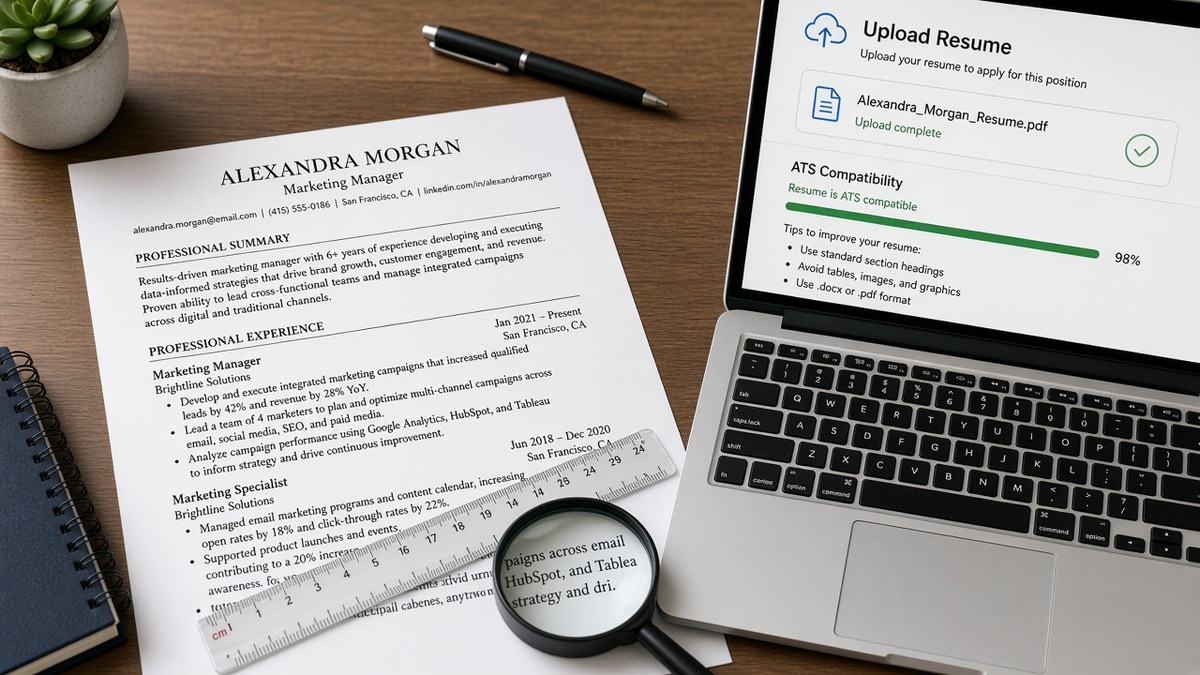
Before/after for a mid-level marketing manager:
Before: Double-spaced summary, 1.5 line spacing in Experience, blank line between every bullet. Greenhouse shows summary lines as separate job entries.
After: Summary as three tight sentences, single-spaced. Experience blocks with 6 pt after the bullet group only. Preview lists one employer with four distinct bullets.
Before/after for a warehouse supervisor:
Before: Shift+Enter between certification lines and job duties. Certifications import inside the first bullet.
After: Certifications section header, hard Enter, list with single spacing. Duties section follows one blank line later.
Hyperlinks styled as spaced-out contact rows can pull spacing from the URL wrapper. Put email and phone on line one as plain text. Move portfolio links into a bullet where spacing rules already work. See how to include links in an ATS resume safely before you underline every URL with custom paragraph gaps.
Track changes and comments left visible. Spacing edits under review mode export as inline markup. Accept all changes before save. Comments balloon vertical space in the XML layer even when hidden on screen.
Section breaks (Page Break vs Section Break). A continuous section break can carry different spacing rules on page two. Remove breaks you did not place on purpose. Use one continuous document when possible.
This won't fix applying when you lack required years. It stops qualified files from looking junior because three strong bullets imported as one sentence under an old internship.
Parse-check spacing before you upload
Run your locked DOCX through the free ATS resume checker. Low structure scores often mean spacing or column issues, not missing keywords in Skills.
Building from scratch? Build your resume with default single spacing and download DOCX before you test Greenhouse preview. Same rhythm, fewer surprise style overrides.
Lock spacing once, tailor words per posting
Line spacing ATS parsing errors clear when you treat vertical space as data, not decoration. Single spacing, 6 pt after paragraph, one blank line between sections, and hard Enter between bullets. Run the Notepad test. Scroll Greenhouse preview before submit.
Open your export tonight. If bullets paste as one paragraph, fix spacing before you apply again. If preview scrambles section order, flatten columns and retest. One clean DOCX beats three retries with the same double-spaced academic file.
Save the working file as your master apply DOCX for every US req this month. Change bullet one per posting, not the spacing dialog. Spacing is one-time work. Keyword tweaks are per job. Mixing the two is how candidates spend hours redesigning a layout that failed the paste test on step four.
When a friend asks why their bullets merged in preview, send them the paste test first. Most line spacing ATS parsing errors disappear once line-height returns to 1.0, soft breaks become hard paragraphs, and 6 pt after replaces double-spacing between every line.
Need a plain cover letter that matches the same spacing rules? Generate a cover letter and keep line spacing at 1.0 with 6 pt after each paragraph there too.
Read more
Frequently asked questions
Double spacing adds blank lines the parser may read as section breaks. Your current role can land below an internship. Use single line spacing (1.0) inside each job block. Add one blank line only between major sections like Experience and Education. That pattern survives Greenhouse and Workday uploads more often than academic double-spacing.
Set line spacing to single (1.0). Set space before paragraphs to 0 pt and space after to 6 pt. Six points after each bullet group gives the recruiter breathing room without creating phantom blank lines. Avoid 12 pt or 18 pt after every line. Those gaps look fine in Word and merge bullets when the ATS strips formatting.
Custom line-height under 1.0 or tight paragraph spacing removes the line break the parser expects between bullets. Shift+Enter soft breaks also stack without a true new paragraph. Replace soft breaks with hard Enter. Use standard round bullets from Word, not wingding icons. Re-upload and scroll the preview until each bullet sits on its own line.
Stay at 1.0 for the body. If the page feels cramped, add 6 pt after paragraph instead of widening line-height. 1.15 is common in cover letters, not US one-page resumes. Parsers treat extra vertical space inconsistently. A recruiter skimming in Greenhouse prefers dense, separated blocks over airy double-spaced pages that import as one wall of text.