10 min read
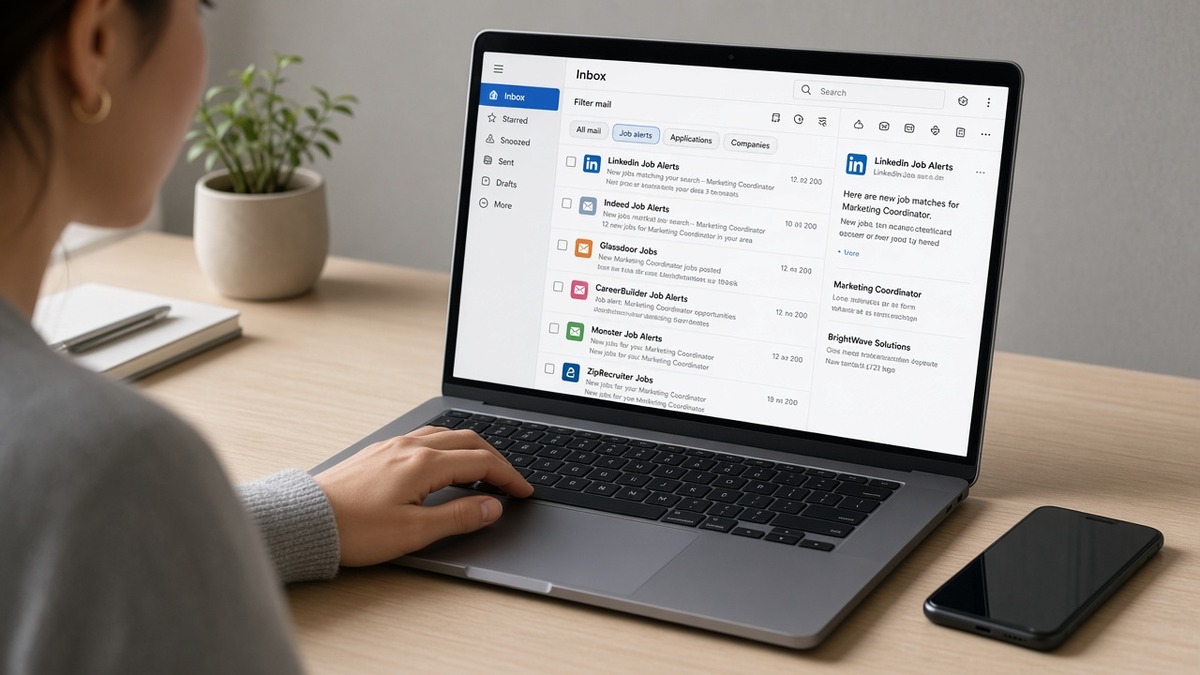
You turned on alerts to catch roles early. Now your inbox looks like a clearance rack: contract gigs in another state, training programs dressed up as jobs, and the same posting from three boards before lunch. You're not bad at searching. Your filters are doing exactly what you asked, just at the wrong width.
Before you delete every alert in frustration, check your resume for free against one posting that actually fits. Spam is annoying, but missing a clean role because you're buried in noise hurts more. This page maps the symptom, three causes, how to tell which one is yours, and the fix for each.
Job searching is already draining. You don't need forty emails a day that never match your level, location, or skills. The fix isn't quitting alerts. It's tightening the strings recruiters would actually search if they were hiring you tomorrow morning.
Quick Wins
- Pause every alert wider than one job title plus one location rule.
- Switch instant pings to daily digest except for your top two saved searches.
- Copy the alert string template below and replace one vague keyword tonight.
The symptom: real roles hide behind alert noise
The posting you wanted sat in the pile for six hours while you cleared junk. By the time you opened it, the req already had a full queue in Workday. That's the symptom alert spam creates: you're active, but you're late on the roles that fit because your attention went to filters that were never going to convert.
Spam here means irrelevant volume, not phishing. Training ads, multi-level marketing listings, and roles three states away still count as matches when your keyword is manager or analyst. Boards earn engagement when you click. Your inbox pays the price.
You might also notice the opposite problem: silence on the titles you care about while unrelated mail keeps coming. That usually means your good alerts are buried under bad ones, or your saved search never included the exact title string hiring managers post.
I've opened candidate inboxes on screen shares where the person had seventeen active alerts and couldn't name three target companies. The fix always starts with naming the symptom: too wide, too duplicated, or too fast. Everything else is tuning.
Read how to spot fake postings when an alert looks too good and you want a quick sanity check before you tailor a resume.
How to use US job alerts without getting spam: three causes
Alert spam is almost always one of three setup problems. They're boring. They're also fixable in one sitting without giving up email notifications entirely.
Cause 1: keywords wide enough to catch everything
Symptom: dozens of emails daily, none at your level. Saved search says engineer, marketing, or coordinator with no seniority, skill, or industry guardrails.
Before: alert keyword reads Software Engineer with location set to United States and experience set to any.
After: Mid-Level Backend Software Engineer Python AWS Remote with salary floor set when the board allows it and experience band set to mid-level.
Boards match literally. Engineer pulls firmware, sales engineer, and support engineer. Marketing pulls internships and commission-only roles. Narrow the noun, add one stack or domain word, lock location or remote, and set experience when the filter exists.
Before: healthcare alert keyword reads Nurse with no specialty or license filter.
After: Registered Nurse Med-Surg Ohio with setting limited to hospital and full-time.
Fix: rewrite each saved search as title plus one skill plus location rule. If the board supports quotes, wrap the title phrase. Delete alerts that can't be narrowed without breaking the board's UI.
Cause 2: duplicate alerts across boards and old accounts
Symptom: the same employer and title hits your inbox two or three times with different subject lines. You can't tell which alert fired, so you don't know what to turn off.
This happens when you clone a search on a second board without retiring the first, or when a board auto-creates alerts after you upload a resume. Each copy thinks it's helping. Together they train you to ignore all of them.
Fix: list every active alert in a sheet with board name, keyword string, frequency, and date created. Kill duplicates until one board owns each title and location pair. Keep a dedupe column for company plus title so you don't apply twice to the same req.
Cause 3: instant frequency on searches that should be digests
Symptom: phone buzzes all day with roles you'll never open. You start archiving without reading. Then a good one lands at 4 p.m. and you miss it because you're numb to the channel.
Instant alerts make sense for a tight string you can act on within hours: one title, one metro or remote rule, one seniority band. They don't make sense for exploratory keywords you're still refining.
Fix: set instant only on your top two saved searches. Move everything else to daily digest at a time you actually review mail. Turn off push notifications for job mail and use a dedicated folder rule so alerts don't compete with personal messages.
How to tell which cause is flooding your inbox
Open today's job mail. Sort by sender. If every message is a different title family, cause 1 is winning. If the same company appears multiple times with identical copy, cause 2. If volume spikes hourly on a broad keyword, cause 3 plus cause 1 together.
Five-minute test: pick one alert, read the keyword line in the email footer or settings page, and compare it to the posting title. If they wouldn't fit in the same sentence, the alert is too wide.
Fix for cause 1: copy-paste alert string template
Copy-paste this into each board's saved search field and replace the bracketed pieces:
[Seniority] [Job Title] [Top Skill or Stack] [Remote OR City, ST] | exclude: intern, volunteer, unpaid
Example filled in: Senior Product Manager B2B SaaS Remote | exclude: intern, volunteer, unpaid. Not every board supports exclude syntax. When yours doesn't, add negative keywords manually in the advanced filter screen.
Fix for cause 2: one owner per title and location
Pick a primary board for discovery and a secondary for niche industry listings. Retire overlapping alerts on a third account you forgot about. Export your alert list monthly so zombie searches don't resurrect after a password reset email.
Fix for cause 3: review window you will actually keep
Block twenty minutes on your calendar for alert review at the same time daily. Process strongest to weakest. Anything that survives two weeks without a click gets paused, not tweaked endlessly.
Edge case: relocation searches
If you're moving, run separate alerts per target metro instead of one national search. National strings pull every remote-hybrid bait post. City plus state with a twenty-five mile radius behaves better on most large boards.
Edge case: contract versus full-time noise
W-2 seekers should set employment type to full-time when the filter exists. Contract alerts flood engineering and creative titles. If you want both, split them into two saved searches so contract mail doesn't drown full-time reqs.
When a good alert arrives: apply workflow
Open the posting. Highlight three required skills. Rewrite the first bullet under your current role so one skill appears in the first eight words. Run a parser check. Submit once through the employer site when you can. Log company, title, date, and resume version in your tracker.
Read why job boards favor early applicants when you're deciding whether tonight's alert deserves a same-day tailor pass or a skip.
Title string examples that behave better
Operations roles confuse filters because every industry uses the word differently. Compare these alert strings side by side before you save:
Before: Operations Manager United States any industry.
After: Revenue Operations Manager B2B SaaS Remote with experience set to mid-level and employment type full-time.
Finance strings fail the same way. Analyst without a prefix pulls credit, data, and business analyst reqs in one stream. Add the prefix the posting uses: Financial Analyst FP&A Chicago or Senior Data Analyst SQL Remote.
Salary and seniority filters worth turning on
Not every board exposes salary floors. When yours does, set a number you'd actually accept, not your dream offer. Spam drops when listings below your floor never reach the folder. Seniority bands work the same way: entry, mid, senior, director. Pick the band that matches your last role's scope, not the title you want in three years.
Hybrid remote is another noise magnet. If you need fully remote, say remote only. Hybrid alerts pull five-day-a-week office reqs labeled as flexible. That's not spam in the technical sense. It's a filter miss that feels like spam when you're clearing mail on your phone at dinner.
Dedicated job-search email setup
Create an address you only use for applications and alerts. Forward nothing personal there. In Gmail or Outlook, build a rule: if subject contains jobs or hiring, move to a Job Alerts label and skip the primary inbox. Review that label once daily during your blocked window. Personal mail stays clean. Job mail stays findable.
Whitelist senders from boards you keep so messages don't land in promotions or spam folders. Check those folders weekly anyway. Good reqs die in spam when filters are aggressive.
Monthly alert audit habit
First Monday each month, export or screenshot your active saved searches. Mark each with interviewed, applied, or junk for the prior thirty days. Pause junk. Clone interviewed strings into a second board if you want backup coverage. This takes fifteen minutes and prevents alert creep.
Candidates who treat alerts like a subscription stack rarely fix them. Candidates who audit monthly usually run three to five tight strings and actually read them. The difference is maintenance, not luck.
Where alert settings quietly break
Leaving default radius at nationwide. You'll get roles you can't attend an interview for next week.
Subscribing after every resume upload. Boards auto-create alerts from parsed resume keywords. Those strings are rarely tight.
Using your personal email without rules. Job mail mixed with bills trains you to ignore the whole inbox.
Applying from alerts without reading the posting. Duplicate reqs and evergreen openings waste tailoring time.
Keeping alerts for dream titles you aren't qualified for yet. They feel motivating and produce spammy rejection loops.
Never pausing an alert that failed for two weeks. tweak or kill. Endless micro-edits on a bad string rarely fix a wide keyword.
Ignoring the employer career site. Alerts are discovery. Company portals sometimes list reqs a day earlier with cleaner filters.
Check fit before you chase the alert
When a clean alert lands, paste the posting into job match score and see whether you're two skills away or a skip. That saves you from tailoring for roles that were never in range.
Then run HireFlow's free ATS resume checker on the version you'll upload. Alerts get you to the door. Parser-clean files get you into the recruiter queue.
If the portal asks for a short note, draft one with the cover letter generator after you align your headline to the posting title. Don't send a generic letter to a role you found through a tight alert. That wastes the filter work you just did.
Quiet the noise, keep the signal
You don't need more alerts. You need fewer strings that match how reqs are actually written. Narrow keywords, dedupe boards, and slow instant pings to a digest unless the search is tight enough to act on the same day.
How to use US job alerts without getting spam comes down to treating each saved search like a recruiter Boolean string, not a mood board. Fix cause 1, 2, or 3 tonight using the inbox test, then leave the rest paused until you have proof they send interviews, not just mail.
Pick your noisiest alert. Rewrite it with the template. Set one daily review block. When a strong req hits, tailor once, submit once, log it. That's how alerts support a search instead of hijacking it.
And when you're ready to apply, run the free resume check so the file you send matches the posting your alert surfaced.
Read more
Frequently asked questions
Three to five is enough for most US searches. Each saved search should cover one target title, one location or remote rule, and one experience band. More than eight alerts usually means duplicate listings and alert fatigue, not more interviews.
Daily digest for broad boards, instant only for your top two title and location combos. Instant on a wide keyword like analyst sends noise all day. Instant on a narrow string like Senior Data Analyst Python Remote is worth the ping when you can tailor within twenty-four hours.
You saved the same keyword on multiple boards or left an old alert running after you cloned a tighter one. Dedupe by company name and title before you apply. One tailored application beats three duplicate uploads that create messy ATS profiles.
No. Alerts tell you a role opened. Tailoring tells the parser and recruiter you fit it. Open the posting, highlight three required skills, rewrite your top bullet so one lands in the first eight words, then submit. Speed without tailoring is just fast rejection.