12 min read
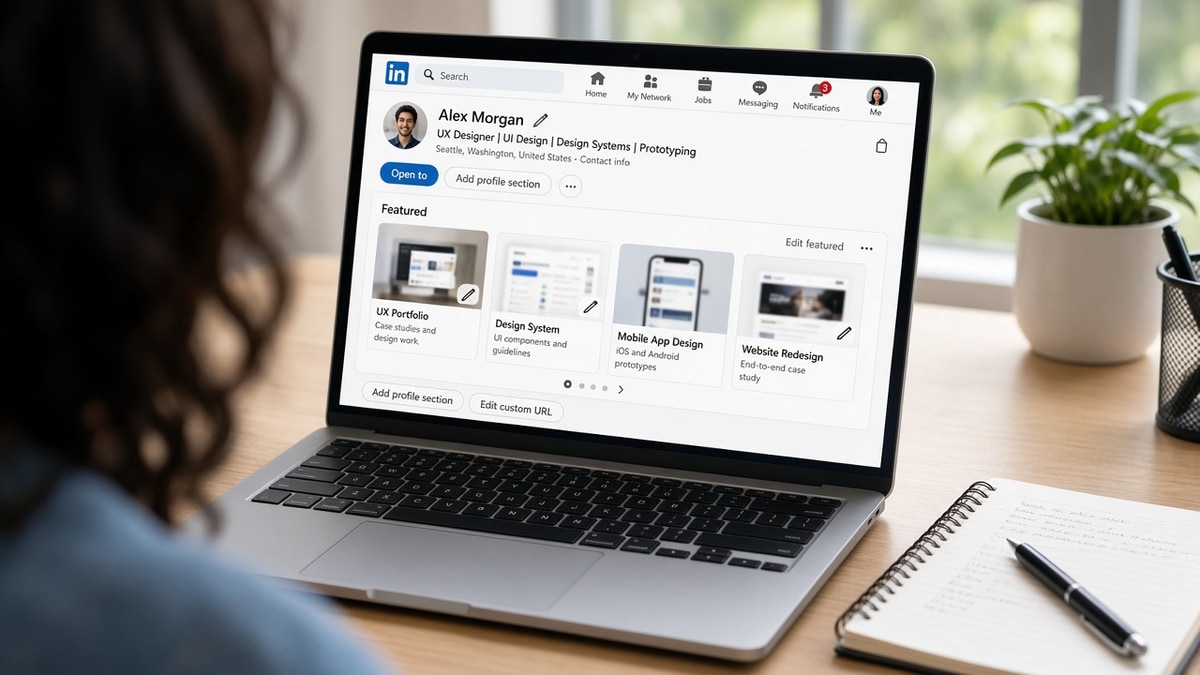
You're not short on work. You're short on proof a recruiter can open before they forward your PDF to a hiring manager. The Featured strip sits above Experience on your public profile. When it's empty, recruiters still have to trust bullet lines alone. When it's curated, they can validate your top claim in one click without downloading attachments from email.
Check your resume for free on the export you'll attach, then open your profile in a private tab. If bullet one says you built a pricing dashboard but Featured shows unrelated college projects, the mismatch costs you the skim.
Most US corporate screens still run through Workday, Greenhouse, Lever, Taleo, or iCIMS on the resume file. Parsers do not ingest Featured tiles into Experience rows. That is fine. Your job is to make the resume store cleanly, then make Featured the mirror image of bullet one so humans do not hunt for proof.
Below is a five-step procedure, two edge cases for NDAs and career pivots, and the pinning mistakes that make strong candidates look disorganized.
Quick Wins
- Three pins max for job search; lead with bullet-one proof.
- Titles name role, tool, and audience, not final_v3.pdf.
- Test every URL logged out before you reorder tiles.
- Profile URL in resume contact block on every application.
What Featured fixes after your resume parses
Featured is human proof, not ATS fuel. Recruiters who open your row in Greenhouse still click out to profiles when the resume matches the req on paper. Featured answers the question your bullet raised: show me the thing you said you built.
The strip appears near the top of a public profile. You can pin links, uploaded PDFs, images, and posts. Job seekers in product, design, data, sales, and engineering use it when work samples live outside a one-page PDF.
When Featured is a graveyard of old badges and generic articles, I assume you never maintain the profile. When three tiles align with your current target title, I assume you know how hiring managers skim.
US employers rarely ask you to replace a resume with a profile. They ask for both. Workday contact fields often include a profile URL line. Put the URL there every time, even when the posting does not mention it.
Edge case: your work is entirely confidential. Use redacted PDFs, scope captions without client names, or a synthetic case study that mirrors your real constraints. Empty Featured with bold resume claims feels risky on senior roles.
Edge case: you're pivoting. Pin proof from the closest prior role and retitle captions toward the target function. Do not leave a full stack of unrelated pins above the fold while your headline already says the new title.
Read resume upload mistakes that instantly disqualify you if your file never reaches preview. Fix parser order before you polish Featured.
Mobile skims matter. Hiring managers open profile links on phones between meetings. Titles must read clearly without tapping More. Avoid clever puns that hide the tool name the req repeats.
Creative roles still need plain titles. A design pin can show visuals inside the PDF while the title states UX research, Figma prototype, and checkout flow. Recruiters search mentally for nouns from the job description, not for portfolio brand names alone.
Sales and customer success candidates pin one-page case studies: pipeline built, renewal saved, escalation defused. Match the metric illustration in the caption to the metric illustration in bullet one so audit is easy.
Engineers pin repos, architecture diagrams, or postmortem write-ups. Put the stack in the title when the posting names it. A repo without a README summary in the caption wastes the click.
How to Use LinkedIn Featured for Portfolio Proof (US)
Work in order. Each step ends with a pass/fail check.
Step 1: Map three samples to bullet one and two must-haves
Open your master resume and the req you're targeting. Highlight the first two must-have nouns in the posting. Pick one work sample per noun plus one credibility piece (talk deck, cert, published article).
Before: Featured holds ten items with no order.
After: Three pins; top tile matches bullet one wording.
Fail? You don't have public proof yet. Build a one-page PDF case study this week before you pin placeholders.
Step 2: Rewrite titles like resume bullets
Recruiters read titles before they click. Use verb plus scope plus tool.
Before: deck.pdf
After: B2B SaaS pricing rollout – Looker dashboards + stakeholder readout (2024).
Keep titles under about twelve words. Put the metric illustration inside the caption, not the title, when NDAs apply.
Step 3: Write captions recruiters can scan in one line
Captions explain audience, constraint, and outcome. No adjective stacks.
Before: Great project I'm proud of.
After: Self-serve checkout for 3 regions; cut manual billing tickets illustrated in sample bullet on resume.
Match employer names and date strings to Experience so nothing contradicts on audit.
Step 4: Reorder, test links, set public visibility
Drag the req-relevant pin to slot one. Open each link in a private browser window.
Before: GitHub repo 404; Google Drive asks for login.
After: Public README loads; PDF opens without a wall.
Profile visibility must allow public viewing of Featured. If recruiters see a padlock, they won't request access on a first pass.
Step 5: Wire the profile URL on applications
Paste the URL in the resume contact block and any portal profile field. One sentence in the cover letter when the posting asks for samples.
Before: URL only in the social icon footer on a two-column resume parsers skip.
After: Plain https line under email; letter names the top Featured tile.
I've screened stacks of US applications in Workday and Greenhouse, and the profile that earns a second click matches bullet one in the title line of the first Featured pin.
Copy-paste block: Featured setup checklist
1. Bullet one keyword → top pin title
2. Three items total for active search
3. Caption = audience + constraint + outcome
4. Private-window link test on every pin
5. Resume contact line = public profile URL
6. Reorder pins when target role family changes
Edge case: NDA-heavy employers
Describe scale without naming the client: multi-tenant payments platform, Fortune 500 retailer, global bank. Upload a redacted slide deck or internal doc with logos stripped. Caption states NDA and points to what you can discuss in interview.
Edge case: student or bootcamp graduate
Pin capstone repo, demo video, and one write-up tied to job posting tools. Retitle bootcamp projects to match req language. Do not pin syllabus PDFs recruiters won't open.
When you also maintain a personal site, pick one canonical proof location per sample. Duplicate links that diverge confuse hiring managers. Featured can point to the site page that hosts the case study.
Update pins when you rewrite bullet one for a new req family. The pin order can stay stable while titles shift one word toward the posting. That takes five minutes and prevents stale wording after a pivot.
Keep a private list of pin URLs and last-tested dates. During active search, run the link test every two weeks. Expired certificates and moved repos are common failure modes.
If a recruiter messages you, assume they already opened Featured. Reply with the same scope language as your caption. Contradictory details in chat erase the trust the pin built.
Generate a cover letter that names your top Featured tile when the posting requests writing samples or portfolio links. Keep the letter plain text friendly for portal paste boxes.
Where Featured setups break trust
Pinning everything you've ever done. Recruiters treat Featured like a trailer, not an archive. Curate for the req family you're pursuing this month.
Titles that don't match resume strings. If the resume says Tableau and the pin title says data viz project, I wonder which is true. Mirror tool names from the posting.
Broken or login-walled links. One 404 tile makes me question the rest. Test monthly during active search.
Featured that contradicts dates. A pin labeled 2025 while Experience ends 2023 triggers audit questions. Align timelines or explain contract work in captions.
Before: Ten pins, oldest on top, generic filenames.
After: Three pins, req-relevant first, titles readable in a mobile skim.
Read how to stand out when 1,000 people apply for the full application package beyond the profile strip.
Replacing resume bullets with links alone fails parsers. Featured supplements dated Experience; it does not substitute for it.
And if your profile headline still lists an old title while Featured shows pivot work, fix headline and pin order together before you apply.
Pinning press mentions without context feels vanity. If you feature media, caption must tie the quote to a skill in the req, not to general fame.
Using Featured as a file dump for every certificate clutters the strip. Move long lists to Licenses or Projects sections lower on the profile. Featured is for work samples, not every badge you earned.
Resume first, profile second
Run a free ATS resume check on the file you'll upload. Fix Experience import before you send recruiters to Featured.
Score your job match against the open req so bullet one and your top pin title use the same must-have phrases.
Two tools, one order: parser-safe resume, then profile pins that match.
Pin once, tailor order per req
How to use LinkedIn Featured for portfolio proof in the US is mostly alignment work. Three pins, titles that echo bullet one, captions with scope, and a profile URL on every application.
This won't fix a resume that fails plain-text paste. It stops qualified candidates from losing the human skim because proof was buried in email threads.
Open your profile tonight. Reorder one pin to match tomorrow's req. Test links. Then apply with the same wording on the PDF and the top tile.
Repeat the reorder step when you shift role families. Keep the master set of three samples; swap which one leads.
Job searching is slow enough without making recruiters dig for proof. Featured is the courteous shortcut when your resume already tells the truth in dated bullets.
Save a screenshot of your three-pin layout after each reorder. When you tailor for a new req, you can revert quickly if a pin title experiment felt off.
Read more
Frequently asked questions
Most ATS builds do not parse your profile Featured section into the same fields as your resume upload. Featured helps after your file stores cleanly and a recruiter opens your row. Put must-have proof on the resume in dated bullets, then use Featured as the quick second click that matches bullet one titles and links.
Three strong items beat ten mediocre ones. Pin the work sample that maps to bullet one on your resume, one secondary proof for your second must-have skill, and one credibility piece such as a talk slide deck or certification PDF. Reorder when you pivot roles so the top tile matches the next req family.
Upload PDFs when you control the file and it opens without a login wall. Use links for live repos, dashboards, or articles on stable URLs. Avoid password-protected client work; describe scope in the caption instead. Test every link in a private browser window before you pin it.
One sentence is enough when the posting asks for portfolio proof or writing samples. Point to your public profile URL and name the pinned item that matches their first bullet. Do not paste long URLs into Workday text boxes that truncate; keep the resume URL in the contact block and reference Featured by name in the letter.