12 min read
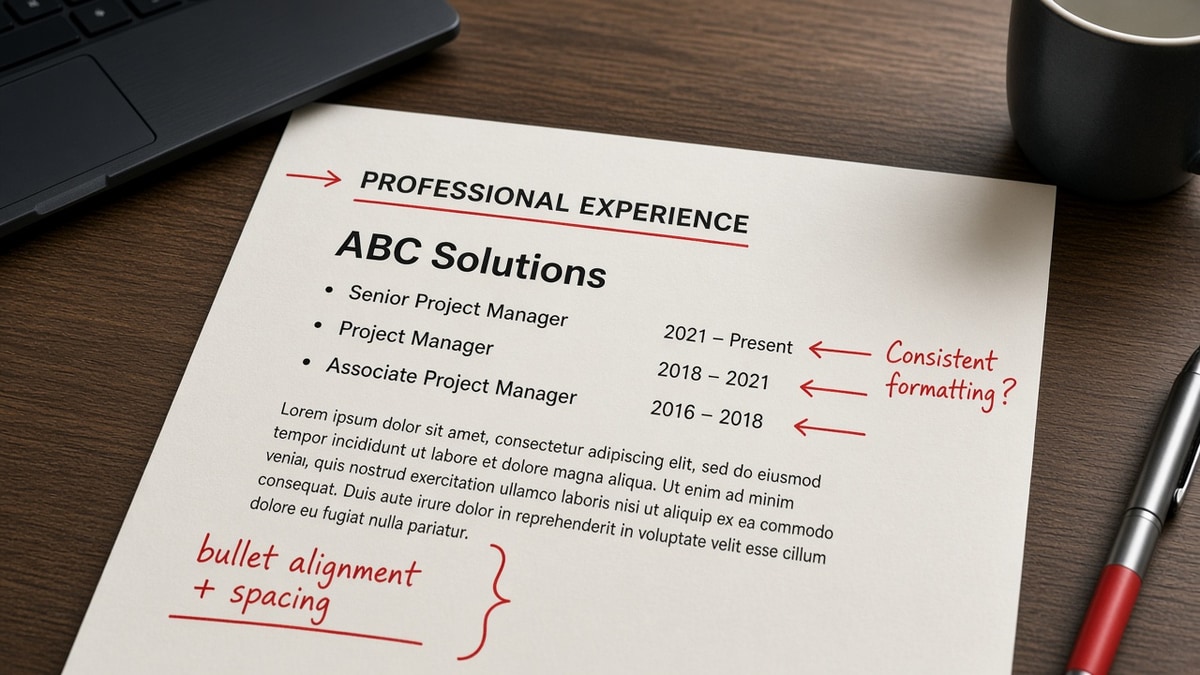
You earned two promotions at the same company, but your resume shows one employer line, one date range, and three job titles crammed together. Workday and Greenhouse often read that as one muddy stint or three separate employers, and neither version shows the progression you actually built. The fix is stacked entries: one company header, each title on its own line, each with separate Month Year dates. Below you'll see the symptom, three causes, how to spot yours, and formats you can paste today.
You're not hiding job hopping. You're formatting loyalty wrong. Before you re-export, check your resume for free with the posting pasted in. You're confirming each title and date block still imports in order, not as one collapsed line.
Rewriting while you're still employed is tiring, and a parser glitch shouldn't make three real promotions look like title inflation. I've screened stacks of internal progression files in Workday and Greenhouse, and the ones that survive use boring stacked lines, not creative slashes on one date range.
This page walks through what breaks when multiple roles share one date block, three causes behind it, how to tell which pattern matches your file, and a copy-paste template for stacked titles. When you're tailoring bullets per level, generate a cover letter that names the highest title so nothing contradicts the experience block on upload.
Quick Wins
- One company name. Separate Month Year line per title.
- Paste into Notepad. Titles must stay above their dates.
- Put bullets under the title they belong to, not only under the company.
- Drop tables and text boxes around promotion blocks.
The symptom: three titles, one date range, no clear promotion
You open a candidate preview in Greenhouse. Experience shows Northwind Health, 2018 to Present, Marketing Coordinator / Senior Specialist / Manager. Recruiter view: maybe one long job, maybe three employers with a typo, definitely not a clean ladder. The human story was two promotions and expanded scope. The file story is ambiguity.
Parsers read linear text first. When three titles share one date span, import order decides whether Workday stores one job record or drops the middle title. Some systems keep only the first and last line. Others merge everything into a single title field with slashes recruiters read as job hopping inside one company or as keyword stuffing.
US recruiters expect one employer block with stacked roles when you stayed put. They do not expect the company name repeated four times for four titles unless you left and came back. Collapsing promotions into one line saves vertical space and costs parsing clarity. A six-second skim should show title change, date change, and bullet proof under each step.
The failure shows up on strong internal candidates most. You stayed five years, earned two promotions, and the resume still reads like you held one generic title because the template never split dates. Hiring managers searching for manager-level scope see coordinator dates and move on.
LinkedIn auto-import makes it worse. Many profiles list one headline title while the resume needs three historical lines with dates HR can verify. Copy-pasting the profile into Word without splitting dates recreates the same parser gap on upload.
For how date formatting affects import order beyond promotions, see chronological vs functional resume in 2026 . Chronological stacked titles still win for US corporate reqs when your progression is the selling point.
How to list multiple roles under one employer: three causes and the fix
Muddy promotion blocks usually trace to one of three formatting habits. Match your file before you rewrite bullets that were already fine.
Cause 1: One date range covering every title
How to tell: the company line shows 2017 to Present while three titles sit underneath with no dates of their own. Plain-text paste shows titles but not when each started. Recruiter search for manager filters on the outer date span, not the promotion year buried in a bullet.
Before: Acme Corp, Austin TX, 2016 to Present. Titles: Sales Associate, Sales Lead, Sales Manager. Bullets mixed below.
After: Acme Corp, Austin TX. Sales Manager, April 2021 to Present, with manager bullets. Sales Lead, June 2019 to March 2021, with lead bullets. Sales Associate, January 2016 to May 2019, with associate bullets.
The fix: assign each title its own Month Year range. Back-to-back promotions get adjacent dates with no gap unless you took leave. Present belongs only on the current title line.
Cause 2: Slashes and commas instead of stacked lines
How to tell: one line reads Analyst / Senior Analyst / Lead Analyst with a single date on the right. Visually compact. Parser treats the slash string as one job title. Boolean search for lead analyst may miss because the token is buried inside a compound string.
Before: Operations Coordinator / Supervisor / Manager, 2018 to 2024, Northwind Logistics.
After: Northwind Logistics, Chicago IL. Operations Manager, March 2022 to Present. Operations Supervisor, July 2020 to February 2022. Operations Coordinator, January 2018 to June 2020.
The fix: break slashes into separate lines. Newest role first is standard US order. Each line gets title left, dates right, same font, no bold tricks that some exporters strip.
Cause 3: Repeating the employer name for each promotion
How to tell: Acme Corp appears three times in a row with slightly different titles and overlapping years. Some ATS tools read that as three short jobs at similarly named entities. Tenure looks choppy even though you never left. Worse when a subsidiary name changed once and you list both parent and child as separate employers for the same desk.
Before: Acme Corp, Marketing Coordinator, 2019 to 2020. Acme Corp, Marketing Specialist, 2020 to 2022. Acme Corp, Marketing Manager, 2022 to Present.
After: Acme Corp, Boston MA, 2019 to Present. Marketing Manager, April 2022 to Present. Marketing Specialist, August 2020 to March 2022. Marketing Coordinator, January 2019 to July 2020.
The fix: one employer header with optional total span, then stacked titles beneath. Repeat the company only if you left and returned after a gap of months with a verifiable break.
Cause check: which pattern is yours?
Copy your experience section into Notepad. Count employer names for one company. More than one repeat without a return-after-gap story points to Cause 3. Titles with slashes on one line point to Cause 2. Titles with no dates point to Cause 1. Fix dates before bullets.
Edge case: company renamed mid-tenure. Use one line with a short note: Contoso LLC (formerly Fabrikam Inc.), then stack titles with dates. Do not create two employer blocks for a legal rename unless payroll treated it as a new hire.
Edge case: concurrent titles during a reorg. Two title lines may share months. Label both with honest overlap and keep bullets under the role that matches the posting you want now.
Copy-paste block: stacked roles under one employer
EMPLOYER HEADER (once):
Northwind Health | Chicago, IL | 2018 to Present

STACKED TITLES (newest first, each with dates):
Revenue Operations Manager                    April 2022 to Present
• Owned forecast model in NetSuite used by 12 regional directors
• Promoted after leading Q4 close automation that cut manual reconciliations 18 hours per month

Senior Revenue Analyst                        July 2020 to March 2022
• Built weekly pipeline dashboards in Looker for sales and finance
• Mentored two analysts on SQL standards for customer mart

Revenue Analyst                               January 2018 to June 2020
• Reconciled 40K monthly subscription rows between Salesforce and billing
• Documented exception rules adopted by audit for SOX testing

NOTEPAD TEST:
Paste full resume plain text. Each title must sit above its date line.
If dates appear before titles, swap order in the source file.
Keep two to four bullets under recent promotions. Older roles can shrink to two lines when space is tight. Recruiters weight the newest title heaviest. Do not delete early titles entirely if they carry years of scope the posting still cares about.
Month Year is the US default. Avoid season labels unless HR records use them. January 2020 to March 2022 beats Spring 2020 to Winter 2022 for parsers and for background checks that compare title dates.
When bullets under each title still read weak after you fix dates, read why weak bullet points get ignored . Parsing and proof stack. Clean dates get you imported. Strong bullets get you screened.
When stacked titles still fail after you edit
Split dates fix most promotion gaps. These habits explain why a cleaned file can still import wrong.
Titles trapped in a table cell. Word tables look tidy. Workday often reads cells out of order. Move titles to plain paragraphs under the employer line. Same font as the rest of Experience.
Right-aligned dates in a tab column. Tabs collapse in some PDF exports. Put dates on the same line as the title with spaces or a consistent separator. Notepad paste should show Title then Month Year on one line or the line immediately below.
Bullets only under the company name. All proof sits below Acme Corp with no title anchor. Recruiters cannot tell which promotion produced which result. Move bullets under the title where the work happened.
Inflated title on the header line. Listing only Marketing Director with junior bullets underneath reads as title inflation. Match the header title to the highest verified role and keep junior titles in the stack with honest dates.
Functional layout hiding dates. Skills-first formats that bury employment dates make promotions invisible. US corporate screens still expect chronological proof. Stack titles inside Experience even when you lead with a skills summary.
Before: One text box holds company, three titles, and six bullets. Preview shows titles after dates.
After: Plain paragraphs, employer once, three title lines with dates, bullets nested under each title. Preview order matches what you typed.
This will not fix applying to roles that require external management years you have not held. It stops a qualified internal promotion story from parsing like one long entry-level stint.
Test the export before you apply again
Upload your revised file and the posting to HireFlow's free ATS resume checker . Confirm each title imports with its own date line and that no promotion collapsed into a slash string or a single employer repeat.
When you're rebuilding from an old template, build your resume in a single-column layout so stacked titles do not shift when you edit one date.
Do this now: Split one muddy employer block into stacked titles with Month Year dates, run a Notepad paste, upload once, read the preview before Submit.
What to do now
Learning how to list multiple roles under one employer on a US resume is mostly learning to split dates. One company header, stacked titles, Month Year per line, bullets under the role they prove. That is what Workday and Greenhouse import cleanly and what recruiters read as promotion, not confusion.
- Pick one employer block to fix first.
- Give each title its own date range.
- Run a Notepad paste test on the full file.
- Move bullets under the matching title.
- Upload one clean PDF per application.
Open the req you're targeting. Run a free ATS check , confirm each promotion imported, and submit when the preview matches your stacked lines.
Read more
Frequently asked questions
No for most US corporate resumes. List the employer once, then stack each title on its own line with its own Month Year range. Repeating Acme Corp three times looks like you changed jobs when you did not, and some parsers treat each repeat as a separate employer stint. One company header with three titled date blocks is the standard recruiters expect for internal promotions.
Do not put three titles on one line with one date range. Give each title its own line and its own dates, even when they are back to back. Marketing Coordinator, January 2019 to June 2020, then Senior Marketing Specialist, July 2020 to March 2022, then Marketing Manager, April 2022 to Present reads as progression. Marketing Coordinator / Specialist / Manager, 2019 to Present reads as a parsing error.
Workday and Greenhouse parse best when employer name sits on one line, location on the next or same line, and each role uses a plain title plus Month Year dates on separate lines without tables or text boxes. Upload a single-column PDF or DOCX and paste into Notepad to confirm titles and dates stay in order. If the plain-text export scrambles role order, simplify before you apply.
List both titles with overlapping Month Year ranges and one bullet line that explains the split. Operations Analyst, March 2021 to Present and Interim Team Lead, September 2022 to February 2023 can share bullets when the work overlapped, but each title still needs its own date line so recruiters see the promotion or dual hat clearly.
Put bullets under the title they belong to when responsibilities changed. Shared work can sit under the higher title with a clause noting scope from the earlier role. Do not dump every bullet under the company name with no title anchor. Recruiters skim title first, then the first bullet under that title.