12 min read
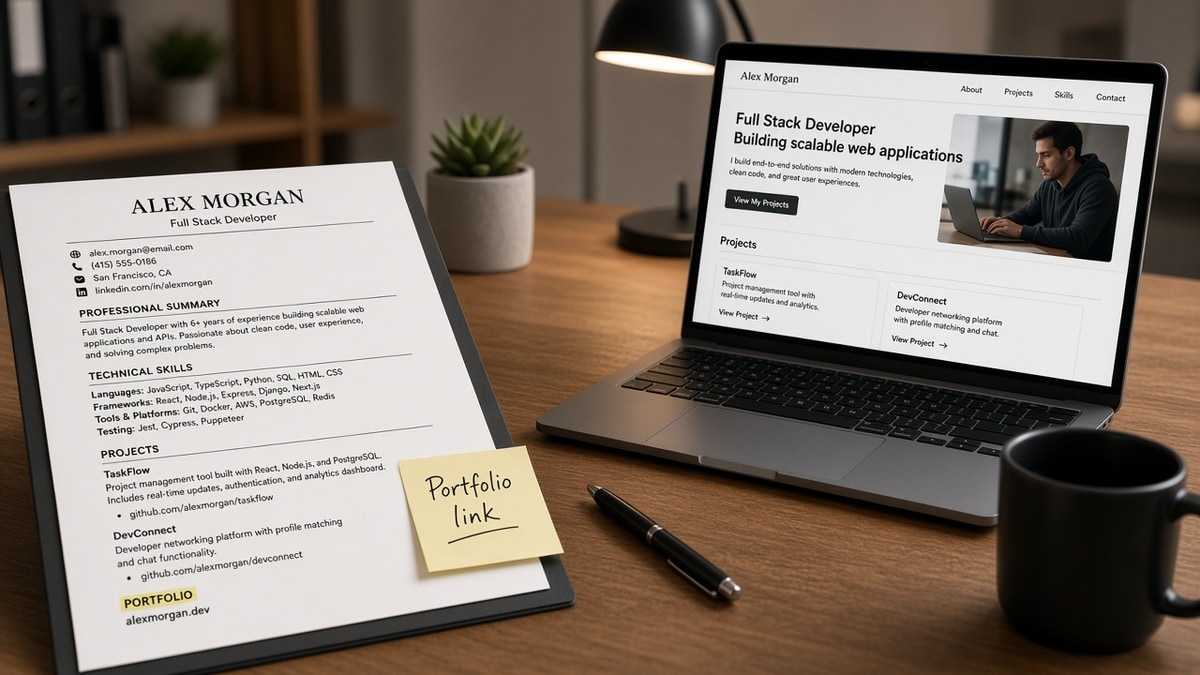
Put your portfolio link as plain https text on the contact line and repeat the same URL once in a project bullet. That is how to include portfolio links that ATS won't strip. Headers, footers, icon rows, QR codes, and shorteners are what parsers drop before a recruiter ever clicks. Two placements, same string, no decoration.
Before you upload, check your resume for free with the job posting pasted in. You're confirming the URL text imported into the body, not only that it looked fine in Word.
Designers and developers lose interviews when the work is strong but the link died in upload. I've screened files in Greenhouse where the contact block showed phone and email and nothing else. Same candidate's PDF on disk had a portfolio URL in a header band the parser ignored.
Below you'll see why parsers drop links, where to place them, what breaks on upload, and a copy-paste contact-line format. The fix takes ten minutes on most files. When the posting asks for a letter, generate a cover letter that repeats the same URL so nothing contradicts between files.
Quick Wins
- Type the full https URL on the contact line.
- Repeat it once in a project bullet with context.
- Remove header, footer, and QR link placements.
- Export PDF from Word or Google Docs, not Canva.
What parsers actually keep
ATS parsers are not trying to hide your work. They read the main text stream in order: contact block, summary, experience, education, skills. Anything outside that stream often fails to import. Headers and footers are the most common graveyard for portfolio URLs.
Plain text beats pretty layout. A typed https://yourname.dev on the contact line survives more often than a linked anchor that says Portfolio or a globe icon in a sidebar. Recruiters can copy the string even when hyperlinks strip.
Repeating the URL in a bullet gives parsers a second chance and gives humans context. Built customer checkout flow in React, live demo at https://yourname.dev/checkout tells them what they will see before they click.
File type matters. DOCX parsed from Word's normal flow keeps contact lines. PDFs exported from design tools sometimes flatten text into shapes. For how format choice affects screening, read how resume file type impacts screening . Portfolio links fail for the same reason tables and columns fail: they sat in a zone the parser does not read.
Workday, Greenhouse, Lever, and iCIMS differ on hyperlink handling. You cannot control which ATS the employer runs. You can control writing the URL twice as visible characters in parser-friendly zones.
A dead link on upload does not mean your portfolio is weak. It means the URL was in the wrong layer of the file. Fix placement before you redesign the site.
Recruiters often open the URL on mobile after a phone screen. Your portfolio homepage should load the best case study in two taps. Deep links in bullets help: send them straight to the project that matches the posting, not a generic about page.
Custom domains beat free subdomains on trust, but both parse the same if typed in full. yourname.vercel.app is fine when https:// is visible. Broken SSL or expired domain hurts more than the subdomain brand.
Multi-page portfolios need one stable homepage on the contact line. Use bullets to deep-link when a specific case study matches the posting. Parsers treat each https string as separate searchable text, so two URLs in the body can both survive when they are plain characters.
Creative roles sometimes add Behance or Dribbble alongside a personal site. Pick one primary URL for the contact line. Mention the second platform in a bullet only when the job description names it. Three social links in a row still parse poorly when they are icons instead of text.
Placement order that survives upload
Work in this order. Each step takes a few minutes. Stop when the URL appears twice in the plain-text preview of your exported file.
Step 1: Move the URL to the contact line
Directly under email and phone, add one line: Portfolio: https://yourdomain.com. Use your custom domain when you have one. No tracking parameters, no session IDs.
Before: Portfolio link in the document header next to a logo image.
After: Jane Okonkwo · [email protected] · 555-010-2244 · Portfolio: https://janeokonkwo.dev
Step 2: Repeat in one project or experience bullet
Tie the URL to work relevant to the posting. Same spelling as the contact line. One bullet is enough for most roles.
Before: Developed e-commerce features. See portfolio for details.
After: Built checkout and cart flows in Next.js for a retail client; live case study at https://janeokonkwo.dev/checkout (sub-2s LCP on mobile).
Step 3: Strip risky formats
Delete QR codes, bit.ly links, see attached references, and icon-only social rows. Replace with the full URL or remove.
Edge case: password-protected portfolio. State Portfolio: https://yourname.dev (case study password available on request) on the contact line. Do not put the password in the resume file. Recruiters will email you.
Edge case: GitHub only, no personal site. Use https://github.com/yourhandle on the contact line and name the pinned repo in bullet one with the same URL path to the repo.
Edge case: UX researcher with FigJam and Notion case studies. Link to a single public Notion page or PDF case study on your domain. Do not paste a private workspace URL that requires their login.
Step 4: Export and eyeball the text layer
Save as PDF from Word or Google Docs. Open the PDF, select all text, paste into Notepad. If the portfolio URL is missing from the paste, the parser will miss it too.
Do the same test in the employer portal when it offers a preview after upload. Some systems show a parsed contact block separate from the formatted view. If the URL is missing there, move it out of any text box and into the main flow.
Step 5: Tailor the linked case study to the posting
Swap which project URL sits in bullet one when you tailor for a new req. A frontend posting gets the UI case study link. A backend posting gets the API project path. The contact line can stay your homepage while the bullet deep-links to the relevant work.
Before: Same generic homepage link for every application, case studies buried three clicks deep.
After: Contact line stays https://yourname.dev; bullet links to https://yourname.dev/fintech-dashboard when the req mentions React and financial data.
Copy-paste block: ATS-safe portfolio contact line
CONTACT LINE (under phone and email):
Portfolio: https://yourdomain.com

PROJECT BULLET (same URL, with context):
Built [project type] in [stack]; live demo at https://yourdomain.com/[case-path]
([one metric from the project as illustration])

GITHUB-ONLY VARIANT:
Portfolio: https://github.com/yourhandle
Pinned repo: [Repo Name], [one-line outcome]; code at https://github.com/yourhandle/repo-name

DESIGNER VARIANT:
Portfolio: https://yourname.design
Brand refresh for [client type]; full case study at https://yourname.design/[slug]
For upload quirks after placement is fixed, see why your resume looks different after Workday upload . Portfolio links disappear for the same parsing rules as misaligned dates.
Link formats that vanish
These patterns look fine in Word. They often die on import.
Header and footer bands. Design templates put contact info in a colored strip. Parsers skip it. Move everything to the body contact block.
Anchor text without visible URL. A blue Portfolio word with a hidden link breaks when only characters import. Type the full https string.
Before: Portfolio: bit.ly/3xYz9k (QR code in margin).
After: Portfolio: https://marcusli.dev · Case study: https://marcusli.dev/fintech-dashboard
Image-based PDFs. Canva and some portfolio exports turn text into pictures. Select-all paste shows nothing. Rebuild in Word or Docs.
Too many links. Five project URLs in a sidebar looks busy and clutters parser output. One contact URL plus one or two bullet links max.
Broken or login-walled homepages. ATS cannot fix a 404. Open the URL in an incognito window before you submit. Landing pages that require sign-in get abandoned.
Social icon rows without URLs. A row of glyphs for GitHub, Behance, and Dribbble looks modern in a design template. Parsers often import nothing from icon fonts. Spell out the one URL that matters most.
See portfolio attached. Online applications rarely accept a second file for portfolio. The URL must live inside the resume text. Attachments are for cover letters when the portal allows them.
This will not compensate for a portfolio that does not match the role. It stops qualified work from staying invisible because the parser never saw the URL.
Test before you submit
Paste your resume and the posting into HireFlow's free ATS resume checker . Confirm the portfolio URL text appears in the parsed preview, not only in your local PDF view.
When you're adding the project bullet that carries the link, score your job match on the target posting. Align the case study you link with keywords from the req. If the gap list shows missing stack terms, add them to the bullet above the URL, not only on the portfolio site.
Save a version of your resume with the placement fix applied. Reuse that file as your master and swap only the project bullet link when you tailor. You should not rebuild contact-line formatting for every application.
Do this now: Move the URL to the contact line, add one project bullet with the same string, select-all paste test, run one checker pass, submit when both URLs show in plain text.
What to do now
How to include portfolio links that ATS won't strip comes down to two plain-text placements: contact line plus one project bullet. Kill headers, QR codes, and shorteners. Test with select-all paste before you upload.
- Move the full https URL under email and phone.
- Repeat it in one relevant project bullet.
- Remove header, footer, and QR placements.
- Paste-test the exported PDF in Notepad.
- Run a checker pass on the final file.
Open the posting you're applying to. Run a free ATS check , confirm the portfolio URL imported, and submit when the preview shows it twice.
Read more
Frequently asked questions
Place the full https URL on the contact line directly under your phone and email, written as plain text. Repeat the same URL once in a Projects or Experience bullet tied to the work shown. Do not hide the link in a header, footer, text box, or icon row. Parsers read the main body and contact block first; decorative zones often drop on import.
Sometimes the blue underline imports, sometimes only the visible characters do. That is why the full URL must appear as readable text, not only as linked anchor text like my portfolio. Workday and Greenhouse often keep plain https strings in the contact field even when formatting strips. Test by uploading to the employer portal and opening the recruiter preview if you can.
No for ATS. QR codes are images. Parsers do not extract the destination URL from the image, so the link vanishes on upload. Recruiters printing your file get the same dead square. Use a typed URL instead. QR belongs on a business card at a fair, not in the file you submit online.
Avoid bit.ly and similar shorteners on ATS resumes. Some parsers flag unfamiliar domains or drop them as suspicious. Use your custom domain or a clean subdomain you control. If your URL is long, shorten the path on your site, not with a redirect service in the CV.
One primary portfolio URL on the contact line, plus up to two project-specific links in bullets when each URL shows different work. More than three total links clutter the parser output and dilute click-through. Designers with Behance and a personal site should pick the stronger gallery for the contact line and mention the second only if the posting asks for case studies in both places.