9 min read
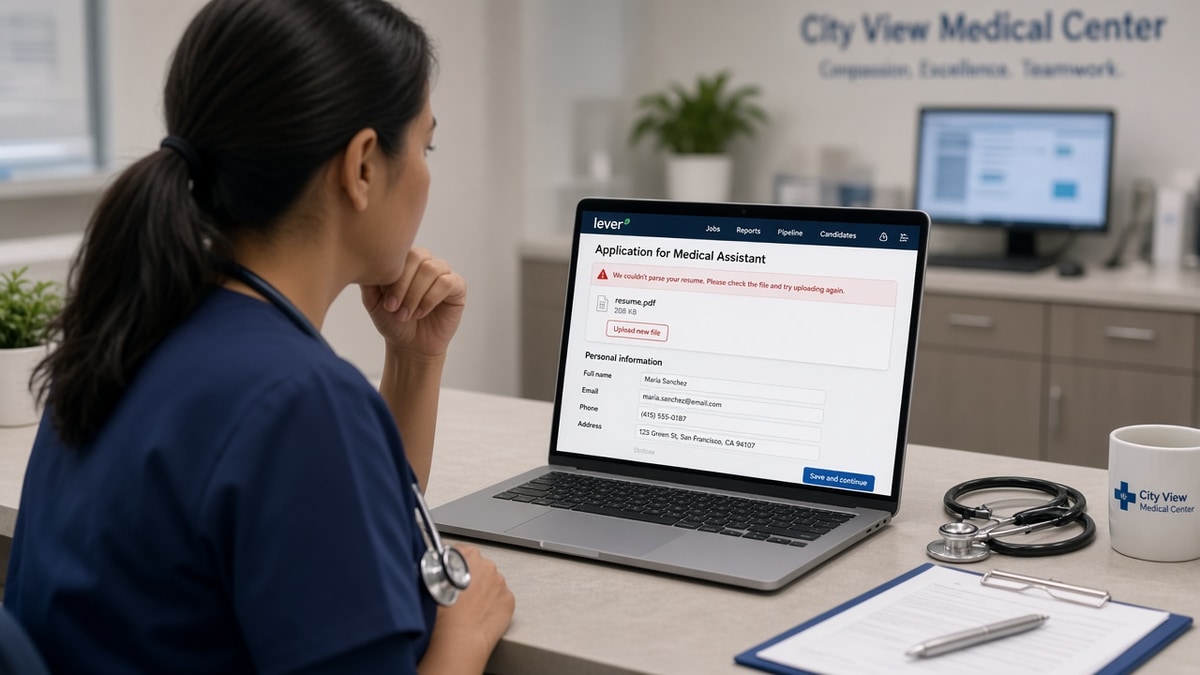
You clicked submit on a hospital Lever link. The green check showed up, then the preview listed your med-surg role under a college cafeteria job and dropped BLS from the parsed block. That's a file read problem, not a verdict on your bedside skills, and it's common on US health system career sites. You're not crazy if the attachment looked perfect on your phone; the parser still needs copyable text in a single column.
Before you reapply elsewhere tonight, run the free ATS checker on the exact PDF or DOCX Lever will store. Naming Lever helps you pick tests; it doesn't reveal the hospital's internal ranking rules.
Below you'll match symptoms to causes, rebuild once in a parser-friendly layout, and avoid the traps that send strong clinicians back to generic templates.
Quick Wins
- Paste test: select all text in your PDF; blank output means image PDF.
- One column; each hospital role gets its own title line and date range.
- License and compact status as plain text under your name or Certifications.
- Read Lever preview before final submit; screenshot when order looks right.
What goes wrong when Lever parses US healthcare resumes
The pattern: upload completes, attachment looks fine to you, parsed fields disagree with your timeline. Recruiters searching "ICU" or "RN license Texas" miss you because strings landed in the wrong section or never imported.
Clinical resumes carry extra lines: compact status, BLS and ACLS dates, unit acuity, traveler agency names. Lever maps what it can extract into structured fields. Headers, multi-column skills grids, and scanned PDFs break that mapping more often than missing keywords. Allied health profiles with multiple state licenses suffer the same issue when each credential sits in a tiny icon row instead of a searchable line.
Pharmacy tech and rehab applicants often list PRN shifts in one table cell. Lever concatenates them into a single employer with a nonsense date range. Splitting each facility into its own block fixes search without changing your clinical story.
A composite staff nurse keeps credentials in a Word header. Lever preview shows name and phone only. Compliance filters that require an active license in a searchable field never see RN. The human might open the PDF later, but automated steps already stalled the profile.
For general table failures across ATS brands, pair this guide with why tables break ATS parsing and how resume file type impacts screening .
Troubleshooting Lever parsing errors on healthcare resumes
Diagnose before you edit content. If Experience never imported, bullet rewrites won't show up in search anyway.
Signal A: Preview blank or contact info repeats
Likely cause: image PDF, design export, or scan. Paste test fails.
Fix: rebuild in Word or Google Docs, standard font, single column. Export DOCX, run parse check, upload DOCX.
Before: Canva PDF with icons for each certification; preview empty.
After: Plain DOCX, certifications as labeled lines, preview shows readable text.
Signal B: Jobs out of order or merged
Likely cause: table layout, text boxes, or right-rail dates.
Fix: flatten each role into a vertical block. Travel contracts stay separate rows per facility when dates differ.
I've screened Lever profiles where a PACU nurse's current hospital sat under a 2016 extern line, so unit search never matched the req title the manager typed.
Before: Two-column resume with dates in a sidebar.
After: Title, facility, city ST, dates on consecutive lines; bullets underneath.
Signal C: License missing in parsed view
Likely cause: credential in header, footer, or graphic badge row.
Fix: move license strings into body text; mirror hospital wording from the posting when accurate.
Copy-paste Experience block for clinical roles after flattening:
Copy-paste block (adjust brackets)
[Role Title] | [Hospital or Agency] | [City, ST] | [Month Year] to [Present or Month Year]
Unit: [unit type from posting if true] | [bed count or acuity if you list it]
• [Patient population or procedure volume line recruiters can search].
• [EHR name used on unit] + [workflow outcome].
• [Preceptor, charge, or quality project with scope].

Licenses: [RN], [State], [Compact if applicable] | Certifications: [BLS], [ACLS], [others]
Signal D: Upload error before review screen
Likely cause: file size, blocked extension, mobile browser wrapper.
Fix: rename without spaces, shrink embedded images, retry on desktop Chrome. Export fresh DOCX if two browsers fail.
Before: Resume_Final_SCAN.pdf from a phone photo, upload stalls.
After: Under-two-megabyte DOCX, desktop upload, preview saved in tracker.
Signal E: Skills import but unit type vanishes
Likely cause: unit name buried in a bullet while a generic "Staff Nurse" title sits alone.
Fix: add a Unit line under the title row recruiters skim. Mirror posting language when it matches your real assignment: ICU, ED, L and D, outpatient infusion.
Managers often filter on unit strings before they read narrative bullets. When Lever drops that line into a misc field, you look like a med-surg-only profile for an ICU req. Plain text under the role header survives more often than bold color labels.
Edge case: per-diem roles at two hospitals in one month. List both with honest date ranges instead of one merged row. Edge case: new grad with clinical rotations only. Put rotations in Experience with preceptor site names spelled out; do not rely on a school logo header parsers ignore.
Healthcare resume fixes that ignore Lever parsing
Adding keywords while preview still scrambles dates. Search fields read imported Experience first. Layout beat keyword lists again.
Resubmitting the same PDF with a new filename. Renaming does not add a text layer. Rebuild once.
Hiding travel gaps with one merged "Agency" table cell. Parsers concatenate roles; recruiters cannot see which hospital matches their req.
Before: Fifth upload of the same image PDF because the progress bar looked faster.
After: One DOCX rebuild, license line in body, single submit with screenshot.
Tools after you fix Lever layout
Run the parse check on the file Lever will store, then read preview, then tune bullets for the posting.
Upload to the free ATS resume checker after each layout change. Missing employers belong in tonight's fix block, not in a follow-up apology email.
Rebuilding from a broken export? Use the free resume builder for a single-column clinical shell instead of re-importing old tables.
Do this now: Open your last Lever apply tab. Compare preview to your PDF page one. If license or current hospital is missing, stop submits until DOCX passes.
Resubmit when Lever preview matches your timeline
Fixing Lever ATS parsing errors for US healthcare resumes is mostly file hygiene: text that copies, licenses in the body, and Experience blocks recruiters can search.
- Screenshot preview when current role and license import correctly.
- Log req ID and file version in your application tracker.
- Email recruiters only after preview passes, with the same attachment.
When the hospital asks for a cover letter, draft after layout passes using the cover letter generator so the letter repeats unit proof instead of generic motivation lines.
You cannot fix every employer-side bug from home. You can stop losing weeks to the same unscannable PDF.
Read more
Frequently asked questions
Licenses in headers, footers, or icon rows often never map to Education or Certifications fields. Move RN, state, and compact status to a plain line under your name or a labeled Certifications block in the body. Spell the credential exactly as the hospital lists it in the posting. Re-upload DOCX after the paste test shows the line copies.
Use whichever file passes the paste test and shows employers in order in Lever preview. Many clinical candidates start with PDF exports from design tools; when preview scrambles units or dates, switch to DOCX from Word or Google Docs. Keep one filename pattern: Firstname-Lastname-Resume with no symbols.
Tables and text boxes cause merged roles. Give each employer its own four-line header: title, facility, city and state, month year to present. Put bullets directly under that block with no side-by-side columns. Travel assignments get separate rows even when the agency is the same.
Yes as a backup when attachment preview fails, but recruiters still download the file. Fix the attachment for search and compliance screens. Paste license numbers into open fields only after you confirm they match the resume line for line.