11 min read
Your cousin got hired in 2019 with a Canva resume and a paragraph-long objective. You're doing the same thing in 2026 and getting silence. That's not bad luck. The bar moved while nobody sent you a memo.
How resume standards quietly evolve isn't a history lecture. It's the reason your file looks fine in Word and dies in Workday. Before you send tonight's applications, check your resume for free against a posting you care about. Parsers got stricter. Recruiters got faster. The resume that worked two cycles ago is now the one I scroll past in Greenhouse.
I've screened stacks of these files, and the ones that survive share boring traits: single column, standard headings, dates that parse, bullets that start with verbs and end with numbers. You don't need a redesign. You need to know which old habits quietly became rejections.
This guide covers formatting shifts, ATS behavior in 2026, and what recruiters actually scan in the first pass. You'll get before-and-after bullets, copy-paste section headers, and edge cases for career changers and long tenures. No trend-chasing. Just the file edits that still get phone screens.
Quick Wins
- Open your resume in plain text preview and confirm Experience, Education, and Skills appear as words, not symbols.
- Rewrite the first bullet under your current job so it starts with a verb and includes one number from the last 18 months.
- Run the free checker, then pair your resume with a tailored note from the cover letter generator for your top target role.
What does how resume standards quietly evolve mean for your job search?
Resume standards are the unwritten rules recruiters and ATS tools expect: section order, date format, bullet shape, file type, and how much proof belongs above the fold. They change slowly because hiring software updates in the background and recruiters copy what worked in their last req cycle.
Quiet evolution means you won't see a press release when Greenhouse starts mangling two-column layouts harder than it did last year. You'll just notice fewer callbacks from identical applications. The shift shows up as parser errors, lower match scores, and recruiters who say your background looks unclear when the real issue is formatting.
This is not the same as chasing design trends on Pinterest. A minimalist template doesn't help if your dates sit in a sidebar the parser reads as a footnote. Standards are about readable data first, pleasant layout second.
Recruiter filter: If I cannot find your current title, employer, and dates in the top third of page one within six seconds, I assume the file will waste the hiring manager's time too.
Read what recruiters look for first in ATS when you want the exact scan order after your file clears the parser. Pair that with how automation changed resume standards to see why machines now set the rules humans follow.
Step-by-step: bring your resume in line with 2026 expectations
Step 1: Fix file type before you touch wording
Upload behavior changed. More employers default to Workday or iCIMS, and those systems still prefer simple docx over designed PDFs. Export from Word or Google Docs. If you only have a designed PDF, rebuild in a plain template before the next batch.
Before: Canva PDF with icons for email and phone in the header.
After: Single-column docx, contact line as plain text, standard fonts at 10.5 to 11.5 point.
Edge case: Government or academic portals that require PDF/A. Export from Word's Save as PDF, not a screenshot tool. Test by selecting all text in the PDF viewer. If you cannot highlight words, neither can the parser.
Step 2: Replace the objective with a summary recruiters skim
Objectives aged out for corporate roles. Recruiters want level, domain, and one outcome in three lines max. Put it under your name, not in a colored box.
Before: "Motivated professional seeking a challenging opportunity to grow my skills."
After: "Operations manager, 8 years in logistics and fulfillment. Cut dock-to-ship time 22% across three sites. Open to hybrid roles in the Midwest."
Skip the summary entirely if you're a new grad with two strong internships. Let Education and Projects carry page one instead.
Step 3: Standardize dates and job headers
Parsers merge lines when titles and companies share a row with icons or tabs. Use one line for Job Title, Company, City, ST, then Month Year to Month Year on the next line or right-aligned in plain text.
Marketing coordinator example:
Before: "ABC Agency | Marketing Coordinator | 2021-Present" in a table cell.
After: "Marketing Coordinator, ABC Agency, Chicago, IL" with "March 2021 to Present" on the following line.
Registered nurse example:
Before: "RN - Med/Surg" with dates in a sidebar.
After: "Registered Nurse, Med-Surg Unit, St. Luke's Hospital, Austin, TX" and "June 2019 to Present" directly underneath.
Step 4: Write bullets parsers can score and humans can trust
Duty lines died quietly. Outcome bullets with tools and metrics became the default expectation. Lead with the verb. Name the system. End with the number or scope.
Before: "Responsible for weekly reporting and stakeholder meetings."
After: "Built weekly revenue dashboard in Looker for three regional VPs, replacing manual Excel pulls and saving 5 hours per week."
Keep three to five bullets per recent role. Older jobs from ten years back can drop to two lines each. Recruiters rarely read deep history until you're on the maybe pile.
Step 5: Trim skills sections recruiters ignore
Skill bars, star ratings, and giant word clouds looked modern in 2018. In 2026 they parse as junk or duplicate keywords without context. Use a simple comma list or grouped lines: Analytics: SQL, Looker, Excel. Tie must-have tools in the posting to bullets, not only to Skills.
Before: Graphical 5-star rating for Python.
After: "Python: automated ETL scripts that cut manual data prep 40% (see Acme Corp bullet 2)."
Copy-paste section headers that ATS still recognizes
Stick to conventional labels parsers were trained on. Fancy names break mapping.
Use: Experience, Education, Skills, Certifications, Projects. Avoid: Career Journey, Where I've Made Impact, Toolkit. If you need a Projects section for career changers, place it above unrelated older jobs.
Read resume formatting rules recruiters never tell you for header and margin defaults that still pass Greenhouse in 2026.
Edge case: career change with thin direct experience
Standards didn't drop the need for proof. They moved it into Projects and Certifications. Build three project bullets that mirror the posting's must-haves, then keep unrelated jobs to one line each.
Example opener: "Career pivot from classroom teaching to instructional design. Built four SCORM modules for a regional bank's onboarding program, cutting new-hire time-to-productivity from six weeks to four."
Edge case: fifteen-year tenure at one company
Long stints look like stagnation unless you show promotions and scope growth. Split internal promotions into separate sub-entries with dates. Each level gets two bullets max.
Before: one block labeled "Company X, 2008 to Present" with twelve bullets.
After: "Senior Analyst, Company X, 2016 to Present" with four bullets, then "Analyst, Company X, 2008 to 2016" with two bullets.
Edge case: employment gap without a cover letter
Standards now favor a one-line note in the summary or a freelance project dated during the gap. "2024: caregiving leave; completed AWS Cloud Practitioner and shipped two contract dashboards for local retailers" beats a mysterious blank year recruiters fill in themselves.
Do not list "Career Break" as a fake employer unless you did structured work there. Use Projects or a single honest line in the summary instead.
Second composite: account executive moving from retail to SaaS
Before: "Dynamic sales professional with excellent communication skills seeking SaaS role."
After: "B2B account executive, 6 years in POS and payments hardware. Closed 38 deals averaging $28K ACV; completed Salesforce admin cert 2025. Targeting mid-market SaaS with technical buyers."
Notice the pattern: level, domain, metric, credential, target scope. That matches what recruiters search in ATS after the parser tags your file. Reuse the skeleton for every tailored version this week.
Edge case: overqualified on paper
When you're applying below your last title, the summary must explain intent in one sentence. "Returning to individual contributor work after three years managing a 12-person team" stops the auto-assumption that you'll leave in six months.
Trim inflated titles on the resume if your internal title was grander than market norms, but do not hide employment. Standards favor honesty with context, not clever omissions parsers flag as gaps.
Common mistakes that show your resume is stuck in an old standard
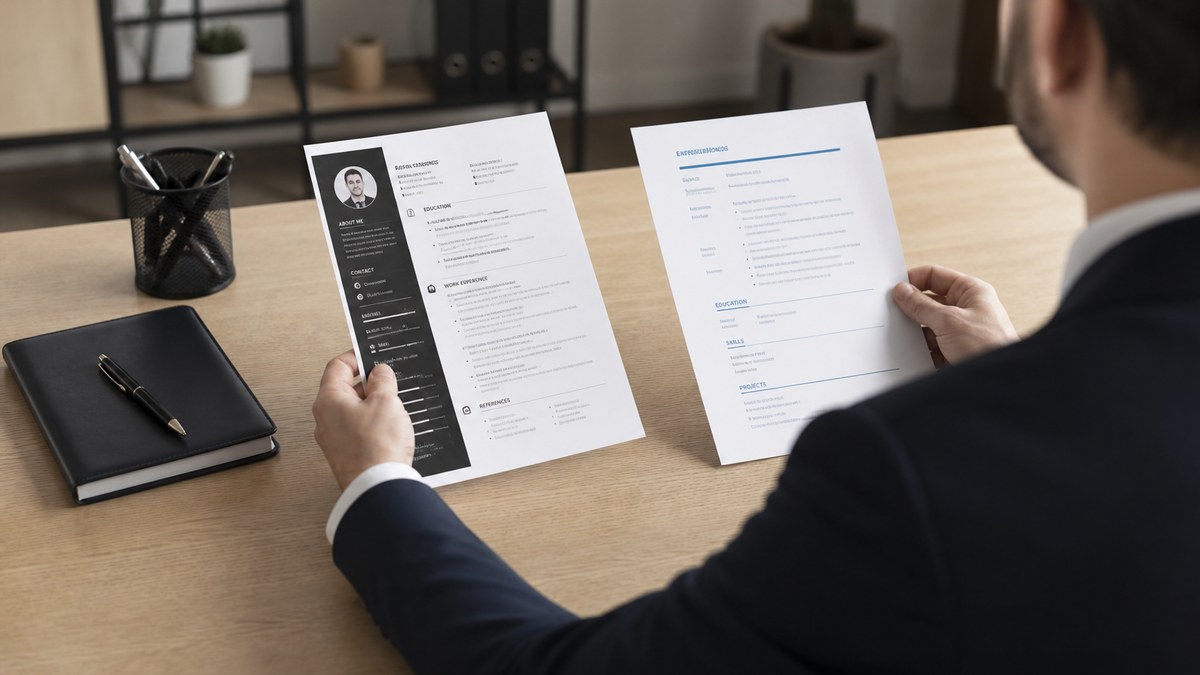
Two-column templates with a photo. They still look sharp on LinkedIn. ATS reads them as scrambled text. Recruiters see missing dates. Use one column. Move the photo to your profile, not the file.
Keyword stuffing in white font or tiny margins. Older cheat codes now trigger fraud flags or junk scores. Mirror each must-have skill once in a real bullet instead.
Listing every job since high school. Recruiters want the last ten to twelve years in detail. Older roles go in a single "Earlier experience" line unless they're directly relevant.
References available upon request. That line hasn't mattered since 2012. It eats space parsers could use for skills. Delete it tonight.
Uploading the same generic file to every portal. Standards now include light tailoring. Swap the summary line and reorder two bullets to match each posting's top three requirements.
Ignoring how the portal displays your upload. After you submit, open the application preview if the system offers one. If Workday shows your bullets as one paragraph, fix line breaks and re-upload before you move on.
Use HireFlow to see where your file lags behind current standards
Evolving rules are easier to spot when you compare your resume to a live posting. Upload your file to HireFlow's free ATS resume checker with the job description pasted in. Fix parsing errors and keyword gaps before you tailor wording.
If you're rebuilding from an old template, start with the free resume builder so section order and headings match what parsers expect in 2026. Then run job match score to see which requirements need a new bullet versus a swapped synonym.
Pair the resume pass with a short tailored note from the cover letter generator when the role is a top-five target. Letters did not replace resume standards, but they explain gaps the new format leaves on page one.
How resume standards quietly evolve: your next move
How resume standards quietly evolve is the gap between the resume you wrote years ago and the file recruiters and parsers expect today. You do not need a trend piece every Monday. You need one updated base file and light tailoring per posting.
- Fix file type and single-column layout before you rewrite bullets.
- Put current role, dates, and two metric bullets in the top third of page one.
- Run the free check, then tailor summary and skills for each priority role.
Open your last upload, run the free resume check against a live posting, and fix whatever the parser flags before you send the next application. Small edits compound when every employer uses slightly stricter screening than the last cycle.
That's how you stop fighting invisible rule changes and start getting human eyes on proof that still matters in 2026.
Read more
Frequently asked questions
Major layout rules shift every few years, but small expectations move every hiring season. Refresh your base resume at least twice a year and tailor before every priority application.
Yes for candidates with ten or more years of relevant work. Page one must show current title, company, and two strong bullets without scrolling. If page two is old internships, cut it.
They care about scan speed, not decoration. Clean hierarchy beats creative layouts because parsers and humans both need predictable section order.
Replace a generic objective with a three-line summary that names your level, domain, and one proof metric. Generic objectives add nothing after ATS extraction.
Docx still parses most reliably in Workday and Greenhouse when the layout is simple. PDF is fine when exported cleanly from Word or Google Docs. Avoid image-based PDFs and password-protected files.