12 min read
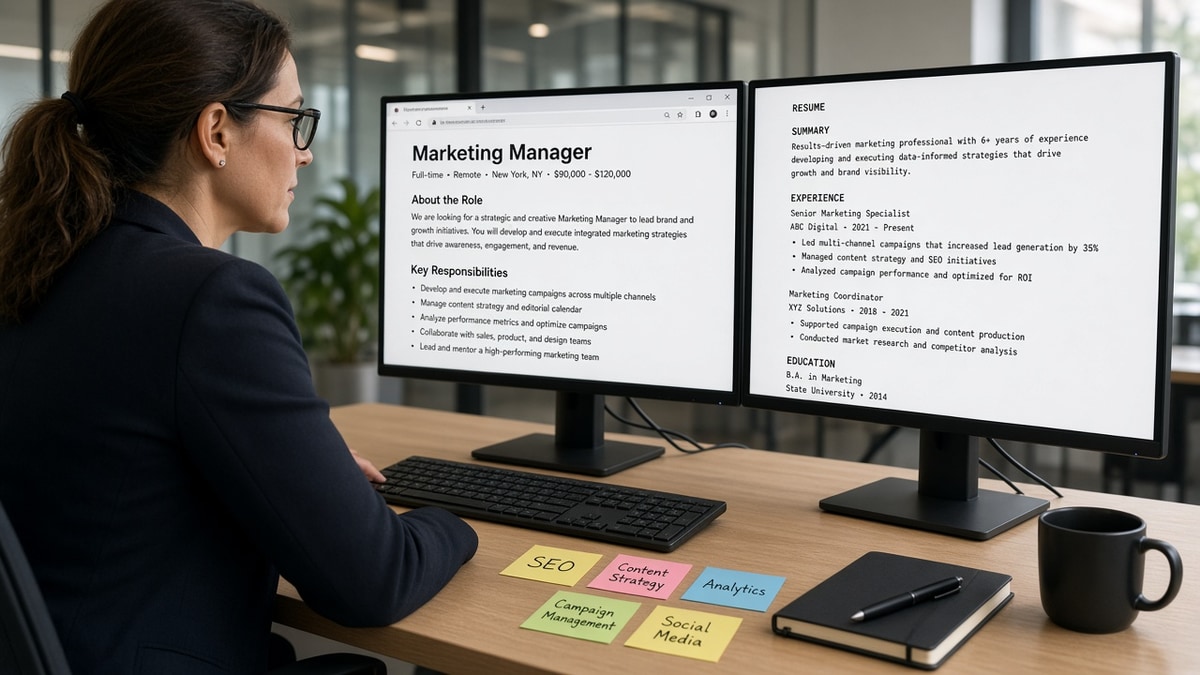
Hiring software scores fit by matching parsed resume text to the job title, must-have skills, and seniority signals in the posting, not by admiring your layout. The bullet that names a required skill in the first eight words usually beats a keyword-stuffed Skills list. That's the answer. The sections below explain why parsers work that way, where the score breaks, and what to change before you hit Submit.
You're not losing because you're unqualified. You're losing because the importer put your tools in a sidebar field and your title never matched the req language. Before you rewrite every bullet, check your resume for free with the posting pasted in. You're confirming whether required skills imported inside Experience, not guessing from a pretty PDF.
Job searching while you're still employed is draining enough. Fit scoring shouldn't be the reason a strong file sits in rank forty when the posting asked for tools you use daily. I've screened stacks where the candidate's Skills list looked perfect and the experience bullets never named the posting's top requirement.
Below you'll see how parsers build a fit score, what to change on your file tonight, and the exceptions where scoring works differently. When bullets are aligned, generate a cover letter that repeats the same skill names so nothing contradicts on upload.
Quick Wins
- Name the posting's top skill in the first eight words of your current-role bullet one.
- Match job title language when your real title was equivalent, not invented.
- Put must-have tools inside Experience bullets, not only in a sidebar Skills list.
- Run a plain-text paste test so parsing does not scramble field order before scoring runs.
Why hiring software scores fit from parsed text, not your design
Applicant tracking systems in Workday, Greenhouse, Lever, Taleo, and iCIMS follow the same broad pattern. Upload your file. Parse text into fields. Compare those fields to the structured req. Rank candidates for the recruiter's queue.
Fit is a text match problem after import. The system does not judge your color palette. It asks whether your current title overlaps the posting title, whether required skills appear in searchable text, and whether tenure and seniority language look close enough to filter settings the hiring manager chose.
Parsing comes first. If your contact block imports as the employer name, keyword matching runs on garbage. Fit scoring on a mangled profile is noise. That's why a boring single-column DOCX often outranks a designed template even when both list the same skills on paper.
Once fields are populated, matching engines look for overlap between posting language and resume language. Exact tool names matter when the req says Salesforce Service Cloud, not CRM. Seniority signals come from title words like Senior, Lead, and Manager plus years in related titles when the recruiter set experience filters.
Recency matters in practice. A skill buried on a job from ten years ago weighs less than the same skill in your current role's bullets. Hiring software detects resume fit partly by where the words sit, not only whether they appear once in a list.
Humans use the same shortcuts faster. A recruiter scanning forty files looks for the posting's top three requirements in the first screen of Experience. The software automates that skim. When you understand why weak bullet points get ignored , you're seeing the human side of the same filter.
This won't fix applying to roles where you lack the must-haves. It stops a qualified file from ranking low because the parser never attached your skills to the right job block.
How hiring software detects resume fit in your bullets and title
Fit scoring rewards alignment you can control without gaming the system. Work the posting top to bottom once. Highlight must-have skills, title language, and seniority words. Then edit three places on your file: title line, first bullet under current role, and one proof bullet with a metric.
Step 1: Mirror title language when it's accurate
Postings search title fields before they read bullets. If you were Project Coordinator doing analyst work, a title line that says Operations Analyst (Project Coordinator) can align search without lying.
Before: Job title line reads Coordinator at a logistics firm. Posting asks for Operations Analyst. No analyst language anywhere in the file.
After: Operations Analyst (Coordinator title) at the same firm. First bullet opens with process mapping and SQL reporting the posting lists as must-haves.
Step 2: Put must-have skills in bullet one, not only Skills
A mid-level marketing candidate had HubSpot, Google Analytics, and campaign management on a sidebar list. None appeared in experience bullets. Fit rank stayed low despite real campaign work.
Before: Skills: HubSpot, GA4, SEO, email nurture. Experience bullets: Managed weekly newsletter. Supported product launches. Coordinated vendor timelines.
After: HubSpot campaign builds for three product launches, 22% lift in trial signups in Q2. GA4 funnel reports for paid social, cut wasted spend 14% in six weeks. Vendor timelines unchanged but now secondary.
The Skills list can stay for human readers. The bullets carry the match score because they prove recency and context.
Step 3: Show seniority in scope, not adjectives
Postings that ask for five years in a function filter on title history and date ranges. Seniority language in bullets should show scope: team size, budget, stakeholders, or systems owned.
Before: Senior professional with extensive leadership experience. No numbers. Same verbs on every line.
After: Led four analysts on month-end close for a $180M business unit. Owned NetSuite journal workflow and SOX control testing for two entities.
Step 4: Keep one column so skills stay with the right job
Two-column templates dump the Skills block ahead of Experience in plain-text order. The matcher thinks those tools belong to whatever job imports first. Flatten before you tune keywords.
Read how recruiters interpret job titles when title alignment still feels fuzzy after bullets are fixed. Title search and skill search run on the same first screen.
Copy-paste block: fit-aligned bullet skeleton
[Must-have skill from posting] + scope + outcome metric
Example: Salesforce Service Cloud case routing for 12 agents, cut first-response time 19% in Q3

[Second must-have skill] + proof
Example: SQL dashboards in Looker for ops leadership, replaced weekly manual exports

[Seniority signal] + ownership
Example: Owned vendor RFP for ticketing tool, led evaluation across IT and support leads
Paste the posting's top three must-haves into a scratch line. Rewrite bullet one so skill one lands in the first eight words. Repeat for skills two and three on the same role before you touch older jobs.
Edge case: career changers should lead with transferable tools named in the posting, not a paragraph about passion for the new field. Passion does not parse. Tableau on a finance file targeting product analytics does.
Edge case: contractors with ten short clients should keep each client block with its own skills in bullets, not one mega Skills list that hides which tool belongs to which year.
When fit scoring does not decide your outcome alone
Understanding how hiring software detects resume fit helps you pass the first sort. These exceptions explain why a high-alignment file still stalls or a low-alignment file sometimes moves.
Referrals and internal transfers. Many teams route referred candidates to a recruiter before automated rank runs. Upload a parseable file anyway. The same profile powers future reqs when the referral path is not open.
Hard filters you cannot keyword around. Work authorization, location, clearance, and degree requirements set as knockout questions remove you before fit scoring matters. Do not waste an evening stuffing keywords when the form asks a disqualifying question honestly.
Visual and creative roles. Portfolio links matter more for design and some media roles. ATS still parses a resume file, but humans override rank when the book is strong. Keep a plain-text-friendly resume for the system and put visual work where the posting asks for it.
Keyword stuffing and hidden text. Repeating the same phrase thirty times or hiding white-font blocks can tank human trust when the file surfaces. Match language you can defend in an interview.
Conflicting titles across materials. Resume says Manager, application form says Individual Contributor because the dropdown forced it. Recruiters notice. Align what you can across resume, form, and keyword density that still reads human on the same req.
Before: Skills section lists Python, AWS, and Terraform twelve times across sidebar and footer. Experience bullets describe stakeholder meetings with no tools.
After: Python ETL jobs on AWS for nightly inventory sync, Terraform modules for three microservices. Skills line trimmed to tools not already proven in bullets.
Exception: niche roles with one accepted acronym should use the posting's exact spelling. SOC 2 and SOC2 both appear in the wild. Pick the version in the req when your work matches.
Exception: parallel applications to the same company for different reqs need separate bullet emphasis, not duplicate files with identical keyword blocks. Recruiters merge profiles. Contradictory fit signals create confusion on the phone screen.
Fit score is a sort key, not a verdict. A posting with twelve must-haves will spread weight across all twelve. You do not need every line to match. You need the non-negotiables visible in Experience on the first screen.
When a req is vague, mirror the skills in the responsibilities section, not only the header list. Hiring managers paste boilerplate titles and write real needs in the body. Read both before you edit bullet one.
Test fit before the next application
Upload your file and the posting to HireFlow's free ATS resume checker . Confirm must-have skills imported inside Experience and that title fields still read in the right order.
For a second read on alignment, score your job match against the same req. You're looking for missing must-haves before you spend time on a cover letter.
Do this now: Paste the posting, highlight three must-have skills, rewrite bullet one so the first skill lands in the first eight words, then re-upload once.
What to do now
How hiring software detects resume fit comes down to parsed text: job title overlap, must-have skills inside recent bullets, and seniority signals the posting names. Design is secondary. The first eight words of bullet one are not cosmetic.
- Open the req and highlight three must-have skills.
- Rewrite bullet one so skill one appears in the first eight words.
- Align title language when your real role was equivalent.
- Flatten columns so skills import with the right employer.
- Re-upload and read the parsed preview before Submit.
Paste the posting you're targeting. Run a free ATS check , fix missing must-haves in Experience, and send one clean file.
Read more
Frequently asked questions
It reads parsed text, not layout. Columns, icons, and graphics can scramble import order so skills land in the wrong field. Once text is extracted, fit scoring compares that text to the posting's title, required skills, and seniority language. A polished PDF that parses badly can score lower than a plain Word file with the right words in the right bullets.
No. Most systems weight skills repeated inside recent experience bullets higher than a comma list in a sidebar. A Skills section still helps humans, but the bullet that names the posting's top requirement in the first eight words usually moves the fit score more than fifteen tools listed once with no context.
If your title does not overlap the posting language, fit scoring may rank you below candidates whose titles match even when the work was similar. You can clarify with a title line that mirrors the req when accurate, such as Operations Analyst (functionally Project Coordinator), or explain scope in the first bullet. Do not invent a title you never held.
Often yes for initial routing. Referrals may land on a recruiter's desk with a note before the automated rank runs. You should still upload a parseable file because the same system stores your profile for future reqs. A referral gets you seen once. A clean parse keeps you searchable later.
Mirror required skills and tools you actually used, especially in bullets. Pasting whole paragraphs from the posting into a white-font block or repeating the same phrase twenty times can backfire when a human reads the file. Match the language on skills you can defend in an interview, not every adjective in the posting.