11 min read
The title says triple. I'd rather tell you the truth: no resume checker. HireFlow included. can promise three times more interviews. What it can do is stop your file from dying quietly when Workday misreads your columns or your must-have skills never made it into searchable text.
This page explains what HireFlow's AI resume checker actually helps with and how to use that feedback before you apply. Check your resume for free against the posting first, then read whether ATS checkers are worth it for where human review still matters.
Tripling interview chances is marketing shorthand. The real win is fewer preventable rejections. parsing fixed, honest keywords in place, and a file you're not embarrassed to send.
Quick Wins
- Upload today's export. Not a resume from six months ago.
- Fix the first red parsing flag before you touch keyword suggestions.
- Rewrite one bullet so a missing must-have term appears in the first eight words.
What HireFlow's AI resume checker actually does
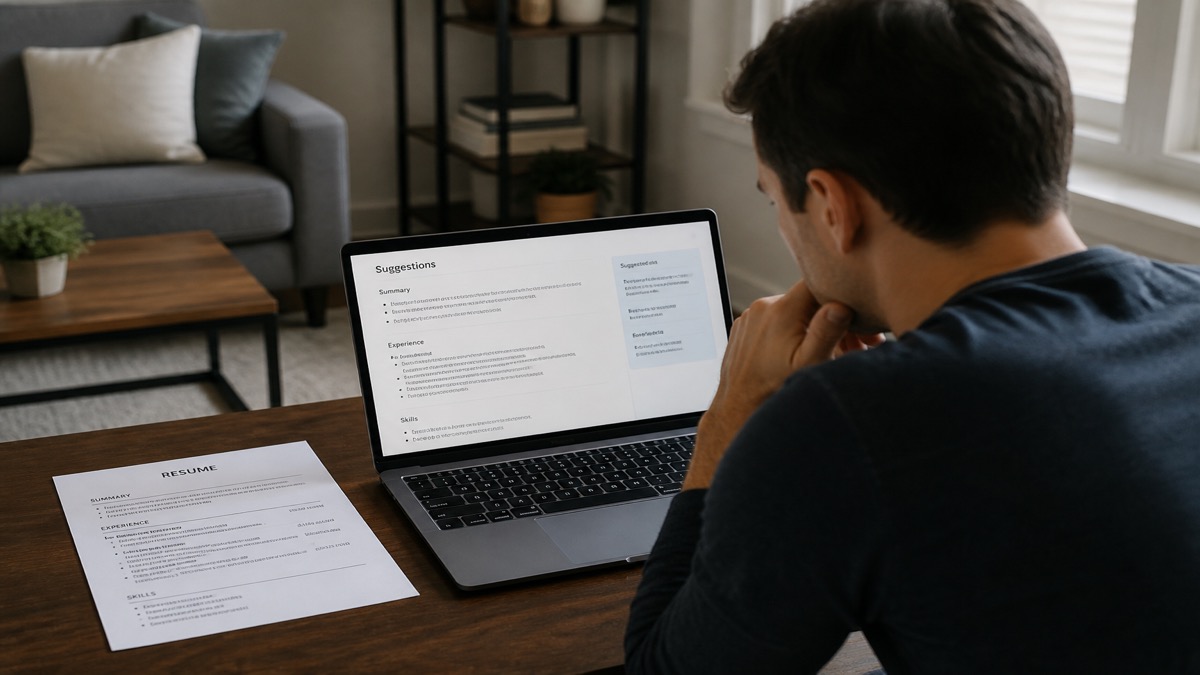
HireFlow's checker extracts text from your resume and compares it to a job description you paste in. The AI layer groups that comparison into actionable buckets: can the file be read, are standard sections present, which required terms are missing from context, and where bullets are too vague to help search or humans.
It does not contact employers, see their knockout rules, or know how many applicants you're competing against. It does not triple anything on its own. You still need fit, timing, and interview skill.
Where candidates feel a step-change is after fixing silent failures: the two-column template that scrambled dates, the skills list with no proof, the posting that asked for Salesforce and your bullet only said CRM. Those fixes don't show up as a neat multiplier. they show up as actually getting into the readable pile.
I've screened stacks of these, and the difference is rarely magic AI. It's a qualified person who finally submitted a parseable, specific file instead of the same broken PDF for the twentieth time.
The honest answer to triple your interview chances: no tool guarantees it. Fixing parse errors and aligning honest keywords removes friction so qualified candidates stop losing on technicalities alone.
HireFlow's AI resume checker diagnoses parsing and alignment problems before submit. It is not a guarantee of interview volume. it is a way to stop self-inflicted ATS losses.
How to use HireFlow's AI resume checker before you apply
Step 1: Upload the file you'll actually submit
Same PDF or DOCX, same version. If Word still has tracked changes, accept or reject them before export. Hidden comment balloons sometimes become garbage text in PDF.
Name files clearly so you don't run the checker on v2 and upload v1 by mistake.
Step 2: Paste the full posting. responsibilities included
AI comparison needs the same text recruiters care about. A title-only paste understates gaps and overstates your score.
Mark must-haves mentally: licenses, tools, years in a specific duty. The checker may surface all nouns; you filter by what you truly have.
Step 3: Fix structure feedback before keyword suggestions
Columns, icons, missing Experience heading, image PDF. fix these first. AI keyword advice on an unreadable file is lipstick on a parsing error.
Paste-test after every layout fix. Notepad doesn't lie.
Step 4: Translate AI keyword gaps into bullet edits
Don't paste a suggested skills paragraph. Rewrite dated lines.
Missing Python for a data role? Before: • Analyzed data in Excel. After: • Built recurring churn analysis in Python and SQL, exporting summary tables to Excel for leadership reviews.
Missing patient care terms for RN roles? Before: • Hospital duties. After: • Registered Nurse, telemetry unit, monitoring vitals and documenting care in Epic per protocol.
Step 5: Re-scan, then stop when parsing is clean
One editing pass, one re-scan. If structure is clean and must-haves sit in honest bullets, apply. Don't chase perfect match scores with invented skills.
Save a note: which terms you added for this employer so future edits don't contradict earlier applications.
Step 6: Add a cover letter when required
Some portals parse cover letters separately. Use the free cover letter generator, verify employer name spelling, and keep dates aligned with the resume you just checked.
Edge case: over-relying on AI phrasing
Suggested phrases can sound generic. Rewrite in your voice with real tools and scope. Recruiters spot template cadence fast.
If a suggestion implies a metric you never measured, skip the metric. use frequency or audience instead.
Edge case: employment gaps and checker silence
Checkers rarely fix gaps. they fix text. Address gaps in a honest line or brief note in cover letter when appropriate. Don't shift dates to game overlap.
For gap context, see what to fix when applications go silent alongside checker fixes.
What improved files look like in recruiter search
After fixes, a recruiter searching financial analyst should see your title, employer, and terms inside bullets. Not a jumble of sidebar text. That's the practical upside: searchable structured data plus a readable attachment.
You won't see your own Workday profile. You infer success when parse warnings disappear and must-have Ctrl-F hits sit in experience, not only Skills.
Pair AI feedback with a human read
Send the post-checker PDF to a friend for a ten-second skim. Can they name your current title and top skill? If not, AI alignment didn't create human clarity.
AI checkers don't replace networking, referrals, or role fit. They reduce unforced errors. the broken PDF, the missing license line, the Salesforce gap when you used Salesforce daily.
Realistic expectations per application cycle
Fixing parse and alignment might convert some silent rejections into human reviews. It won't create interviews for roles you're underqualified for or markets with no openings.
Track outcomes by file version, not vibes. If version 4 gets more recruiter emails than version 1 in the same week, your edits mattered. regardless of any triple headline.
How AI suggestions differ from recruiter judgment
AI compares text to text. Recruiters weigh trajectory, company brand, gaps, and referral context. A checker might love your keywords while a human passes because the role needs people leadership you haven't shown yet.
Use HireFlow to clear technical bar. Use the posting to judge fit. Don't treat a green checklist as permission to ignore must-have years in a specialty.
Combining checker fixes with networking
Referrals still matter. A readable file helps after the referral lands in the same ATS. Submit the checked version when an employee passes your name. Not an older decorative PDF.
Tell your contact which role and which file version you used so their note matches what recruiting opens.
What to do when the checker and your gut disagree
Sometimes the checker wants a term that feels overstated. Trust your gut. don't add it. Sometimes your gut wants to skip a parse warning because the PDF looks fine. Trust the warning. paste-test anyway.
The product helps when you argue with it productively: fix real parse issues, ignore dishonest keyword nudges, re-scan after honest edits.
Maintenance: updating your base file quarterly
Even employed candidates should refresh a base resume quarterly: new tools, promoted title, one new bullet with metrics. Run a generic parse check without a posting to catch layout drift from Word updates or template edits.
That habit means the next job search starts from a clean file. Not a panic rewrite at midnight.
Sharing checker results with a mentor or coach
Export isn't built in, but you can screenshot warnings or read them aloud on a call. A second pair of eyes catches when you over-corrected. adding skills you shouldn't own.
HireFlow's checker gives you the list; a human helps you prioritize which fixes matter for that employer and seniority band.
Title says triple. your workflow says verify
Treat the headline as a reminder to run three checks before submit: paste-test, keyword honesty review, free HireFlow scan. Three verifications beat one hopeful upload. That's the practical triple worth chasing.
Fields the AI checker cannot see
Knockout questions, referral flags, internal transfers, and requisition close dates live outside your file. HireFlow won't flag them. Answer portals truthfully and don't expect a perfect checker score to override a hard requirement you don't meet.
Within what you control. file quality and honest alignment. the checker earns its place in your workflow.
Red flags that mean stop optimizing and fix layout
Paste-test shows jumbled employers. Checker repeats the same table warning after two fixes. PDF is over 5MB because of embedded images. Those are layout emergencies. drop keyword work until the container is clean.
Tripling interview chances. or any interview bump. starts with a file recruiters can open without guessing what you did where.
Common mistakes
Believing a multiplier headline literally. Tools diagnose files. They don't create demand for your role.
Letting AI add skills you don't have. Interview failure is worse than a missing keyword.
Skipping re-scan after edits. Old feedback on a new file misleads you.
Using one generic resume for every check. Comparison quality depends on the posting you paste.
Ignoring human readability. ATS pass plus ugly vague bullets still loses to clearer candidates.
Run the free scan on HireFlow
HireFlow's free AI resume checker runs the parse-and-compare loop without signup for the core scan. Upload, paste posting, fix warnings, re-upload. That's the whole product path for most applicants.
Use it when the job changes. title, stack, industry. Not as a daily lottery ticket. Pair with the cover letter generator when letters are required.
Read AI checker vs human recruiter review so you know when to stop tuning and hit submit.
The checker helps most when you bring a specific posting and a fresh export. Generic scans produce generic suggestions. Specific scans produce edit lists you can execute in twenty minutes.
Better files beat buzzwords
HireFlow's AI resume checker helps you submit files recruiters can actually read. with honest terms in the right places. That's the realistic path to more conversations, not a guaranteed triple.
- Fix parsing before keywords. every time.
- Rewrite bullets; don't paste AI skill paragraphs.
- Re-scan after export, then apply with matched facts.
Run the free resume check, fix one parse warning and one honest keyword gap, and submit a file you'd defend line by line in an interview. That's how HireFlow's AI resume checker earns its keep. Not by promising triple, but by removing silent mistakes and giving you a repeatable verify-edit-submit loop every time you apply to a new posting today.
Read more
Frequently asked questions
No tool can guarantee a multiplier on interviews. HireFlow helps you fix parsing issues and align honest keywords before apply. Which removes common silent rejections qualified candidates hit.
It compares extracted resume text to the job description and surfaces structure warnings, missing terms, and phrasing gaps. It does not invent jobs or credentials for you.
Yes for the core ATS check against a posting. no signup required for the standard scan. Use it before each materially different application.
HireFlow suggests what to fix. You edit bullets and verify facts. Automatic rewrites of employment history would be unsafe. And easy for recruiters to spot.
Parsing and layout warnings first, then must-have keywords missing from dated experience. Ignore nice-to-have gaps you can't truthfully claim.