8 min read
Does the order of your jobs change how a system reads you? Yes, and it's not about fashion. It's about whether the importer can find a title, an employer, and a date in the same place.
Check your resume for free and look at the work history the parser built. If a job shows up with no dates, or the dates sit under the wrong employer, order is the cause.
This page compares three layouts side by side: reverse-chronological, functional, and combination. You'll find a decision rule at the end, so you can pick one tonight instead of guessing.
If you're worried about a gap or a career change, you're not alone, and you aren't stuck with a layout that hurts you. There's a middle path.
What the importer looks for in a work history
Most importers try to build a list of jobs. Each job needs a title, an employer, and a date range, and the tool looks for those three in a predictable place, usually one or two lines in a row.
When all three sit together, the job becomes a clean record. When they're split apart, the tool has to guess, and a guess can land on the wrong employer or drop the dates entirely.
So the question isn't which layout looks better. It's which layout keeps title, employer, and dates together for every job you list.
| Criterion | Reverse-chronological | Functional | Combination |
|---|---|---|---|
| Dates beside each job | Yes, on every entry | Often moved or left out | Yes, in a short history block |
| Current role first | Yes | Not required | Usually below a skills block |
| Recruiter scan speed | Fast | Slow, needs a search for dates | Medium |
| Best for | Steady growth in one field | Rarely the right choice | Career changers and returners |
Reverse-chronological: why it parses cleanly
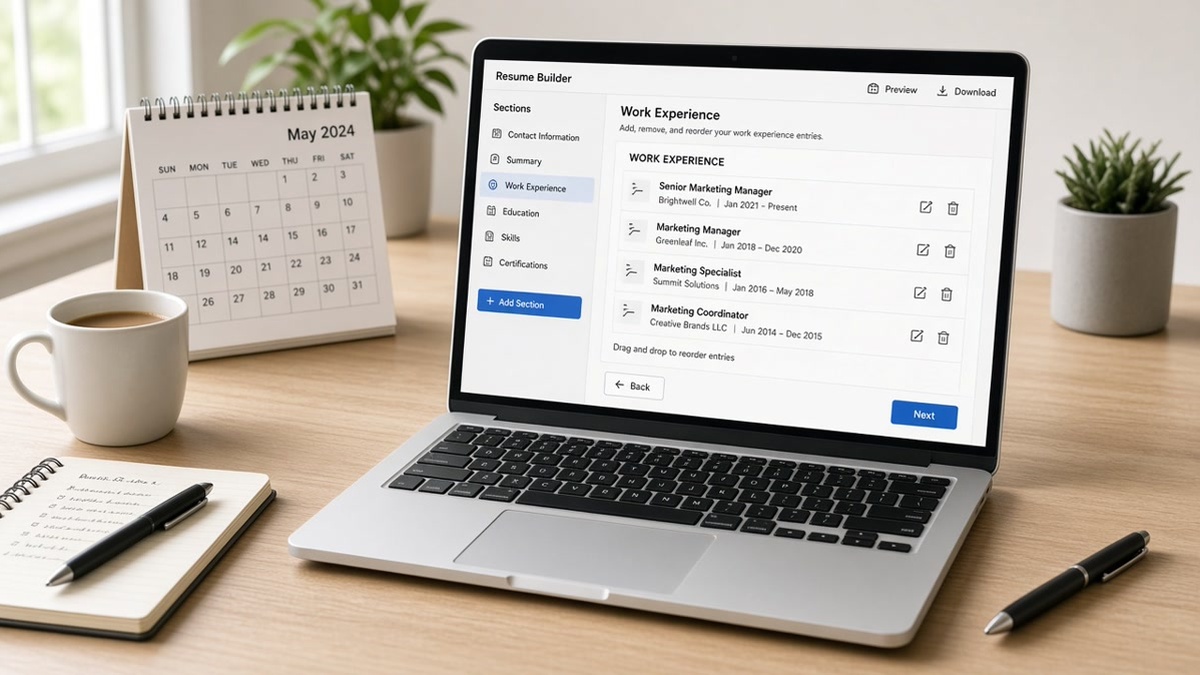
Newest job first, oldest last. Each entry carries a title, employer, and Month Year date range, followed by bullets. That order matches how most forms and importers are built.
A recruiter also reads it fastest. The top of the page shows where you are now, which is the first thing a recruiter checks before anything else.
Before: Marketing Manager, Brightline Software | 2022 to Present | Built the lifecycle email program.
After: Marketing Manager | Brightline Software | Mar 2022 to Present
The second version puts title, employer, and dates in a fixed order with plain separators. It's boring on purpose. Boring and consistent is what the importer rewards.
I've screened files in Workday where an unusual date format made the system show a three-year role as having no end, and the recruiter had to open the PDF just to learn the tenure.
Functional and combination layouts: where dates disappear
A functional resume groups your skills into blocks like Leadership or Project Management and lists jobs briefly at the bottom, often without dates. The reader gets themes, and the importer gets almost no history to attach them to.
That's why a functional layout tends to read worse in an automated screen. The skills have no job, no employer, and no time frame behind them.
Before: Leadership: Led teams and managed projects across several roles. Work History: Brightline, Northwind, Acme.
After: Brightline Software | Operations Lead | Jan 2021 to Present. Led a team of six through a CRM migration, finishing two weeks ahead of the plan.
A combination layout fixes most of that. It opens with a short summary or skills block, then follows with a full reverse-chronological history. The skills lead, but every skill also has a dated job below it.
If you use a combination layout, treat the top block as a preview and the history as the proof. Keep the top block short, under six lines.
Edge cases that justify bending the order
An employment gap. Keep the order and keep the dates. Hiding a gap behind a functional layout usually draws more questions, not fewer. A one-line note under the gap, such as caregiving or a course, is enough.
A career change. Use a combination layout. Open with a three-line summary that names the new target, then list the dated history with bullets that match the new field's terms.
Many short contracts. Group them under one heading, such as Freelance Designer, with a single date range and a few bullets. That keeps one clean record in place of eight fragments.
A returner after a long break. List the recent project or course first as a dated entry, then the older roles below it. A dated entry beats an undated block of skills every time.
This won't fix a resume with little relevant experience. It makes sure the experience you do have gets read in the right order.
A decision rule you can use tonight
| Your situation | Use this order | Keep this |
|---|---|---|
| Steady path, no gaps over a year | Reverse-chronological | Current role first, dates on every job |
| Changing fields | Combination | Short top summary, dated history below |
| Gap or long break | Reverse-chronological with a note | Honest dates, one line of context |
| Many short contracts | Reverse-chronological with a grouped entry | One heading, one date range |
Pick a row, apply the order, and check the extracted text. A copy-paste job line to start with is below.
Job Title | Employer | Mon YYYY to Mon YYYY
• Action verb + tool + object + outcome.
• Action verb + tool + object + outcome.
Confirm the importer sees every date
Run HireFlow's free ATS resume checker and read the work history it extracted. Every job should show a title, an employer, and a date range in that order.
If your layout needs context for a gap or a switch, generate a cover letter with two sentences that explain it, so the recruiter doesn't have to guess.
Do this now: Pick a row in the decision table, reorder your jobs, then scan the file and check that no job lost its dates.
Order is a promise to the importer
Your layout tells the importer where to find the facts it needs. Give it title, employer, and dates in the same place for every job, and your skills have a record to attach to.
- Default to reverse-chronological with the current role first.
- Use a combination layout for a change of field, with a dated history below.
- Keep every date in Month Year format.
- Add one line of context for a gap, not a block of explanation.
Run a quick free ATS check on the reordered file before you send it.
Read more
Frequently asked questions
Rarely. A functional layout often separates skills from dates, so the importer has little history to attach them to. If you must lead with skills, use a combination layout that keeps a full dated work history below a short top block.
Yes, in a reverse-chronological layout. The newest role comes first, then older ones. If you're between jobs, list your most recent role first with an end date, or lead with a dated project or course that shows current activity.
Keep the dates honest and keep the order. Add a one-line entry for the gap, such as caregiving, relocation, or a course, if it helps. Hiding it behind a skills-first layout usually raises more questions than a short, plain note.
Most recruiters care most about the last ten to fifteen years or the last few roles. Older roles can be a single line each with dates, or left off if they aren't relevant. Keep the same title, employer, and date format throughout.