11 min read
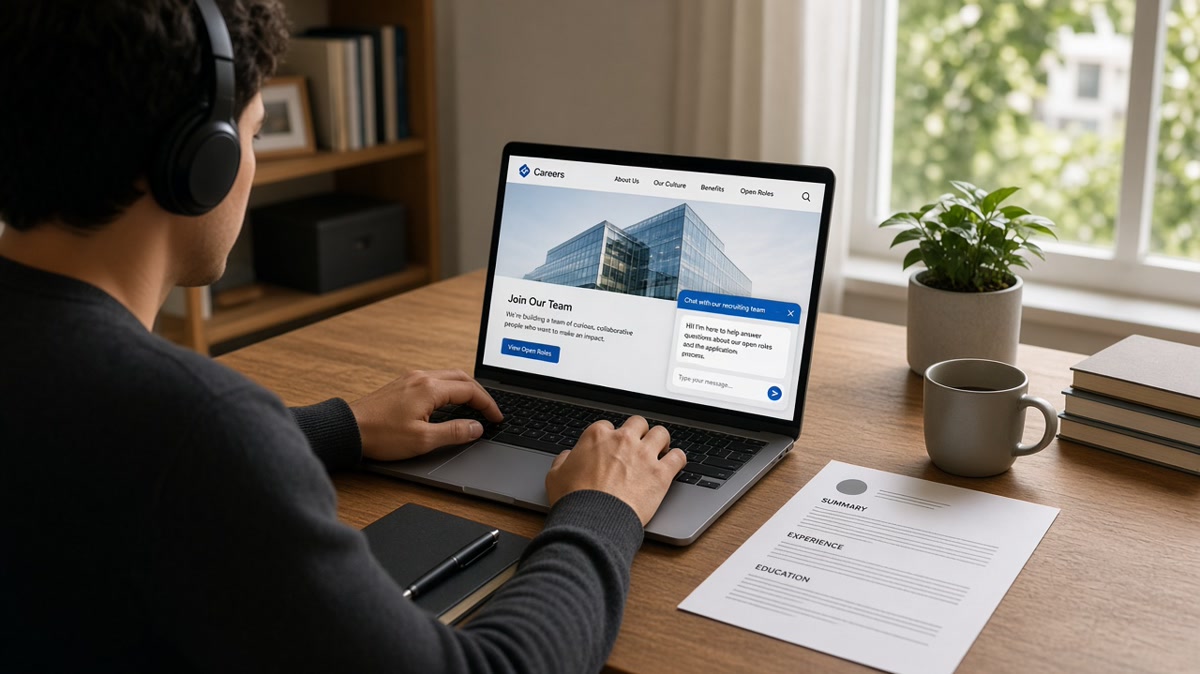
You upload a resume on Workday, then a chat window opens before you hit submit. That's ai chatbots recruitment from your side, not a recruiter typing at you. The bot already read whatever the parser extracted from your file. Now it's asking knockout questions you can't see on the job posting.
Most drop-offs aren't because you typed the wrong greeting. They're because your answers fight your resume, your file didn't parse, or you hit a hard filter you didn't know existed. Before you answer question three, check your resume for free against the posting so chat answers and upload text tell the same story.
Below: what the screen looks like, three reasons chatbot screens fail qualified people, how to tell which one hit you, and what to change before you try again. You're not learning to charm a robot. You're keeping a parsed file and plain answers from contradicting each other.
If you're mid-application right now, don't restart until you read the re-upload section. Swapping files mid-chat without checking parse order can wipe answers you already gave.
Retail, healthcare, and corporate tech all use the same pattern: upload first, chat second, human third if you pass. The chatbot isn't replacing the recruiter yet. It's filtering the pile so recruiters don't read every file that can't parse.
Quick Wins
- Upload a plain single-column file before the chat starts; answer in short sentences that match resume wording.
- When the bot asks for years of experience, count from the role on your resume, not a rounded guess.
- Re-upload only when preview or chat shows blank employers you know are on your file.
- Screenshot knockout rejections with reason codes before closing the tab.
What ai chatbots recruitment looks like from the candidate side
After you attach a resume, many Greenhouse and iCIMS flows launch a chat widget. Sometimes it greets you by first name pulled from the upload. Sometimes it skips straight to yes or no questions about work authorization, shift availability, or required licenses.
The chat is not a separate interview. It's a form with conversational skin. Answers usually write into the same ATS profile fields a recruiter sees later. Typing "5+ years" in chat while your resume shows three years under the current title is a mismatch flag, not a clever shortcut.
Some bots schedule interviews at the end. Others stop at "we'll be in touch." Neither outcome means a human read your resume yet. Passing chat means you cleared automated rules tied to the parsed file and your typed answers.
The symptom: You finish chat fast and never hear back. Or the bot ends with "not moving forward" before you typed more than two lines. Both point to knockout logic or a bad parse, not bad luck alone.
I've screened stacks of these profiles in Workday and Greenhouse after chat completes. The candidates who advance usually have matching numbers in chat and resume, plus a file whose employers appear in order in the preview.
Read Workday resume format 2026 if your upload preview scrambles job titles before chat even opens. Parser failure upstream makes chat answers irrelevant.
Chatbots also ask for data the posting never mentioned: desired salary, earliest start date, commute radius, clearance level. Treat every field as visible to a recruiter later. Jokes and "negotiable" without a number still store as text.
Multi-step chats may pause and email you a link to continue on mobile. Finish on the same account. Starting over with a second email creates duplicate profiles that recruiters delete.
Some employers wrap chat inside the careers site. Others embed the same vendor widget on a job board apply link. The vendor changes skin and greeting text, but the backend fields are usually the same: authorization, experience counts, schedule, travel, certifications.
You won't see the scoring rubric. You will see which question ended the flow. Treat that question as data. Screenshot it, compare to your resume line by line, and fix the mismatch before you reapply with a different email.
Accessibility matters here too. If chat timing or format blocks you, use the human handoff or employer accommodation email before you assume a rejection. Many portals log that request separately from knockout answers.
Three causes when chatbot screens fail you (and how to tell which is yours)
Cause 1: Your resume never parsed, so chat asks for facts already on the file
When the parser drops employers or reads a sidebar as your current job, the bot thinks you're missing experience. It asks you to re-upload or type employer names manually. That's not extra screening. It's covering for a broken upload.
How to tell: Preview pane shows wrong order, blank experience, or tool names where company names should be. Chat question one asks for employer history you already uploaded.
The fix: Stop chat. Flatten to a single-column Word or text PDF. Re-upload. Confirm preview. Restart chat only if the portal clears prior answers; otherwise continue and align typed employers to the new parse.
Before: Two-column resume; chat asks "List your last three employers" though they're on page one.
After: Plain PDF; preview lists employers top to bottom; chat skips straight to authorization and schedule questions.
Cause 2: Chat answers contradict resume numbers
Knockout rules compare chat integers to parsed fields. "Do you have 5 years in SQL?" pulls against dates and skill mentions in your file. Rounding up in chat because you "feel senior" fails when bullets show four years.
How to tell: Rejection comes immediately after a numeric or yes or no question. No human follow-up. Other candidates with similar backgrounds report the same question as the exit point.
The fix: Open resume and posting side by side. Count months for each requirement. Answer chat with the same numbers you'd defend in a phone screen. Update bullets first if you're close but not there yet.
Before: Chat answer "7 years project management" while resume shows four years in title and one year as team lead.
After: Resume bullet reframed with Month Year dates totaling six years; chat answer "6 years" matching the visible timeline.
Cause 3: Hard knockout you cannot chat your way past
Location radius, active clearance, required license, on-site shift pattern. Bots enforce these without negotiation. Answering creatively ("willing to relocate soon") still stores as no if the box required yes today.
How to tell: Rejection message cites policy, location, or license. Same question appears on every reapply attempt with the same outcome.
The fix: Don't burn time rewriting resume for a hard no. Save effort for reqs you qualify on paper. If the rule seems wrong (remote job with on-site knockout), use the human handoff or recruiter email on the posting once, then move on.
Edge case: Chat asks salary in the first minute. Some states restrict this. Answer with a range that matches your market research, not a throwaway number. A low anchor can still filter you before review.
Edge case: Bot loops the same question after you answer. That's often a session bug or a character limit clip. Shorten answer, remove special characters, try another browser before you assume rejection.
Copy-paste chat answer skeleton
Work authorization: [Yes/No], [visa type if applicable].
Years in [skill]: [number] years, most recently at [employer] [Month Year to Month Year].
License/cert: [Name], [state], [expiration Month Year], [active yes/no].
Start date: [Week of Month Day Year] or [two weeks from offer].
Salary (if required): [range low to high] based on [role level] in [metro].
Swap bracket lines for what the bot actually asks. Keep each line under two sentences. Numbers inside examples are templates, not market data.
See how to tailor a resume to a job description when you need to align bullets before re-answering experience questions.
Pair 3: Night-shift nurse with license chat
Before: Resume lists RN license in footer graphic; chat asks for license number and gets blank parse.
After: License line in body under contact with state and expiration; chat answer copies exact number from resume text.
What to do in the next ten minutes: Open your last chat rejection screenshot. Find the last question answered. Open your resume PDF and search the same topic. If numbers differ, fix the bullet dates first, then reapply with aligned chat answers.
Where candidates break chatbot flows
Treating chat like a cover letter. Long paragraphs stall parsing and annoy reviewers if the thread attaches to your profile. Save story for a human or a short note from the cover letter generator after you pass automated steps.
Uploading a new designed PDF mid-chat. Switching from plain to pretty mid-flow can reset parse fields and orphan your earlier answers.
Answering yes to every skill question. Follow-up screens or later interviews expose gaps fast. Match chat to proof bullets only.
Ignoring re-upload prompts. When the bot asks for a new file, it's usually fixing a blank field. Skipping the re-upload leaves you in limbo.
Using different names or emails across attempts. Duplicate profiles split chat history. Recruiters often merge by deleting both.
Closing the tab before confirmation. Some systems don't save partial chat. Wait for the submitted checkmark or email receipt.
Arguing with the bot. Snark stores as text. Use human escalation links for real disputes, not the chat window.
Refreshing the page to "reset" a bad answer. Some systems lock earlier responses. Refreshing can duplicate partial applications. Use the portal's edit link if one exists.
Typing "see resume" for every field. Lazy chat answers signal low effort when a recruiter opens the thread later. One line per fact beats a redirect that stores as empty data.
Verify the file before chat questions start
Run your upload through the free ATS checker with the posting pasted in. You're confirming parse order and must-have terms before chat compares answers to the profile.
Use job match score to see whether knockout requirements in the posting match your dated bullets before you spend twenty minutes in a chat loop.
Apply without fighting the bot
Ai chatbots recruitment flows reward boring consistency: plain file, matching numbers, short answers. Fix parse problems before chat. Align chat integers to dated bullets. Walk away from hard knockouts you can't meet today.
Run a free check on tonight's upload, answer the next chat in plain sentences, and keep screenshots when a knockout stops you. That record tells you whether to fix the file or pick a different req.
For interview prep after you pass chat, read behavioral interview answers that do not sound rehearsed so the human stage matches the clarity you showed in the bot.
Read more
Frequently asked questions
Most chatbots sit on top of the same ATS upload you already submitted. They pull skills and employers from the parsed profile, then ask knockout questions in chat. If your file failed parsing, the bot may ask you to re-upload or type answers the parser should have filled. Fix the upload file first, then answer chat questions in plain sentences that match your resume wording.
No. Chat boxes want short direct answers, not bullet blocks. Pull one fact per answer: years of experience, license status, work authorization, salary range if required. Keep wording aligned with your resume so a human reviewer does not see a mismatch later. If the bot asks for a paragraph, write three sentences max.
That is usually a knockout rule, not a moody bot. Common triggers: missing work authorization, required certification you answered no to, minimum years below the req, or location outside the hiring zone. Read the rejection screen for a reason code. If none shows, your resume file may have failed parsing and the bot never saw your real employers.
Re-upload when the bot explicitly asks, when the preview shows scrambled employers, or when chat questions reference blank fields you know are on your file. Use the same plain single-column PDF or DOCX you tested before starting. Do not upload a designed version mid-chat if the portal already parsed a plain file correctly.
Sometimes. Many flows offer a handoff link or email after you finish required questions. Use it for disability accommodations, visa nuance, or schedule conflicts the bot cannot parse. Do not treat chat as a cover letter. Save narrative for a human note or a short note from the cover letter generator after your file passes.